






- ABP Framework version: v6.0.0
- UI type: Blazor
- DB provider: EF Core
- Tiered (MVC) or Identity Server Separated (Angular): yes
- Exception message and stack trace:
- Steps to reproduce the issue:"
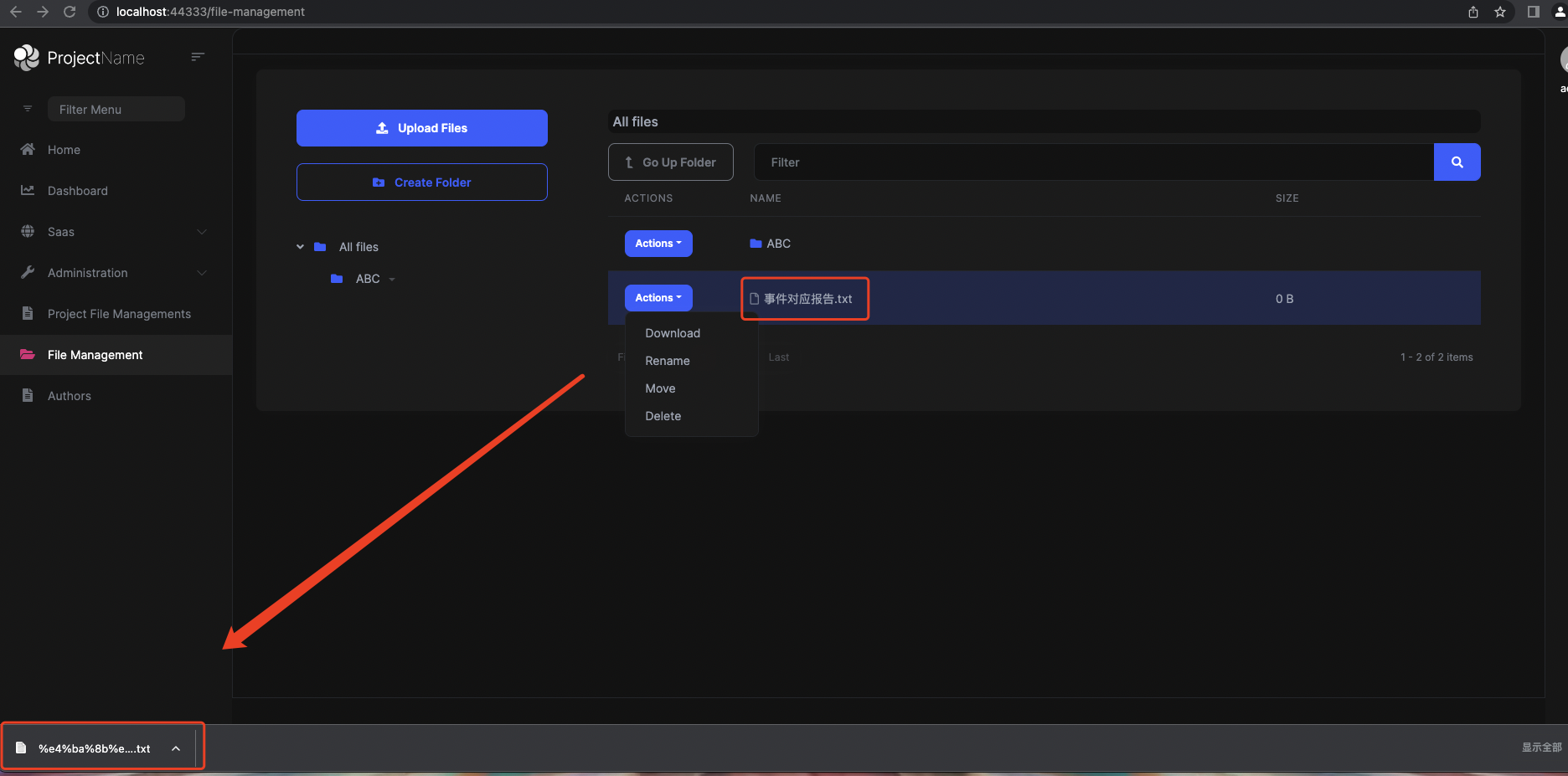
There is an exception when downloading attachments with Chinese characters using File Management.
9 Answer(s)
-
0
Hi,
I can't reproduce the problem.
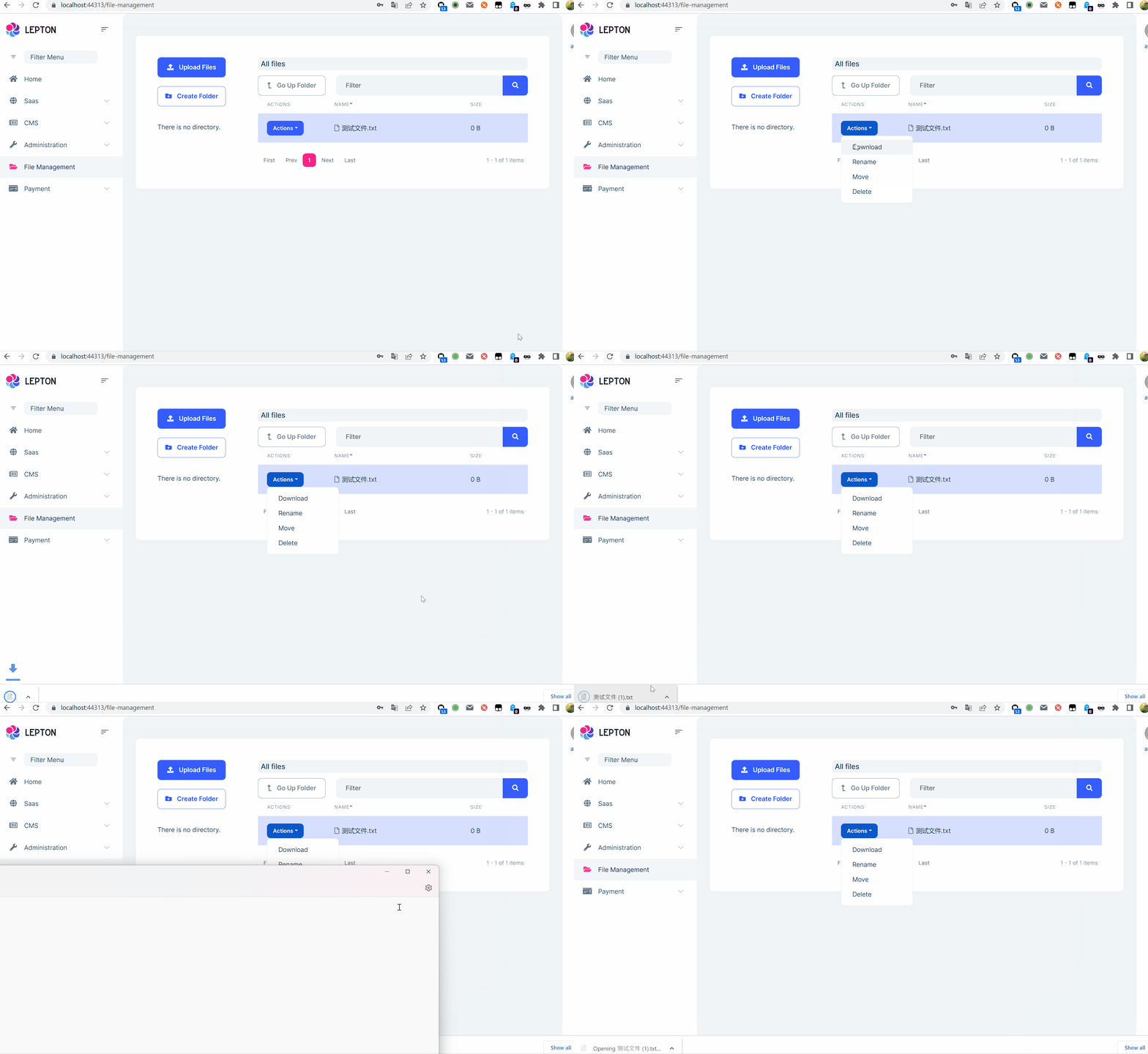
Can you share the full steps to reproduce? thanks.
Markdown supported.Copy, paste, or drag & drop images and files (max 100 MB per file, 100 MB total per post) -
0
hi,liangshiwei
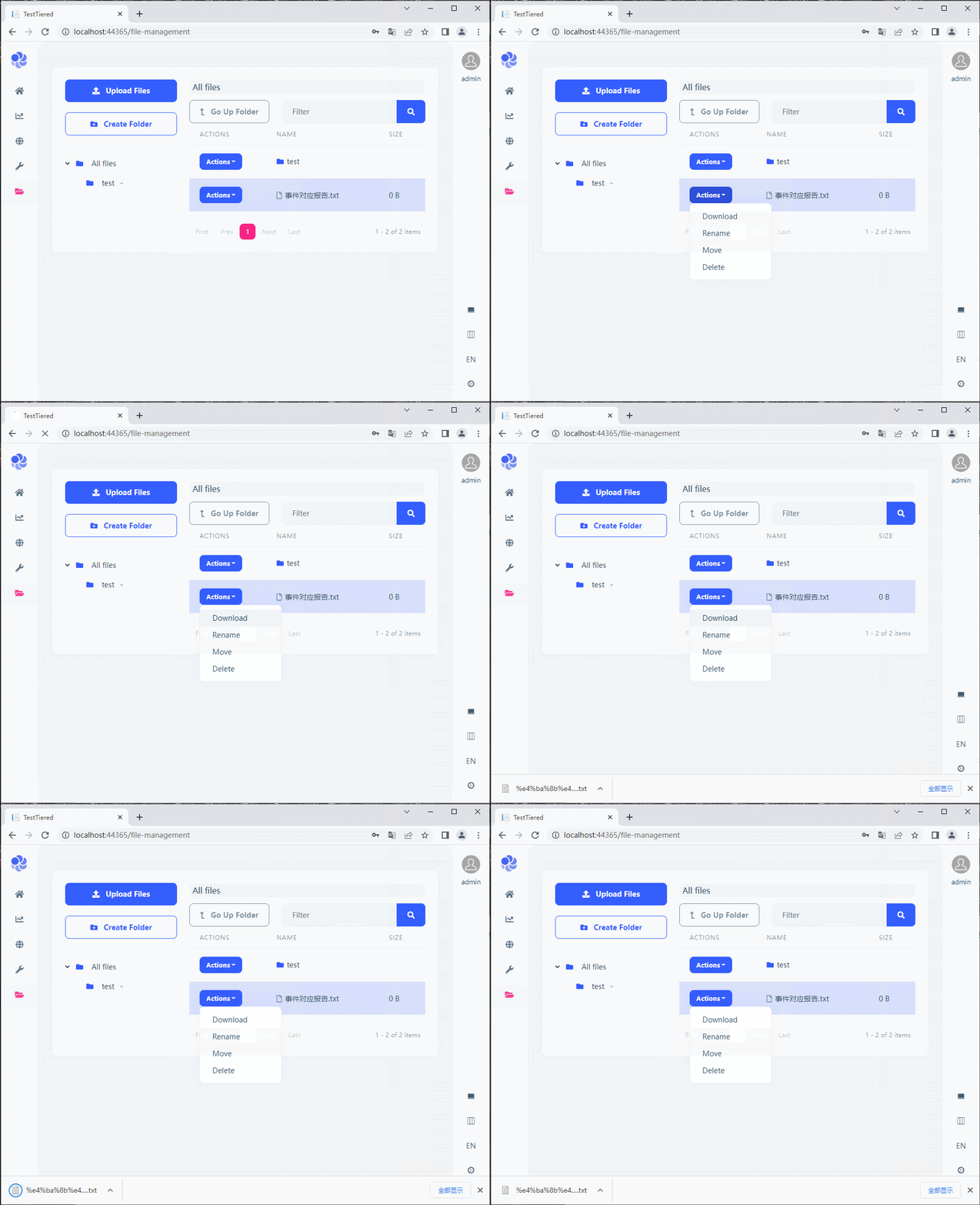
Here is a screenshot.
The comparison shows that there is no save as prompt, but directly download after clicking download.
 Markdown supported.Copy, paste, or drag & drop images and files (max 100 MB per file, 100 MB total per post)
 -
0
The comparison shows that there is no save as prompt, but directly download after clicking download.
This is a feature of the browser
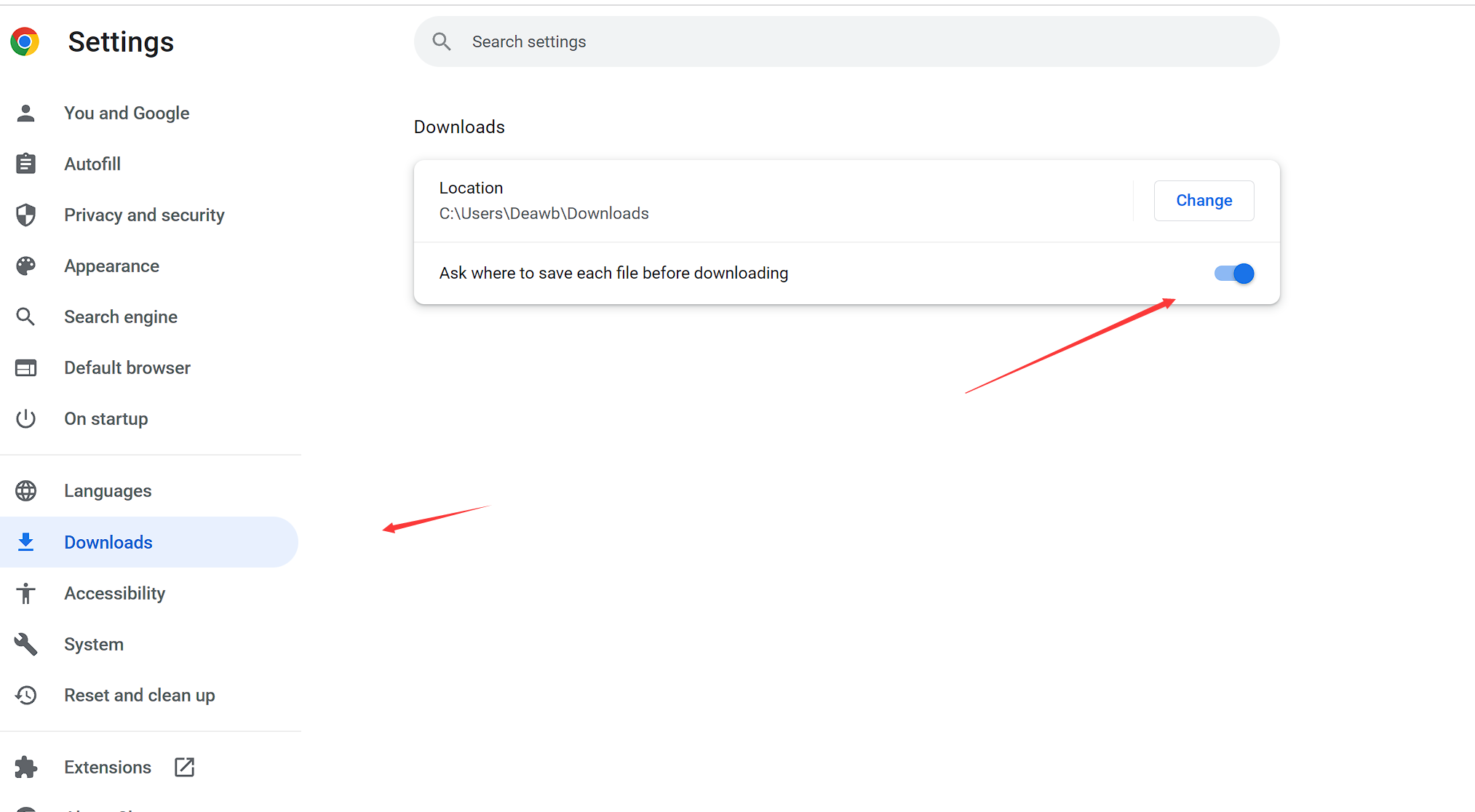
Since I can't reproduce the problem, can you please provide full steps to reproduce? thanks.
BTW, I'm guessing it may be related to your environment, could you try with a new PC?
Markdown supported.Copy, paste, or drag & drop images and files (max 100 MB per file, 100 MB total per post) -
0
hi,liangshiwei
1.Upload Files 2.Actions-Download 3.Save FIle(file name wrong)
Try changing the PC, the file name is still wrong
Trying Firefox is fine, Edge and Chrome are not
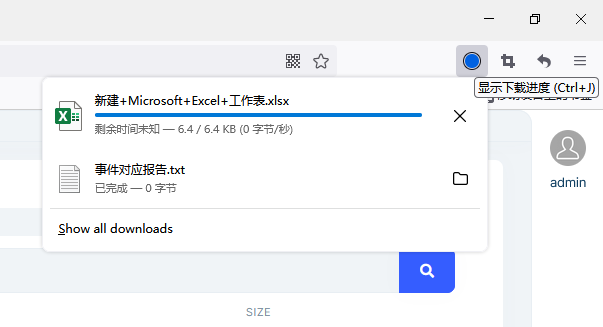
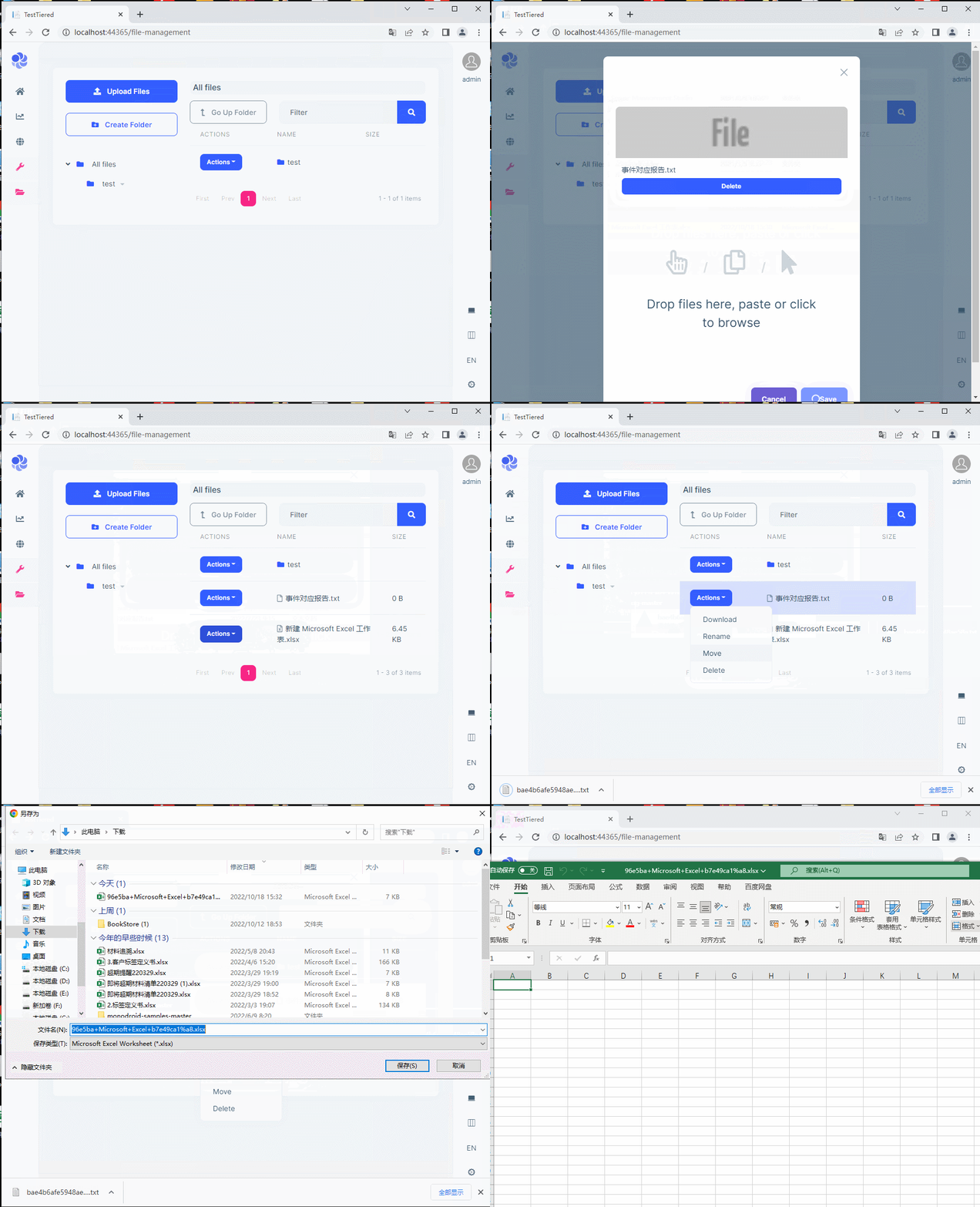 Markdown supported.Copy, paste, or drag & drop images and files (max 100 MB per file, 100 MB total per post)
 -
0
I will check it out
Markdown supported.Copy, paste, or drag & drop images and files (max 100 MB per file, 100 MB total per post) -
0
Hi,
Can you try downloading this file to check if the file name is right?
https://1drv.ms/t/s!ArILR0PuqXwbrZsEgXvdPrlT3jstCQ?e=qZFPb4
Markdown supported.Copy, paste, or drag & drop images and files (max 100 MB per file, 100 MB total per post) -
0
Hi, Is OK Can you try downloading this file to check if the file name is right?
https://1drv.ms/t/s!ArILR0PuqXwbrZsEgXvdPrlT3jstCQ?e=qZFPb4
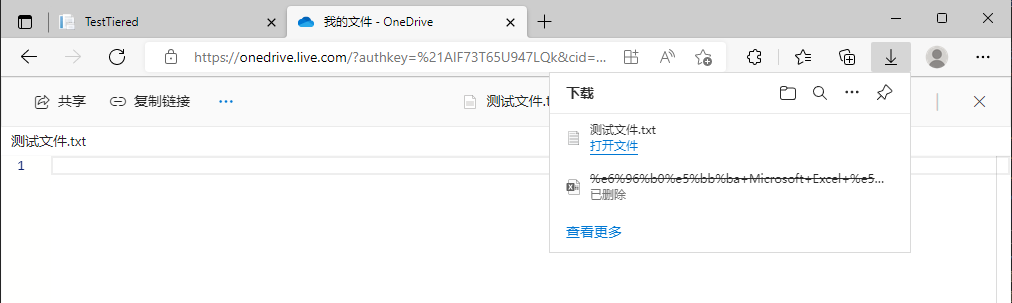 Markdown supported.Copy, paste, or drag & drop images and files (max 100 MB per file, 100 MB total per post)
 -
0
Hi,
I'd like to check it remotely.
Can you share your WeChat with me via email? shiwei.liang@volosoft.com. thanks.
Markdown supported.Copy, paste, or drag & drop images and files (max 100 MB per file, 100 MB total per post) -
0
We will fix the problem, and your ticket refunded.
Markdown supported.Copy, paste, or drag & drop images and files (max 100 MB per file, 100 MB total per post)


