






- ABP Framework version: v6.0.0
- UI type: Blazor Server
- DB provider: EF Core
What is the best practice to return and show errors from the server side to be viewed in the client for a Blazor Server app? In other versions, I never had to worry about it. If I caught an exception, I could return UserFriendlyException and it would show a message in the client modal with no problem. But I can't seem to figure out something similar for Blazor Server. Any help would be much appreciated.
4 Answer(s)
-
0
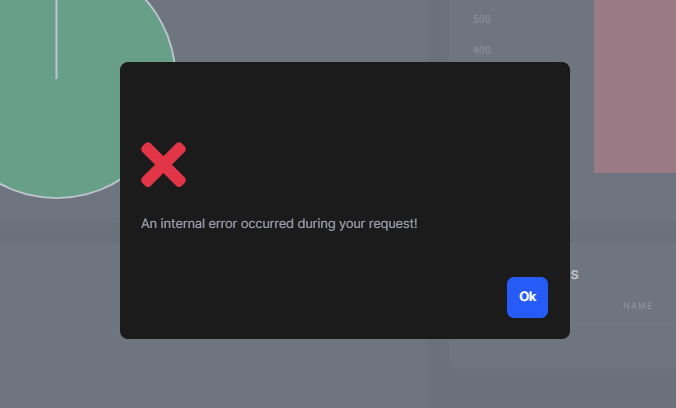
AbpComponentBaseprovidesHandleErrorAsync()method to handle exceptions in Blazor Server. It does everything for you, it writes logs, show modal etc.You can use it like that:
    try
    {
        // Your logic here.
        throw new Exception("Test"); // Example exception.
    }
    catch (Exception ex)
    {
        await HandleErrorAsync(ex);
    }
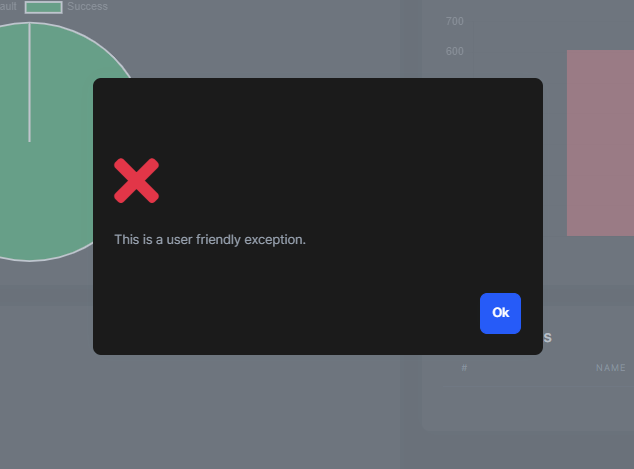
Also UserFriendlyException is handled:
    try
    {
        // Your logic here.
        throw new UserFriendlyException("This is a user friendly exception.");
    }
    catch (Exception ex)
    {
        await HandleErrorAsync(ex);
    }
You can check this out for more information: https://docs.abp.io/en/abp/latest/UI/Blazor/Error-Handling?UI=BlazorServer#blazor-ui-error-handling
Markdown supported.Copy, paste, or drag & drop images and files (max 100 MB per file, 100 MB total per post) -
0
The HandleErrorAsync(ex); is only in the BLazor component though. The issue I am having is getting the error from the server and actually getting all the way to the component. It is getting lost somewhere and not making it to the client to be handled by the HandleErrorAsync method.
Markdown supported.Copy, paste, or drag & drop images and files (max 100 MB per file, 100 MB total per post) -
0
Any updates on this?
Markdown supported.Copy, paste, or drag & drop images and files (max 100 MB per file, 100 MB total per post) -
0
The HandleErrorAsync(ex); is only in the BLazor component though. The issue I am having is getting the error from the server and actually getting all the way to the component. It is getting lost somewhere and not making it to the client to be handled by the HandleErrorAsync method.
Global Error handling isn't possible currently for blazor-server: https://learn.microsoft.com/en-us/aspnet/core/blazor/fundamentals/handle-errors?view=aspnetcore-6.0 You have to use try-catch blocks to handle exceptions. Otherwise, the following error view will be displayed and your application execution won't continue.
<div id="blazor-error-ui">
    <environment include="Staging,Production">
        An error has occurred. This application may no longer respond until reloaded.
    </environment>
    <environment include="Development">
        An unhandled exception has occurred. See browser dev tools for details.
    </environment>
    <a href="" class="reload">Reload</a>
    <a class="dismiss">🗙</a>
</div>
Markdown supported.Copy, paste, or drag & drop images and files (max 100 MB per file, 100 MB total per post)


