






0
yushafizal created
- ABP Framework version: v6.0.1
- UI type: Angular
- DB provider: EF Core
- Tiered (MVC) or Identity Server Separated (Angular): yes
Hi,
We've upgraded existing project abp v5.3.1 to 6.0.1 and sticked to Lepton Theme.
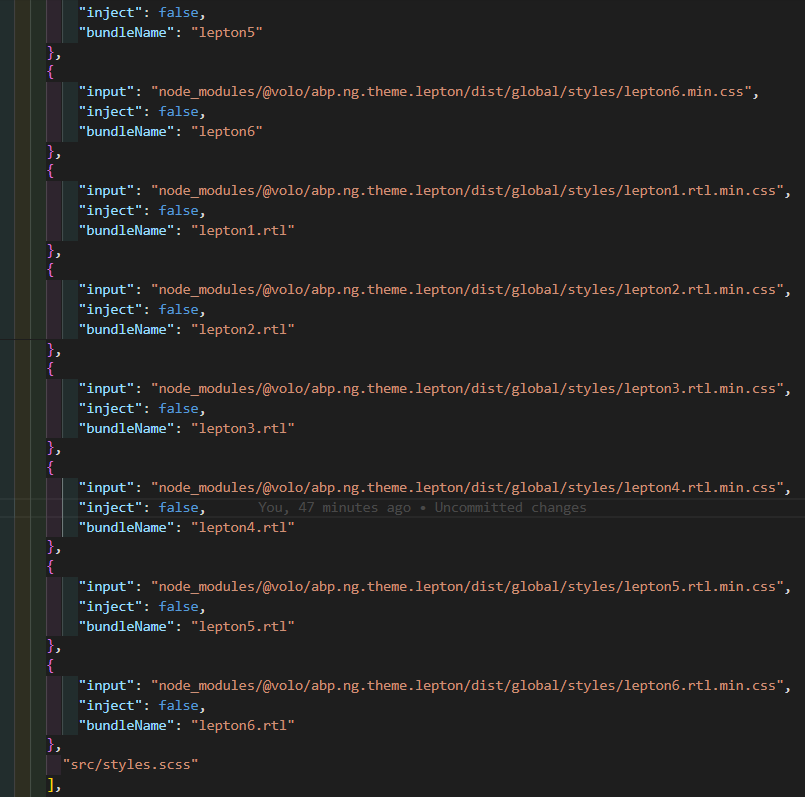
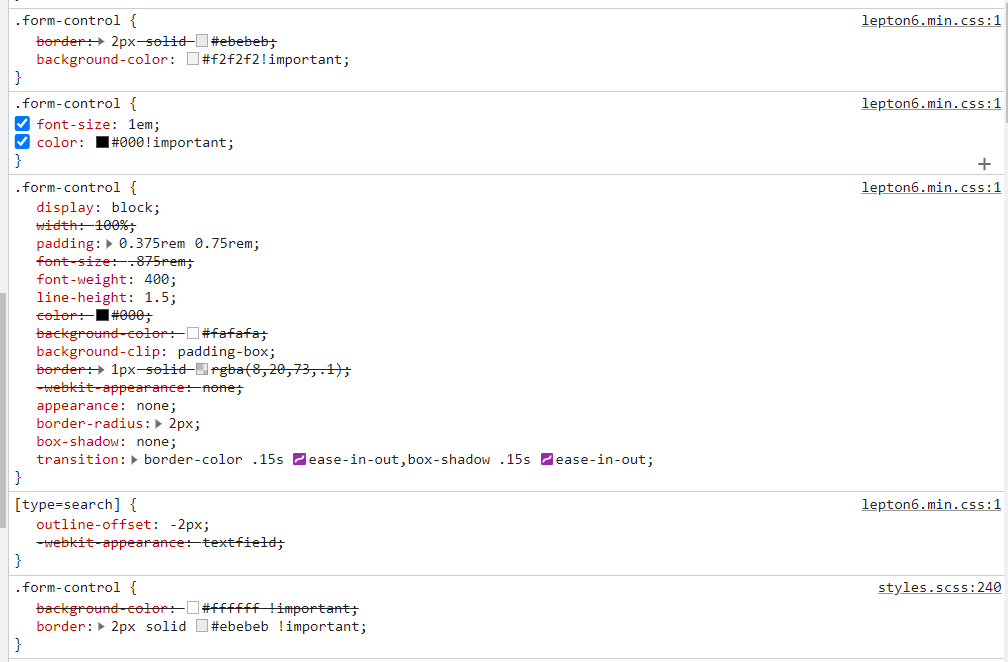
Everything went fine except this update messes up css ordering after compiled. For this case, styles.scss should've rendered the last instead of lepton6.scss. Any suggestion for this issue?
Thanks.
Markdown supported.
Copy, paste, or drag & drop images and files (max 100 MB per file, 100 MB total per post)
2 Answer(s)
-
1
Hello,
I opened an internal issue about this bug. For now, you can avoid this problem with the following code
import { DOM_STRATEGY } from '@abp/ng.core';
import { LayoutStateService } from '@volo/abp.ng.theme.lepton';
import { APP_INITIALIZER, NgModule } from '@angular/core'

@NgModule({
  // other properties
  providers: [
    // other providers
    {
      provide: APP_INITIALIZER,
      multi: true,
      deps: [LayoutStateService],
      useFactory: subscribeThemeStyleLoad,
    },
  ]
})
export class AppModule {}

function subscribeThemeStyleLoad(layoutStateService: LayoutStateService) {
  return () => {
    changeStyleOrder();
    layoutStateService.get$('style').subscribe(() => {
      changeStyleOrder();
    });
  };
}

function changeStyleOrder() {
  const target = document.querySelector<HTMLElement>('style#lepton-styles');
  const leptonStyle = document.querySelector<HTMLElement>('link[href^=lepton]');
  const strategy = DOM_STRATEGY.BeforeElement(target);
  strategy.insertElement(leptonStyle);
}
Markdown supported.Copy, paste, or drag & drop images and files (max 100 MB per file, 100 MB total per post) -
0
Thank you @muhammedaltug. Your fix works great.
Markdown supported.Copy, paste, or drag & drop images and files (max 100 MB per file, 100 MB total per post)


