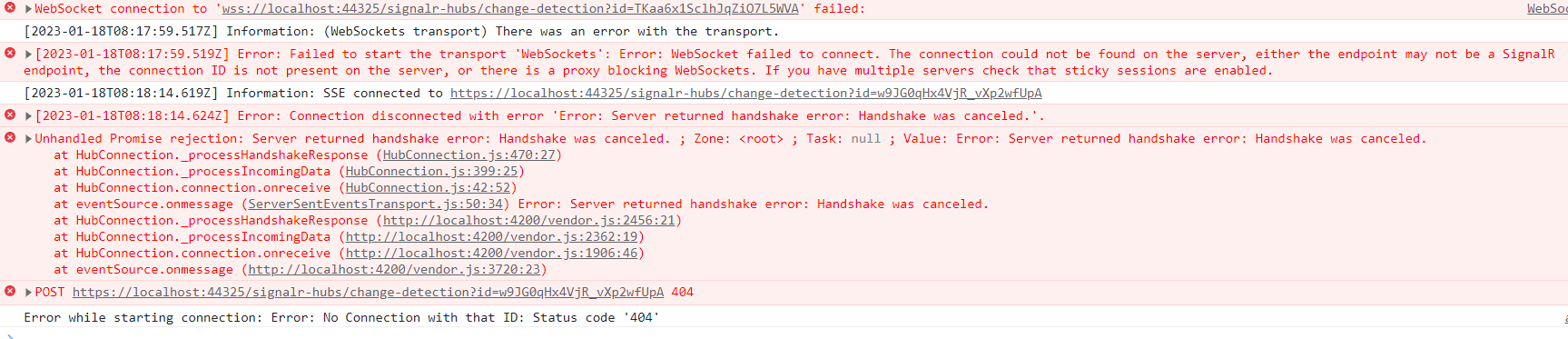
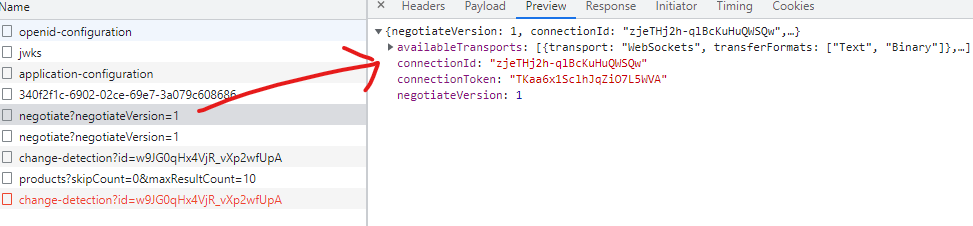
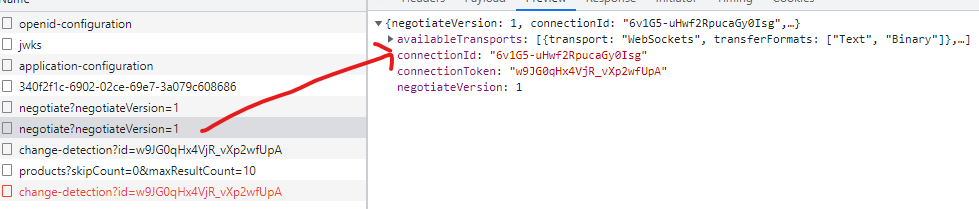
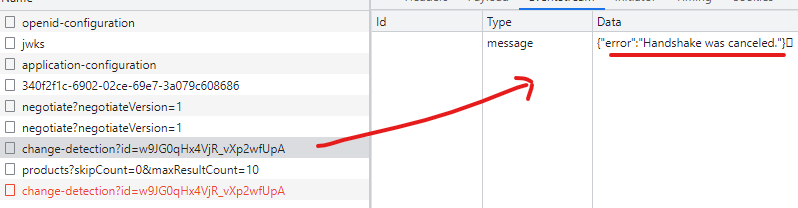
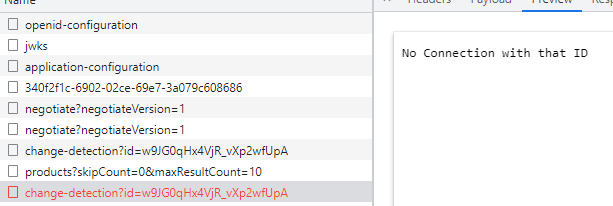
I have integrated the singalr in administration microservice.
private hubConnection: signalR.HubConnection
  public startConnection = () => {
    this.hubConnection = new signalR.HubConnectionBuilder()
                            .withUrl('https://localhost:44367/signalr-hubs/change-detection')
                            .build();

                            console.log(this.hubConnection, 'hub connection');
    this.hubConnection
      .start()
      .then(() => console.log('Connection started'))
      .catch(err => console.log('Error while starting connection: ' + err));

      this.hubConnection.on('BroadcastMessage', (data) => {
        console.log(data);
      });
  }

  constructor(){
    this.startConnection();
  }
I have put the above code in the appcomponent.ts file. The above code is working fine and when I send the signal from the administration microservice, I receive the message on "BroadcastMessage". I have used the administration service URL "https://localhost:44367".
Now I don't want to use the administration service URL, I want to use the gateway URL https://localhost:44325 so I configured the ocelot.json file as below.
 {
      "ServiceKey": "Administration Service",
      "DownstreamPathTemplate": "/signalr-hubs/{everything}",
      "DownstreamScheme": "https",
      "DownstreamHostAndPorts": [
        {
          "Host": "localhost",
          "Port": 44367
        }
      ],
      "UpstreamPathTemplate": "/signalr-hubs/{everything}",
      "UpstreamHttpMethod": [ "Put", "Delete", "Get", "Post" ]
    },
     {
      "DownstreamPathTemplate": "/ws",
      "UpstreamPathTemplate": "/",
      "DownstreamScheme": "ws",
      "DownstreamHostAndPorts": [
        {
          "Host": "localhost",
          "Port": 44367
        }
      ]
    }
When I use the above code, I am getting the below error in console.
[2023-01-17T11:47:29.510Z] Information: WebSocket connected to wss://localhost:44325/signalr-hubs/change-detection?id=Oiwz6joKZs_dxyeYKdUsHg.
Utils.js:141 [2023-01-17T11:47:29.513Z] Error: Connection disconnected with error 'Error: Server returned handshake error: Handshake was canceled.'.
log @ Utils.js:141
_stopConnection @ HttpConnection.js:396
transport.onclose @ HttpConnection.js:334
_close @ WebSocketTransport.js:144
webSocket.onmessage @ WebSocketTransport.js:84
wrapFn @ zone.js:766
invokeTask @ zone.js:406
onInvokeTask @ core.mjs:26218
invokeTask @ zone.js:405
runTask @ zone.js:178
invokeTask @ zone.js:487
invokeTask @ zone.js:1661
globalCallback @ zone.js:1692
globalZoneAwareCallback @ zone.js:1725
Show 14 more frames
app.component.ts:22 Error while starting connection: Error: Server returned handshake error: Handshake was canceled.
If I integrated the singalr into the web gateway then I am getting the ocelot configuration not found error.
This is the administration service log
[administration-service_786370b9-c]: [17:17:09 INF] Request starting HTTP/1.1 POST https://localhost:44367/signalr-hubs/change-detection/negotiate?negotiateVersion=1 - 0
[administration-service_786370b9-c]: [17:17:09 INF] CORS policy execution successful.
[administration-service_786370b9-c]: [17:17:09 INF] Executing endpoint '/signalr-hubs/change-detection/negotiate'
[administration-service_786370b9-c]: [17:17:09 INF] Executed endpoint '/signalr-hubs/change-detection/negotiate'
[administration-service_786370b9-c]: [17:17:09 INF] Request finished HTTP/1.1 POST https://localhost:44367/signalr-hubs/change-detection/negotiate?negotiateVersion=1 - 0 - 200 316 application/json 1.8707ms
[administration-service_786370b9-c]: [17:17:09 INF] Request starting HTTP/1.1 GET https://localhost:44367/signalr-hubs/change-detection?id=Oiwz6joKZs_dxyeYKdUsHg - 0
[administration-service_786370b9-c]: [17:17:09 INF] CORS policy execution successful.
[administration-service_786370b9-c]: [17:17:09 INF] Executing endpoint '/signalr-hubs/change-detection'
[administration-service_786370b9-c]: [17:17:29 INF] Executed endpoint '/signalr-hubs/change-detection'
[administration-service_786370b9-c]: [17:17:29 INF] Request finished HTTP/1.1 GET https://localhost:44367/signalr-hubs/change-detection?id=Oiwz6joKZs_dxyeYKdUsHg - 0 - 101 - - 20029.8655ms
This is the web gateway log:
[web-gateway_8b434f23-f]: [17:17:29 DBG] requestId: 0HMNOG1S5794U:00000002, previousRequestId: no previous request id, message: ocelot pipeline finished
[web-gateway_8b434f23-f]: [17:17:29 INF] Request finished HTTP/1.1 GET https://localhost:44325/signalr-hubs/change-detection?id=Oiwz6joKZs_dxyeYKdUsHg - - - 101 42 - 20035.4048ms
- ABP Framework version: v6.0.0
- UI type: Angular
- DB provider: EF Core
- Tiered (MVC) or Identity Server Separated (Angular): yes
- Exception message and stack trace:
- Steps to reproduce the issue:"
3 Answer(s)
-
0
Can you check if your gateway has websocket configuration as in the ocelot documentation in the
OnApplicationInitializationmethod like:app.UseWebSockets(); app.UseOcelot().Wait();Markdown supported.Copy, paste, or drag & drop images and files (max 100 MB per file, 100 MB total per post)