

Open Closed

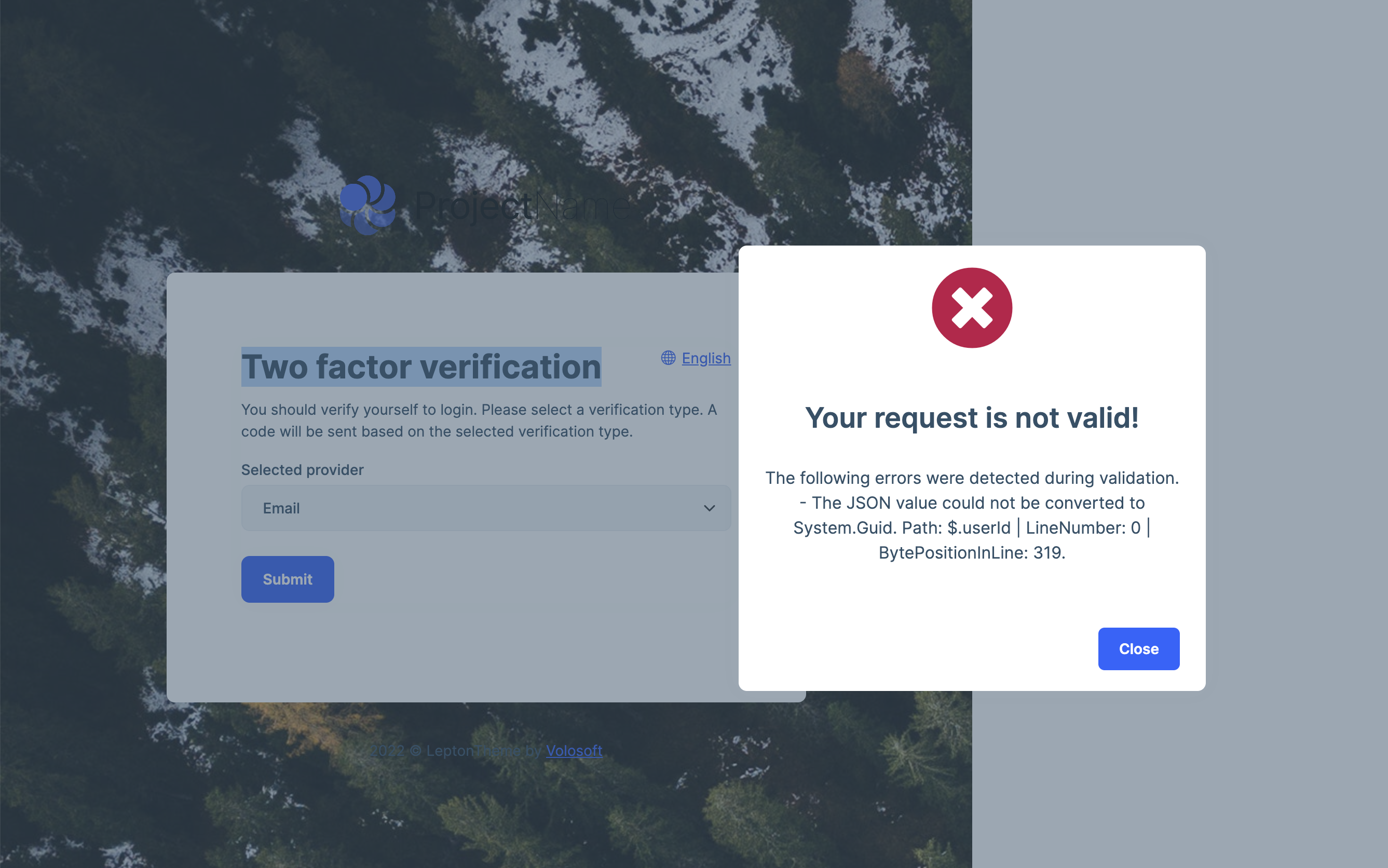
Two factor verification error #4370


User avatar
0
464199480 created

  • ABP Framework version: 7.0.0
  • UI type: Angular
  • DB provider: EF Core
  • Tiered (MVC) or Identity Server Separated (Angular): no
  • Exception message and stack trace: "[11:55:01 WRN] ModelState is not valid! See ValidationErrors for details. Volo.Abp.Validation.AbpValidationException: ModelState is not valid! See ValidationErrors for details. at Volo.Abp.AspNetCore.Mvc.Validation.ModelStateValidator.Validate(ModelStateDictionary modelState) at Volo.Abp.AspNetCore.Mvc.Validation.AbpValidationActionFilter.OnActionExecutionAsync(ActionExecutingContext context, ActionExecutionDelegate next) at Microsoft.AspNetCore.Mvc.Infrastructure.ControllerActionInvoker.<InvokeNextActionFilterAsync>g__Awaited|10_0(ControllerActionInvoker invoker, Task lastTask, State next, Scope scope, Object state, Boolean isCompleted) at Microsoft.AspNetCore.Mvc.Infrastructure.ControllerActionInvoker.Rethrow(ActionExecutedContextSealed context) at Microsoft.AspNetCore.Mvc.Infrastructure.ControllerActionInvoker.Next(State& next, Scope& scope, Object& state, Boolean& isCompleted) at Microsoft.AspNetCore.Mvc.Infrastructure.ControllerActionInvoker.InvokeInnerFilterAsync() --- End of stack trace from previous location --- at Microsoft.AspNetCore.Mvc.Infrastructure.ResourceInvoker.<InvokeNextExceptionFilterAsync>g__Awaited|26_0(ResourceInvoker invoker, Task lastTask, State next, Scope scope, Object state, Boolean isCompleted) [11:55:01 WRN] There are 1 validation errors: The JSON value could not be converted to System.Guid. Path: $.userId | LineNumber: 0 | BytePositionInLine: 319. ($.userId)"
  • Steps to reproduce the issue:"
    1. abp new Acme.BookStore -t app-pro -u angular
    1. angular environment oAuthConfig responseType value change to password
    1. enable force two factor
    1. login your account
Markdown supported.
Copy, paste, or drag & drop images and files (max 100 MB per file, 100 MB total per post)

16 Answer(s)
  • User Avatar
    0
    maliming created
    Support Team Fullstack Developer

    hi

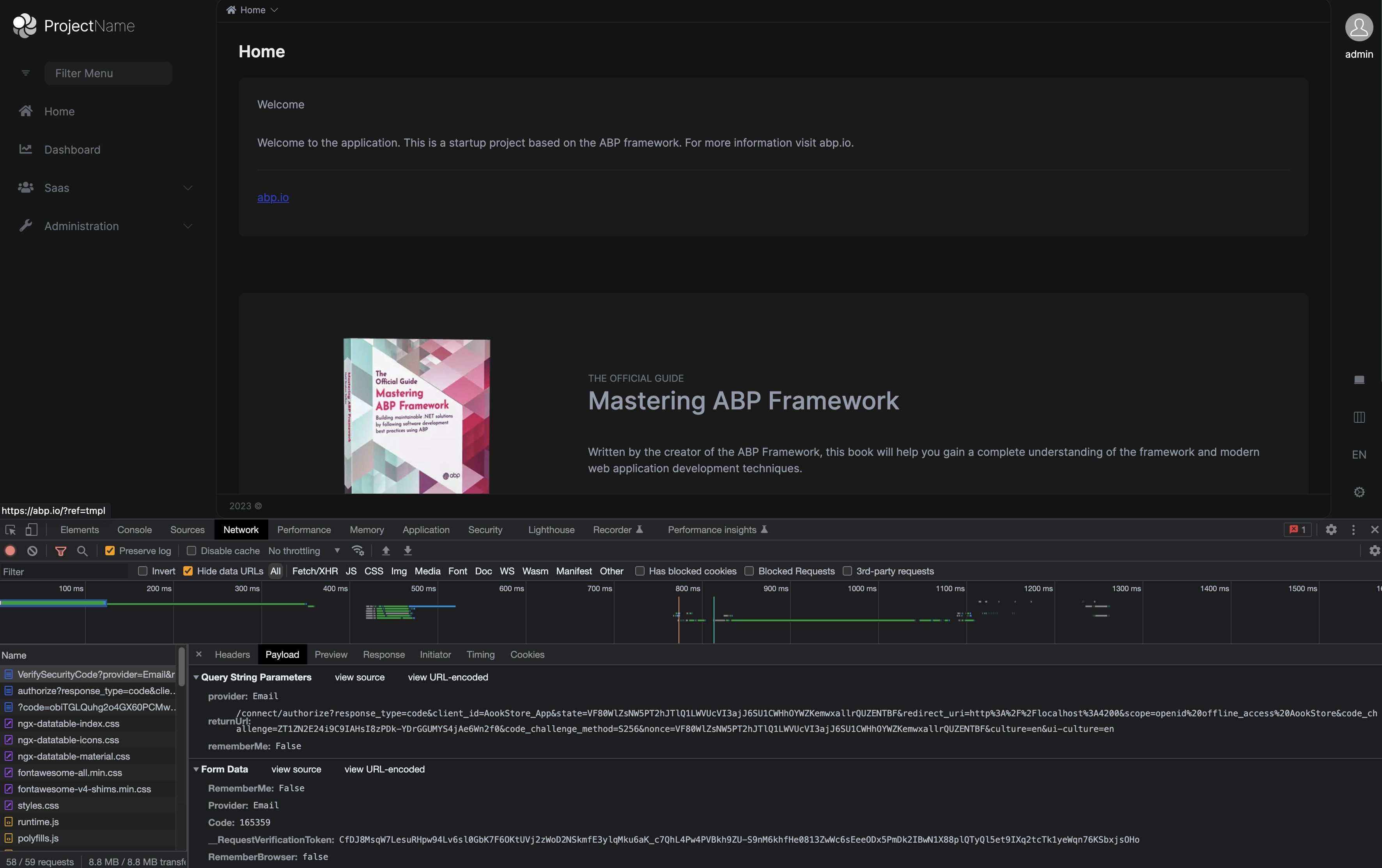
    Can you share the http request JSON?

    Markdown supported.
    Copy, paste, or drag & drop images and files (max 100 MB per file, 100 MB total per post)
  • User Avatar
    0
    464199480 created
    {
       "token":"CfDJ8MESOkC",
       "userId":"3a08d211853056ae830ab00738ba8ff2",
       "provider":"Email"
    }
    
    Markdown supported.
    Copy, paste, or drag & drop images and files (max 100 MB per file, 100 MB total per post)
  • User Avatar
    0
    464199480 created

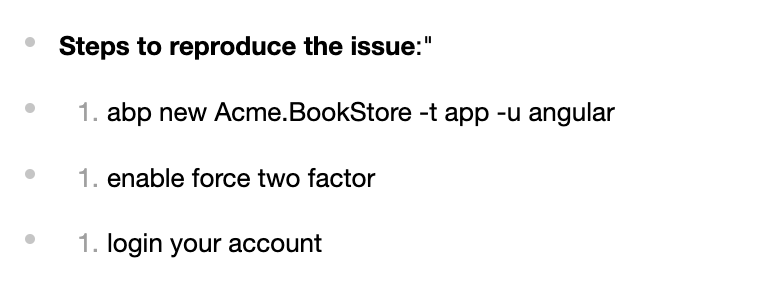
    connect/token response content:

    {
      "error": "invalid_grant",
      "error_description": "RequiresTwoFactor",
      "error_uri": "https://documentation.openiddict.com/errors/ID2024",
      "userId": "3a08d211853056ae830ab00738ba8ff2",
      "twoFactorToken": "CfDJ8MESOkCl5uN=="
    }
    
    Markdown supported.
    Copy, paste, or drag & drop images and files (max 100 MB per file, 100 MB total per post)

  • User Avatar
    0
    maliming created
    Support Team Fullstack Developer

    connect/token response content:

    This is normal. angular will handle it. I'm confirming the JSON issue.

    Markdown supported.
    Copy, paste, or drag & drop images and files (max 100 MB per file, 100 MB total per post)

  • User Avatar
    0
    maliming created
    Support Team Fullstack Developer

    I can't reproduce the problem.

    Markdown supported.
    Copy, paste, or drag & drop images and files (max 100 MB per file, 100 MB total per post)
  • User Avatar
    0
    maliming created
    Support Team Fullstack Developer
    
    import { Environment } from '@abp/ng.core';
    
    const baseUrl = 'http://localhost:4200';
    
    const oAuthConfig = {
      issuer: 'https://localhost:44315/',
      redirectUri: baseUrl,
      clientId: 'AookStore_App',
      responseType: 'code',
      scope: 'offline_access AookStore',
      requireHttps: true,
    };
    
    export const environment = {
      production: false,
      application: {
        baseUrl,
        name: 'AookStore',
      },
      oAuthConfig,
      apis: {
        default: {
          url: 'https://localhost:44315',
          rootNamespace: 'AookStore',
        },
        AbpAccountPublic: {
          url: oAuthConfig.issuer,
          rootNamespace: 'AbpAccountPublic',
        },
      },
    } as Environment;
    
    
    Markdown supported.
    Copy, paste, or drag & drop images and files (max 100 MB per file, 100 MB total per post)
  • User Avatar
    0
    464199480 created

    oAuthConfig responseType value change to password

    const oAuthConfig = {
      issuer: 'https://localhost:44315/',
      redirectUri: baseUrl,
      clientId: 'AookStore_App',
      responseType: 'password',
      scope: 'offline_access AookStore',
      requireHttps: true,
    };
    
    
    Markdown supported.
    Copy, paste, or drag & drop images and files (max 100 MB per file, 100 MB total per post)
  • User Avatar
    0
    464199480 created

    connect/token response content:

    This is normal. angular will handle it. I'm confirming the JSON issue.

    i thinke problem in return value of userid

    Before version 6.0, it looked like this: AB0D7FDD-5CFC-4D87-8151-F60A407D1BF4 Now it's not normal: AB0D7FDD5CFC4D878151F60A407D1BF4

    Markdown supported.
    Copy, paste, or drag & drop images and files (max 100 MB per file, 100 MB total per post)
  • User Avatar
    0
    maliming created
    Support Team Fullstack Developer

    OK, I will confirm that.

    Markdown supported.
    Copy, paste, or drag & drop images and files (max 100 MB per file, 100 MB total per post)
  • User Avatar
    0
    maliming created
    Support Team Fullstack Developer

    Do you have other changes?

    Markdown supported.
    Copy, paste, or drag & drop images and files (max 100 MB per file, 100 MB total per post)
  • User Avatar
    0
    464199480 created

    Do you have other changes?

    1. abp new Acme.BookStore -t app-pro -u angular
    2. angular environment oAuthConfig responseType value change to password
    Markdown supported.
    Copy, paste, or drag & drop images and files (max 100 MB per file, 100 MB total per post)
  • User Avatar
    0
    maliming created
    Support Team Fullstack Developer

    What's changes of your app.module.ts?

    Markdown supported.
    Copy, paste, or drag & drop images and files (max 100 MB per file, 100 MB total per post)
  • User Avatar
    0
    464199480 created

    What's changes of your app.module.ts?

    no change

    Markdown supported.
    Copy, paste, or drag & drop images and files (max 100 MB per file, 100 MB total per post)
  • User Avatar
    0
    maliming created
    Support Team Fullstack Developer

    Please share your test project.

    liming.ma@volosoft.com

    Markdown supported.
    Copy, paste, or drag & drop images and files (max 100 MB per file, 100 MB total per post)
  • User Avatar
    0
    464199480 created

    Sorry. I regenerated the angular project, but it didn't work and seems to have something to do with the latest npm package

    Markdown supported.
    Copy, paste, or drag & drop images and files (max 100 MB per file, 100 MB total per post)
  • User Avatar
    0
    maliming created
    Support Team Fullstack Developer

    HI

    What are the steps to reproduce with the latest template project?

    Markdown supported.
    Copy, paste, or drag & drop images and files (max 100 MB per file, 100 MB total per post)
Boost Your Development
ABP Live Training
Packages
See Trainings
Mastering ABP Framework Book
The Official Guide
Mastering
ABP Framework
Learn More
Mastering ABP Framework Book
Made with ❤️ on ABP v10.8.0-preview. Updated on September 28, 2026, 11:44
1
ABP Assistant
🔐 You need to be logged in to use the chatbot. Please log in first.