






- ABP Framework version: v7.0.1
- UI type: Blazor
- DB provider: EF Core
- **Tiered (MVC) or
- Exception message and stack trace:
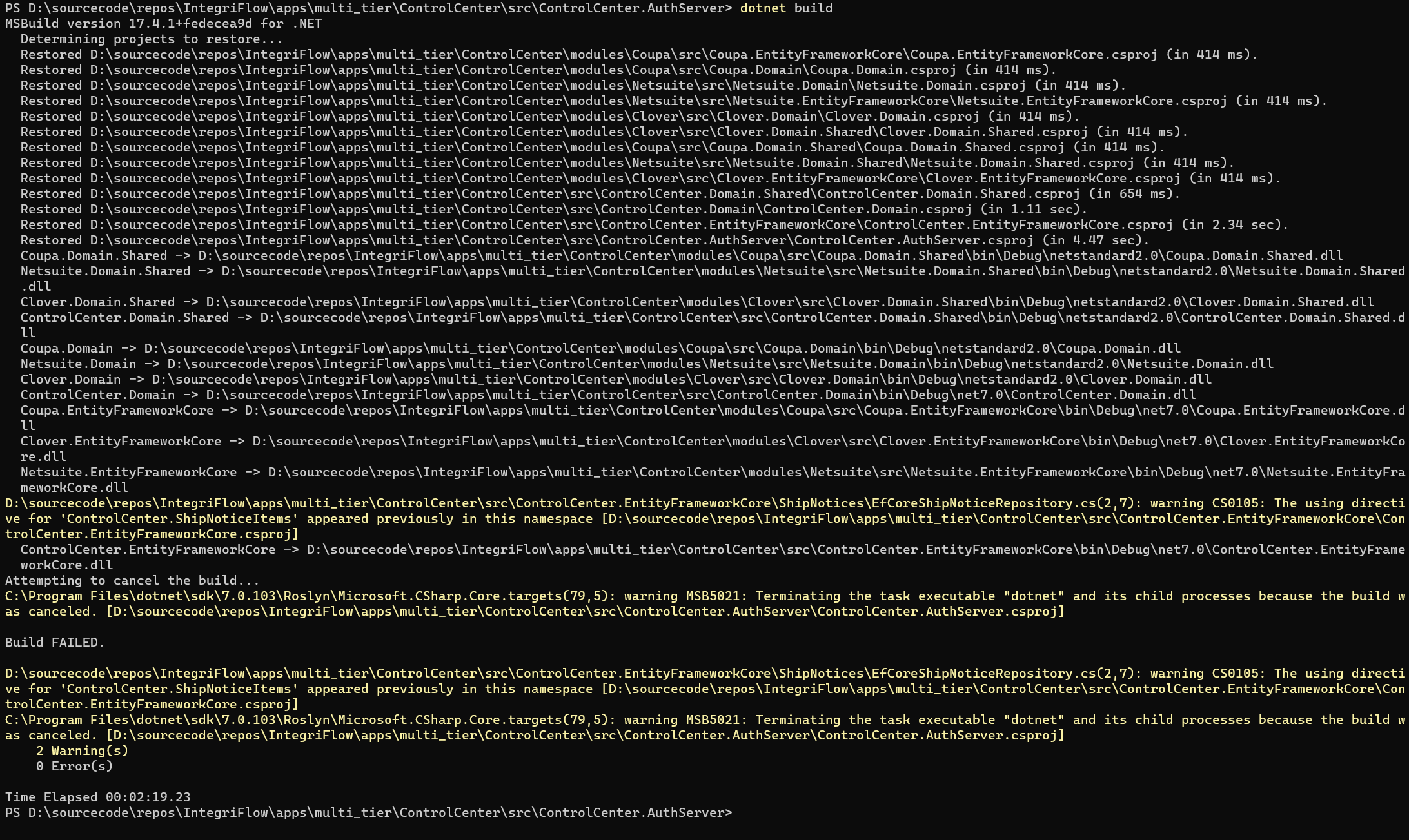
- Steps to reproduce the issue:" Build just hangs for AuthServer and Blazor projects
10 Answer(s)
-
0
 Markdown supported.Copy, paste, or drag & drop images and files (max 100 MB per file, 100 MB total per post)
 -
0
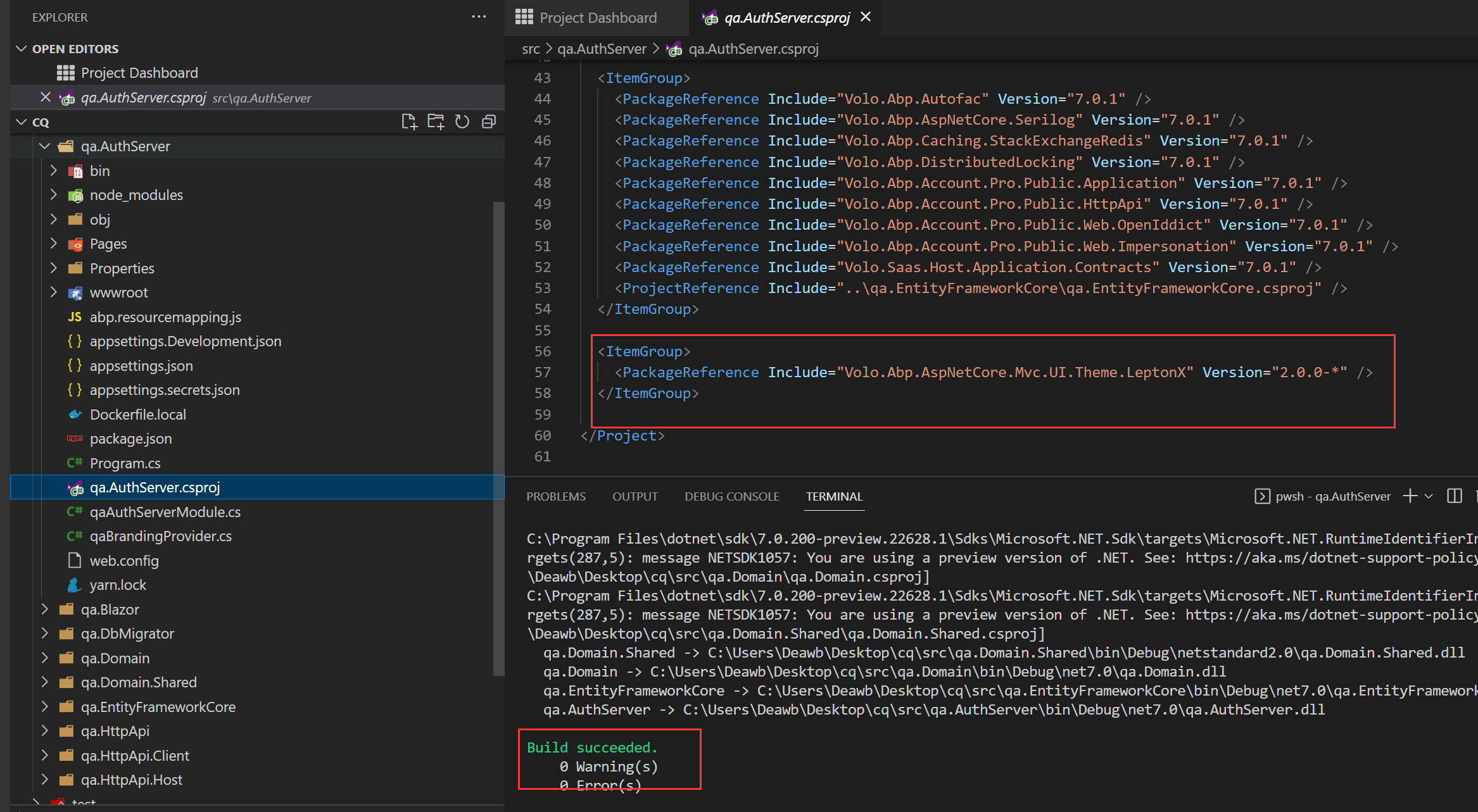
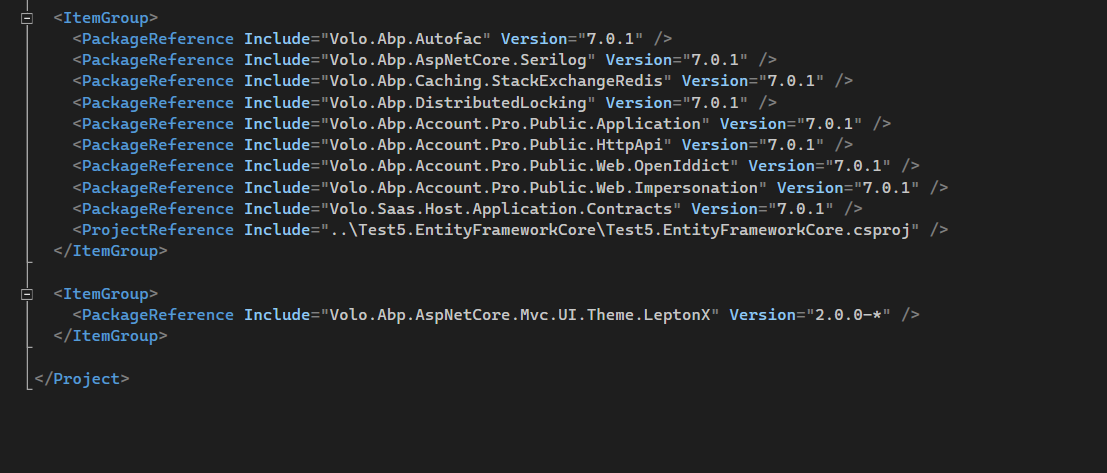
You guys have an issue with the LeptonX packages again. I created different types of projects and they all built except when I added the LeptonX theme. And to be honest, I'm really disapointed...I had a demo with a client today and I could not run it. I thought I had messed up some configuration. Customer was not happy, neither am I.
Markdown supported.Copy, paste, or drag & drop images and files (max 100 MB per file, 100 MB total per post) -
0
Hi,
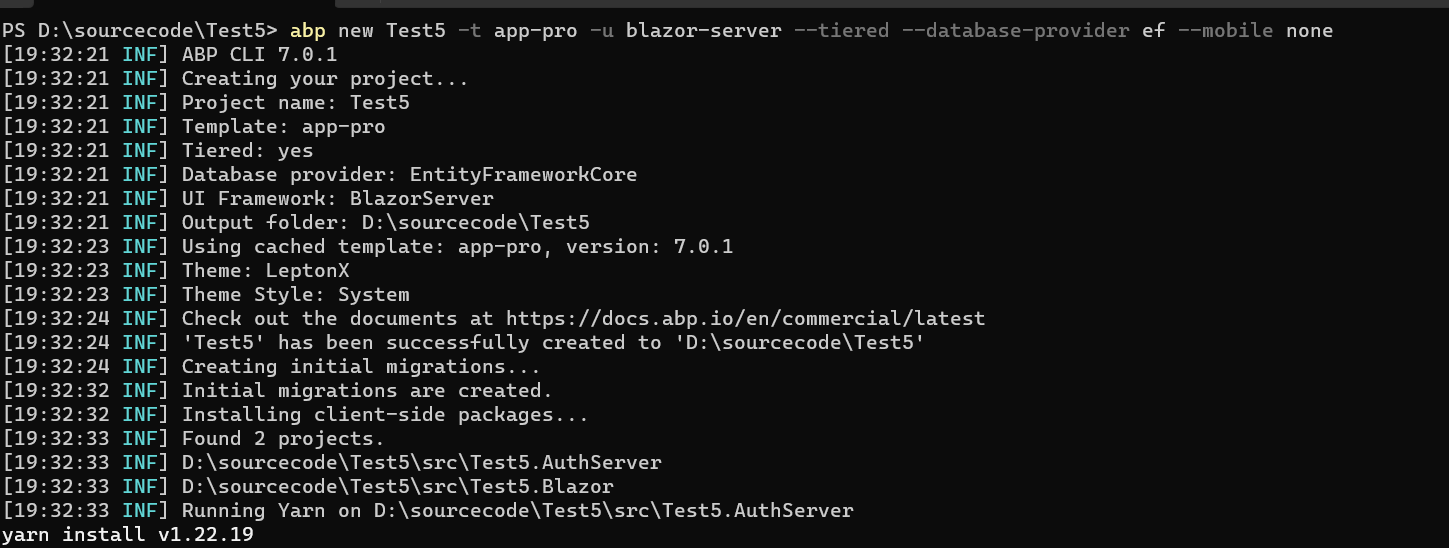
I could not reproduce the problem, can you share the full steps to reproduce it?
 Markdown supported.Copy, paste, or drag & drop images and files (max 100 MB per file, 100 MB total per post)
 -
0
Give me a few minutes I'm going to do it via CLI and post the steps...prior I was using Suite.
Markdown supported.Copy, paste, or drag & drop images and files (max 100 MB per file, 100 MB total per post) -
0
Ok,
Waiting for you
Markdown supported.Copy, paste, or drag & drop images and files (max 100 MB per file, 100 MB total per post) -
0
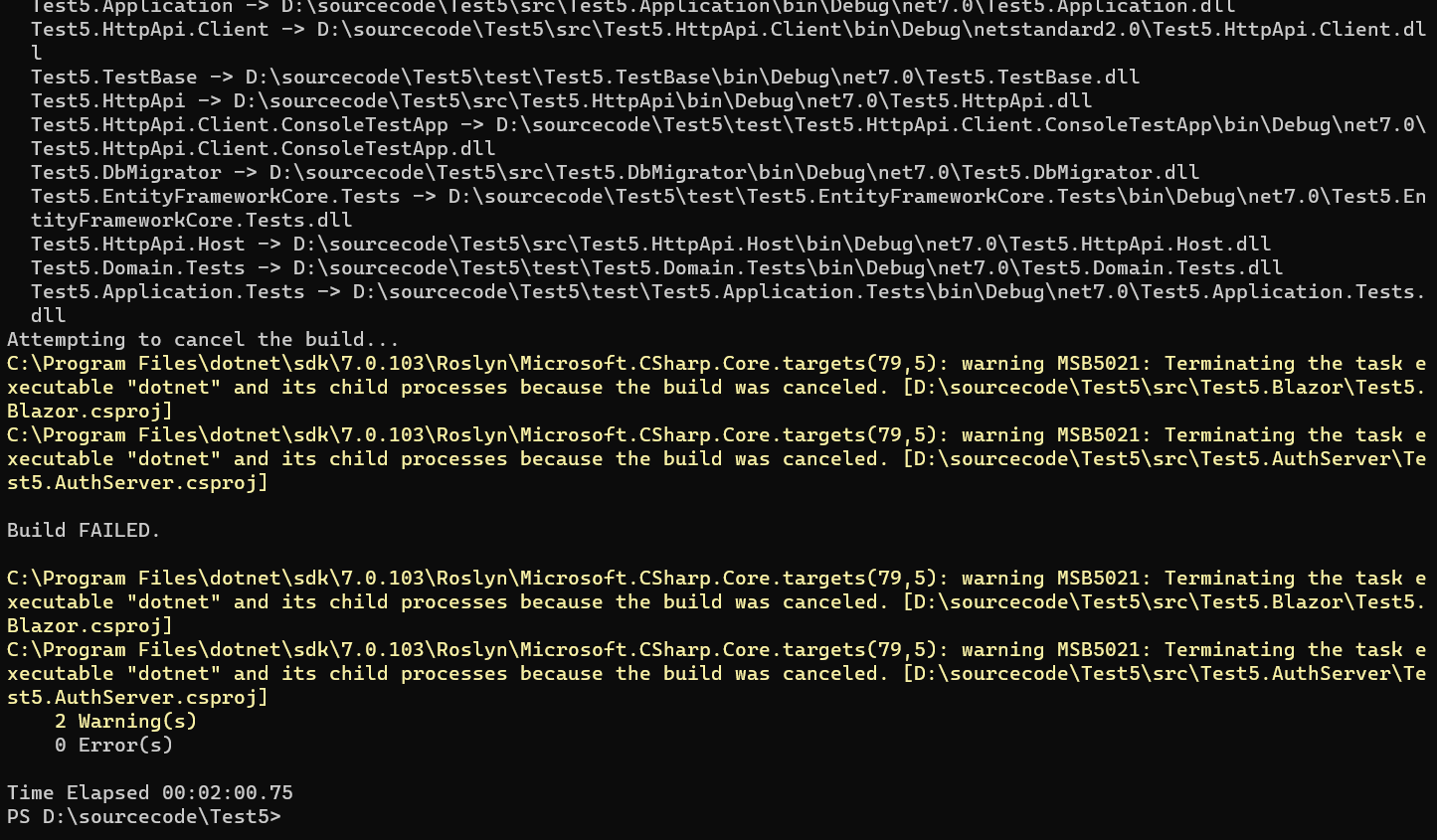 Markdown supported.Copy, paste, or drag & drop images and files (max 100 MB per file, 100 MB total per post)
 -
0
I swapped out the reference to LeptonX with <PackageReference Include="Volo.Abp.AspNetCore.Mvc.UI.Theme.Lepton" Version="7.0.1" />
...and made the code changes to support the older theme and it built.
Markdown supported.Copy, paste, or drag & drop images and files (max 100 MB per file, 100 MB total per post) -
0
I tested everything again creating a project without using LeptonX and it works just fine and created new solution with LeptonX and all of those projects that have Nuget references hang. There is something wrong with this nuget package/repository.
Markdown supported.Copy, paste, or drag & drop images and files (max 100 MB per file, 100 MB total per post) -
0
The build task was canceled.
I guess the problem is related to your local environment.
Some possible solutions:
- Try it on another computer
- Use
dotnet build --verbosity diagnosticcommand to see detailed output - Remove your local
volo.abp.aspnetcore.mvc.ui.theme.leptonxpackage cache.
Markdown supported.Copy, paste, or drag & drop images and files (max 100 MB per file, 100 MB total per post) -
0
dotnet nuget locals all --clear
Fixed my problem.
Markdown supported.Copy, paste, or drag & drop images and files (max 100 MB per file, 100 MB total per post)


