






Check the docs before asking a question: https://docs.abp.io/en/commercial/latest/ Check the samples, to see the basic tasks: https://docs.abp.io/en/commercial/latest/samples/index The exact solution to your question may have been answered before, please use the search on the homepage.
- ABP Framework version: v3.1.2
- UI type: Angular
- Tiered (MVC) or Identity Server Seperated (Angular): no
- Exception message and stack trace: None
- Steps to reproduce the issue:
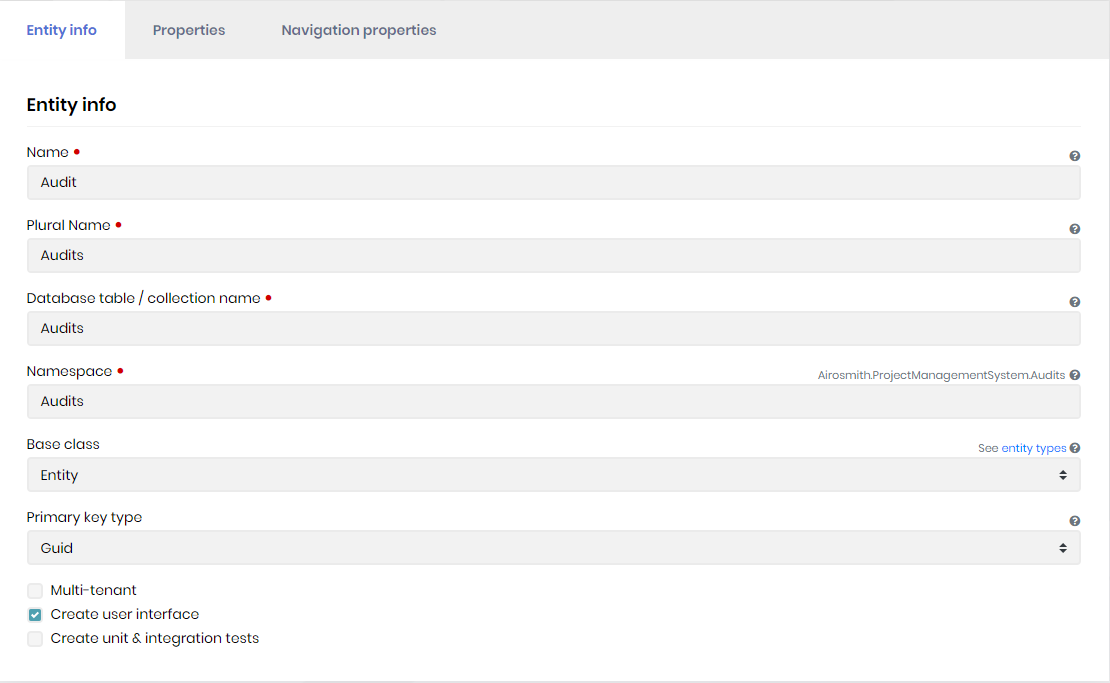
I created a new entity in Abp Suite version 3.1.2. It completes the process successfully with zero errors.
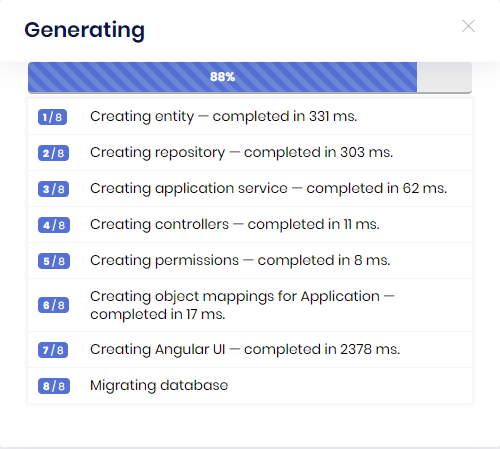

It says the Angular UI has been created but nothing has been modified in the angular folder at all.
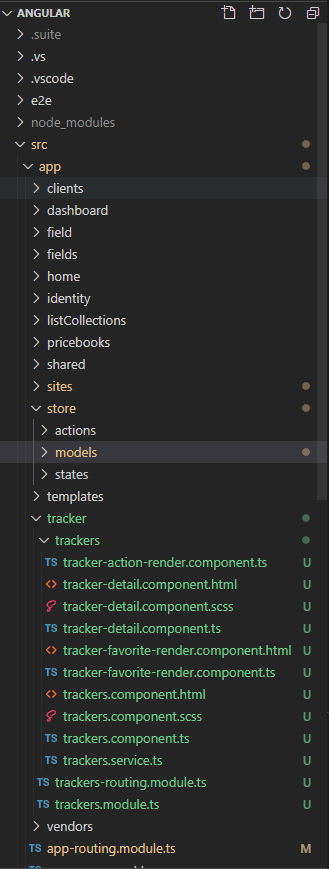
Should be audit component.
9 Answer(s)
-
0
Just updated both Abp.Suite and the Solution to 3.2.0 and still does not generate Angular UI.
Markdown supported.Copy, paste, or drag & drop images and files (max 100 MB per file, 100 MB total per post) -
0
Everything has been updated to v3.2. Angular Project, .net core, and Abp.Suite.
see logs where angular fails:
2020-10-01 07:20:47.355 -04:00 [INF] 1/8 - EntityGenerateCommand started...
2020-10-01 07:20:48.786 -04:00 [INF] 1/8 - EntityGenerateCommand completed.                           | Duration: 1426 ms.
2020-10-01 07:20:48.787 -04:00 [INF] 2/8 - RepositoryCommand started...
2020-10-01 07:20:49.212 -04:00 [INF] 2/8 - RepositoryCommand completed.                               | Duration: 424 ms.
2020-10-01 07:20:49.212 -04:00 [INF] 3/8 - AppServiceCommand started...
2020-10-01 07:20:49.402 -04:00 [INF] 3/8 - AppServiceCommand completed.                               | Duration: 189 ms.
2020-10-01 07:20:49.402 -04:00 [INF] 4/8 - ProxyControllerCommand started...
2020-10-01 07:20:49.435 -04:00 [INF] 4/8 - ProxyControllerCommand completed.                          | Duration: 32 ms.
2020-10-01 07:20:49.435 -04:00 [INF] 5/8 - PermissionCommand started...
2020-10-01 07:20:49.539 -04:00 [INF] 5/8 - PermissionCommand completed.                               | Duration: 103 ms.
2020-10-01 07:20:49.539 -04:00 [INF] 6/8 - ApplicationObjectMappingCommand started...
2020-10-01 07:20:49.601 -04:00 [INF] 6/8 - ApplicationObjectMappingCommand completed.                 | Duration: 62 ms.
2020-10-01 07:20:49.601 -04:00 [INF] 7/8 - AngularUiGenerateWithSchematicsCommand started...
2020-10-01 07:20:49.610 -04:00 [INF] Running the Angular Schematics command:
npx "C:/work/code/Airosmith/Airosmith.ProjectManagementSystem/angular/.suite/schematics/node_modules/.bin/ng" g ".suite/schematics/collection.json:entity" app-pro Airosmith.ProjectManagementSystem "C:/Users/ryans/.abp/suite/solutions/116aa922-1463-41d3-a2a8-84c9e378a9b2/entities/ChangeLog.json"
2020-10-01 07:20:52.595 -04:00 [INF] Angular Schematics command failed.
[Root Namespace Not Found] Cannot resolve root namespace for "default" api from "ProjectManagementSystem" project.

2020-10-01 07:20:52.611 -04:00 [INF] 7/8 - AngularUiGenerateWithSchematicsCommand completed.          | Duration: 3009 ms.
Markdown supported.Copy, paste, or drag & drop images and files (max 100 MB per file, 100 MB total per post) -
1
Hi,
There is a new environment variable introduced for code generation.
export const environment: Config.Environment = { // other environment variables... apis: { default: { rootNamespace: "MyCompanyName.MyProjectName", // other environment variables... }, }, };MyProjectName.MyProjectNameshould be replaced with your project root namespace.I hope this resolves the issue for you.
Note: We are gradually removing NGXS from the project. A store for the entity will not be generated and was actually of almost no use.
Markdown supported.Copy, paste, or drag & drop images and files (max 100 MB per file, 100 MB total per post) -
0
Thanks, that fixed the issue.
It did make some weird model interfaces:
export interface ProjectManagementchangeLogsChangeLogCreateDto {
  screen: string;
  action: string;
  oldValue: string;
  newValue: string;
  actionUser: string;
  actionTime: string;
}
When the actually service was only looking for ChangeLogCreateDto. I'm sure I may have a setting wrong somewhere. Any idea what it might be?
Markdown supported.Copy, paste, or drag & drop images and files (max 100 MB per file, 100 MB total per post) -
0
Hi,
It is really difficult to guess, but try the following to see if anything changes.
- Check
package.jsonto see if the latest stable version (v3.2) of@abp/ng.schematicsis installed in your project. Install it if not. - Check if ABP CLI has the latest version (v3.2). Update your CLI if not.
- Run
abp generate-proxy
Please let me know if the interface name changes.
Markdown supported.Copy, paste, or drag & drop images and files (max 100 MB per file, 100 MB total per post) - Check
-
0
Same issue. Everything is updated to v3.2. It's appending the project name before each of the class names.
Markdown supported.Copy, paste, or drag & drop images and files (max 100 MB per file, 100 MB total per post)



