Hello Team,
OUR ABP CONFIGURATION:
ABP Framework version: v7.0.0 UI type: MVC DB provider: EF Core Tiered (MVC) or Identity Server Separated (Angular): Tiered MVC Exception message and stack trace
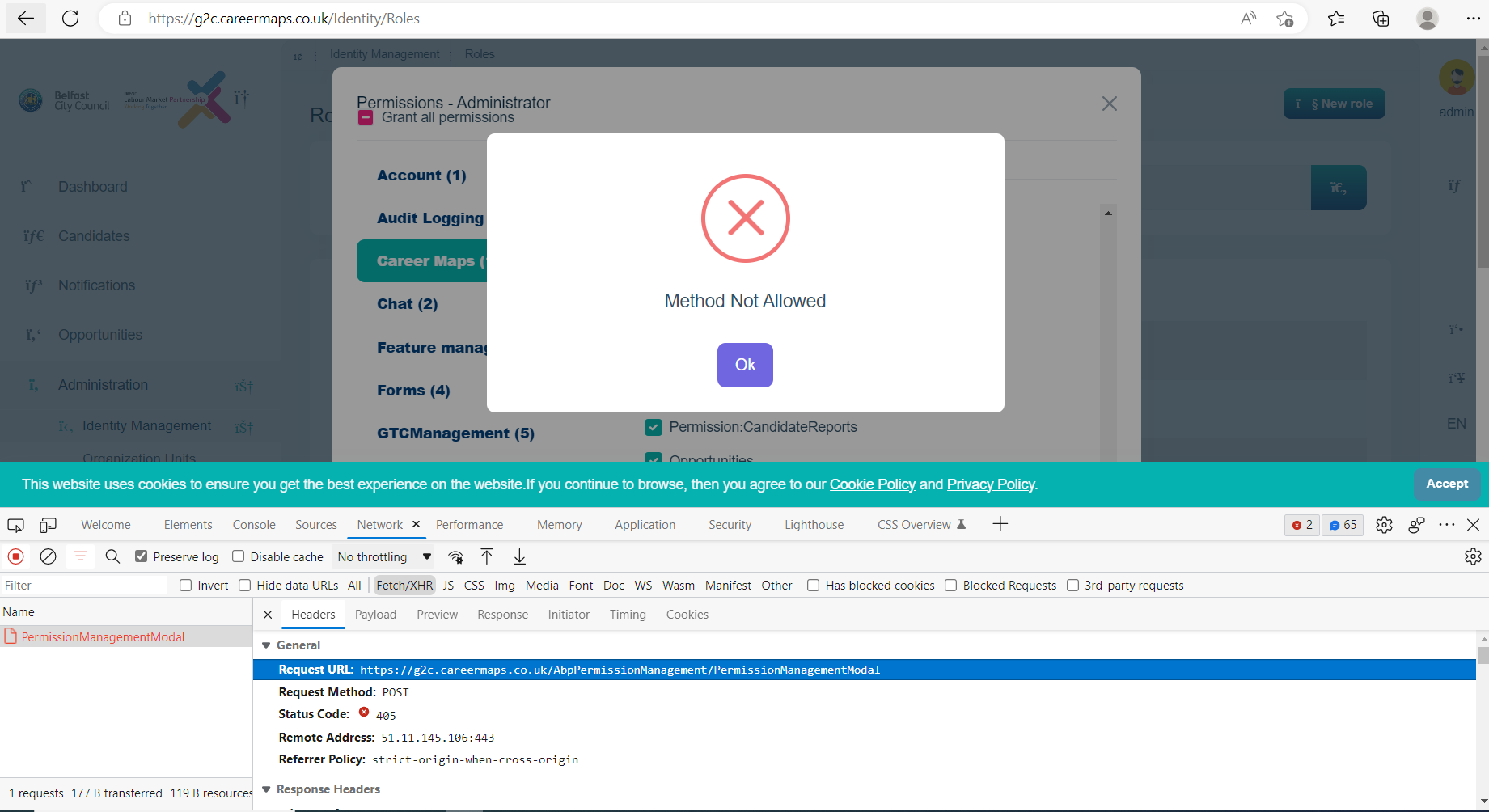
Issue: On production site we are getting 405 method not allowed for all update and delete functionality through out the website. But working fine on local and development server on IIS.
Just for example: After login with admin, if we goto Administration-->IdentityManagement-->Roles-->Update permissions for any role, we get this 405 method not allowed.
Attached screenshot of the error. And also checked cors policy which is also correct, following there ABP standards only.
CORS attachement: In appsettings.json have added all URLs in corsorigins:
"App": { "SelfUrl": "https://g2cauthserver.careermaps.co.uk", "CorsOrigins": "https://*.GTCManagement.com,http://localhost:4200,https://localhost:44314,https://localhost:44324,https://g2cauthserver.careermaps.co.uk,https://g2c.careermaps.co.uk,https://g2c.api.careermaps.co.uk", "RedirectAllowedUrls": "http://localhost:4200,https://localhost:44389,https://localhost:44314,https://localhost:44348,https://g2c.careermaps.co.uk", "DisablePII": "false" }
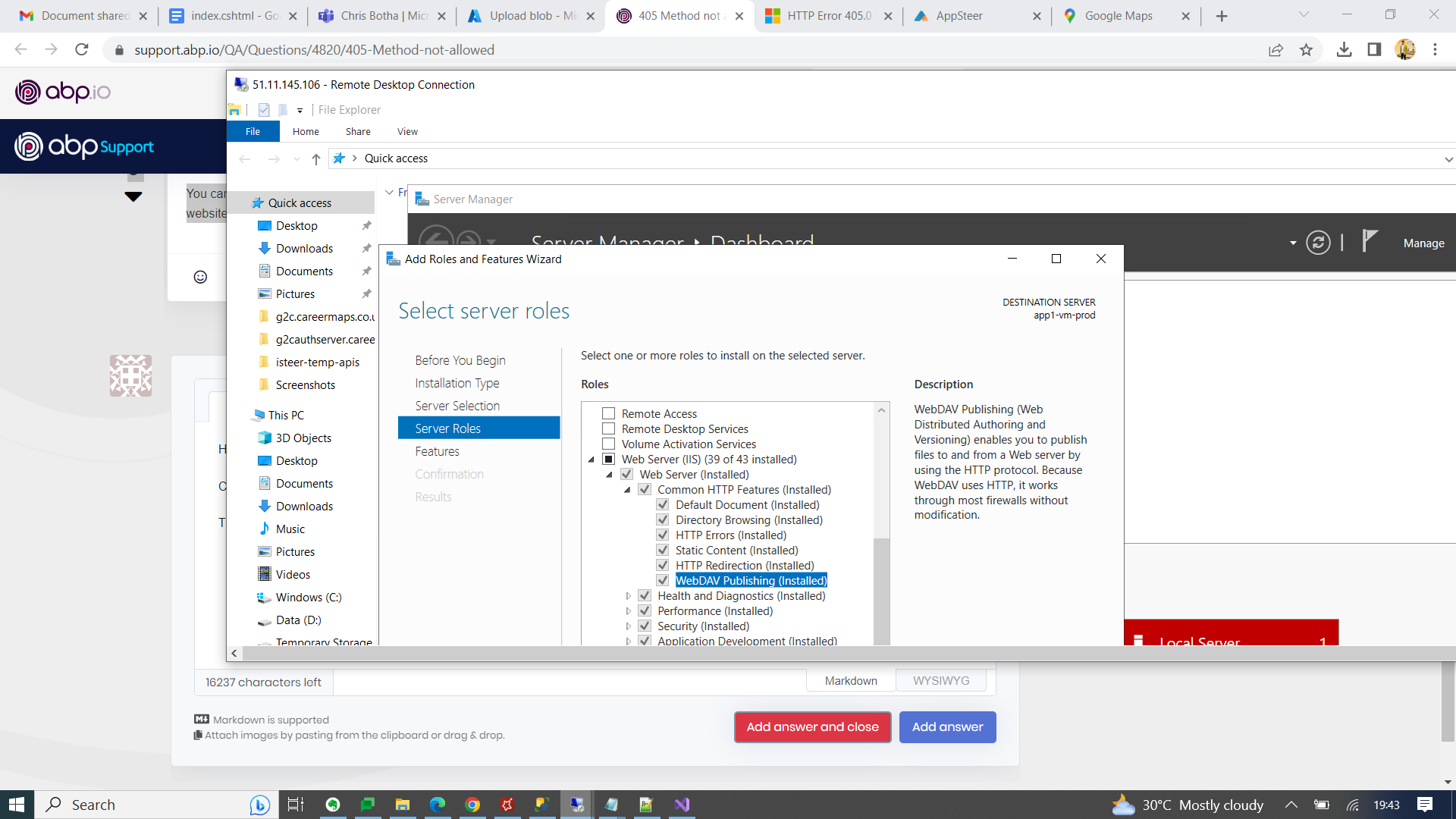
Please suggest what we can do, we have also added following code in web.config :
<system.webServer> <modules> <remove name="WebDAVModule"/> </modules> <handlers> <remove name="WebDAV" /> </handlers> </system.webServer>
Thanks
14 Answer(s)
-
0
Hi,
You can try this: https://learn.microsoft.com/en-us/troubleshoot/developer/webapps/iis/health-diagnostic-performance/http-error-405-website#resolution-for-cause-3
Markdown supported.Copy, paste, or drag & drop images and files (max 100 MB per file, 100 MB total per post) -
0
Hi, Is this working for you?
Go to IIS Manager.
- Click on your app.
- Go to "Handler Mappings".
- In the feature list, double click on "WebDAV".
- Click on "Request Restrictions".
- In the tab "Verbs" select "All verbs" .
- Press OK.
Markdown supported.Copy, paste, or drag & drop images and files (max 100 MB per file, 100 MB total per post) -
0
Hi, Is this working for you?
Go to IIS Manager.
- Click on your app.
- Go to "Handler Mappings".
- In the feature list, double click on "WebDAV".
- Click on "Request Restrictions".
- In the tab "Verbs" select "All verbs" .
- Press OK.
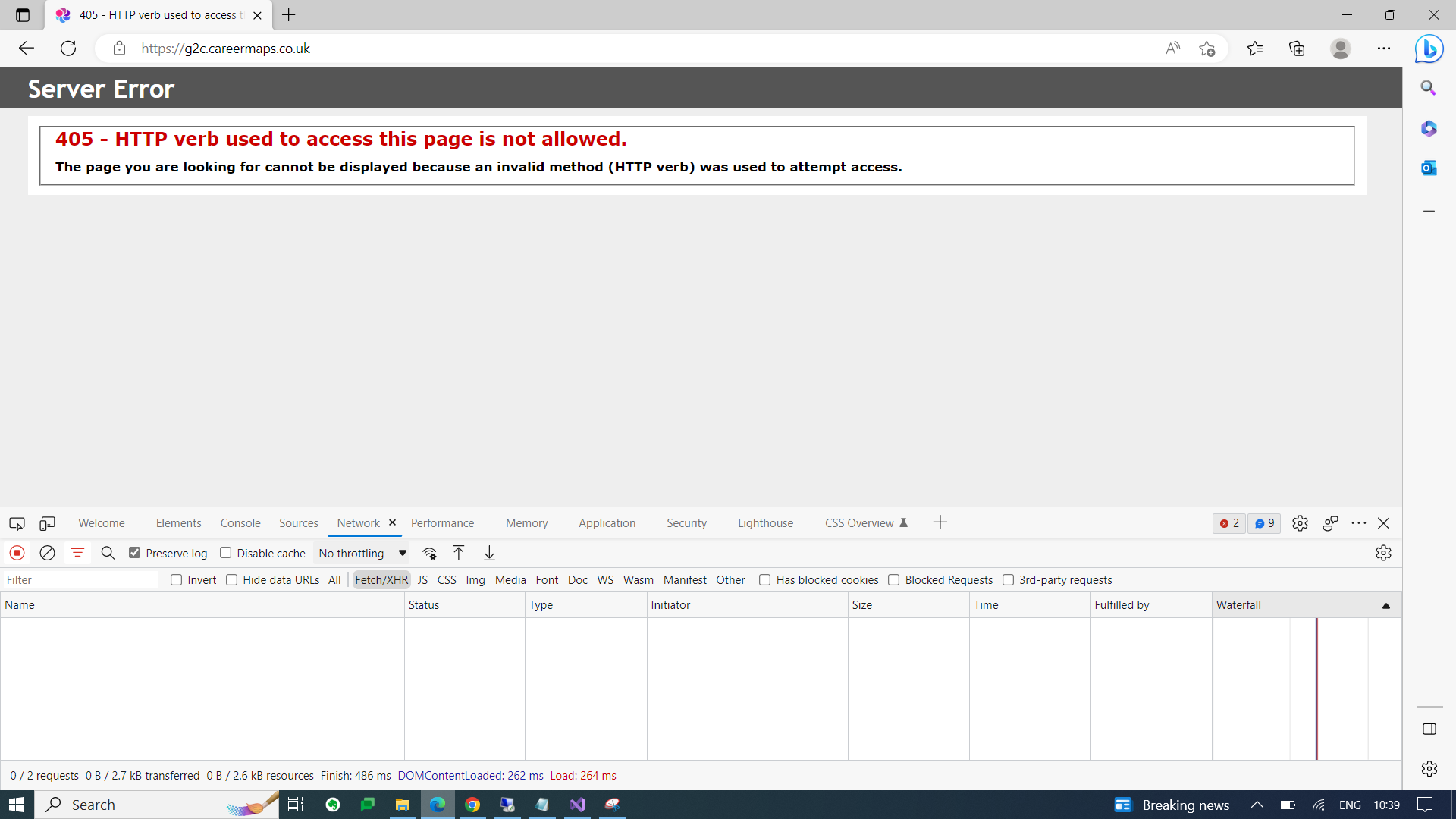
After following these steps, site is not working at all.
 Markdown supported.Copy, paste, or drag & drop images and files (max 100 MB per file, 100 MB total per post)
 -
0
Can I check it remotely? shiwei.liang@volosoft.com
Markdown supported.Copy, paste, or drag & drop images and files (max 100 MB per file, 100 MB total per post) -
0
ok
Markdown supported.Copy, paste, or drag & drop images and files (max 100 MB per file, 100 MB total per post) -
0
Hello,
Our users currently working on the production site. We won't be able to do any changes on the production server.
I will sent an email or send a message here when we have the system for testing and redeployments.
Thanks,
Markdown supported.Copy, paste, or drag & drop images and files (max 100 MB per file, 100 MB total per post) -
0
Hi,
The meeting has expired, I can sure the problem is related to the
g2c.api.careermaps.co.ukprojectBut I didn't find it in the IIS, you can remove the WebDAV for it.
You are using a separation architecture, and the problem occurs when the client proxy request to API(g2c.api.careermaps.co.uk).
Markdown supported.Copy, paste, or drag & drop images and files (max 100 MB per file, 100 MB total per post) -
0
It’s working now, right?
Markdown supported.Copy, paste, or drag & drop images and files (max 100 MB per file, 100 MB total per post)