






Check the docs before asking a question: https://docs.abp.io/en/commercial/latest/ Check the samples, to see the basic tasks: https://docs.abp.io/en/commercial/latest/samples/index The exact solution to your question may have been answered before, please use the search on the homepage.
If you're creating a bug/problem report, please include followings:
- ABP Framework version: v7.1.1
- UI type: Blazor
- DB provider: EF Core
- Tiered (MVC) or Identity Server Separated (Angular): yes
- Exception message and stack trace:
- Steps to reproduce the issue:"
i follow the docs setup by setup,to run the microservice template, i config elasticsearch and kibana, when i execute .\run-tye.ps1, the project is running,and is work,but logs can't write to elasticsearch
i update Serilog.Sinks.ElasticSearch nuget,and edit AutoRegisterTemplateVersion to ESv8, but still is not working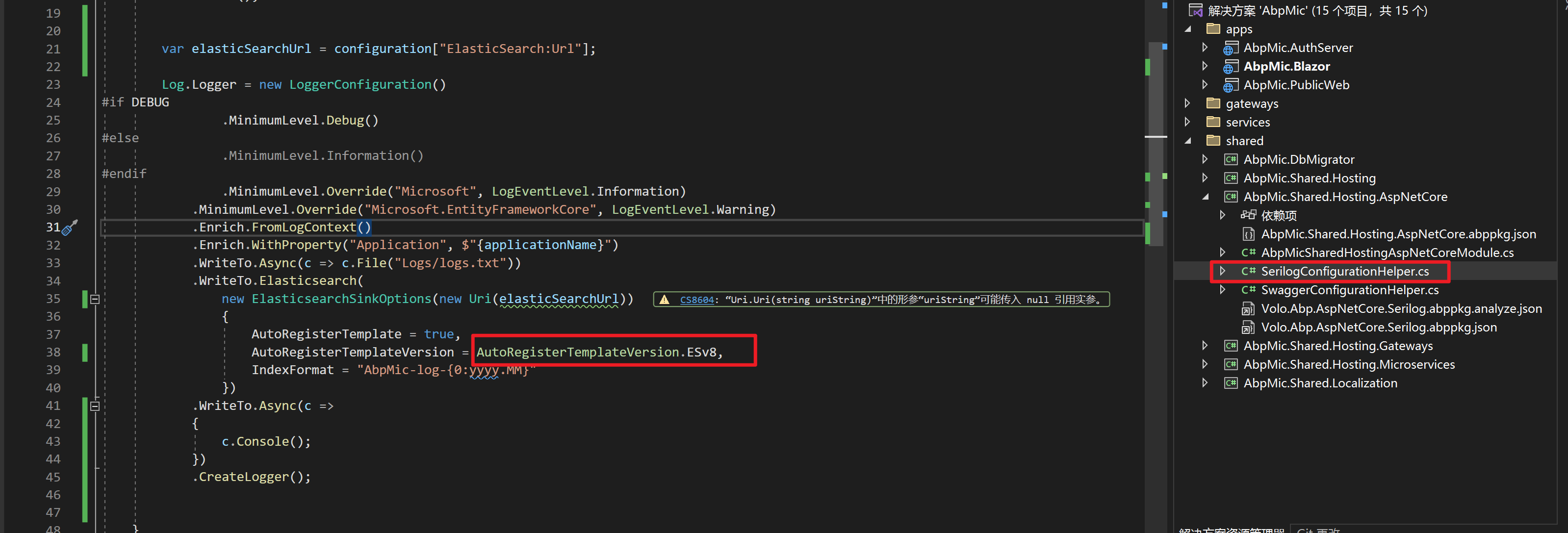
i can't find any index from elasticsearch by https://localhost:9200/_cat/indices
but when i create new asp.net core project,i use WriteTo.Elasticsearch, i can find index from https://localhost:9200/_cat/indices,the way can working
so,i miss something or it's bug?
1 Answer(s)
-
0
Hi,
You can try to disable elastic security:
- xpack.security.enabled=false: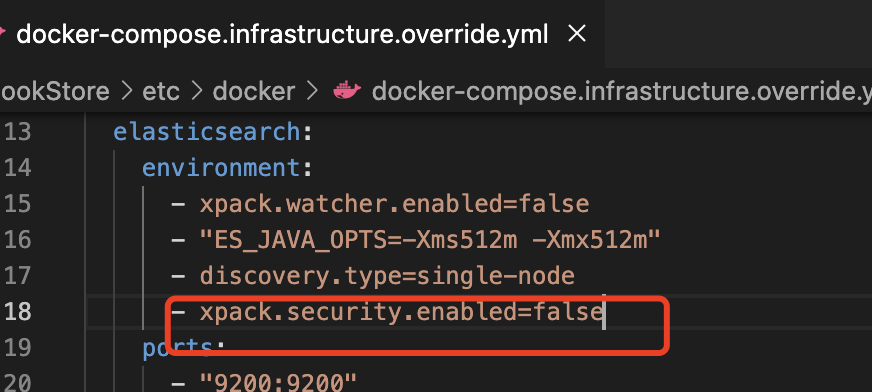 Markdown supported.Copy, paste, or drag & drop images and files (max 100 MB per file, 100 MB total per post)



