






- ABP Framework version: v7.1
- UI type: Blazor
- DB provider: EF Core
- Tiered (MVC) or Identity Server Separated (Angular): yes
- Exception message and stack trace:
- Steps to reproduce the issue:"
The menu name is big so I want to give tooltip to it. see image
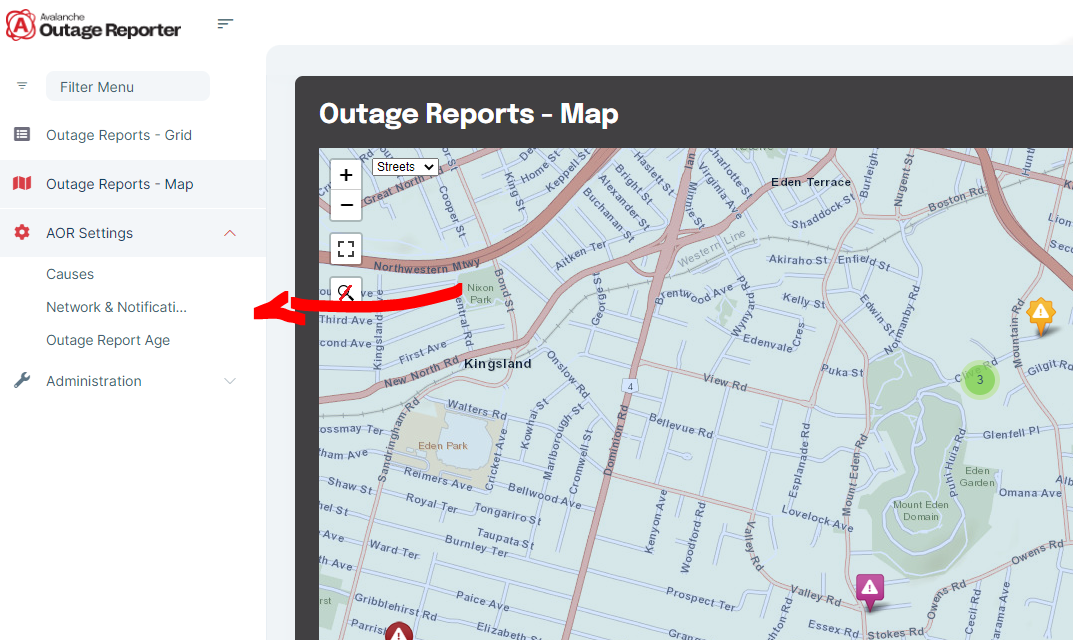
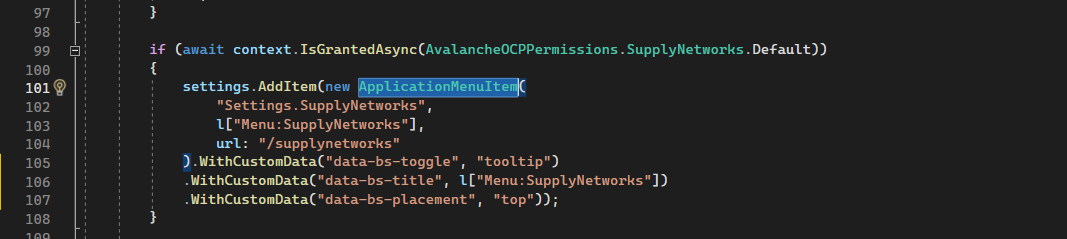
I want to add tooltip to the sidebar menu, I tries using the WithCustomData of the ApplicationMenuItem in the IMenuContributor, but could not, see image
7 Answer(s)
-
0
Hi,
We did not implement this functionality for the theme.
You can do it by overriding the component:
MyMainMenuItem
https://gist.github.com/realLiangshiwei/f3b8c51c576a10ac220d11a6b0dc2cfe
main.js
$(function(){
    var initTooltipTrigger = function () {
        var tooltipTriggerList = [].slice.call(document.querySelectorAll('[data-bs-toggle="tooltip"]'))
        var tooltipList = tooltipTriggerList.map(function (tooltipTriggerEl) {
            return new bootstrap.Tooltip(tooltipTriggerEl)
        })
    }

    initTooltipTrigger();
})
Configure<AbpBundlingOptions>(options => { options.ScriptBundles.Configure( BlazorLeptonXThemeBundles.Scripts.Global, bundle => { bundle.AddFiles("/main.js"); } ); });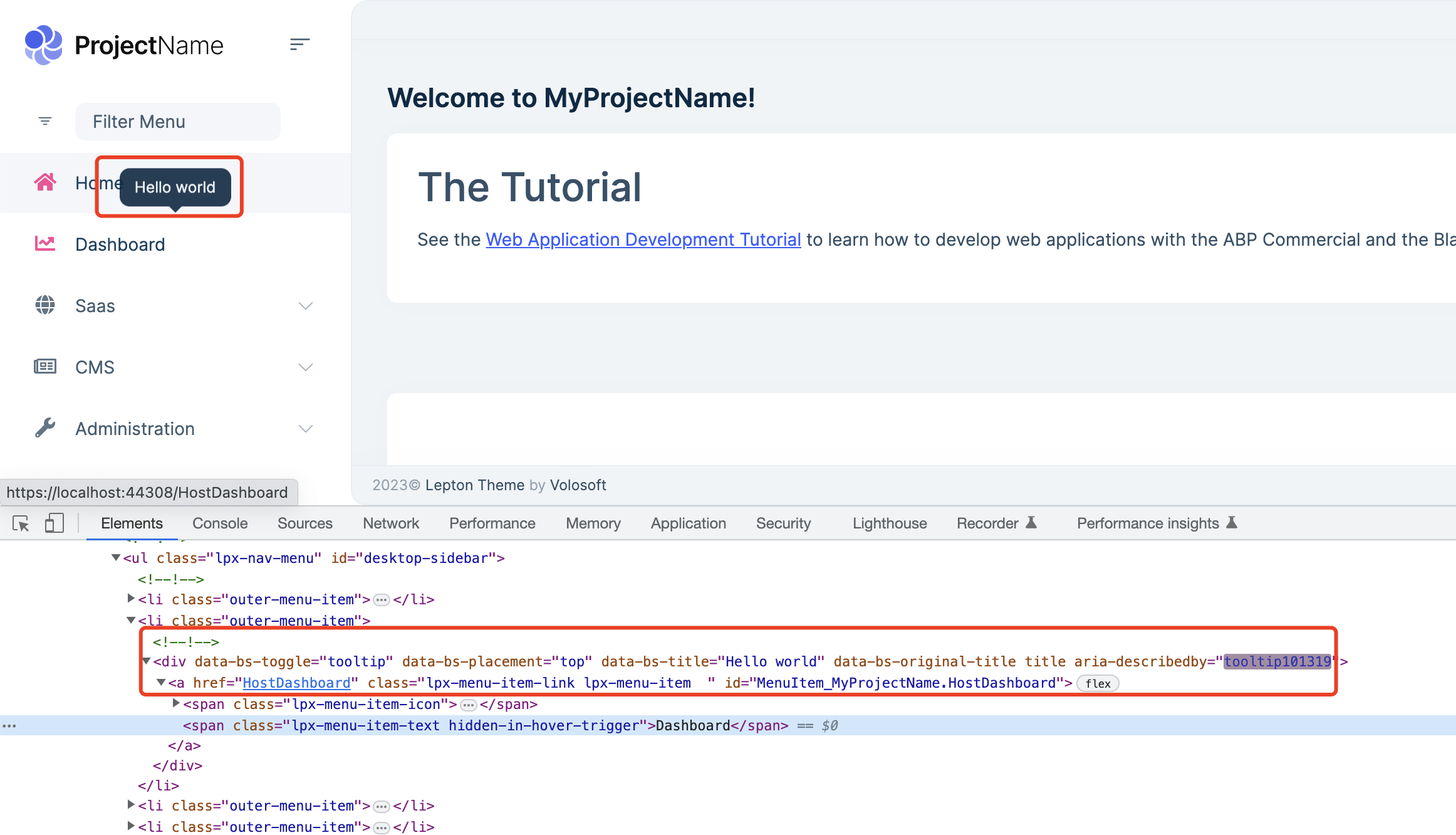 Markdown supported.Copy, paste, or drag & drop images and files (max 100 MB per file, 100 MB total per post)
 -
0
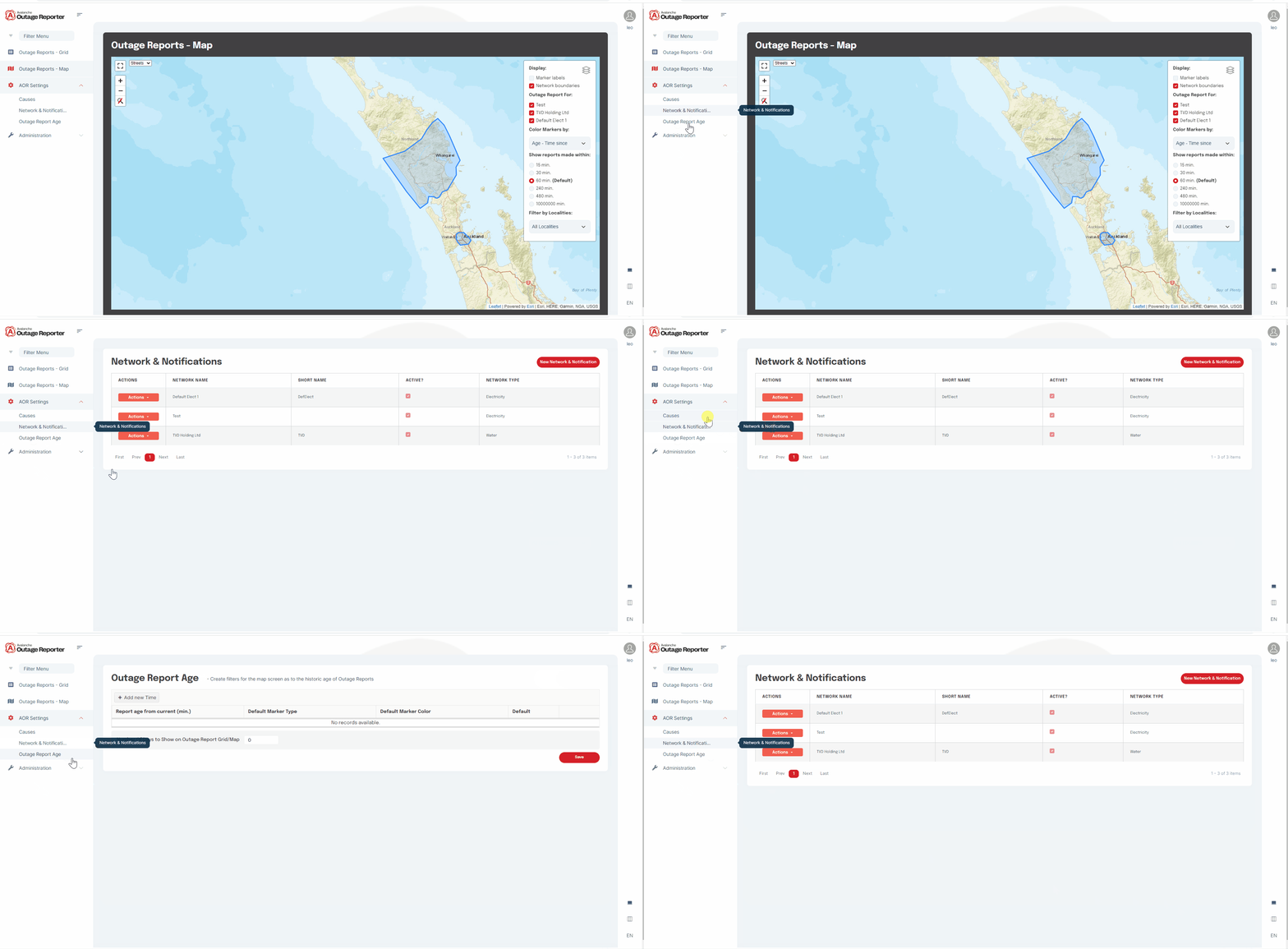
liangshiwei, the tooltip works fine on the hover (mouseleave and mouseenter), but it does not hide when the menu(anchor tag) is clicked. I tried hiding it with manually remove it when its clicked but then it has to show manually as well, so it creates different problems. Any solution of this?
ref attached
 Markdown supported.Copy, paste, or drag & drop images and files (max 100 MB per file, 100 MB total per post)
 -
0
Hi,
Are you using BlazorServer or BlazorWASM?
Markdown supported.Copy, paste, or drag & drop images and files (max 100 MB per file, 100 MB total per post) -
0
Hi,
I have updated the code: https://gist.github.com/realLiangshiwei/f3b8c51c576a10ac220d11a6b0dc2cfe
 context.Menu.AddItem(
    new ApplicationMenuItem(
        MyProjectNameMenus.HostDashboard,
        l["Menu:Dashboard"],
        "/HostDashboard",
        icon: "fa fa-chart-line",
        order: 2
    ).RequirePermissions(MyProjectNamePermissions.Dashboard.Host)
        .WithCustomData("data-bs-placement", TooltipPlacement.Top)
        .WithCustomData("data-bs-title", "Hello world")

);
Markdown supported.Copy, paste, or drag & drop images and files (max 100 MB per file, 100 MB total per post) -
0
Hi,
I have updated the code: https://gist.github.com/realLiangshiwei/f3b8c51c576a10ac220d11a6b0dc2cfe
 context.Menu.AddItem(
    new ApplicationMenuItem(
        MyProjectNameMenus.HostDashboard,
        l["Menu:Dashboard"],
        "/HostDashboard",
        icon: "fa fa-chart-line",
        order: 2
    ).RequirePermissions(MyProjectNamePermissions.Dashboard.Host)
        .WithCustomData("data-bs-placement", TooltipPlacement.Top)
        .WithCustomData("data-bs-title", "Hello world")

);
liangshiwei, it worked great, thanks a lot man.
Markdown supported.Copy, paste, or drag & drop images and files (max 100 MB per file, 100 MB total per post)


