






- ABP Framework version: v5.0.0
- UI type: Angular
- DB provider: EF Core
- Tiered (MVC) or Identity Server Separated (Angular): yes
- Lepton theme projects and volo account projects source modules are added to the solution
- This issue appeared when we migrated from abp 4.2.1 to 5.0.0
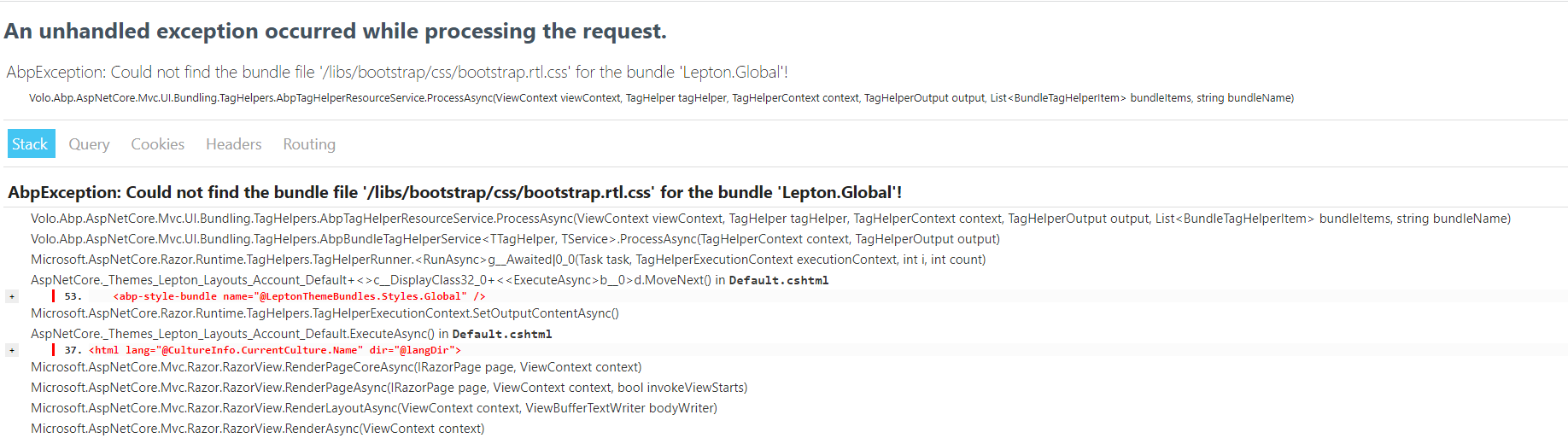
An unhandled exception occurred while processing the request. AbpException: Could not find the bundle file '/libs/bootstrap/css/bootstrap.rtl.css' for the bundle 'Lepton.Global'! Volo.Abp.AspNetCore.Mvc.UI.Bundling.TagHelpers.AbpTagHelperResourceService.ProcessAsync(ViewContext viewContext, TagHelper tagHelper, TagHelperContext context, TagHelperOutput output, List<BundleTagHelperItem> bundleItems, string bundleName)
Stack Query Cookies Headers Routing AbpException: Could not find the bundle file '/libs/bootstrap/css/bootstrap.rtl.css' for the bundle 'Lepton.Global'! Volo.Abp.AspNetCore.Mvc.UI.Bundling.TagHelpers.AbpTagHelperResourceService.ProcessAsync(ViewContext viewContext, TagHelper tagHelper, TagHelperContext context, TagHelperOutput output, List<BundleTagHelperItem> bundleItems, string bundleName) Volo.Abp.AspNetCore.Mvc.UI.Bundling.TagHelpers.AbpBundleTagHelperService<TTagHelper, TService>.ProcessAsync(TagHelperContext context, TagHelperOutput output) Microsoft.AspNetCore.Razor.Runtime.TagHelpers.TagHelperRunner.<RunAsync>g__Awaited|0_0(Task task, TagHelperExecutionContext executionContext, int i, int count) AspNetCore._Themes_Lepton_Layouts_Account_Default+<>c__DisplayClass32_0+<<ExecuteAsync>b__0>d.MoveNext() in Default.cshtml + <abp-style-bundle name="@LeptonThemeBundles.Styles.Global" /> Microsoft.AspNetCore.Razor.Runtime.TagHelpers.TagHelperExecutionContext.SetOutputContentAsync() AspNetCore._Themes_Lepton_Layouts_Account_Default.ExecuteAsync() in Default.cshtml + <html lang="@CultureInfo.CurrentCulture.Name" dir="@langDir"> Microsoft.AspNetCore.Mvc.Razor.RazorView.RenderPageCoreAsync(IRazorPage page, ViewContext context) Microsoft.AspNetCore.Mvc.Razor.RazorView.RenderPageAsync(IRazorPage page, ViewContext context, bool invokeViewStarts) Microsoft.AspNetCore.Mvc.Razor.RazorView.RenderLayoutAsync(ViewContext context, ViewBufferTextWriter bodyWriter)
4 Answer(s)
-
0
Hi,
Can you try run the
abp install-libscommand to restore the NPM packages?Markdown supported.Copy, paste, or drag & drop images and files (max 100 MB per file, 100 MB total per post) -
0
Hi,
Did not work, Please note that:
- Version is 5.0.0
- identity is seperated
- Account module source code is added to project
- Lepton Theme module source code is added to project
And I tried to create a new project with the same setup I got the same error
Markdown supported.Copy, paste, or drag & drop images and files (max 100 MB per file, 100 MB total per post) -
0
ok, I will check it
Markdown supported.Copy, paste, or drag & drop images and files (max 100 MB per file, 100 MB total per post) -
0
Hi,
Here are my steps:
- abp new Myapp -v 5.0.0 -u angular --separate-auth-server
- Replace the Account and Lepton Theme module with source code
- Open the
package.jsonfile to change^5.0.0to~5.0.0
Remove the
node_modulesfolder and run theabp install-libscommandMarkdown supported.Copy, paste, or drag & drop images and files (max 100 MB per file, 100 MB total per post)


