0
mmarjeh created
Hi,
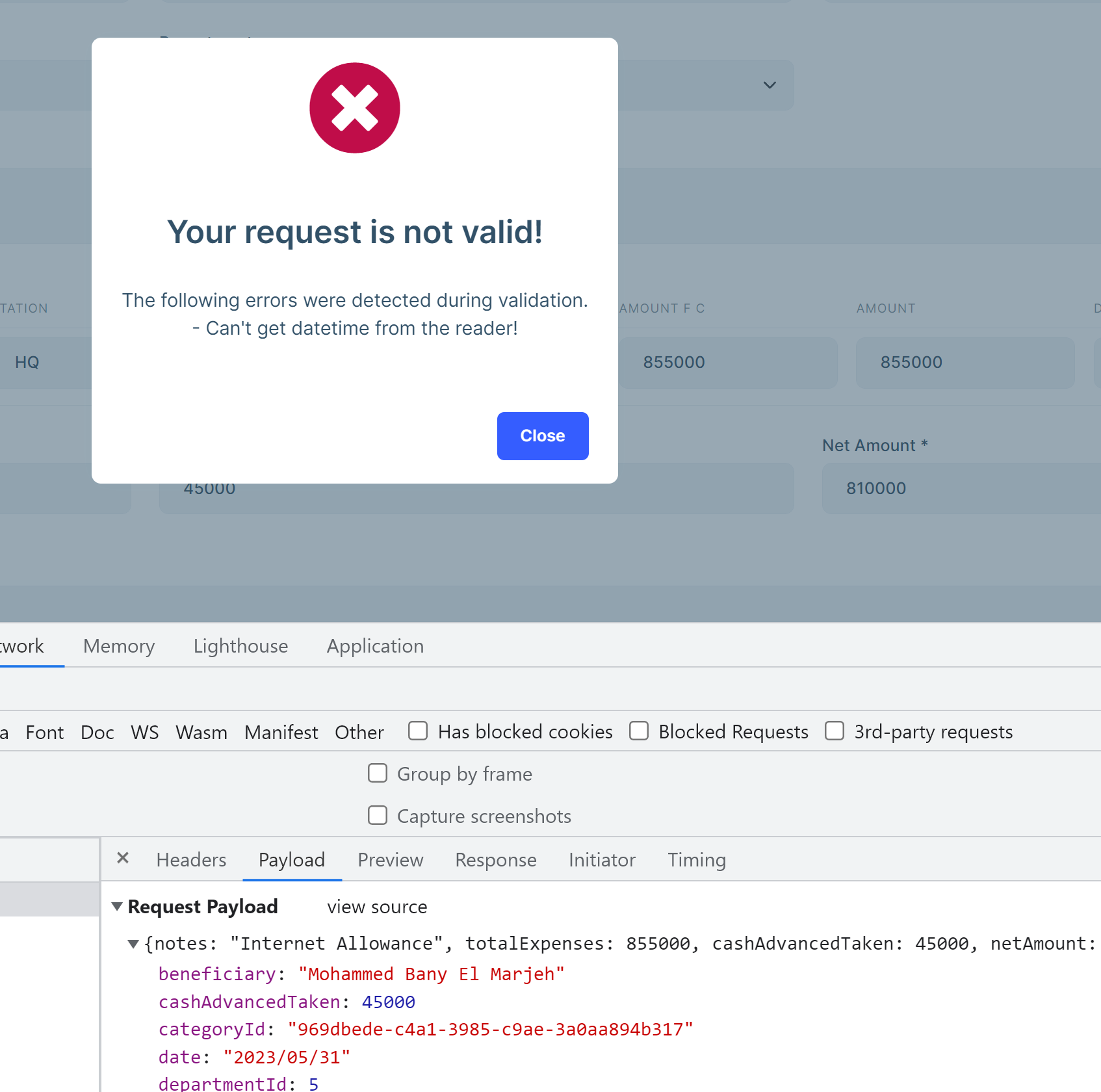
I got bellow issue when post model that contains date value from angular frontend to API backend.
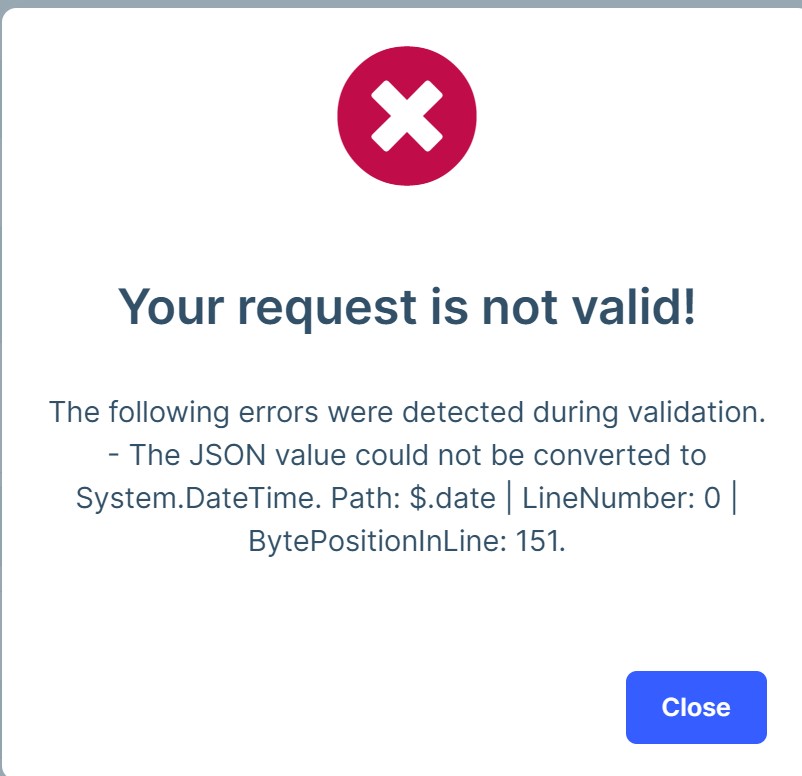
I tried to use custom converter, but it didn't reach read and write methods:
context.Services.Configure<JsonOptions>(options =>
{
            options.JsonSerializerOptions.Converters.Add(new CustomDateTimeConverter());
});

public class CustomDateTimeConverter : JsonConverter<DateTime>
{
    public override DateTime Read(ref Utf8JsonReader reader, Type typeToConvert, JsonSerializerOptions options)
    {

        var formats = "dd/MM/yyyy;dd-MM-yyyy;dd.MM.yyyy;dd/MM/yyyy hh:mm:ss;dd-MM-yyyy hh:mm:ss;dd.MM.yyyy hh:mm:ss;dd/MM/yyyy HH:mm:ss;dd-MM-yyyy HH:mm:ss;dd.MM.yyyy HH:mm:ss".Split(";");

        var input = reader.GetString();

        var value = DateTime.ParseExact(input, formats, null);

        return value;
    }

    public override void Write(Utf8JsonWriter writer, DateTime value, JsonSerializerOptions options)
    {
        writer.WriteStringValue(value);
    }
}
Also I tried below settings:
var formats = "dd/MM/yyyy;dd-MM-yyyy;dd.MM.yyyy;dd/MM/yyyy hh:mm:ss;dd-MM-yyyy hh:mm:ss;dd.MM.yyyy hh:mm:ss;dd/MM/yyyy HH:mm:ss;dd-MM-yyyy HH:mm:ss;dd.MM.yyyy HH:mm:ss".Split(";");

context.Services.Configure<AbpJsonOptions>(options =>
{
    options.InputDateTimeFormats.AddRange(formats);

});
I got another issue:
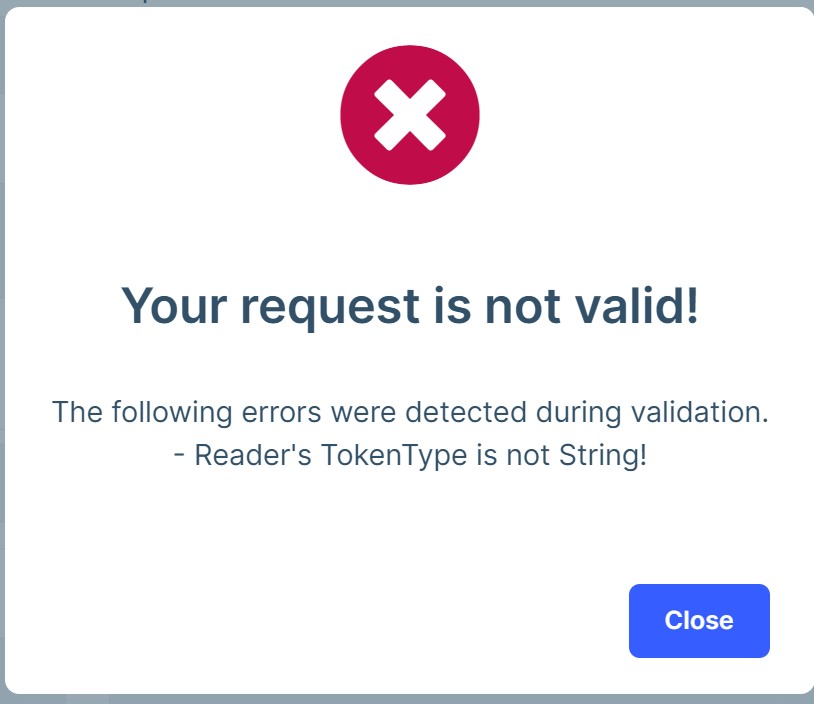
Could you please help and advise.
- ABP Framework version: v7.0.2
- UI type: Angular
- DB provider: EF Core
- Tiered (MVC) or Identity Server Separated (Angular): no
- Exception message and stack trace:
- Steps to reproduce the issue:"
Markdown supported.
Copy, paste, or drag & drop images and files (max 100 MB per file, 100 MB total per post)
5 Answer(s)
-
0
Hi,
Please find below requested details:
date control
<div class="input-group" validationTarget>
    <input readonly id="expense-date" formControlName="date" class="form-control" ngbDatepicker #dateInput
      #dateDatepicker="ngbDatepicker" (click)="dateDatepicker.open()"
      (keyup.space)="dateDatepicker.open()"  />
    <div *ngIf="dateInput.value" class="input-group-append">
      <button class="btn btn-link px-2" type="button" [title]="'AbpUi::Clear' | abpLocalization" (click)="
          dateDatepicker.writeValue(null); dateDatepicker.manualDateChange(null, true)
        ">
        <i class="fa fa-times" aria-hidden="true"></i>
      </button>
    </div>
  </div>
</div>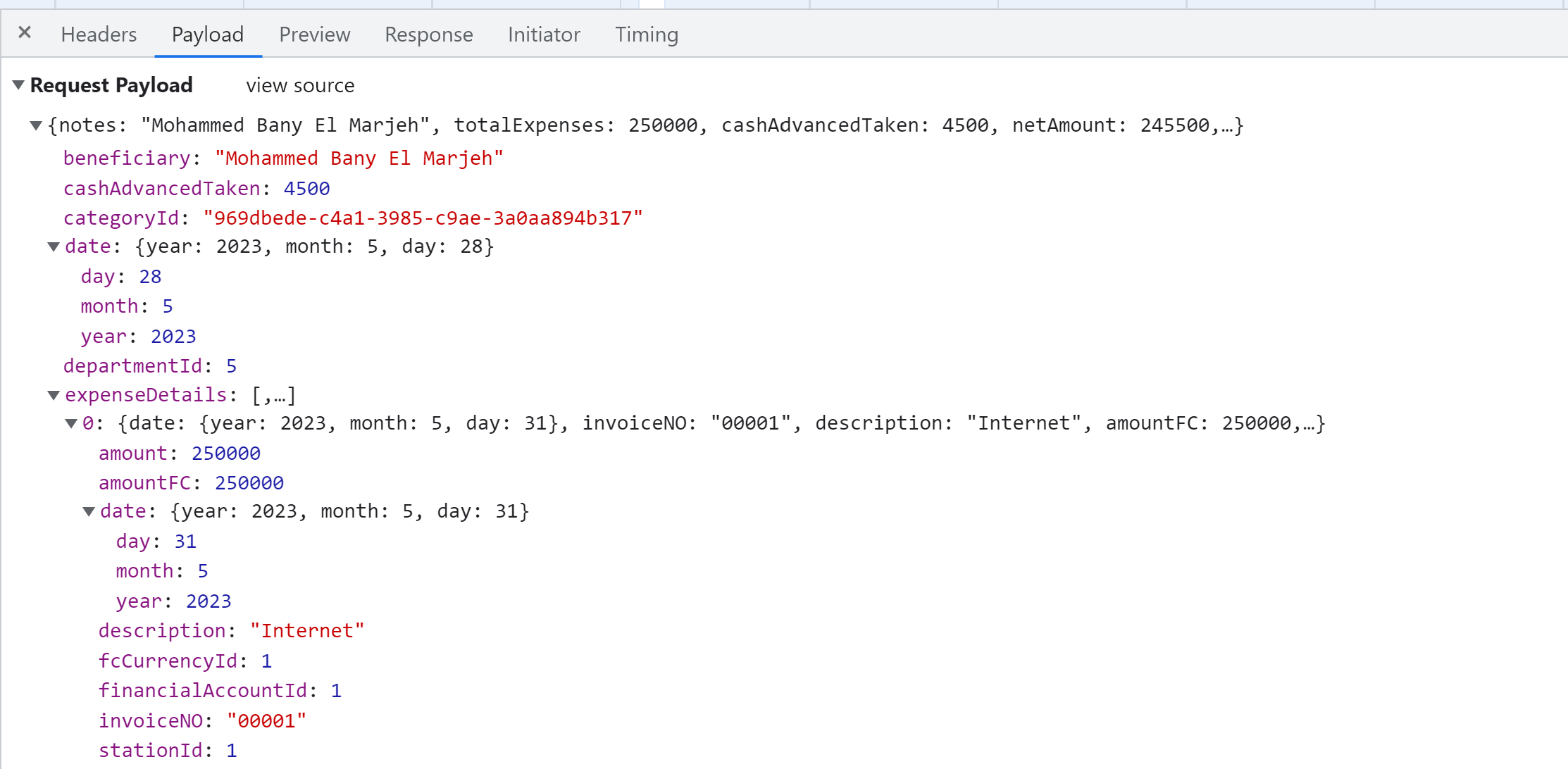
{
  "notes": "Mohammed Bany El Marjeh",
  "totalExpenses": 250000,
  "cashAdvancedTaken": 4500,
  "netAmount": 245500,
  "beneficiary": "Mohammed Bany El Marjeh",
  "date": {
    "year": 2023,
    "month": 5,
    "day": 28
  },
  "priority": 0,
  "paymentMethodId": 1,
  "mainCurrencyId": 1,
  "treasurerId": 3015,
  "categoryId": "969dbede-c4a1-3985-c9ae-3a0aa894b317",
  "departmentId": 5,
  "expenseDetails": [
    {
      "date": {
        "year": 2023,
        "month": 5,
        "day": 31
      },
      "invoiceNO": "00001",
      "description": "Internet",
      "amountFC": 250000,
      "amount": 250000,
      "stationId": 1,
      "financialAccountId": 1,
      "fcCurrencyId": 1
    }
  ]
}
Markdown supported.Copy, paste, or drag & drop images and files (max 100 MB per file, 100 MB total per post) -
0
hi
context.Services.Configure(options =>
{
    options.InputDateTimeFormats.Add("yyyy/MM/dd");
});
If still not working, Please share a simple project. I will test it localy.
liming.ma@volosoft.com
Markdown supported.Copy, paste, or drag & drop images and files (max 100 MB per file, 100 MB total per post)