- ABP Framework version: v6.0.1
- UI type: MVC
- DB provider: EF Core
- Tiered (MVC) or Identity Server Separated (Angular): Tired
After I follow this steps, https://support.abp.io/QA/Questions/4691/Clientid-permissions, can't solve my issue
To override the class OpenIddictSupportedLoginModel, but it dosen't work. The methos OnPostAsync inside that never runs.
I try to override the class LoginModel in AuthServer project, but in the method OnPostAsync the CurrentUser is null.
[Dependency(ReplaceServices = true)]
    [ExposeServices(typeof(LoginModel))]
    public class CustomLoginModel : LoginModel
    {
        public CustomLoginModel(IAuthenticationSchemeProvider schemeProvider, IOptions<AbpAccountOptions> accountOptions, IAbpRecaptchaValidatorFactory recaptchaValidatorFactory, IAccountExternalProviderAppService accountExternalProviderAppService, ICurrentPrincipalAccessor currentPrincipalAccessor, IOptions<IdentityOptions> identityOptions, IOptionsSnapshot<reCAPTCHAOptions> reCaptchaOptions) : base(schemeProvider, accountOptions, recaptchaValidatorFactory, accountExternalProviderAppService, currentPrincipalAccessor, identityOptions, reCaptchaOptions)
        {
        }

        public override async Task<IActionResult> OnPostAsync(string action)
        {
            var clientIdClaim = CurrentUser.GetAllClaims().FirstOrDefault(x => x.Type == AbpClaimTypes.ClientId);
            if (clientIdClaim != null)
            {
                if (clientIdClaim.Value == "Internal")
                {
                    if (CurrentUser.IsInRole(Roles.RoleConsts.Internal))
                        return await base.OnPostAsync(action);
                    else
                        throw new AbpAuthorizationException();
                }
                if (clientIdClaim.Value == "Public")
                {
                    return await base.OnPostAsync(action);
                }
            }

            return await base.OnPostAsync(action);
        }
    }
What I can do, to get ClientId and Roles from user to try to login?
Thanks
15 Answer(s)
-
0
hi
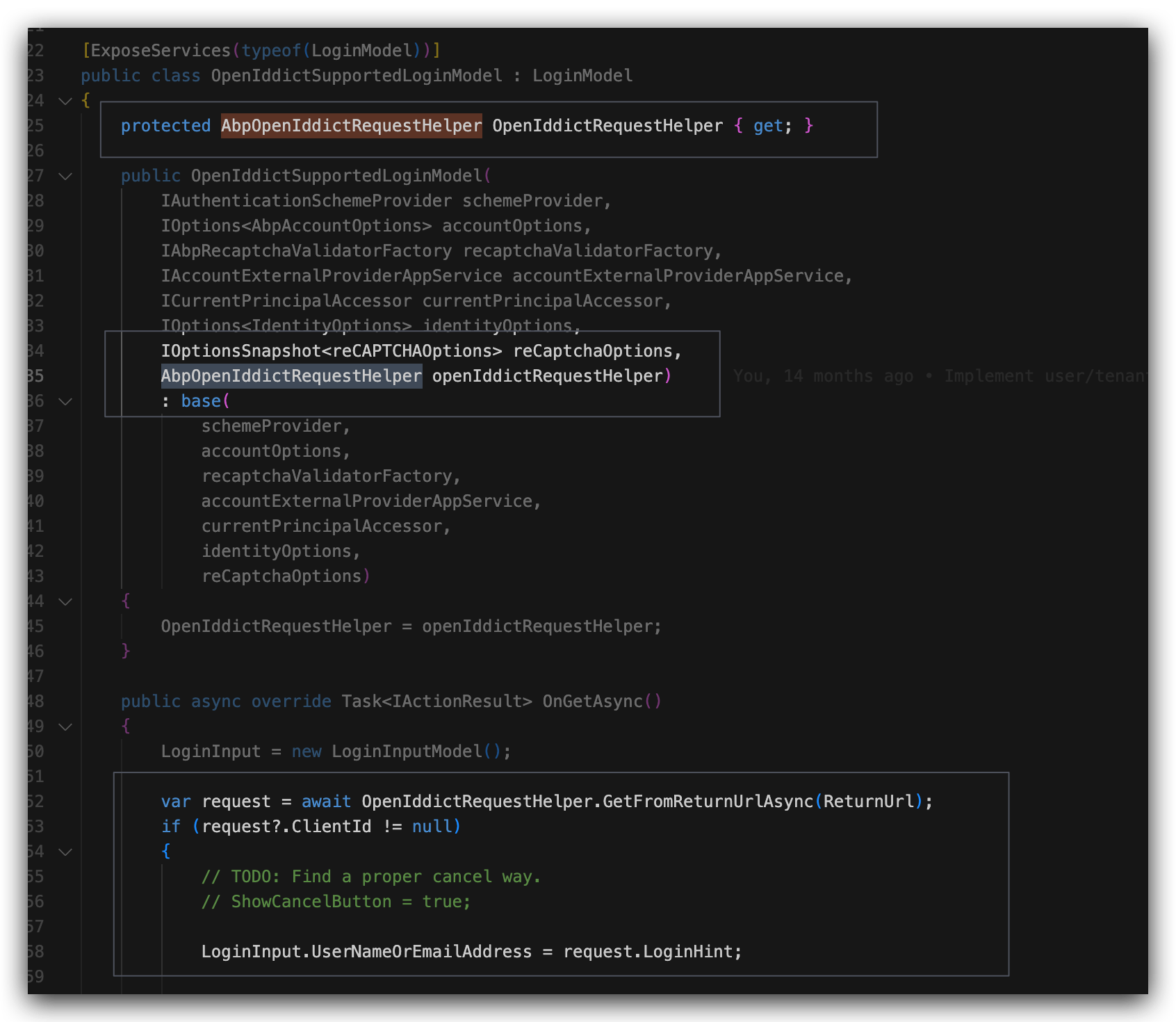
[Dependency(ReplaceServices = true)]
[ExposeServices(typeof(LoginModel))]
public class CustomLoginModel : LoginModel
{
    public CustomLoginModel(IAuthenticationSchemeProvider schemeProvider, IOptions accountOptions, IAbpRecaptchaValidatorFactory recaptchaValidatorFactory, IAccountExternalProviderAppService accountExternalProviderAppService, ICurrentPrincipalAccessor currentPrincipalAccessor, IOptions identityOptions, IOptionsSnapshot reCaptchaOptions) : base(schemeProvider, accountOptions, recaptchaValidatorFactory, accountExternalProviderAppService, currentPrincipalAccessor, identityOptions, reCaptchaOptions)
    {
    }

    public override async Task OnPostAsync(string action)
    {
        var request = await OpenIddictRequestHelper.GetFromReturnUrlAsync(ReturnUrl);
        if (request?.ClientId != null)
        {
            // check the request here
        }

        return await base.OnPostAsync(action);
    }
}```
Markdown supported.Copy, paste, or drag & drop images and files (max 100 MB per file, 100 MB total per post) -
0
https://github.com/abpframework/abp/blob/75f40ccf196735ea4073f87fe67e58d8e1f73194/modules/openiddict/src/Volo.Abp.OpenIddict.AspNetCore/Volo/Abp/OpenIddict/AbpOpenIddictRequestHelper.cs#L11
Markdown supported.Copy, paste, or drag & drop images and files (max 100 MB per file, 100 MB total per post) -
0
Hi,
One more thing
I have two web projects, public and internal, with different clientId.
Now I can block the user at the moment of login, (clientId, username and role), but if the user login from public web and then runs the internal url, they skip the proteccion
How can I block that?
Markdown supported.Copy, paste, or drag & drop images and files (max 100 MB per file, 100 MB total per post) -
0
hi
You can add a middleware after the authentication.
app.Use(async (context, next) =>
{
    // Do work that can write to the Response.
    await next.Invoke();
    // Do logging or other work that doesn't write to the Response.
});
https://learn.microsoft.com/en-us/aspnet/core/fundamentals/middleware/?view=aspnetcore-7.0
Markdown supported.Copy, paste, or drag & drop images and files (max 100 MB per file, 100 MB total per post)