






0
thuc.nghiem@techplus.vn created
- ABP Framework version: v7.0.1
- UI type: Angular
- DB provider: EF Core
- Tiered (MVC) or Identity Server Separated (Angular): no
- Exception message and stack trace:
- Steps to reproduce the issue:"
-
- I create two ExtraProperties of AbpUsers table is "LoanOfficer" and "BranchCode"
private static void ConfigureExtraProperties()
    {
        ObjectExtensionManager.Instance.Modules().ConfigureIdentity(identity =>
        {
            identity.ConfigureUser(user =>
            {
                user.AddOrUpdateProperty<string>(UserConsts.LoanOfficer,
                    options =>
                    {
                        options.Attributes.Add(new RequiredAttribute());
                        options.Attributes.Add(new StringLengthAttribute(UserConsts.MaxLoanOfficerLength));

                    });
                user.AddOrUpdateProperty<string>(UserConsts.BranchCode,
                    options =>
                    {
                        options.Attributes.Add(new RequiredAttribute());
                        options.Attributes.Add(new StringLengthAttribute(UserConsts.MaxBranchCodeLength));
                    });
            });
        });

    }
-
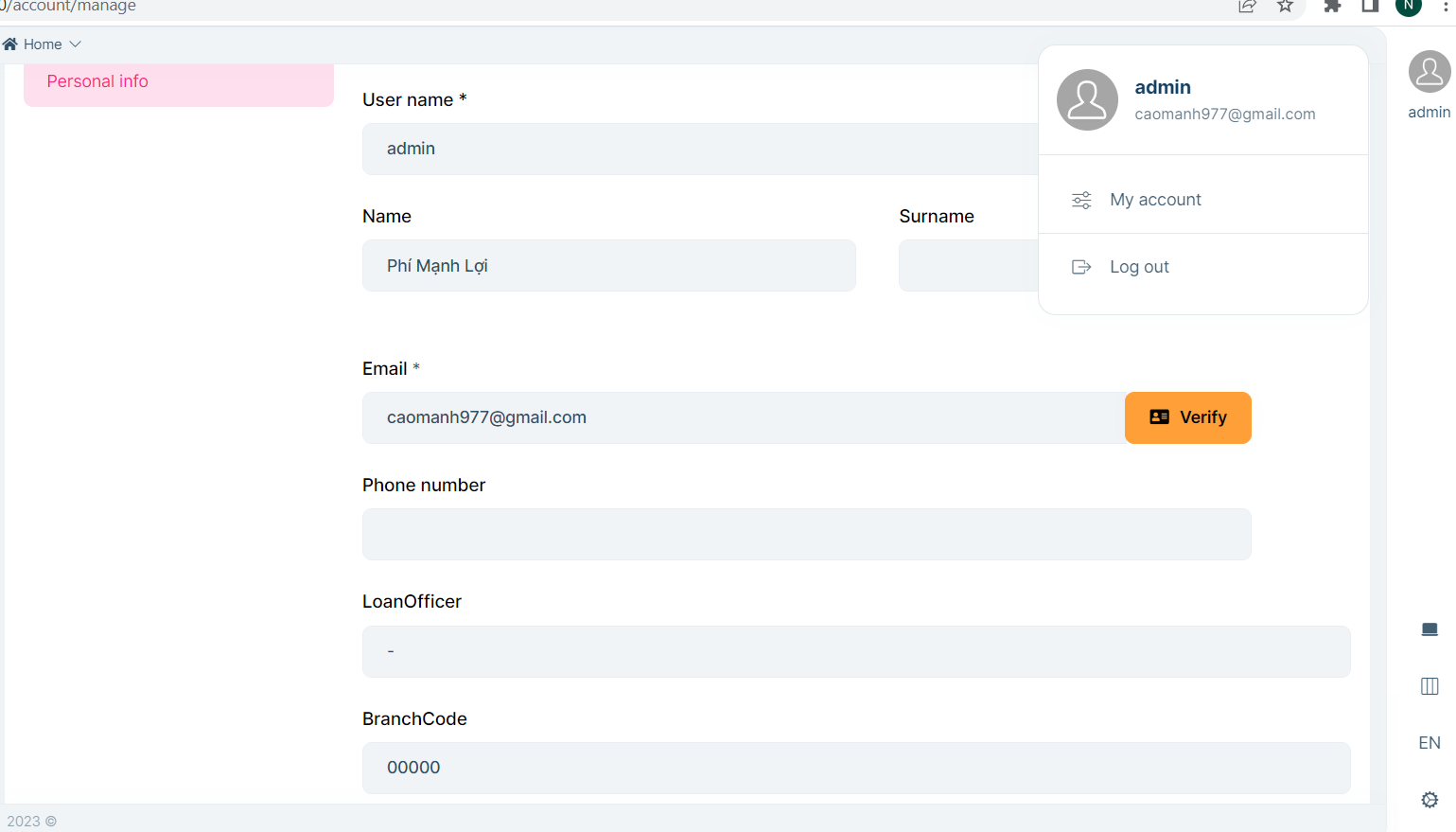
- I click a username->My Account -.> Personal info
-
- I want disable or set readonly of ExtraProperties in screen Personal info.
-
- I have Account module.
- 5, Help me,
Markdown supported.
Copy, paste, or drag & drop images and files (max 100 MB per file, 100 MB total per post)
2 Answer(s)
-
0
Hi,
This feature will be available in 7.4.
https://github.com/abpframework/abp/issues/12249
Currently, you need to customize the profile page: https://docs.abp.io/en/commercial/latest/ui/angular/manage-profile-page-tabs
Markdown supported.Copy, paste, or drag & drop images and files (max 100 MB per file, 100 MB total per post) -
0
Thanks!
Markdown supported.Copy, paste, or drag & drop images and files (max 100 MB per file, 100 MB total per post)


