






0
Johannes created
When expanding and minimizing categories in the menu by pressing the little arrow, the buttons appear with an animation.
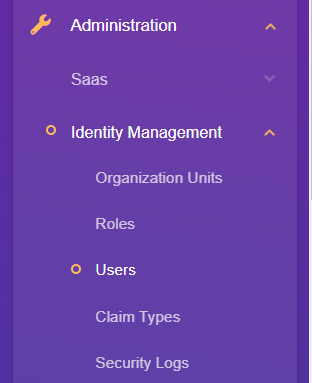 When expanding, the buttons are animated from top to bottom, but when minimizing they move from right to left.
How and where in the source can we modify this behaviour? We'd like the minimizing to move from bottom to top.
When expanding, the buttons are animated from top to bottom, but when minimizing they move from right to left.
How and where in the source can we modify this behaviour? We'd like the minimizing to move from bottom to top.
- ABP Framework version: v3.3.0
- UI type: Angular
- Tiered (MVC) or Identity Server Seperated (Angular): no
Markdown supported.
Copy, paste, or drag & drop images and files (max 100 MB per file, 100 MB total per post)
3 Answer(s)
-
0
Hello Johannes,
We have a issue for this request. Animation change will be available in 4.0.0 version
Markdown supported.Copy, paste, or drag & drop images and files (max 100 MB per file, 100 MB total per post) -
0
Hello,
You can change collapse animation by replacing the abp-routes component. You can follow these steps for abp-routes component replacement.
Markdown supported.Copy, paste, or drag & drop images and files (max 100 MB per file, 100 MB total per post)


