Open Closed

Impersonation on Blazor LeptonX #5395


User avatar
0
pierremih created

Hi,

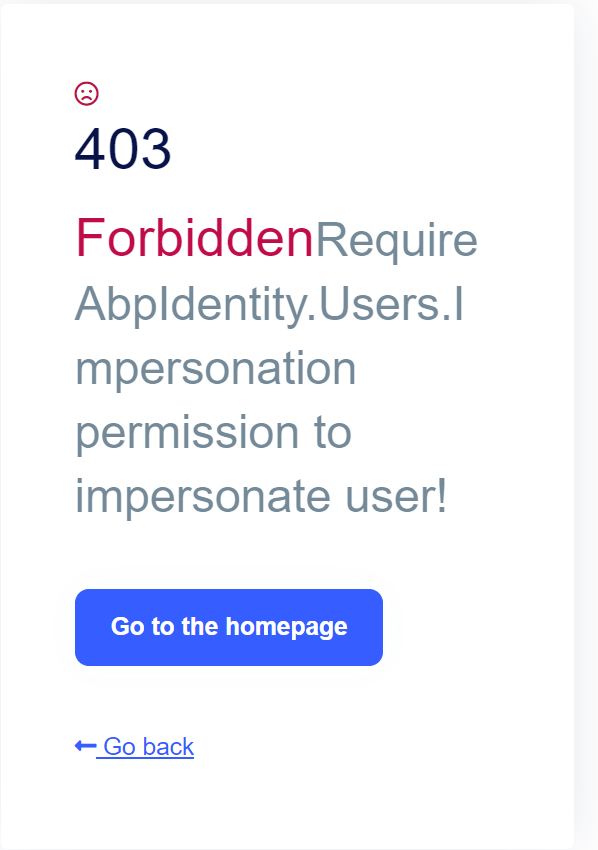
We have issues using impersonation on our Blazor App (LeptonX Theme). When clicking the impersonate button "Connectez-vous avec cet utilisateur", the user gets redirected to the auth server and gets a 403 Error "Require AbpIdentity.Users.Impersonation permission to impersonate user!". We have another permissions-related issue that I'm about to create, but I think they are separate.
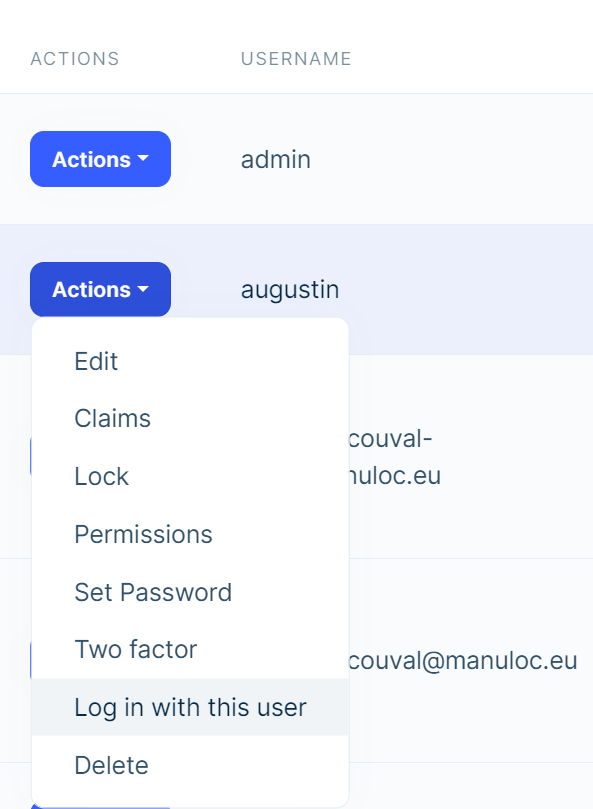
We would like to investigate this.

  • ABP Framework version: v7.2.3
  • UI type: Blazor (+ Angular)
  • DB provider: EF Core
  • Tiered (MVC) or Identity Server Separated (Angular): Identity Server Separated
Markdown supported.
Copy, paste, or drag & drop images and files (max 100 MB per file, 100 MB total per post)

10 Answer(s)
  • User Avatar
    0
    pierremih created

    Said ticket https://support.abp.io/QA/Questions/5396/Blazor-permissions-not-updating-while-still-connected

    Markdown supported.
    Copy, paste, or drag & drop images and files (max 100 MB per file, 100 MB total per post)
  • User Avatar
    0
    maliming created
    Support Team Fullstack Developer

    hi

    Please share the full logs of AuthServer. Thanks

    You have been granted the AbpIdentity.Users.Impersonation permission right?

    liming.ma@volosoft.com

    Markdown supported.
    Copy, paste, or drag & drop images and files (max 100 MB per file, 100 MB total per post)
  • User Avatar
    0
    pierremih created

    Hi I just confirmed the user has full admin privileges, including AbpIdentity.Users.Impersonation. Let me send you the logs by email

    Markdown supported.
    Copy, paste, or drag & drop images and files (max 100 MB per file, 100 MB total per post)
  • User Avatar
    0
    maliming created
    Support Team Fullstack Developer

    hi

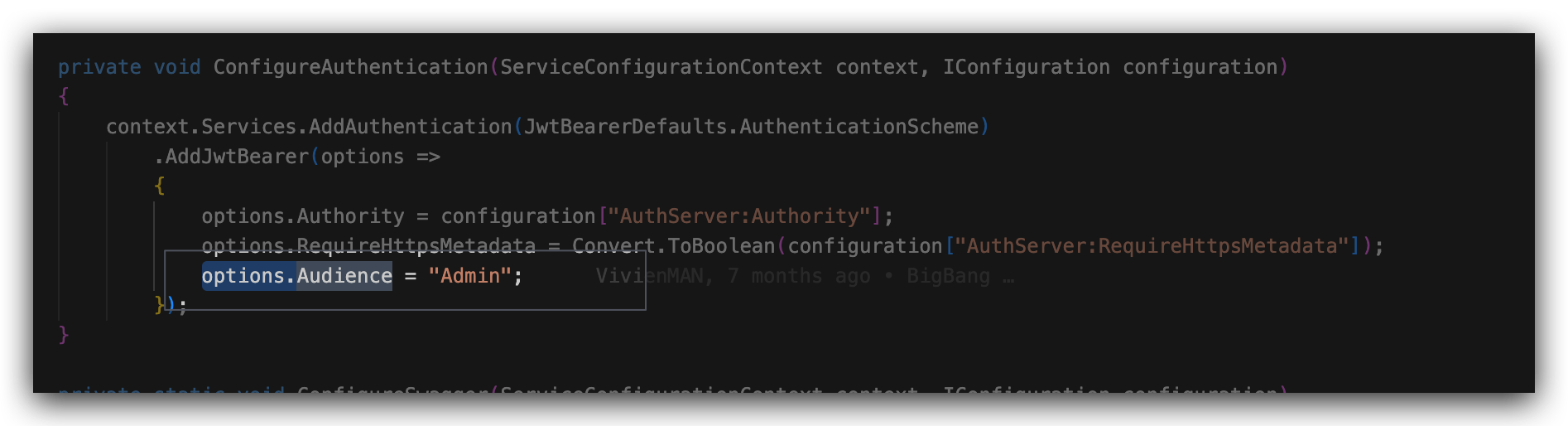
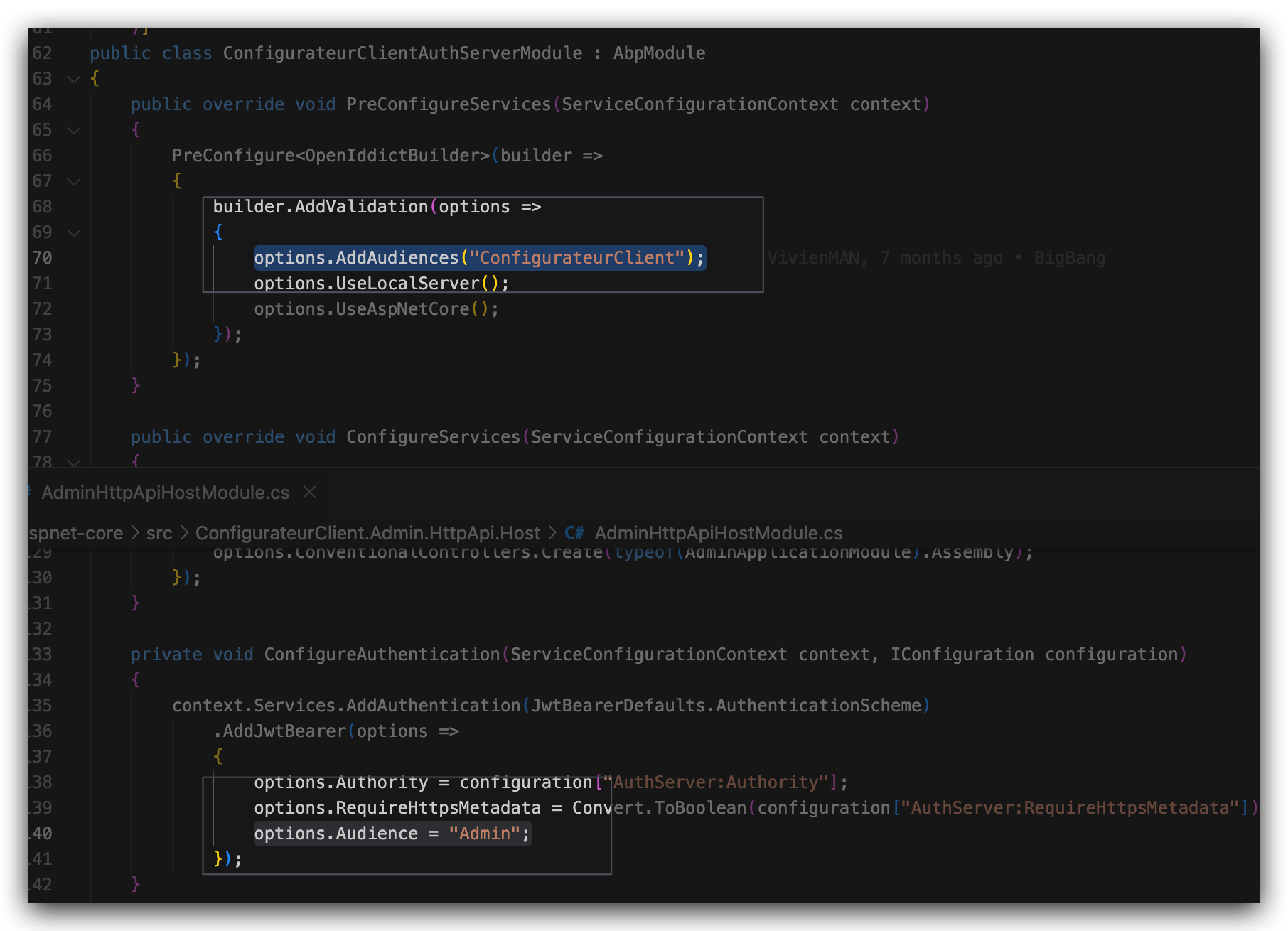
    If the access token doesn't include any registered audience will get this error.

    [15:02:05 INF] The authentication demand was rejected because the token had no valid audience.

    Can you share your project or how can I reproduce this in a new template project?

    Markdown supported.
    Copy, paste, or drag & drop images and files (max 100 MB per file, 100 MB total per post)

  • User Avatar
    0
    pierremih created

    Hi maliming, You were added to the repository https://github.com/Manuloc/ConfigurationClient Thanks

    Markdown supported.
    Copy, paste, or drag & drop images and files (max 100 MB per file, 100 MB total per post)

  • User Avatar
    0
    maliming created
    Support Team Fullstack Developer

    hi

    Thanks. Can you share some steps?

    Markdown supported.
    Copy, paste, or drag & drop images and files (max 100 MB per file, 100 MB total per post)
  • User Avatar
    0
    maliming created
    Support Team Fullstack Developer

    hi

    I guess this is the problem

    Markdown supported.
    Copy, paste, or drag & drop images and files (max 100 MB per file, 100 MB total per post)
  • User Avatar
    0
    pierremih created

    Thank you, I will run some tests and come back to you

    Markdown supported.
    Copy, paste, or drag & drop images and files (max 100 MB per file, 100 MB total per post)
  • User Avatar
    0
    maliming created
    Support Team Fullstack Developer

    ok

    Markdown supported.
    Copy, paste, or drag & drop images and files (max 100 MB per file, 100 MB total per post)
  • User Avatar
    0
    pierremih created

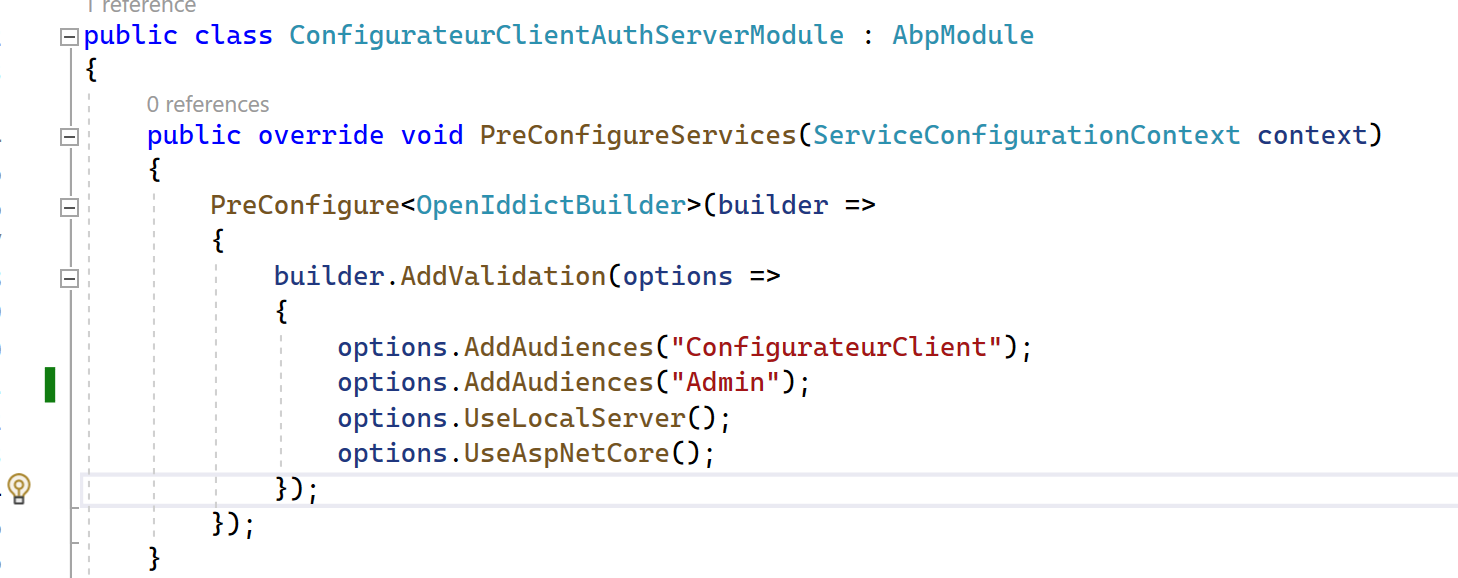
    Thank you I fixed it with the following code 👍. You rock

    Markdown supported.
    Copy, paste, or drag & drop images and files (max 100 MB per file, 100 MB total per post)
Boost Your Development
ABP Live Training
Packages
See Trainings
Mastering ABP Framework Book
The Official Guide
Mastering
ABP Framework
Learn More
Mastering ABP Framework Book
Made with ❤️ on ABP v10.8.0-preview. Updated on September 16, 2026, 14:50
1
ABP Assistant
🔐 You need to be logged in to use the chatbot. Please log in first.