






I have Kafka messaging and Outbox event enabled in my solution. When I run application local it is refusing to connect. Please refer below log history of the project
ABP Framework version: ABP CLI 7.3.0 UI Type: Blazor Server Database System: EF Core (SQL Server) Tiered (for MVC) or Auth Server Separated (for Angular): Tiered Exception message and full stack trace:
Host Project: Logs 2023-08-23 10:32:25.479 -04:00 [FTL] Host terminated unexpectedly! Volo.Abp.AbpInitializationException: An error occurred during the initialize Volo.Abp.Modularity.OnApplicationInitializationModuleLifecycleContributor phase of the module Volo.Abp.EventBus.AbpEventBusModule, Volo.Abp.EventBus, Version=7.2.2.0, Culture=neutral, PublicKeyToken=null: Value cannot be null. (Parameter 'serviceType'). See the inner exception for details. ---> System.ArgumentNullException: Value cannot be null. (Parameter 'serviceType') at System.ThrowHelper.Throw(String paramName) at Microsoft.Extensions.DependencyInjection.ServiceProviderServiceExtensions.GetRequiredService(IServiceProvider provider, Type serviceType) at Volo.Abp.EventBus.Distributed.OutboxSender.StartAsync(OutboxConfig outboxConfig, CancellationToken cancellationToken) at Volo.Abp.EventBus.Distributed.OutboxSenderManager.StartAsync(CancellationToken cancellationToken) at Volo.Abp.BackgroundWorkers.BackgroundWorkerManager.AddAsync(IBackgroundWorker worker, CancellationToken cancellationToken) at Volo.Abp.BackgroundWorkers.BackgroundWorkersApplicationInitializationContextExtensions.AddBackgroundWorkerAsync(ApplicationInitializationContext context, Type workerType, CancellationToken cancellationToken) at Volo.Abp.BackgroundWorkers.BackgroundWorkersApplicationInitializationContextExtensions.AddBackgroundWorkerAsync[TWorker](ApplicationInitializationContext context, CancellationToken cancellationToken) at Volo.Abp.EventBus.AbpEventBusModule.OnApplicationInitializationAsync(ApplicationInitializationContext context) at Volo.Abp.Modularity.OnApplicationInitializationModuleLifecycleContributor.InitializeAsync(ApplicationInitializationContext context, IAbpModule module) at Volo.Abp.Modularity.ModuleManager.InitializeModulesAsync(ApplicationInitializationContext context) --- End of inner exception stack trace --- at Volo.Abp.Modularity.ModuleManager.InitializeModulesAsync(ApplicationInitializationContext context) at Volo.Abp.AbpApplicationBase.InitializeModulesAsync() at Volo.Abp.AbpApplicationWithExternalServiceProvider.InitializeAsync(IServiceProvider serviceProvider) at Microsoft.AspNetCore.Builder.AbpApplicationBuilderExtensions.InitializeApplicationAsync(IApplicationBuilder app) at Inventory.Program.Main(String[] args) in C:\source\repos\Inventory\src\Inventory.HttpApi.Host\Program.cs:line 38
AuthServer : Logs
2023-08-23 10:32:18.010 -04:00 [ERR] ABP-LIC-ERROR - License check failed for 'Volo.Abp.Identity.Pro.Domain-v7.2.2.0'.
You need to log in using the command abp login <username>.
For more information, contact to license@abp.io.
Steps to reproduce the issue: Enable Kafka messaging and Outbox event and try to run the application
10 Answer(s)
-
0
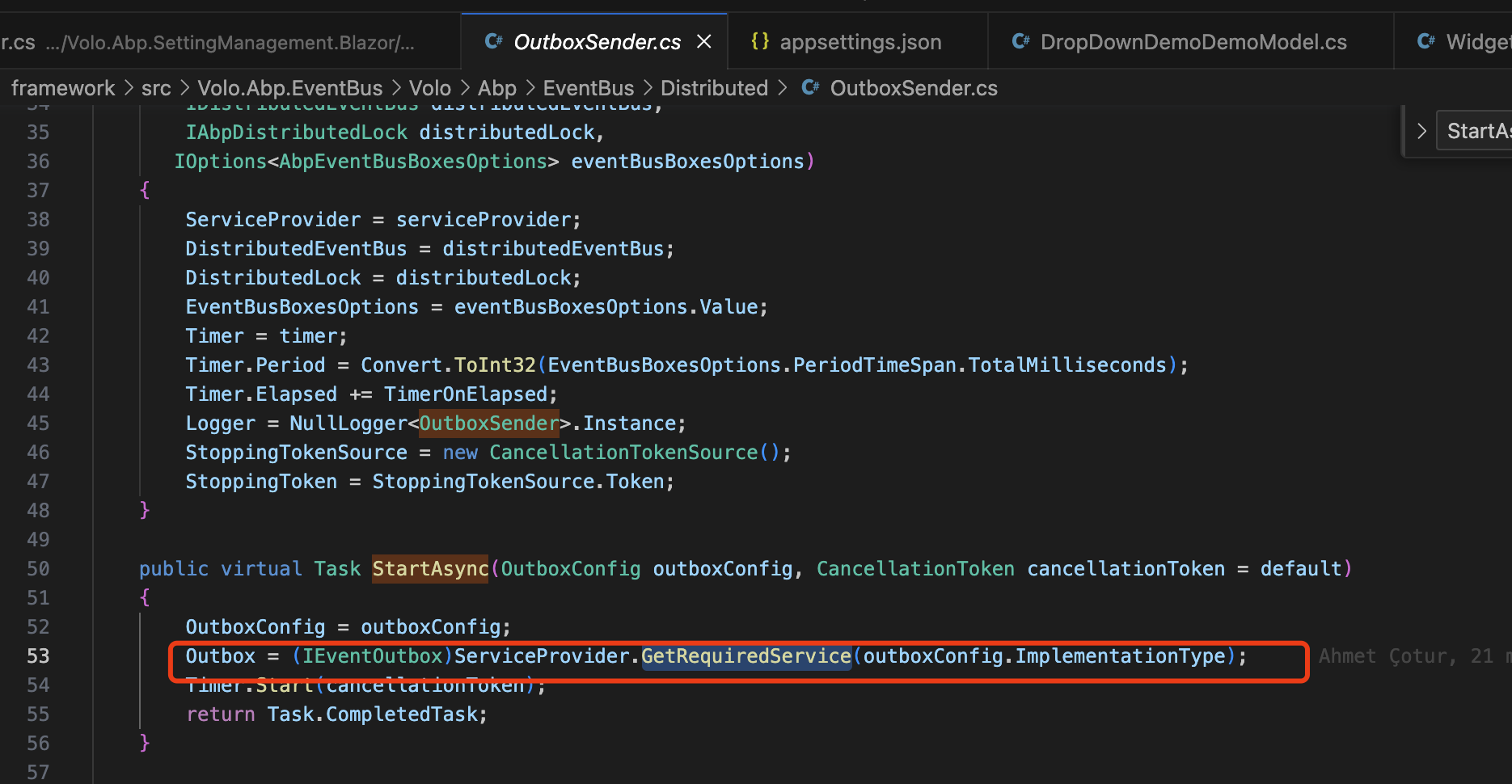
System.ArgumentNullException: Value cannot be null. (Parameter 'serviceType') at System.ThrowHelper.Throw(String paramName) at Microsoft.Extensions.DependencyInjection.ServiceProviderServiceExtensions.GetRequiredService(IServiceProvider provider, Type serviceType)
It seems that you don't have the correct configuration of the Outbox/Inbox.
Configure<AbpDistributedEventBusOptions>(options =>
{
    options.Inboxes.Configure(config =>
    {
        config.UseDbContext<YourDbContext>();
    });
});

Configure<AbpDistributedEventBusOptions>(options =>
{
    options.Outboxes.Configure(config =>
    {
        config.UseDbContext<YourDbContext>();
    });
});
https://docs.abp.io/en/abp/latest/Distributed-Event-Bus#enabling-event-inbox
Markdown supported.Copy, paste, or drag & drop images and files (max 100 MB per file, 100 MB total per post) -
0
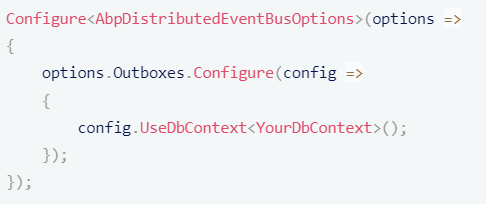
The below code when added in ApplicationModule.cs class it is giving me syntax error. Plese refer below screenshot for more info.
 Markdown supported.Copy, paste, or drag & drop images and files (max 100 MB per file, 100 MB total per post)
 -
0
Hi,
You can configure it in the
EntityFrameworkCoreModuleinstead ofApplicationModule.Please check the document: https://docs.abp.io/en/abp/latest/Distributed-Event-Bus#pre-requirements
Markdown supported.Copy, paste, or drag & drop images and files (max 100 MB per file, 100 MB total per post) -
0
Hi I have done the same, now the Application is running properly. But I dont see any records getting added in "AbpEventOutbox" which is created by ABP for outbox events when I modify/create entities.
Markdown supported.Copy, paste, or drag & drop images and files (max 100 MB per file, 100 MB total per post) -
0
Hi,
Could you share a project that can reproduce the problem? I will check it. my email is shiwei.liang@volosoft.com
Markdown supported.Copy, paste, or drag & drop images and files (max 100 MB per file, 100 MB total per post) -
0
Hi,
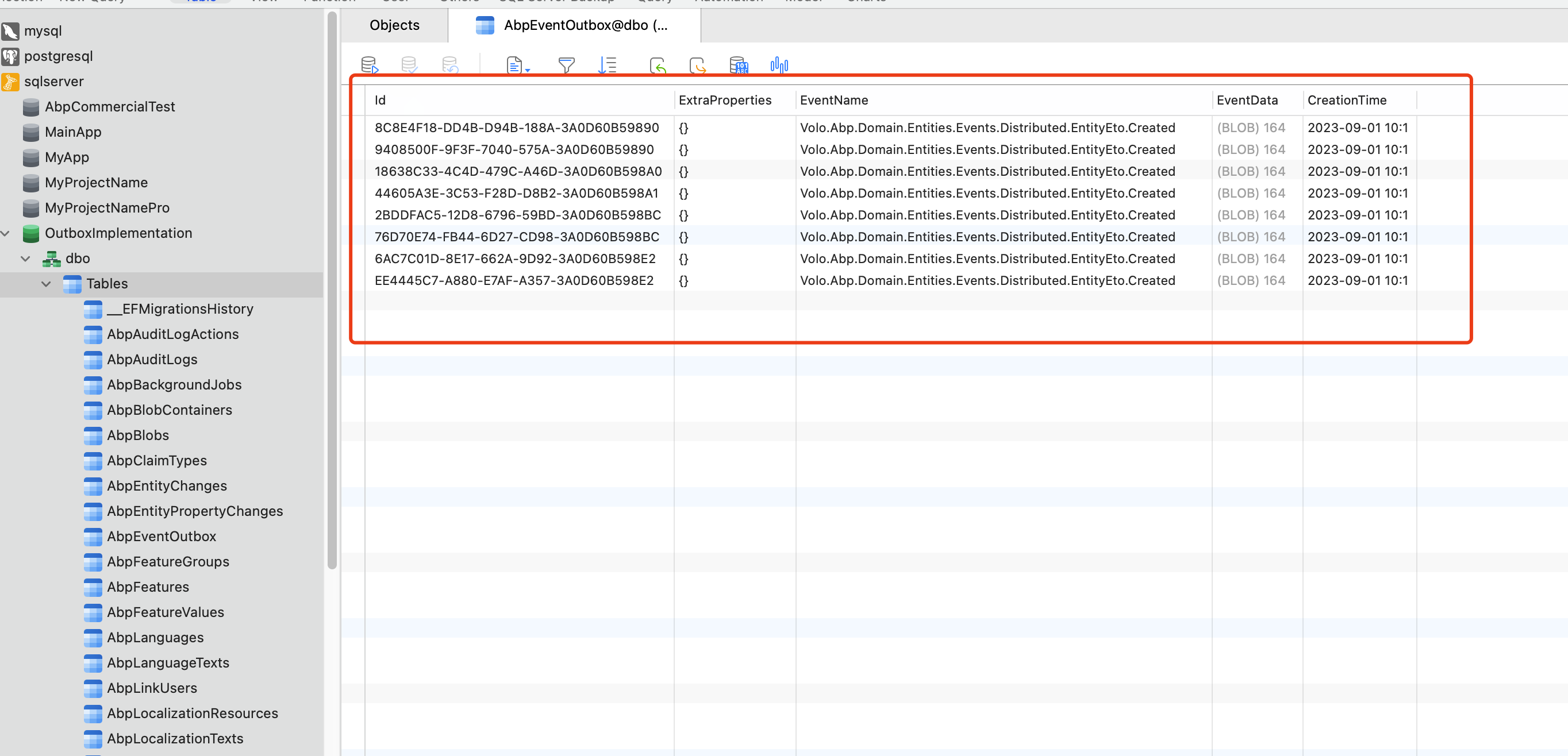
I checked the project you provided. Because it does not configure any event bus, it uses LocalDistributedEventBus by default.
The LocalDistributedEventBus will not use the outbox, It will publish the event directly.
- First, you need to Enable for all entities:
Configure<AbpDistributedEntityEventOptions>(options => { options.AutoEventSelectors.AddAll(); });- Configure a provider RabbitMQ&Kafka...
Now you can see the records, but you need also to configure the inbox. otherwise your application will get stuck
 Markdown supported.Copy, paste, or drag & drop images and files (max 100 MB per file, 100 MB total per post)
 -
0
Hi, I have implemented Inbox also still application is getting stuck when saving. And I have observed one behavior when I do a Save operation the application gets stuck but after some time few thousands of records are getting added in AbpEventOutbox table but after some time these records get disappeared in the table. Also these thousands of records are published to a Kafka topic I have configured.
Sample record that got added to AbpEventOutbox : { Id: DEE8596B-83BC-D8FC-44E3-3A0D7201312B ExtraProperties : {} EventName : Volo.Abp.Domain.Entities.Events.Distributed.EntityEto.Created EventData : {"entity":{"entityType":"Volo.Abp.EntityFrameworkCore.DistributedEvents.OutgoingEventRecord","keysAsString":"b2c05e79-323d-259b-cfa7-3a0d614ef330","properties":{}}}
}Note: EventData is converted from byte to string
But I don't see any records getting added in AbpEventInbox table.
How should I proceed furthur.
Markdown supported.Copy, paste, or drag & drop images and files (max 100 MB per file, 100 MB total per post) -
0
Hi,
Can you share the full logs? thanks.
Markdown supported.Copy, paste, or drag & drop images and files (max 100 MB per file, 100 MB total per post) -
0
Hi, I have shared the full logs to your email. Please check. Thanks
Markdown supported.Copy, paste, or drag & drop images and files (max 100 MB per file, 100 MB total per post) -
0
An exception occurred while iterating over the results of a query for context type 'Inventory.Location.EntityFrameworkCore.LocationDbContext'. Microsoft.Data.SqlClient.SqlException (0x80131904): A transport-level error has occurred when receiving results from the server. (provider: Session Provider, error: 19 - Physical connection is not usable)
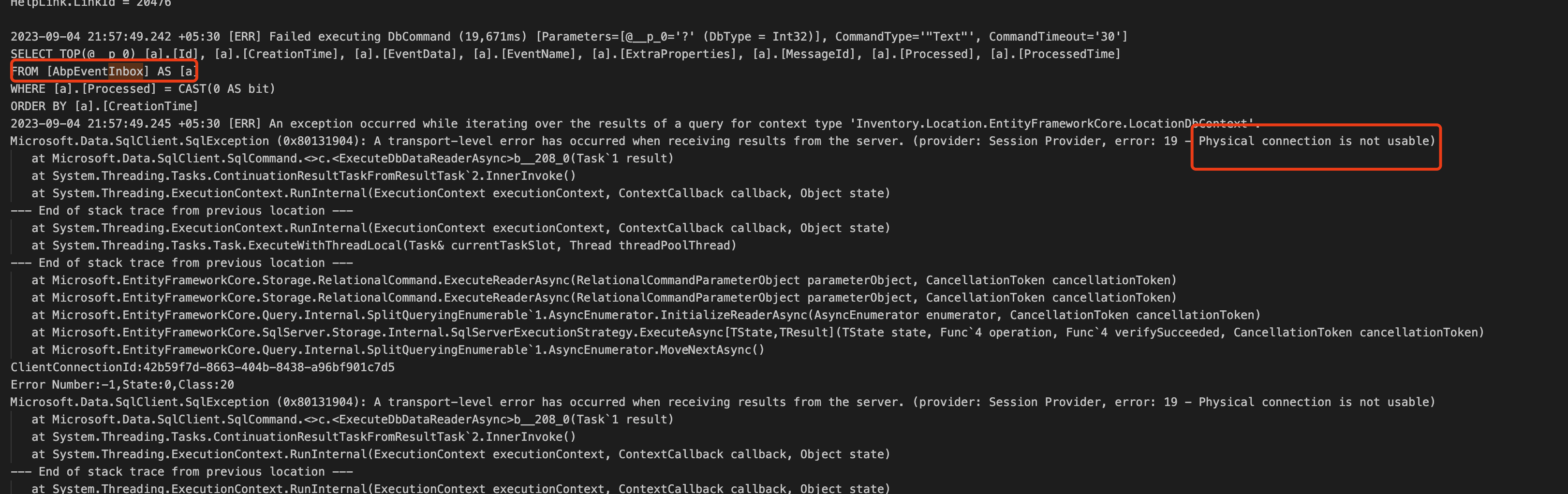
It seems like a problem with SQLServer server, Can you check if your database is available?
BTW, please remove
MultipleActiveResultSets=truefrom the connection string and try again.You can check the possible solutions through Stackoverflow: https://www.google.com/search?q=Session+Provider,+error:+19+-+Physical+connection+is+not+usable+site:stackoverflow.com&sca_esv=562631641&sxsrf=AB5stBgTK6JcsoYTNzXjy6T0y2ufl13HQg:1693878429576&sa=X&ved=2ahUKEwiTntnwrJKBAxUWr1YBHcOGAwcQrQIoBHoECBMQBQ&biw=1920&bih=857&dpr=2
Markdown supported.Copy, paste, or drag & drop images and files (max 100 MB per file, 100 MB total per post)


