






- ABP Framework version: 7.2.2
- UI type: Blazor
- DB provider: EF Core
I am currently working on a project in collaboration with a government entity. As we progress with the project, I have a few inquiries that I believe your expertise could greatly assist me with. 1- can i add two Blazor project on the same solution 2- can i have horizontal menu and vertical menu in the same solution using LeptonX theme 3- how to redirect to page after login depend on role 4- have you expert developer in ABP, how much the rate per hour
11 Answer(s)
-
0
Hi Omar,
I have sent an email to you about question-4.
thank you , im waiting the other answer too !
Markdown supported.Copy, paste, or drag & drop images and files (max 100 MB per file, 100 MB total per post) -
0
can i add two Blazor project on the same solution
Yes ,you can copy the blazor project and rename it and add it to the solution.
can i have horizontal menu and vertical menu in the same solution using LeptonX theme
yes, see: https://docs.abp.io/en/commercial/latest/themes/lepton-x/blazor?UI=Blazor#layouts
how to redirect to page after login depend on role
Yes, you can try something like this:
public partial class Index
{
    [Inject]
    public NavigationManager NavigationManager { get; set; }

    protected override Task OnInitializedAsync()
    {
      if (CurrentUser.IsAuthenticated)
      {
        if (CurrentUser.IsInRole("admin"))
        {
          NavigationManager.NavigateTo("/adminIndex");
        }
      }
      return base.OnInitializedAsync();
    }
}
Markdown supported.Copy, paste, or drag & drop images and files (max 100 MB per file, 100 MB total per post) -
0
Thank you for your prompt response.
Regarding the implementation of both vertical and horizontal layouts within the same solution, I'd like to provide further details about our requirements. We are working on developing two distinct sites—one for the admin interface, which follows a vertical layout, and another for the employee interface, which adopts a horizontal layout.
how can achieve this
Markdown supported.Copy, paste, or drag & drop images and files (max 100 MB per file, 100 MB total per post) -
0
Hi,
It's better you separate them into two projects, the admin project and the employee project.
Markdown supported.Copy, paste, or drag & drop images and files (max 100 MB per file, 100 MB total per post) -
0
No other way to do that in same solution ?
Markdown supported.Copy, paste, or drag & drop images and files (max 100 MB per file, 100 MB total per post) -
0
Hi,
This is possible,you can try something like this:
public partial class Index
{
    [Inject] public NavigationManager NavigationManager { get; set; }

    [Inject] public IOptions<LeptonXThemeBlazorOptions> Options { get; set; }

    protected override Task OnInitializedAsync()
    {
        if (CurrentUser.IsAuthenticated)
        {
            if (CurrentUser.IsInRole("admin") && Options.Value.Layout != LeptonXBlazorLayouts.TopMenu)
            {
                Options.Value.Layout = LeptonXBlazorLayouts.TopMenu;
                NavigationManager.NavigateTo("/", true);
            }
        }

        return base.OnInitializedAsync();
    }
}
Markdown supported.Copy, paste, or drag & drop images and files (max 100 MB per file, 100 MB total per post) -
0
it seems that I might require the "run bundle" command or it will work with blazor webassembly without command
Markdown supported.Copy, paste, or drag & drop images and files (max 100 MB per file, 100 MB total per post) -
0
I don't know what you mean.
Markdown supported.Copy, paste, or drag & drop images and files (max 100 MB per file, 100 MB total per post) -
0
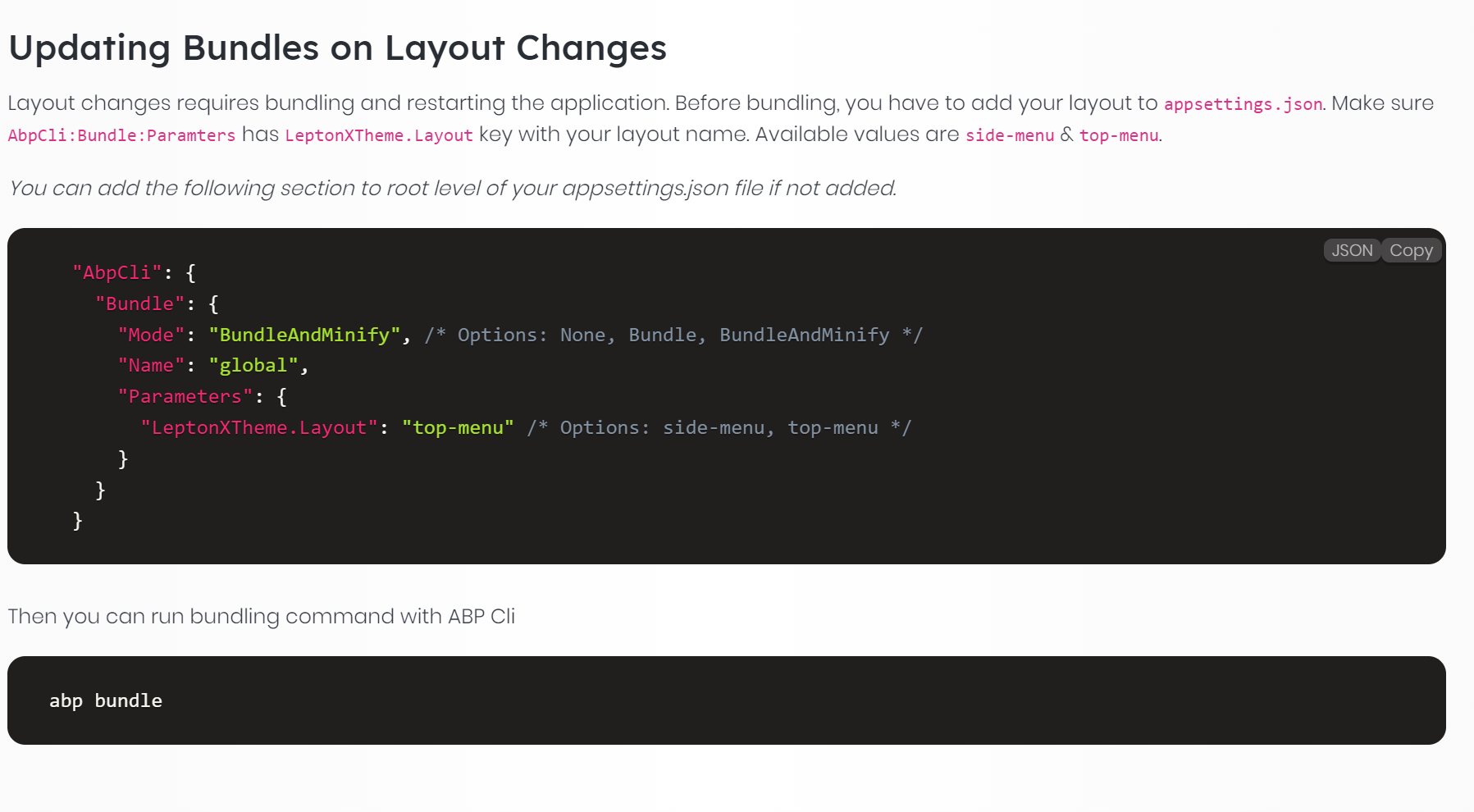
chk please
Markdown supported.Copy, paste, or drag & drop images and files (max 100 MB per file, 100 MB total per post) -
0
Yes, the solution I provide is suitable for blazor server. Due to the limitations of blazor webassembly, it cannot be implemented for blazor webassembly.
Markdown supported.Copy, paste, or drag & drop images and files (max 100 MB per file, 100 MB total per post)



