






- ABP Framework versionABP CLI 7.3.2
- UI Type: Angular
- Database System: EF Core
- Tiered (for MVC) or Auth Server Separated (for Angular): yes/no
- Exception message and full stack trace:
- Steps to reproduce the issue:
i cannot run the app these message show every time ./src/main.ts - Error: Module build failed (from ./node_modules/@ngtools/webpack/src/ivy/index.js): Error: Cannot resolve type entity i6.LpxBreadcrumbModule to symbol
./src/polyfills.ts - Error: Module build failed (from ./node_modules/@ngtools/webpack/src/ivy/index.js): Error: Cannot resolve type entity i6.LpxBreadcrumbModule to symbol
Error: node_modules/@volosoft/abp.ng.theme.lepton-x/layouts/side-menu/layout/side-menu-layout.module.d.ts:8:21 - error TS2307: Cannot find module '@volo/ngx-lepton-x.core' or its corresponding type declarations.
8 import * as i6 from "@volo/ngx-lepton-x.core";
6 Answer(s)
-
0
Hi,
can you share you package.json
Markdown supported.Copy, paste, or drag & drop images and files (max 100 MB per file, 100 MB total per post) -
0
package.json { "name": "OctabarX", "version": "0.0.0", "scripts": { "ng": "ng", "start": "ng serve --open", "build": "ng build", "build:prod": "ng build --configuration production", "watch": "ng build --watch --configuration development", "test": "ng test", "lint": "ng lint" }, "private": true, "dependencies": { "@abp/ng.components": "~7.3.2", "@abp/ng.core": "~7.3.2", "@abp/ng.oauth": "~7.3.2", "@abp/ng.setting-management": "~7.3.2", "@abp/ng.theme.shared": "~7.3.2", "@angular/animations": "~16.0.0", "@angular/common": "~16.0.0", "@angular/compiler": "~16.0.0", "@angular/core": "~16.0.0", "@angular/forms": "~16.0.0", "@angular/localize": "~16.0.0", "@angular/platform-browser": "~16.0.0", "@angular/platform-browser-dynamic": "~16.0.0", "@angular/router": "~16.0.0", "@volo/abp.commercial.ng.ui": "~7.3.2", "@volo/abp.ng.account": "~7.3.2", "@volo/abp.ng.audit-logging": "~7.3.2", "@volo/abp.ng.gdpr": "~7.3.2", "@volo/abp.ng.identity": "~7.3.2", "@volo/abp.ng.language-management": "~7.3.2", "@volo/abp.ng.openiddictpro": "~7.3.2", "@volo/abp.ng.saas": "~7.3.2", "@volo/abp.ng.text-template-management": "~7.3.2", "@volosoft/abp.ng.theme.lepton-x": "~2.3.0", "rxjs": "7.5.6", "tslib": "^2.1.0", "zone.js": "~0.13.0" }, "devDependencies": { "@abp/ng.schematics": "~7.3.2", "@angular-devkit/build-angular": "~16.0.0", "@angular-eslint/builder": "~16.0.0", "@angular-eslint/eslint-plugin": "~16.0.0", "@angular-eslint/eslint-plugin-template": "~16.0.0", "@angular-eslint/schematics": "~16.0.0", "@angular-eslint/template-parser": "~16.0.0", "@angular/cli": "~16.0.0", "@angular/compiler-cli": "~16.0.0", "@angular/language-service": "~16.0.0", "@types/jasmine": "~3.6.0", "@types/node": "^12.11.1", "@typescript-eslint/eslint-plugin": "^5.36.2", "@typescript-eslint/parser": "^5.36.2", "eslint": "^8.23.0", "jasmine-core": "~4.0.0", "karma": "~6.3.0", "karma-chrome-launcher": "~3.1.0", "karma-coverage": "~2.1.0", "karma-jasmine": "~4.0.0", "karma-jasmine-html-reporter": "^1.7.0", "ng-packagr": "^16.0.1", "typescript": "~5.0.4" }}
Markdown supported.Copy, paste, or drag & drop images and files (max 100 MB per file, 100 MB total per post) -
0
Hi,
can you share you package.json
sure
package.json { "name": "OctabarX", "version": "0.0.0", "scripts": { "ng": "ng", "start": "ng serve --open", "build": "ng build", "build:prod": "ng build --configuration production", "watch": "ng build --watch --configuration development", "test": "ng test", "lint": "ng lint" }, "private": true, "dependencies": { "@abp/ng.components": "~7.3.2", "@abp/ng.core": "~7.3.2", "@abp/ng.oauth": "~7.3.2", "@abp/ng.setting-management": "~7.3.2", "@abp/ng.theme.shared": "~7.3.2", "@angular/animations": "~16.0.0", "@angular/common": "~16.0.0", "@angular/compiler": "~16.0.0", "@angular/core": "~16.0.0", "@angular/forms": "~16.0.0", "@angular/localize": "~16.0.0", "@angular/platform-browser": "~16.0.0", "@angular/platform-browser-dynamic": "~16.0.0", "@angular/router": "~16.0.0", "@volo/abp.commercial.ng.ui": "~7.3.2", "@volo/abp.ng.account": "~7.3.2", "@volo/abp.ng.audit-logging": "~7.3.2", "@volo/abp.ng.gdpr": "~7.3.2", "@volo/abp.ng.identity": "~7.3.2", "@volo/abp.ng.language-management": "~7.3.2", "@volo/abp.ng.openiddictpro": "~7.3.2", "@volo/abp.ng.saas": "~7.3.2", "@volo/abp.ng.text-template-management": "~7.3.2", "@volosoft/abp.ng.theme.lepton-x": "~2.3.0", "rxjs": "7.5.6", "tslib": "^2.1.0", "zone.js": "~0.13.0" }, "devDependencies": { "@abp/ng.schematics": "~7.3.2", "@angular-devkit/build-angular": "~16.0.0", "@angular-eslint/builder": "~16.0.0", "@angular-eslint/eslint-plugin": "~16.0.0", "@angular-eslint/eslint-plugin-template": "~16.0.0", "@angular-eslint/schematics": "~16.0.0", "@angular-eslint/template-parser": "~16.0.0", "@angular/cli": "~16.0.0", "@angular/compiler-cli": "~16.0.0", "@angular/language-service": "~16.0.0", "@types/jasmine": "~3.6.0", "@types/node": "^12.11.1", "@typescript-eslint/eslint-plugin": "^5.36.2", "@typescript-eslint/parser": "^5.36.2", "eslint": "^8.23.0", "jasmine-core": "~4.0.0", "karma": "~6.3.0", "karma-chrome-launcher": "~3.1.0", "karma-coverage": "~2.1.0", "karma-jasmine": "~4.0.0", "karma-jasmine-html-reporter": "^1.7.0", "ng-packagr": "^16.0.1", "typescript": "~5.0.4" }}
Markdown supported.Copy, paste, or drag & drop images and files (max 100 MB per file, 100 MB total per post) -
0
I couldn't produce. I have created app with the command
abp new Support5663 -t app-pro -u angular -m none --database-provider ef -dbms SQLite -csf --version 7.3.2yarn yarn start
and there is no error that I've got.
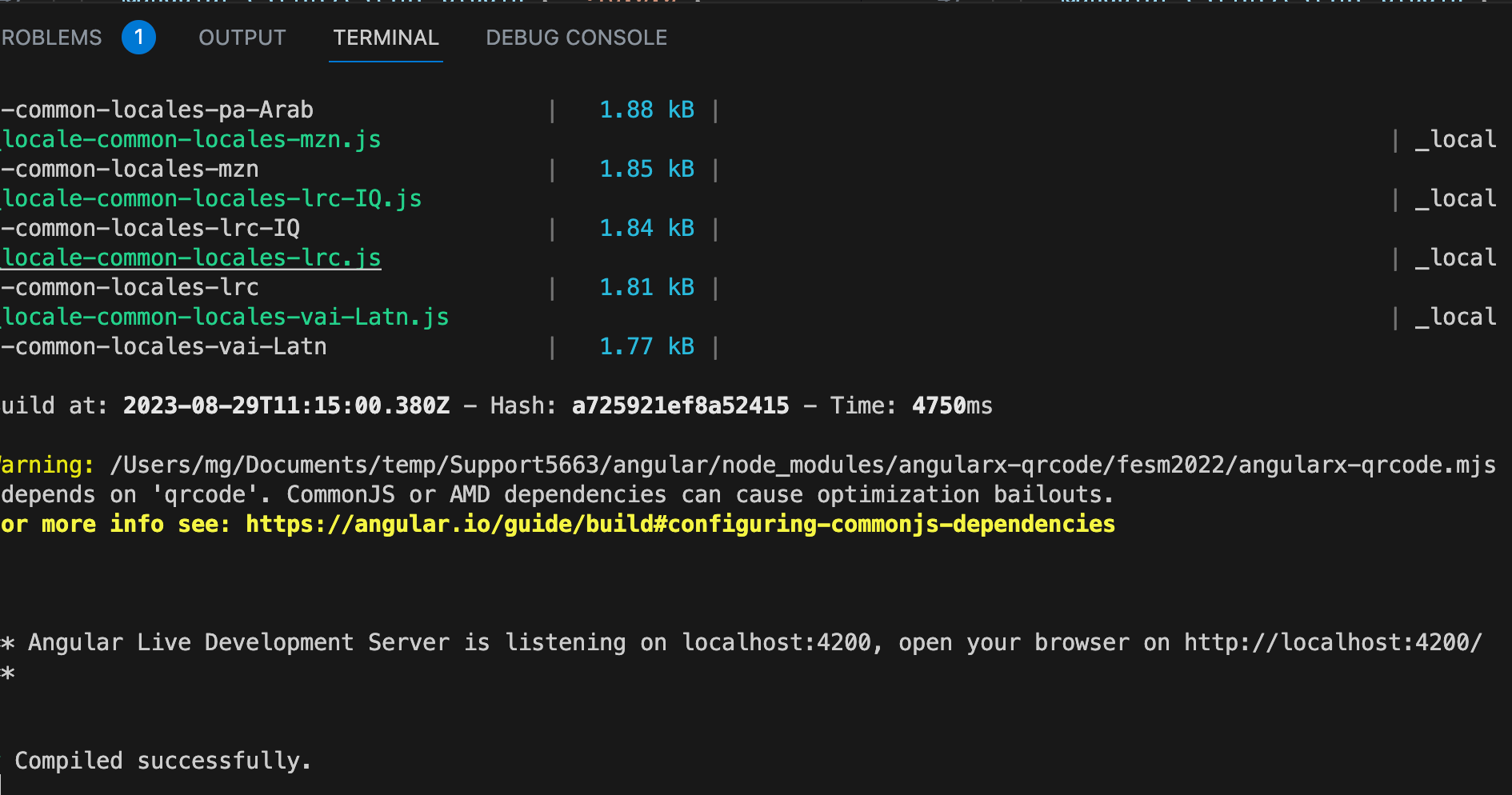
my node env is 18.x what is your node env? Could you try remove yarn.lock, package-log ,node_modules and .angular and re instal with
yarn. ?Markdown supported.Copy, paste, or drag & drop images and files (max 100 MB per file, 100 MB total per post) -
0
okay but can u share the step please
remove yarn.lock,
package-log , node_modules and .angular and re instal with yarn.can you explain more in steps how can i do that
the error is "@volo/ngx-lepton-x.core" is not found. maybe you should check app.module.ts. Can you share your app.module.ts ?
Markdown supported.Copy, paste, or drag & drop images and files (max 100 MB per file, 100 MB total per post)



