






- ABP Framework version: v7.2.2
- UI Type: Angular
- Database System: EF Core (SQL Server)
- Auth Server Separated (for Angular): yes
Hey Team,
Not an issue however I am trying to use the File-Management REST API to upload a file (We are using the ABP File-Management API), this fails since the IRemoteStreamContent is always null this is how I implemented it:
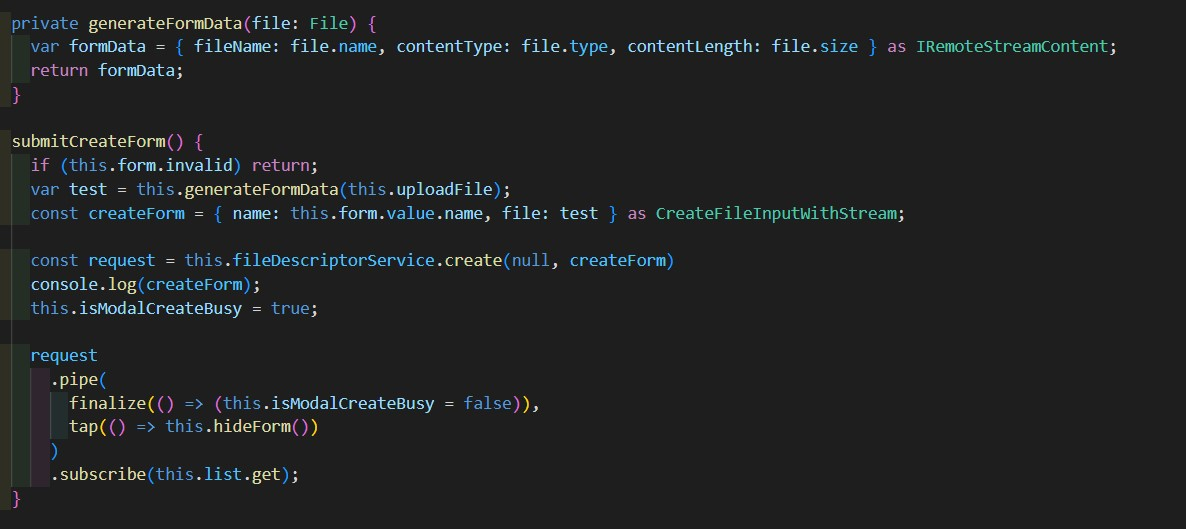
As you can see I use an angular File variable to grab the file from the UI and then fill the IRemoteStreamContent, on the event onSubmit I also fill the CreateFileInputWithStream as the proxy needs it with the information, however when it reaches the API the file is always empty/null
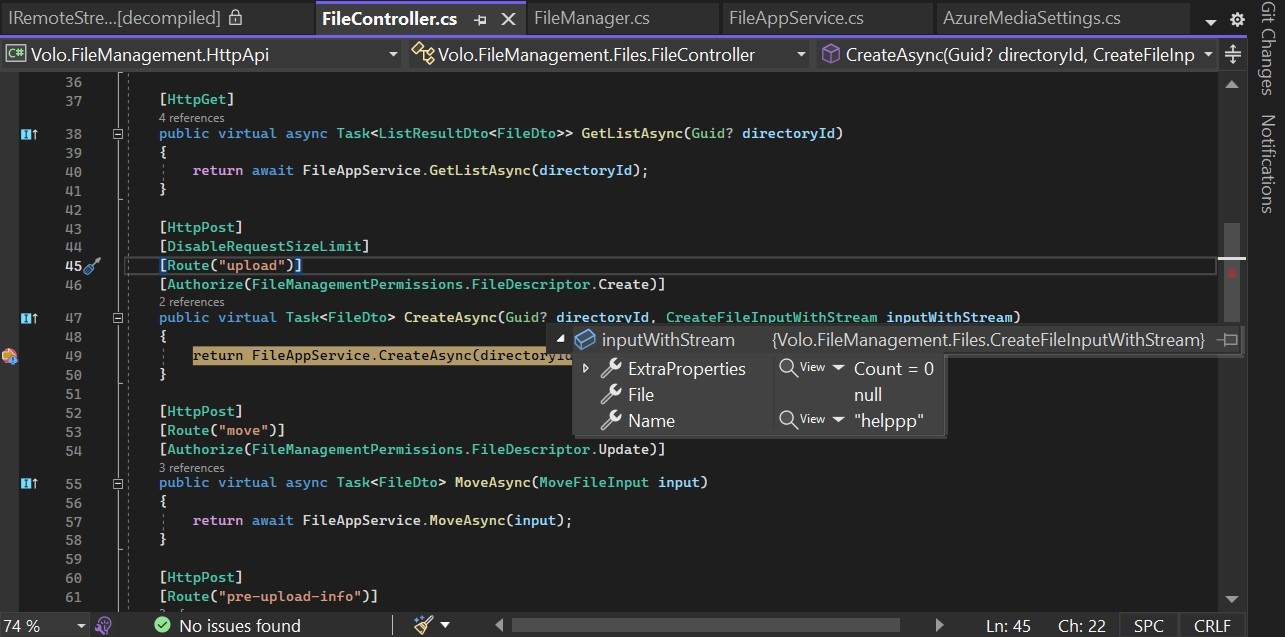
Haven't found any question or post related to this, exactly on how to send files from the angular (without using uppy) to the File-Management API.
Is there a guide for this? Or perhaps the proxy in the Angular for the file-management needs a change?
Thanks for the assistance on this
5 Answer(s)
-
0
Hello abpnewtonvisionco,
I have checked your code, I think you are missing to add
Filein yourgenerateFormDatamethod ->
Could you please try with this code
private generateFormData(file: File | null) {
  if (!file) {
    return null;
  }
  const formData = new FormData();
  formData.append('file', file);
  formData.append('fileName', file.name);
  formData.append('contentType', file.type);
  formData.append('contentLength', file.size.toString());

  return formData;
}
Please do let us know if this helps you or if anything else is needed
Thank you, Anjali
Markdown supported.Copy, paste, or drag & drop images and files (max 100 MB per file, 100 MB total per post) -
0
Hi Anjali, thank you for the answer.
That did not work. Here is how my code looks now, I added a console log to review if the file was there in the formData (See screenshot #2)
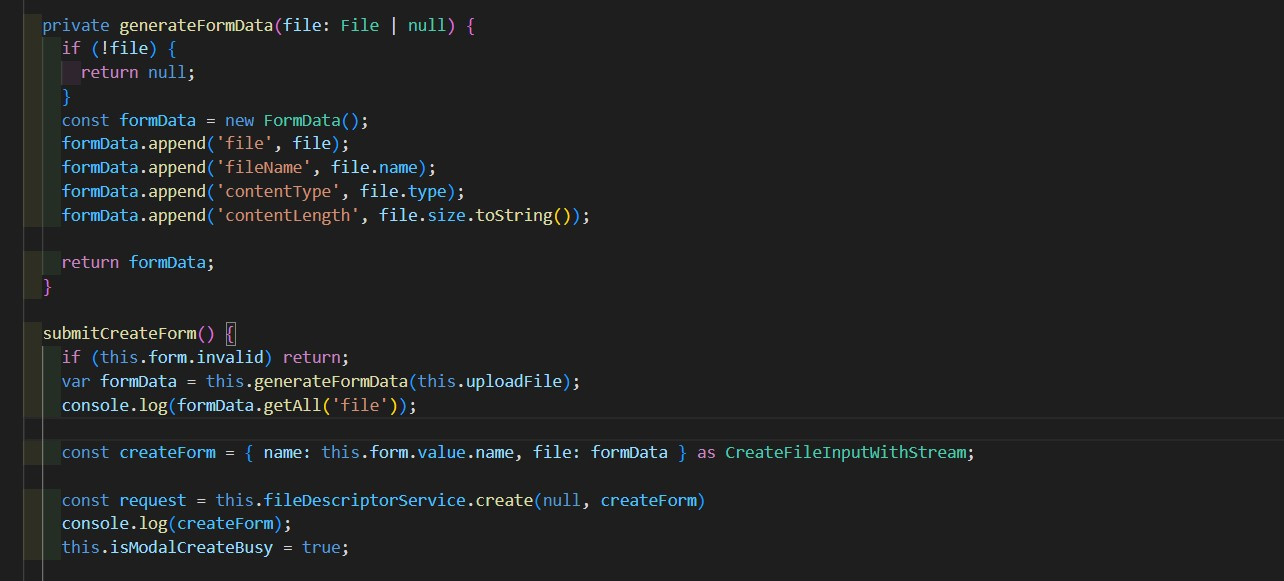
Screenshot#2
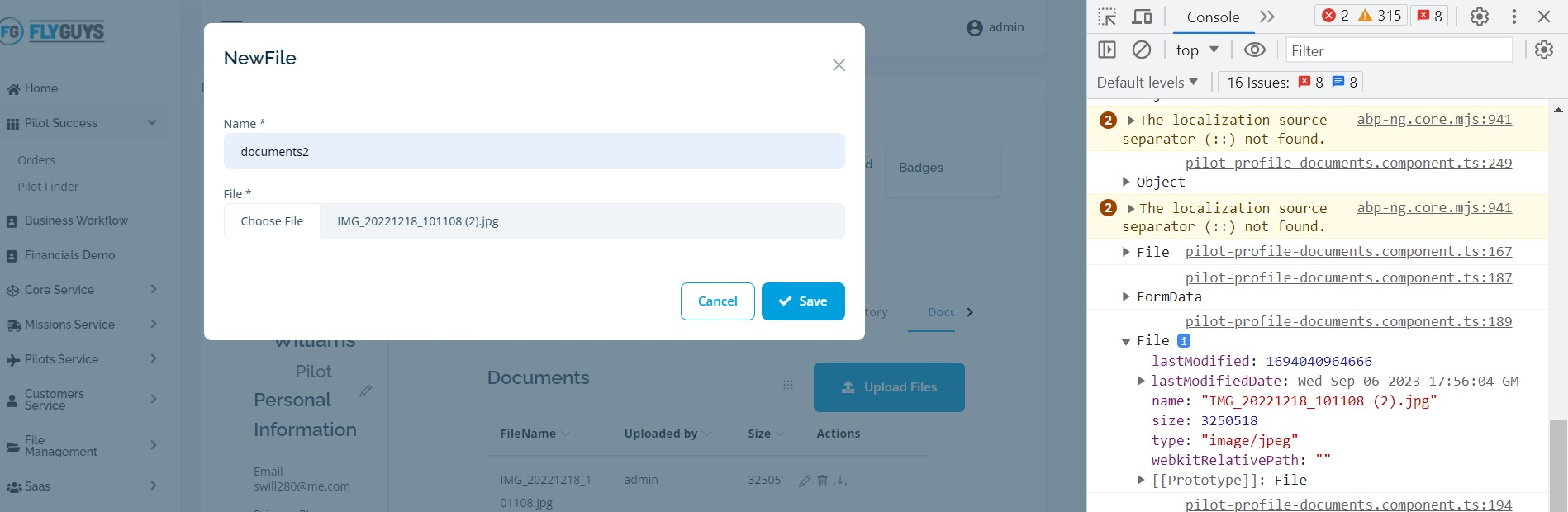
Screenshot#3
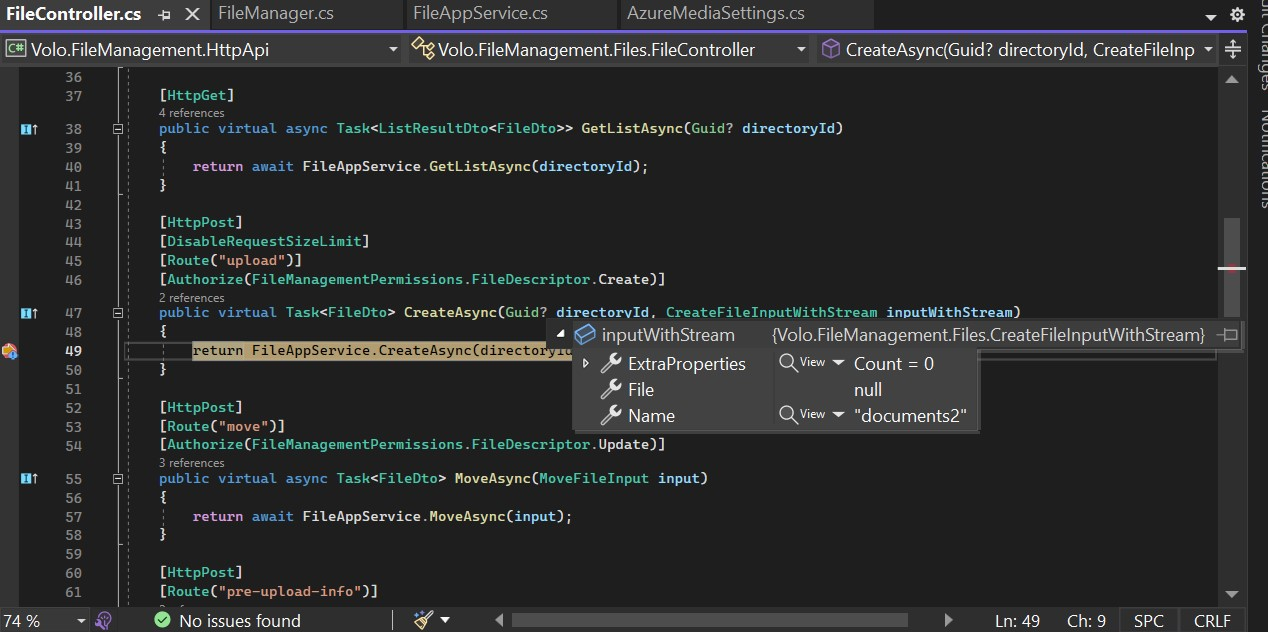
<br> Is there something else that I can do here?
Markdown supported.Copy, paste, or drag & drop images and files (max 100 MB per file, 100 MB total per post) -
0
Hello abpnewtonvisionco,
I have checked your code, I think you are missing to add
Filein yourgenerateFormDatamethod ->Could you please try with this code
private generateFormData(file: File | null) {
  if (!file) {
    return null;
  }
  const formData = new FormData();
  formData.append('file', file);
  formData.append('fileName', file.name);
  formData.append('contentType', file.type);
  formData.append('contentLength', file.size.toString());

  return formData;
}
Please do let us know if this helps you or if anything else is needed
Thank you, Anjali
Hey Anjali, any input with the new answer that I posted?
Markdown supported.Copy, paste, or drag & drop images and files (max 100 MB per file, 100 MB total per post) -
0
Hello abpnewtonvisionco,
Apologies for the delay in response. We are still working on your query and shall get back to you as soon as possible.
Regards, Anjali
Markdown supported.Copy, paste, or drag & drop images and files (max 100 MB per file, 100 MB total per post) -
0
Hi
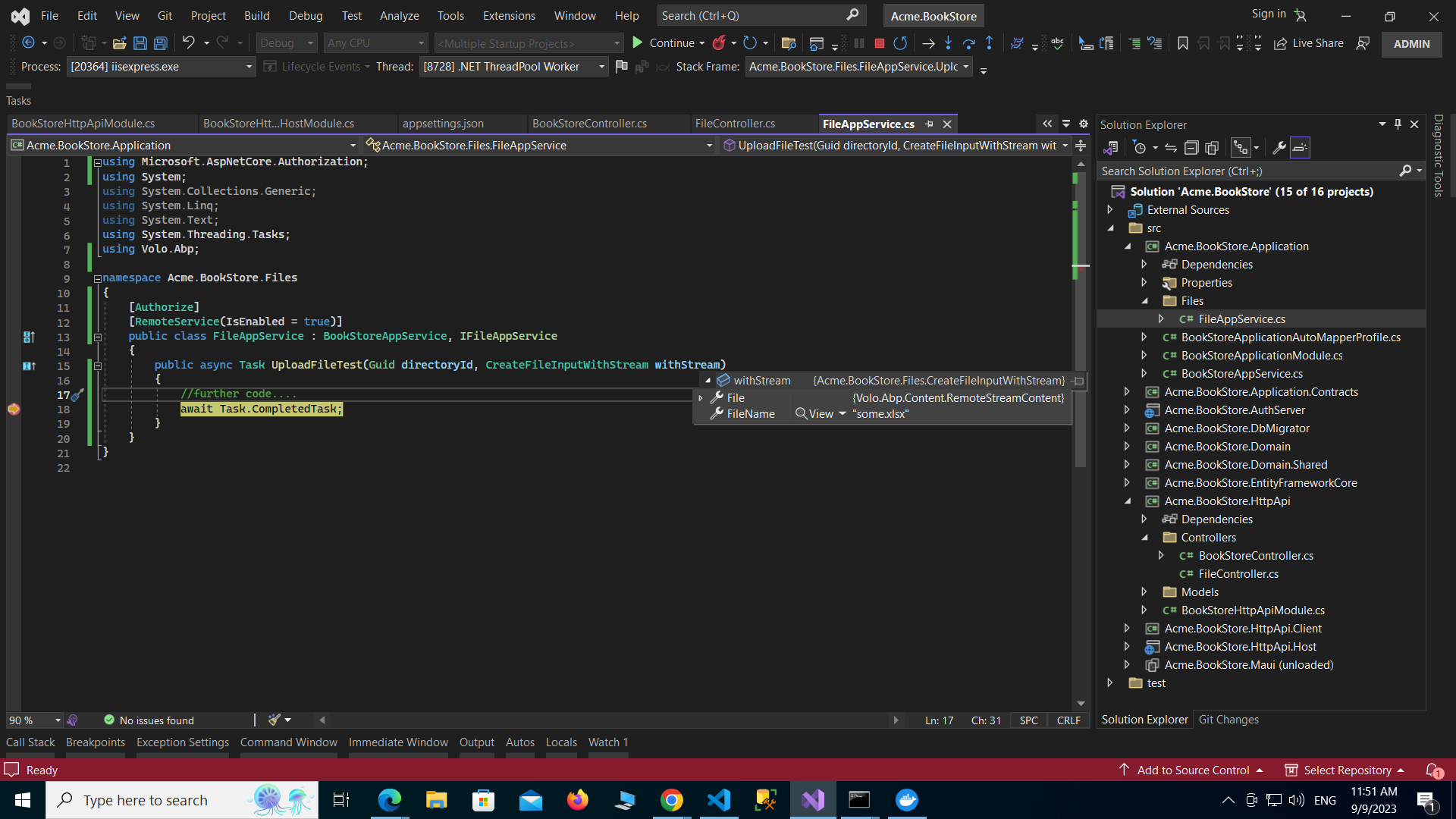
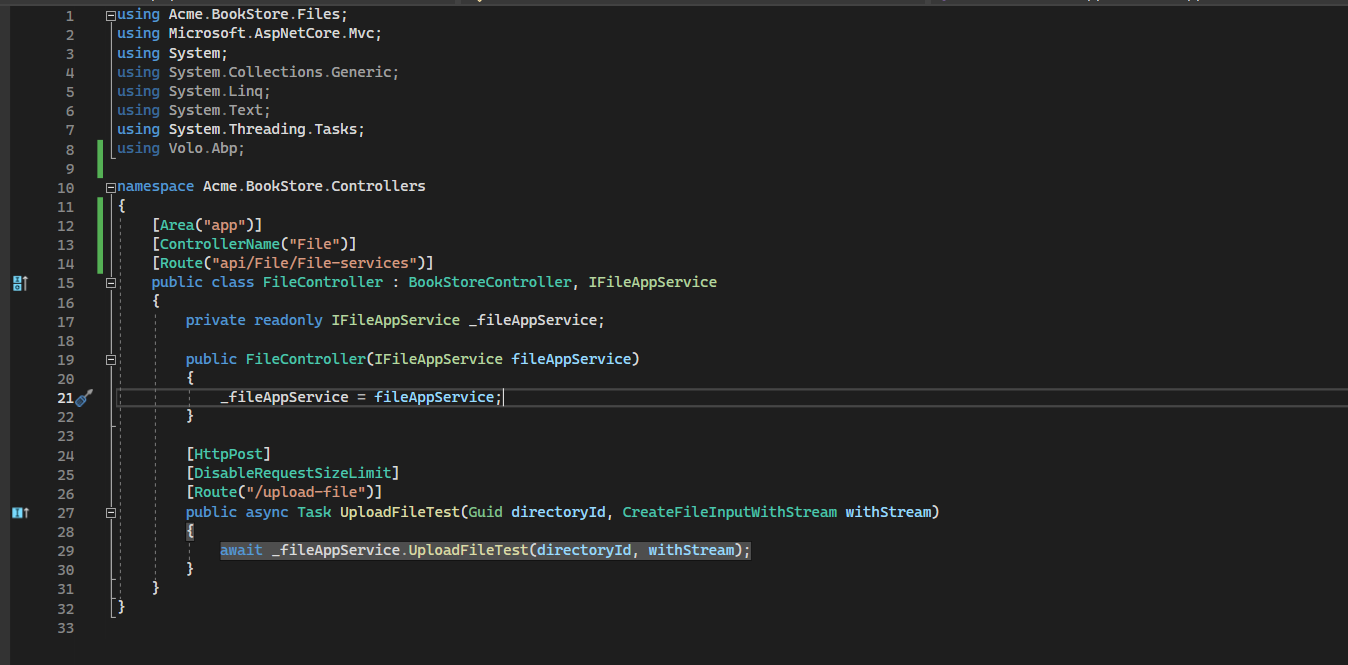
can you please try like this and let me know if it works? see below:
Please do not user the proxy generated from abp cli to upload files see how i have done it below
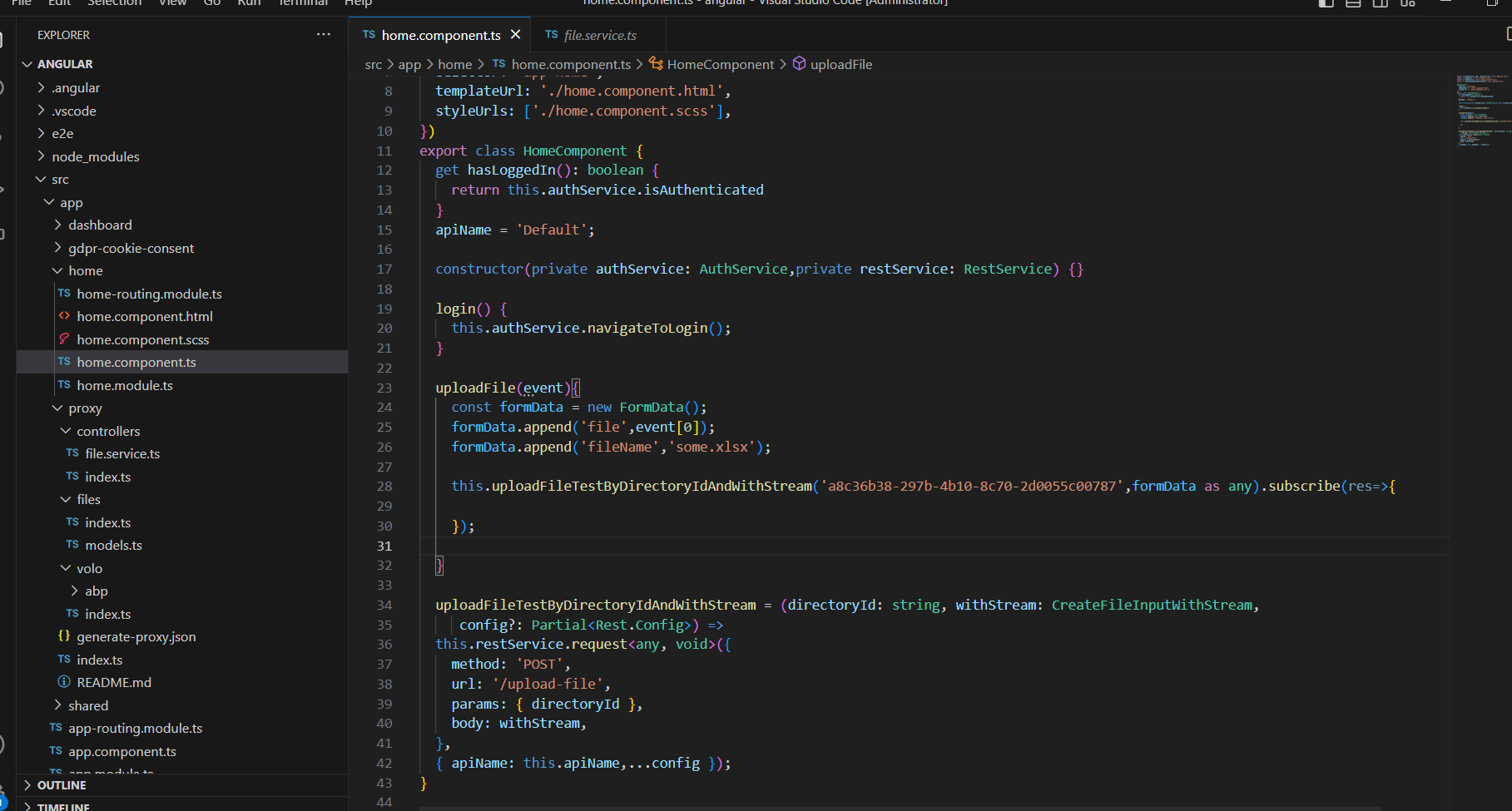
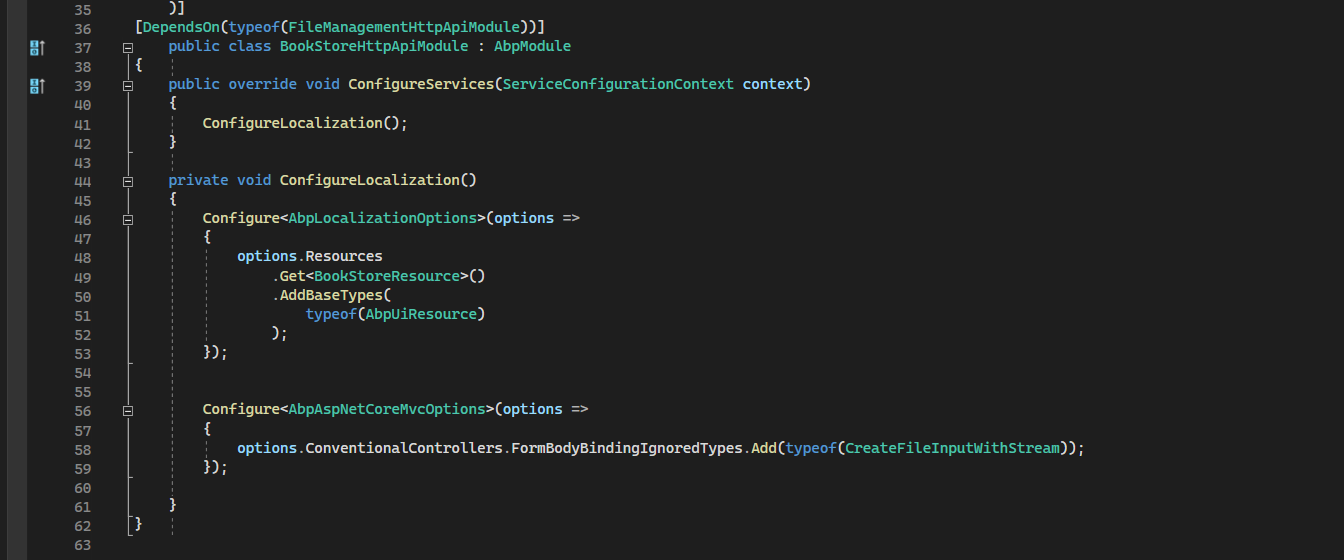
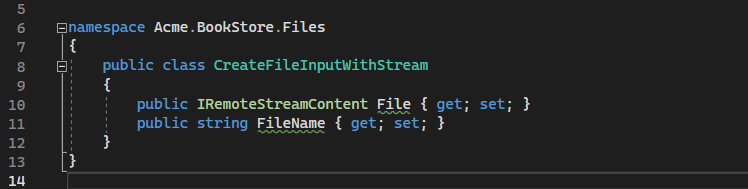
 Markdown supported.Copy, paste, or drag & drop images and files (max 100 MB per file, 100 MB total per post)


