






- ABP Framework version: v5.3.4
- UI Type: MVC
- Database System: EF Core (SQL Server)
- **Tiered (for MVC) : yes
- Exception message and full stack trace:
- HttpRequestException: Response status code does not indicate success: 401 (Unauthorized). System.Net.Http.HttpResponseMessage.EnsureSuccessStatusCode() Microsoft.AspNetCore.Authentication.OpenIdConnect.OpenIdConnectHandler.GetUserInformationAsync(OpenIdConnectMessage message, JwtSecurityToken jwt, ClaimsPrincipal principal, AuthenticationProperties properties) Microsoft.AspNetCore.Authentication.OpenIdConnect.OpenIdConnectHandler.HandleRemoteAuthenticateAsync()
- Steps to reproduce the issue:
Now we are doing it in MVC ABP 5.3.4
We are trying to get the access token for Power BI API token.
adding scope for https://analysis.windows.net/powerbi/api/.default having issue. we have taken reference : https://support.abp.io/QA/Questions/5720/PowerBI-Embed-access-token-issue-with-ABP If we are trying to add scopes unable to login to the application after changing AD configuration.
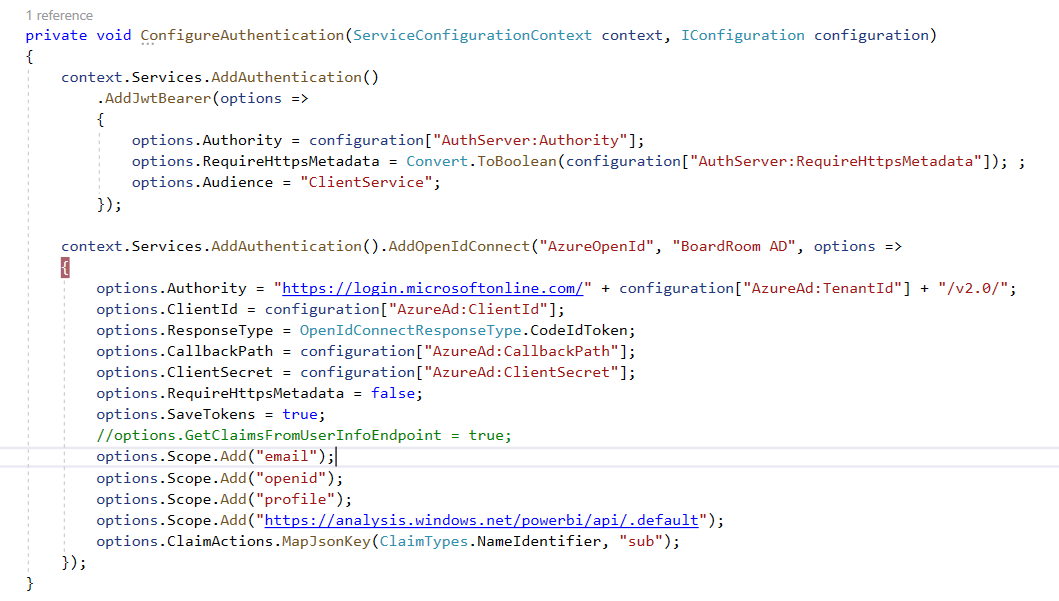
Note: tenant-based login
please help to resolve the issue.
Thank you.
12 Answer(s)
-
0
Hi team, Can i get any update on this issue.
Regards, Sagar.
Markdown supported.Copy, paste, or drag & drop images and files (max 100 MB per file, 100 MB total per post) -
0
Hi
can you try adding a file and below code in the module where you have configure openidconnect, i was able to get the token. https://learn.microsoft.com/en-us/aspnet/core/security/authentication/claims?view=aspnetcore-7.0#extend-or-add-custom-claims-using-iclaimstransformation
using Microsoft.AspNetCore.Authentication;
using System;
using System.Security.Claims;
using System.Security.Principal;
using System.Threading.Tasks;
using Volo.Abp.DependencyInjection;

namespace Acme.BookStore.Web
{
    public class MyClaimsTransformation : IClaimsTransformation, ITransientDependency
    {
        public Task< ClaimsPrincipal > TransformAsync(ClaimsPrincipal principal)
        {
            ClaimsIdentity claimsIdentity = new ClaimsIdentity();
            if (!principal.HasClaim(claim => claim.Type == ClaimTypes.NameIdentifier))
            {
                var value = principal.FindFirst(claim => claim.Type == "http://schemas.microsoft.com/identity/claims/objectidentifier")?.Value;
                if (!value.IsNullOrEmpty())
                {
                    claimsIdentity.AddClaim(new Claim(ClaimTypes.NameIdentifier, value));
                }
                else
                {
                    return Task.FromResult(principal);
                }
            }

            principal.AddIdentityIfNotContains(claimsIdentity);
            return Task.FromResult(principal);
        }
    }

}
Markdown supported.Copy, paste, or drag & drop images and files (max 100 MB per file, 100 MB total per post) -
0
Hi Anjali,
I have added only scope and removed line "GetClaimsFromUserInfoEndpoint" as suggested in https://support.abp.io/QA/Questions/5720/PowerBI-Embed-access-token-issue-with-ABP
After doing the changes I am unable to login to the ABP Application.
I have tried the code but no success.
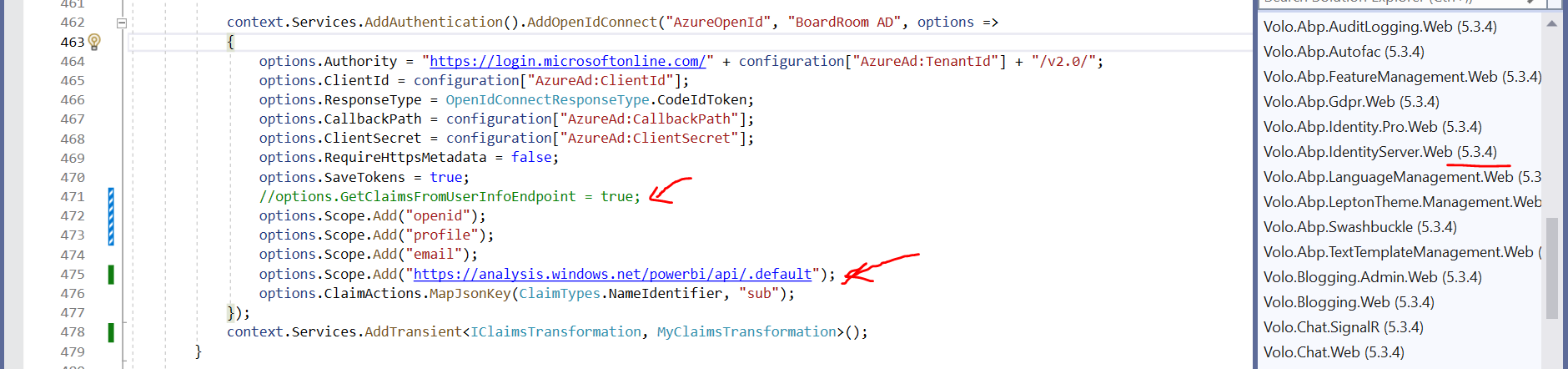
If we remove the power BI Scope then able to login but "AUD" claim empty and unable to embed power BI
Token Details:
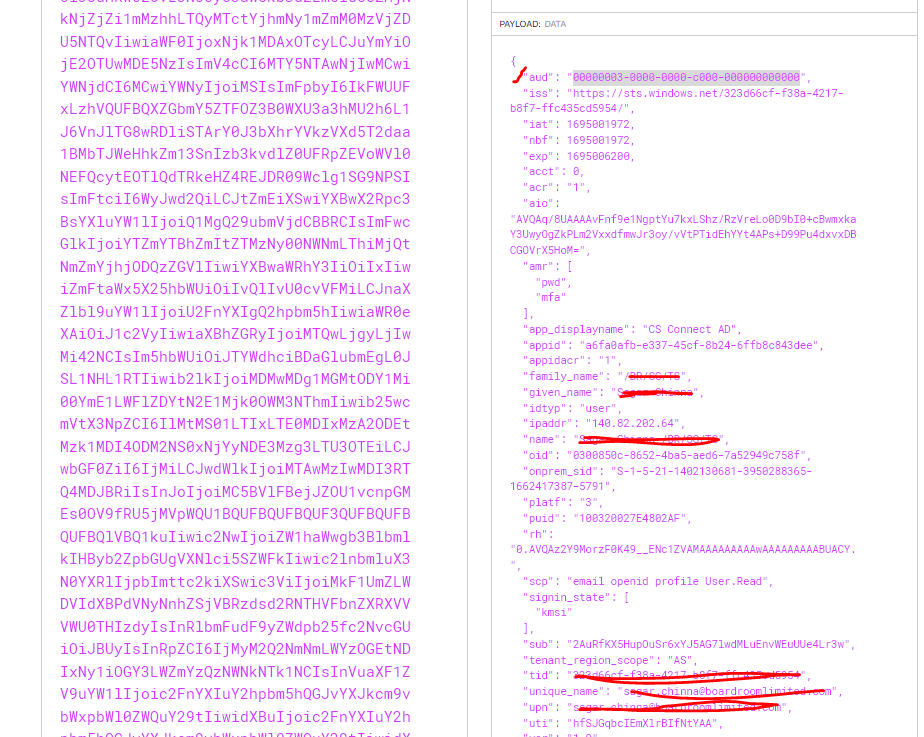
We wish to get the access token for Power BI embed.
Regards, Sagar
Markdown supported.Copy, paste, or drag & drop images and files (max 100 MB per file, 100 MB total per post) -
0
Hi,
You don't have to add this line

Below is everything that i have to do to get token with powerbi scope in a new 5.3.4.
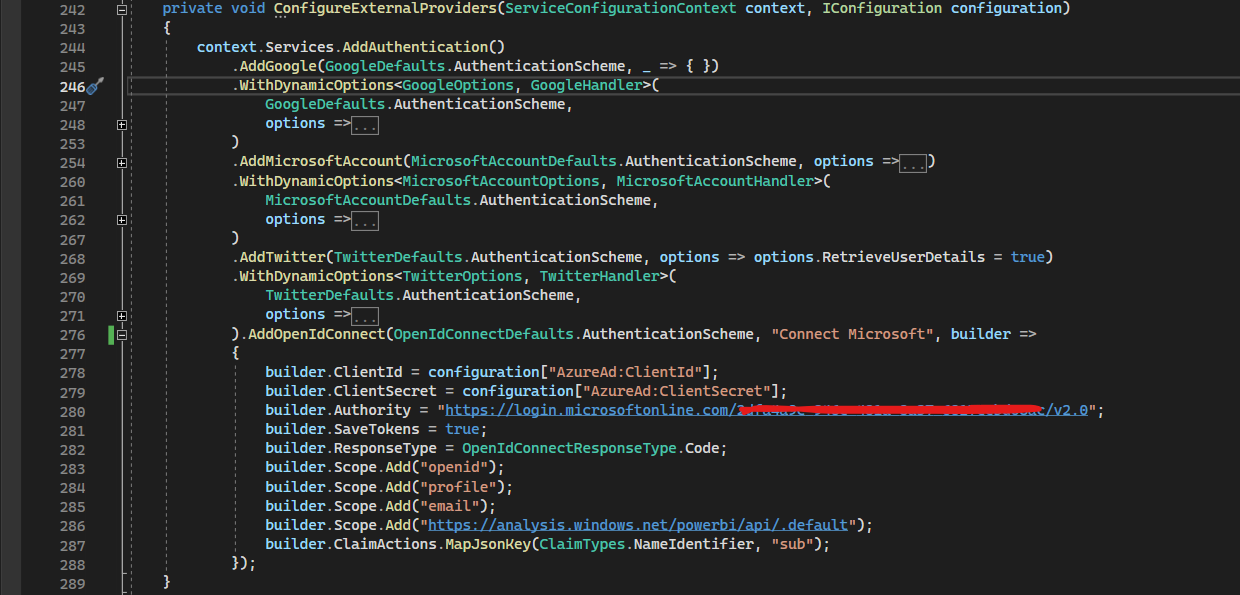
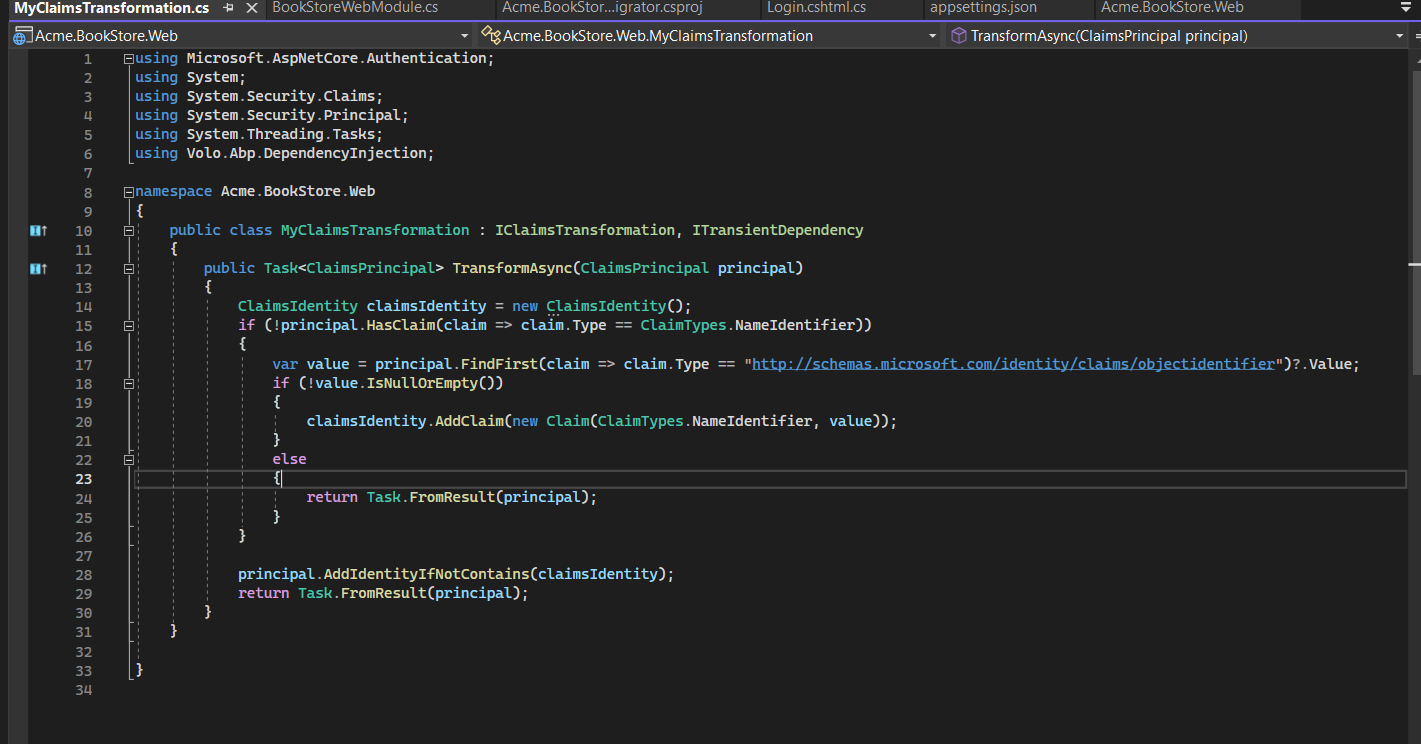
is it possible to share your source code on support@abp.io with ticket id or can you create a new template and try this.
Markdown supported.Copy, paste, or drag & drop images and files (max 100 MB per file, 100 MB total per post) -
0
Hi,
You can download the source code using the given link
Markdown supported.Copy, paste, or drag & drop images and files (max 100 MB per file, 100 MB total per post) -
0
Hi
We have send you an request
Markdown supported.Copy, paste, or drag & drop images and files (max 100 MB per file, 100 MB total per post) -
0
Hi,
Given the access as requested. please check.
Markdown supported.Copy, paste, or drag & drop images and files (max 100 MB per file, 100 MB total per post) -
0
Hi
it is because of the custom code written here index.cshtml.cs

if this code is remove then user is able to login
Markdown supported.Copy, paste, or drag & drop images and files (max 100 MB per file, 100 MB total per post) -
0
Hi Anjali,
Thank you.
Now it is working fine with Claim Transformation changes. But if we are switching account using linked account then token not able to generate.
Markdown supported.Copy, paste, or drag & drop images and files (max 100 MB per file, 100 MB total per post) -
0
Hi
can you explain the switching account using linked account then token not able to generate step by step so i can reproduce the issue on my side and also validate the process.?
Markdown supported.Copy, paste, or drag & drop images and files (max 100 MB per file, 100 MB total per post) -
0
We have application server(UI ABP Application) and Authorization Server(Another ABP Application) Here we have Maintaining only user logins) For integrating Single Sign On (SSO) and Power BI Embed Using Azure AD.
below is the Application flow
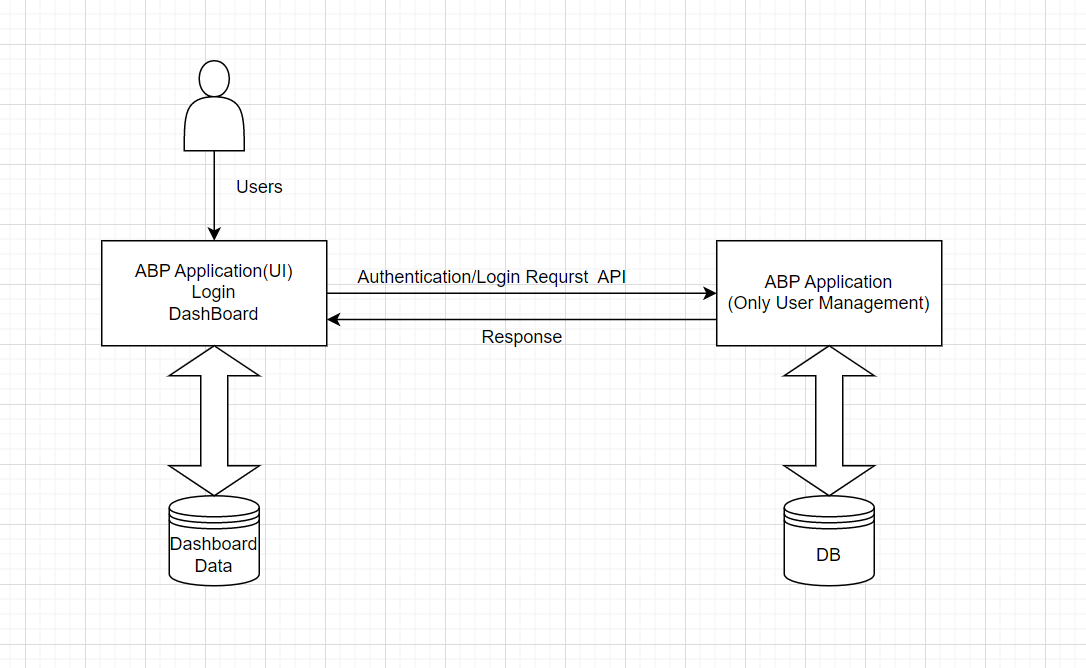
Thanks
Markdown supported.Copy, paste, or drag & drop images and files (max 100 MB per file, 100 MB total per post) -
0
Hi
Thanks for the overview it looks good. can you also share the steps to reproduce the error while you are doing linked accounts, so i can do the same?
Markdown supported.Copy, paste, or drag & drop images and files (max 100 MB per file, 100 MB total per post)


