






- ABP Framework version: v7.2.3
- UI Type: Angular
- Database System: EF Core (SQL Server)
- Tiered (for MVC) or Auth Server Separated (for Angular): yes
- Exception message and full stack trace:
- Steps to reproduce the issue:
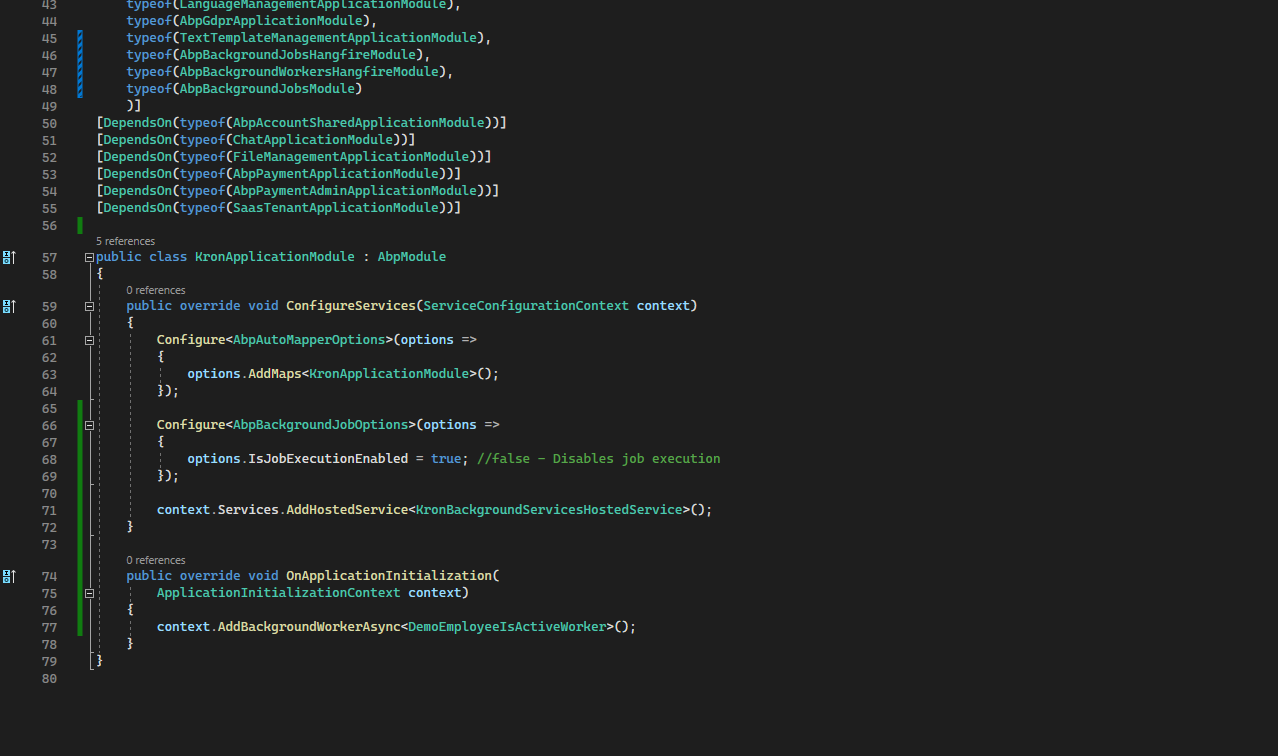
Hi, I have implemented the Background Process with HangFire. From the documentation I saw that it has two types: Background Jobs and Background Workers.
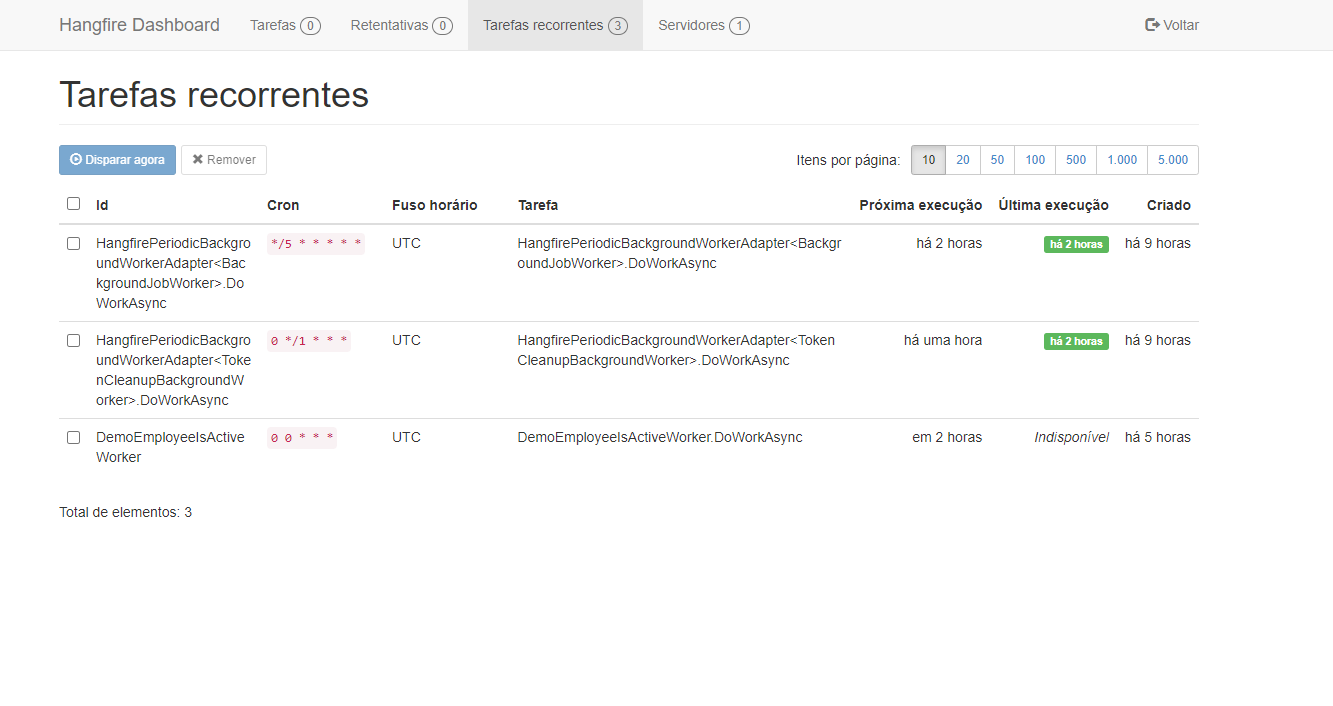
Background Workers are inserted into the Hangfire table and displayed on the dashboard.
Background Jobs is not inserted into the Hangfire table and does not display on the dashboard.
There is the AbpBackgroundJobs table in neither of the two types has this table been populated.
However, I have some doubts:
1-) When I upload the application and it appears on the Hangfire 3 jobs dashboard. I created one of them and the others were created automatically. What are these two automatically created for?
I would like to know what this table is for and how it works to fill it out and what its purpose is.
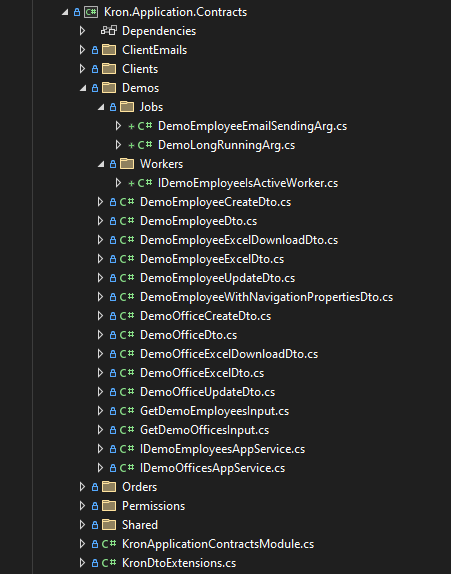
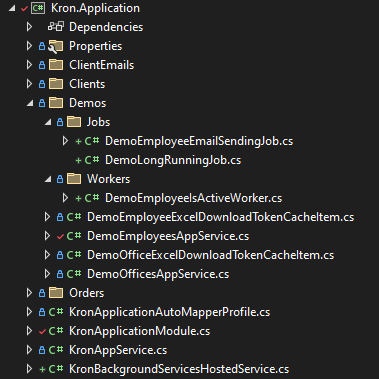
2-) I would also like to know if I created the classes related to Jobs in the correct places?
3-) The AbpBackgroundJobs table what is this table for and how does it work to fill it in and what is its purpose?
4-) Can I open the hangfire dashboard in angular?
Can you help me?
9 Answer(s)
-
0
hi
I created one of them and the others were created automatically. What are these two automatically created for?
Abp will have some built-in jobs, which is what you see.
I would also like to know if I created the classes related to Jobs in the correct places?
You can define and implement it in domain(domain.shared). Of course, it is not wrong in the application layer.
3-) The AbpBackgroundJobs table what is this table for and how does it work to fill it in and what is its purpose?
You don't need to care about it. abp framework will use it.
Markdown supported.Copy, paste, or drag & drop images and files (max 100 MB per file, 100 MB total per post) -
0
hi
I created one of them and the others were created automatically. What are these two automatically created for?
Abp will have some built-in jobs, which is what you see.
I would also like to know if I created the classes related to Jobs in the correct places?
You can define and implement it in domain(domain.shared). Of course, it is not wrong in the application layer.
3-) The AbpBackgroundJobs table what is this table for and how does it work to fill it in and what is its purpose?
You don't need to care about it. abp framework will use it.
Can I open the hangfire dashboard in angular?
Markdown supported.Copy, paste, or drag & drop images and files (max 100 MB per file, 100 MB total per post) -
0
hi
Im not sure. You can google it .
https://www.google.com/search?q=hangfire+dashboard+angular https://medium.com/we-code/integrate-hangfire-dashboard-with-angular-using-jwt-token-e15ded8eee81
Markdown supported.Copy, paste, or drag & drop images and files (max 100 MB per file, 100 MB total per post) -
0
hi
I created one of them and the others were created automatically. What are these two automatically created for?
Abp will have some built-in jobs, which is what you see.
I would also like to know if I created the classes related to Jobs in the correct places?
You can define and implement it in domain(domain.shared). Of course, it is not wrong in the application layer.
3-) The AbpBackgroundJobs table what is this table for and how does it work to fill it in and what is its purpose?
You don't need to care about it. abp framework will use it.
Hi,
I would still like to know what the first 2 processes and the second automatically created by ABP are for. If possible, how do I disable them?
Markdown supported.Copy, paste, or drag & drop images and files (max 100 MB per file, 100 MB total per post) -
0
hi
You shouldn't disable them. One of them pushes jobs to hangfire, and the other is used to clear expired tokens.
https://github.com/abpframework/abp/blob/dev/framework/src/Volo.Abp.BackgroundJobs/Volo/Abp/BackgroundJobs/BackgroundJobWorker.cs#L40 https://github.com/abpframework/abp/blob/dev/modules/openiddict/src/Volo.Abp.OpenIddict.Domain/Volo/Abp/OpenIddict/Tokens/TokenCleanupBackgroundWorker.cs#L11
Markdown supported.Copy, paste, or drag & drop images and files (max 100 MB per file, 100 MB total per post) -
0
Hi,
Regarding BackgroundJobs, I did it according to the documentation and integration with hangfire. However, it does not appear on the hangfire dashboard.
can you help me?
Markdown supported.Copy, paste, or drag & drop images and files (max 100 MB per file, 100 MB total per post) -
0
hi
. However, it does not appear on the hangfire dashboard.
Is the job executed?
Hi,
Yes
Markdown supported.Copy, paste, or drag & drop images and files (max 100 MB per file, 100 MB total per post)


