






- ABP Framework version: v7.4.0
- UI Type: No Ui
- Database System: EF Core (SQL Server, Oracle, MySQL, PostgreSQL, etc..)
- Tiered (for MVC) or Auth Server Separated (for Angular): no
Hello, I think razor text templating have a memory leak. And i suppose it is sth. with caching. To produce the problem here are the steps, I can also send a sample app for this.
- create a new app with abp cli.
abp new Acme.BookStore -u none -csf - then add Volo.Abp.TextTemplating.Razor module with cli. I added this inside application module but you can add it wherever you want.
abp add-package Volo.Abp.TextTemplating.Razor - Then create a model for the template I have added a model that takes a list. here it is.
public class Command
{

    public bool ReportIndicate { get; set; }

    public string CommandId { get; set; }
    public string MoCmd { get; set; }

    public MoSequence MoSequence { get; set; }


    public Command()
    {
    }

    public Command(bool reportIndicate, string commandId, string moCmd, MoSequence moSequence)
    {
        Check.NotNullOrWhiteSpace(commandId, nameof(commandId));
        Check.NotNullOrWhiteSpace(moCmd, nameof(moCmd));
        Check.NotNull(moSequence, nameof(moSequence));

        ReportIndicate = reportIndicate;
        CommandId = commandId;
        MoCmd = moCmd;
        MoSequence = moSequence;
    }


}
public class MoSequence
{
    public List<Mo> MoList { get; set; }


    public MoSequence()
    {
        MoList = new List<Mo>();
    }

    public void AddMo(string moPath, string moValue)
    {
        MoList.Add(new Mo(moPath, moValue));
    }

    public void AddMo(string moPath)
    {
        MoList.Add(new Mo(moPath));
    }
}

public class Mo
{
    public string MoPath { get; set; }

    public string MoValue { get; set; }

    public Mo()
    {

    }
    public Mo(string moPath)
    {
        MoPath = moPath;
    }

    public Mo(string moPath, string moValue)
    {
        MoPath = moPath;
        MoValue = moValue;
    }
}
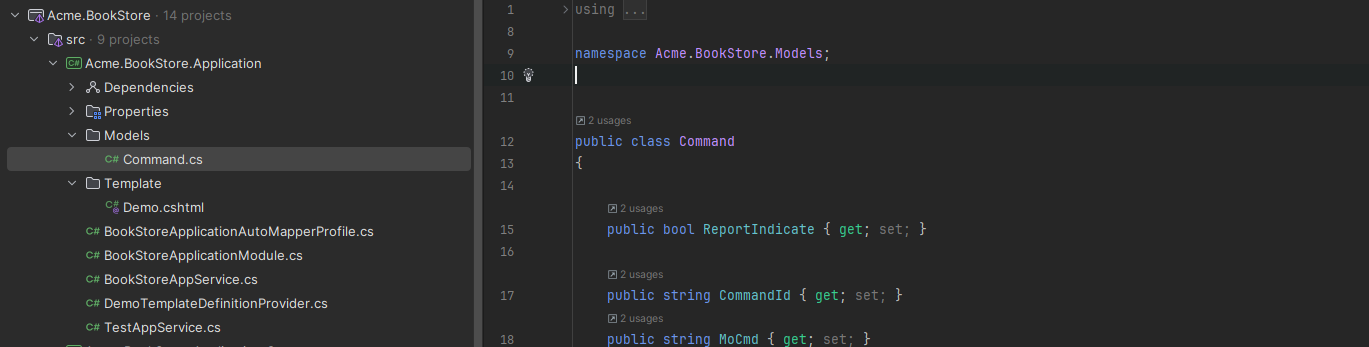
- Now create a template for the command model. here you can find it.Add it as an embedded resource
@inherits Volo.Abp.TextTemplating.Razor.RazorTemplatePageBase<Acme.BookStore.Models.Command>
<srm:COMMAND>
    <srm:REPORT_INDICATE>@(Model.ReportIndicate ? "true" : "false")</srm:REPORT_INDICATE>
    <srm:COMMAND_ID>@Model.CommandId</srm:COMMAND_ID>
    <srm:MO_CMD>@Model.MoCmd</srm:MO_CMD>
    <srm:MO_SEQUENCE>
        @foreach (var item in Model.MoSequence.MoList)
        {
            <srm:MO>
                <srm:MO_PATH>@item.MoPath</srm:MO_PATH>
                @if (item.MoValue != null)
                {
                    <srm:MO_VALUE>@item.MoValue</srm:MO_VALUE>
                }
                else
                {
                    <srm:MO_VALUE />
                }
            </srm:MO>
        }
    </srm:MO_SEQUENCE>
</srm:COMMAND>
- Create a TemplateDefinitionProvider.
public class DemoTemplateDefinitionProvider : TemplateDefinitionProvider
{
    public override void Define(ITemplateDefinitionContext context)
    {
        context.Add(
            new TemplateDefinition("Demo") //template name: "Demo"
                .WithRazorEngine()
                .WithVirtualFilePath(
                    "/Template/Demo.cshtml", //template content path
                    isInlineLocalized: true
                )
        );
    }
}
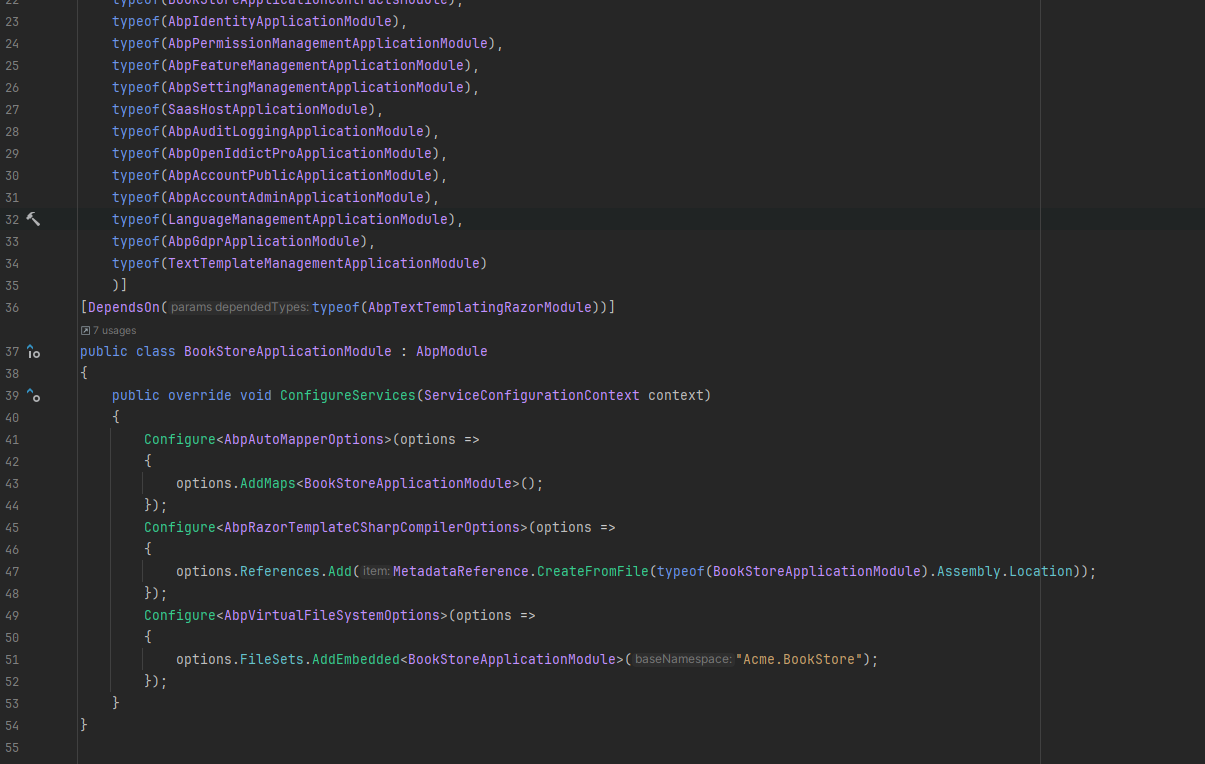
- Add Configuration to your module
public override void ConfigureServices(ServiceConfigurationContext context)
    {
        Configure<AbpAutoMapperOptions>(options =>
        {
            options.AddMaps<BookStoreApplicationModule>();
        });
        Configure<AbpRazorTemplateCSharpCompilerOptions>(options =>
        {
            options.References.Add(MetadataReference.CreateFromFile(typeof(BookStoreApplicationModule).Assembly.Location));
        });
        Configure<AbpVirtualFileSystemOptions>(options =>
        {
            options.FileSets.AddEmbedded<BookStoreApplicationModule>("Acme.BookStore");
        });
    }
 7) Create an appservice that will return the output.
public class TestAppService : BookStoreAppService, ITestAppService
{
    private readonly ITemplateRenderer _templateRenderer;

    public TestAppService(ITemplateRenderer templateRenderer)
    {
        _templateRenderer = templateRenderer;
    }

    public async Task<string> GetOutput()
    {
        var moSequence = new MoSequence();
        moSequence.AddMo(".MO.MONITOR_OPERATION.BOOTSTRAP.DEV_CODE", "105");
        moSequence.AddMo(".MO.MONITOR_OPERATION.BOOTSTRAP.DEV_TYPE", "SPLAYER" + Random.Shared.Next().ToString());
        moSequence.AddMo(".MO.MONITOR_OPERATION.BOOTSTRAP.DEV_MDNM", "QB13R");
        var command = new Command(false,
            "31470ade5bc2fd42-60c7af5-4725-8703-33dd729f63cea7aa5e4fbc0e",
            ".MO.MONITOR_OPERATION.BOOTSTRAP",
            moSequence);
        var result = await _templateRenderer.RenderAsync(
           "Demo", //the template name
          command
       );
        return result;

    }
}
- Now you should be able to hit the endpoint. and it should return sth similar like this.
<srm:COMMAND>
    <srm:REPORT_INDICATE>false</srm:REPORT_INDICATE>
    <srm:COMMAND_ID>31470ade5bc2fd42-60c7af5-4725-8703-33dd729f63cea7aa5e4fbc0e</srm:COMMAND_ID>
    <srm:MO_CMD>.MO.MONITOR_OPERATION.BOOTSTRAP</srm:MO_CMD>
    <srm:MO_SEQUENCE>
            <srm:MO>
                <srm:MO_PATH>.MO.MONITOR_OPERATION.BOOTSTRAP.DEV_CODE</srm:MO_PATH>
                    <srm:MO_VALUE>105</srm:MO_VALUE>
            </srm:MO>
            <srm:MO>
                <srm:MO_PATH>.MO.MONITOR_OPERATION.BOOTSTRAP.DEV_TYPE</srm:MO_PATH>
                    <srm:MO_VALUE>SPLAYER737483572</srm:MO_VALUE>
            </srm:MO>
            <srm:MO>
                <srm:MO_PATH>.MO.MONITOR_OPERATION.BOOTSTRAP.DEV_MDNM</srm:MO_PATH>
                    <srm:MO_VALUE>QB13R</srm:MO_VALUE>
            </srm:MO>
    </srm:MO_SEQUENCE>
</srm:COMMAND>
- Now you need to call this endpoint with some frequency so you can see what is going on in memory. I have used dotMemory and k6 for it. here is my k6 .js file
import http from 'k6/http';
import { check, sleep } from 'k6';
export const options = {
    insecureSkipTLSVerify: true,
    noConnectionReuse: false,
    scenarios: {
        per_vu_scenario: {
            executor: "per-vu-iterations",
            vus: 5,
            iterations: 30,
            startTime: "0s",
            maxDuration: '2m',
        },
    },
};

export default function () {
    // Here, we set the endpoint to test.
    const response = http.get('https://localhost:44395/api/app/test/output');

    // An assertion
    check(response, {
        'is status 200': (x) => x.status === 200
    });

    sleep(3);
}
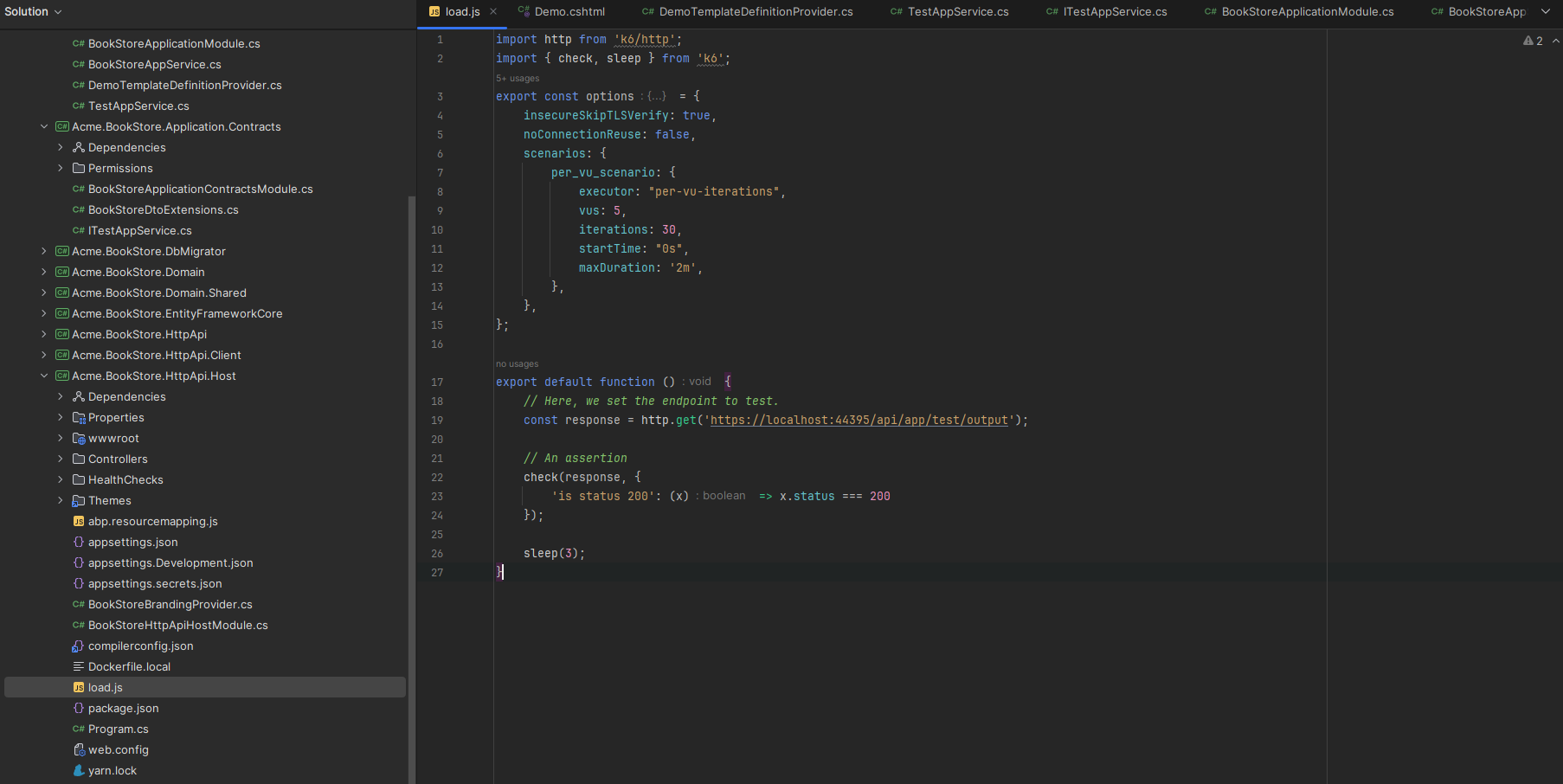
- if you run this js file from command line tool.
k6 run load.js
and check the memory spike in dotmemory you will see sth similar like this.
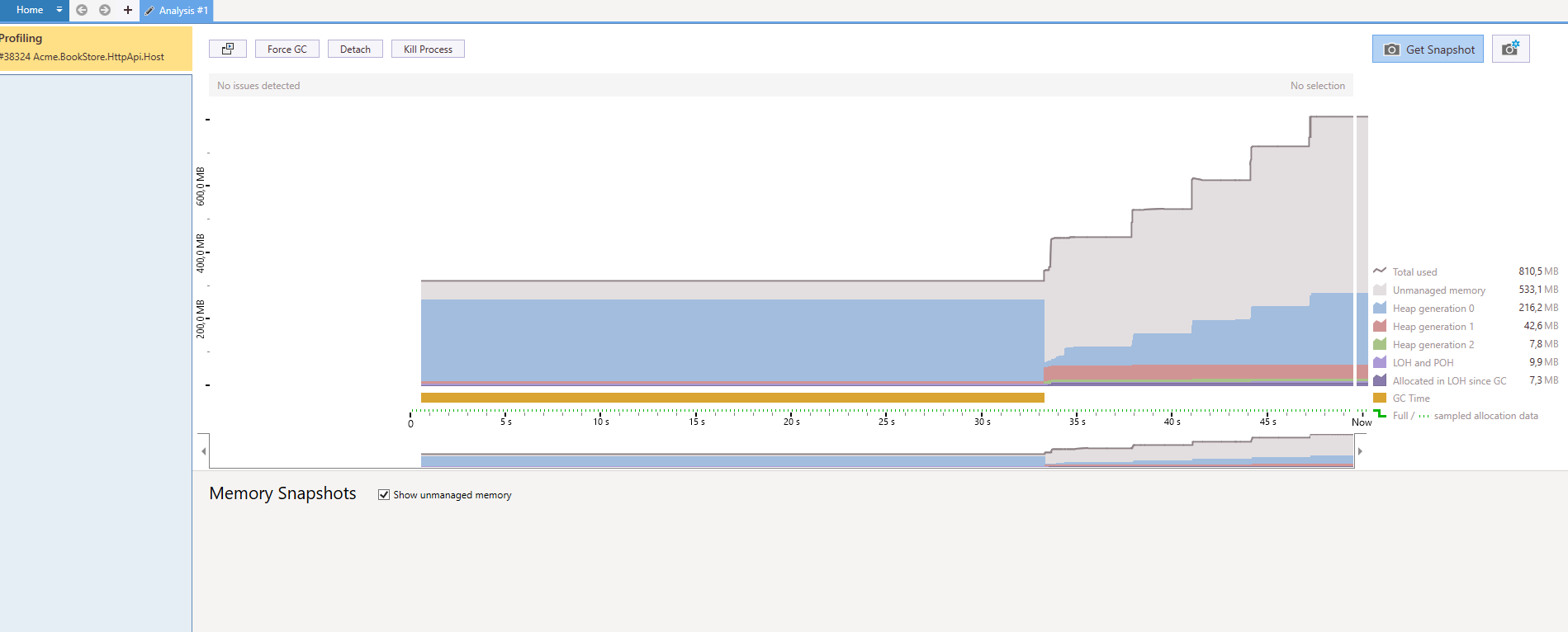
I analyze this with dotnet-dump and dotmemory. It has lots of free memory in unmanaged memory heap. mostly strings. I didn't check the source code. It could be sth wrong from caching so it caches the same thing in every request, but not sure, didn't deep dive into it.
If i switch to Volo.Abp.TextTemplating.Scriban, this doesn't happen and you can see the memory steady, no spikes. I switch to scriban and change all my templates with it. Hope i could clarify the problem if you need a sample app i can send it if you give an email address.
5 Answer(s)
-
0
Hello, I have sent it to you.
Markdown supported.Copy, paste, or drag & drop images and files (max 100 MB per file, 100 MB total per post) -
0
hi
using System;
using System.Collections.Concurrent;
using System.Collections.Generic;
using System.IO;
using System.Linq;
using System.Reflection;
using System.Threading;
using System.Threading.Tasks;
using Microsoft.AspNetCore.Razor.Language;
using Microsoft.CodeAnalysis;
using Microsoft.Extensions.Options;
using Nito.AsyncEx;
using Volo.Abp;
using Volo.Abp.DependencyInjection;
using Volo.Abp.TextTemplating;
using Volo.Abp.TextTemplating.Razor;

namespace Acme.BookStore;

[Dependency(ReplaceServices = true)]
[ExposeServices(typeof(IAbpCompiledViewProvider))]
public class MyAbpCompiledViewProvider : IAbpCompiledViewProvider, ITransientDependency
{
    private static readonly ConcurrentDictionary<string, Assembly> CachedAssembles = new ConcurrentDictionary<string, Assembly>();
    private static  readonly SemaphoreSlim _semaphore = new SemaphoreSlim(1, 1);

    private readonly AbpCompiledViewProviderOptions _options;
    private readonly AbpRazorTemplateCSharpCompiler _razorTemplateCSharpCompiler;
    private readonly IAbpRazorProjectEngineFactory _razorProjectEngineFactory;
    private readonly ITemplateContentProvider _templateContentProvider;


    public MyAbpCompiledViewProvider(
        IOptions<AbpCompiledViewProviderOptions> options,
        IAbpRazorProjectEngineFactory razorProjectEngineFactory,
        AbpRazorTemplateCSharpCompiler razorTemplateCSharpCompiler,
        ITemplateContentProvider templateContentProvider)
    {
        _options = options.Value;

        _razorProjectEngineFactory = razorProjectEngineFactory;
        _razorTemplateCSharpCompiler = razorTemplateCSharpCompiler;
        _templateContentProvider = templateContentProvider;
    }

    public virtual async Task<Assembly> GetAssemblyAsync(TemplateDefinition templateDefinition)
    {
        async Task<Assembly> CreateAssembly(string content)
        {
            using (var assemblyStream = await GetAssemblyStreamAsync(templateDefinition, content))
            {
                return Assembly.Load(await assemblyStream.GetAllBytesAsync());
            }
        }

        var templateContent = await _templateContentProvider.GetContentOrNullAsync(templateDefinition);
        if (templateContent == null)
        {
            throw new AbpException($"Razor template content of {templateDefinition.Name} is null!");
        }

        using (await _semaphore.LockAsync())
        {
            var cacheKey = (templateDefinition.Name + templateContent).ToMd5();
            if (CachedAssembles.TryGetValue(cacheKey, out var assemble))
            {
                return assemble;
            }

            var newAssemble = await CreateAssembly(templateContent);
            CachedAssembles.TryAdd(cacheKey, newAssemble);
            return newAssemble;
        }
    }

    protected virtual async Task<Stream> GetAssemblyStreamAsync(TemplateDefinition templateDefinition, string templateContent)
    {
        var razorProjectEngine = await _razorProjectEngineFactory.CreateAsync(builder =>
        {
            builder.SetNamespace(AbpRazorTemplateConsts.DefaultNameSpace);
            builder.ConfigureClass((document, node) =>
            {
                node.ClassName = AbpRazorTemplateConsts.DefaultClassName;
            });
        });

        var codeDocument = razorProjectEngine.Process(
            RazorSourceDocument.Create(templateContent, templateDefinition.Name), null,
            new List<RazorSourceDocument>(), new List<TagHelperDescriptor>());

        var cSharpDocument = codeDocument.GetCSharpDocument();

        var templateReferences = _options.TemplateReferences
            .GetOrDefault(templateDefinition.Name)
            ?.Select(x => x)
            .Cast<MetadataReference>()
            .ToList();

        return _razorTemplateCSharpCompiler.CreateAssembly(cSharpDocument.GeneratedCode, templateDefinition.Name, templateReferences);
    }
}
Markdown supported.Copy, paste, or drag & drop images and files (max 100 MB per file, 100 MB total per post)


