- ABP Framework version: v7.1.1
- UI Type: Angular
- Database System: EF Core (PostgreSQL)
- Tiered (for MVC) or Auth Server Separated (for Angular): yes
- Exception message and full stack trace:
- Steps to reproduce the issue:
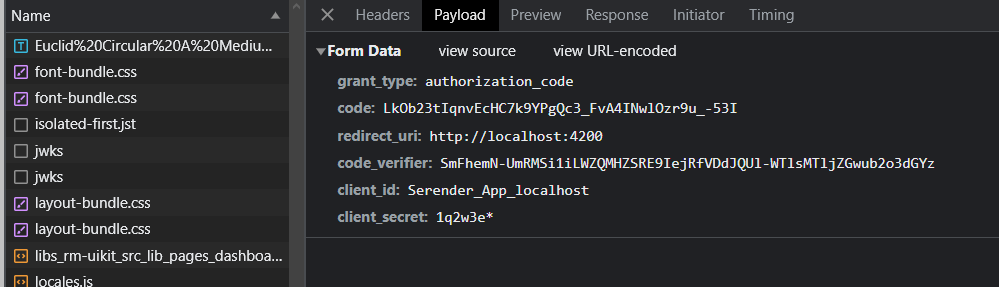
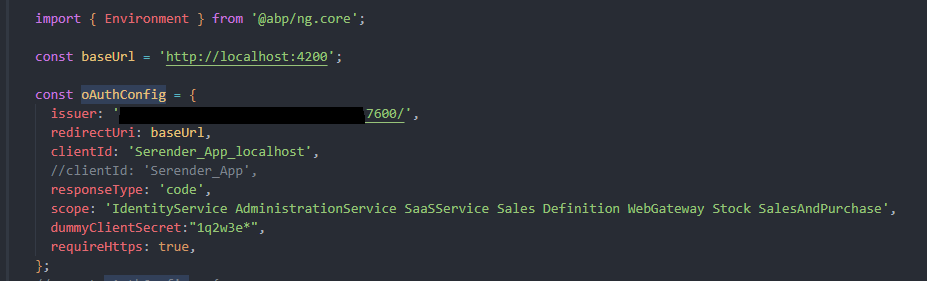
Hello, we use ABP Framework in the back-end part of our project and Angular in the front-end part. We chose to use the login structure offered by ABP for login operations. We specifically included it in our Angular project. We are faced with the situation of refreshing the page when the access token expires. However, we do not want this renewal to happen. How can we achieve this?
12 Answer(s)
-
1
Hi,
please have look to this https://github.com/abpframework/abp/commit/86b8f952eecfc6a109ab91e1bf39983b50e7c9f6#diff-835f2b3fd6817076674e0a6599617b07b015b34849235b20017ee0601206a3b8
please let me know if find helpful.
Thanks
Markdown supported.Copy, paste, or drag & drop images and files (max 100 MB per file, 100 MB total per post) -
0
Hi, As far as we understand, you suggested a solution to redirect to the login page when the token expires. However, our problem is about being able to continue working without refreshing the page when the token expires. Do you have any suggestions on how we can continue working on the project without redirecting to another page or blocking the operation when the token expires?
Markdown supported.Copy, paste, or drag & drop images and files (max 100 MB per file, 100 MB total per post) -
1
Hi,
please check https://github.com/abpframework/abp/issues/8010 and https://github.com/abpframework/abp/pull/8027/files
regards,
Markdown supported.Copy, paste, or drag & drop images and files (max 100 MB per file, 100 MB total per post) -
0
Hi, As stated in the examples you posted, we wanted to turn off the offline_access feature. But we do not use the offline_access feature in our project anyway. If you have another solution, we ask you to share it.
Markdown supported.Copy, paste, or drag & drop images and files (max 100 MB per file, 100 MB total per post) -
1
Hi,
Could you please check this similar issue https://support.abp.io/QA/Questions/6007 I think this will solve your issue.
Thanks, Anjali
Markdown supported.Copy, paste, or drag & drop images and files (max 100 MB per file, 100 MB total per post) -
1
Hi,
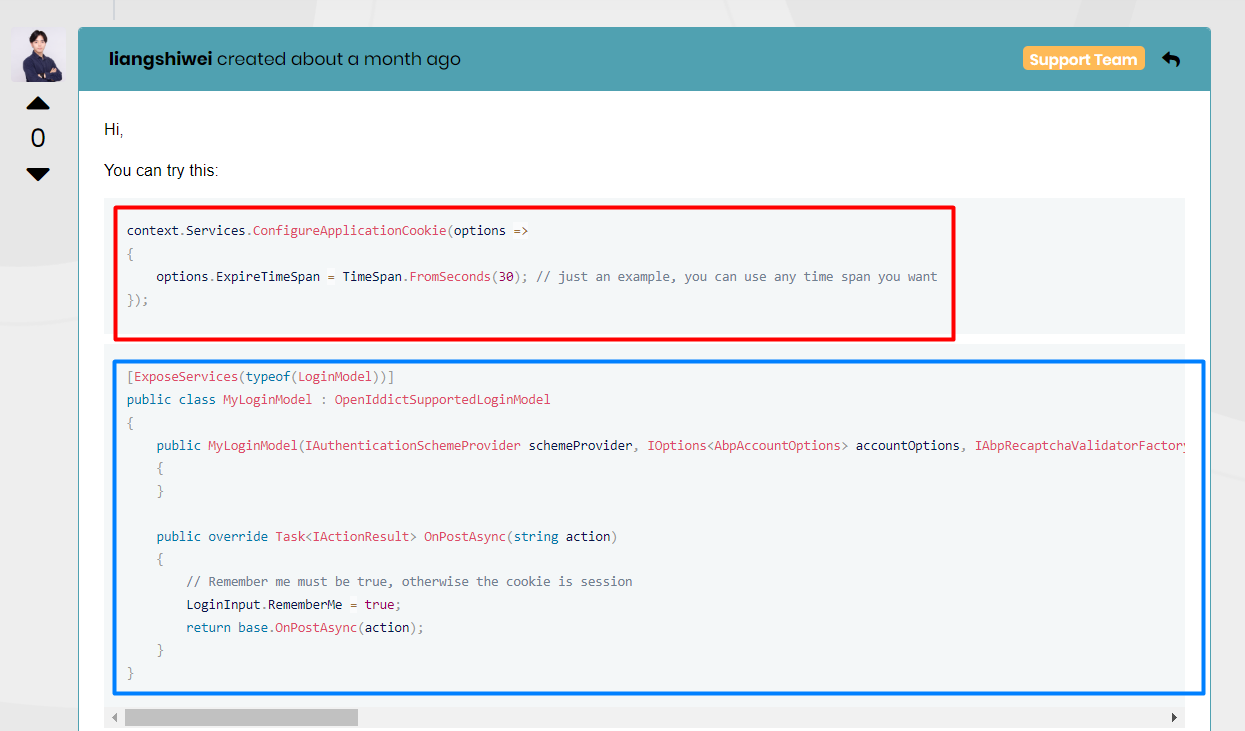
For code in the blue block, create a new class file named
MyLoginModelused for customizingLoginModeland add that code to that newly created class.regards,
Markdown supported.Copy, paste, or drag & drop images and files (max 100 MB per file, 100 MB total per post) -
0
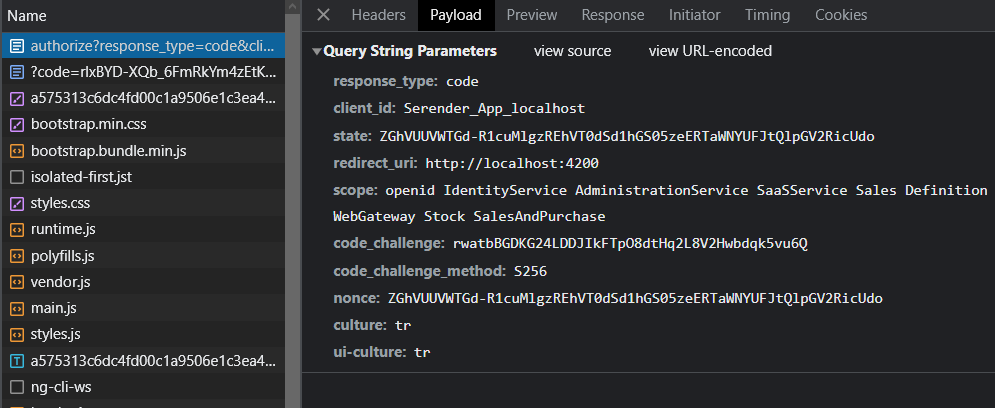
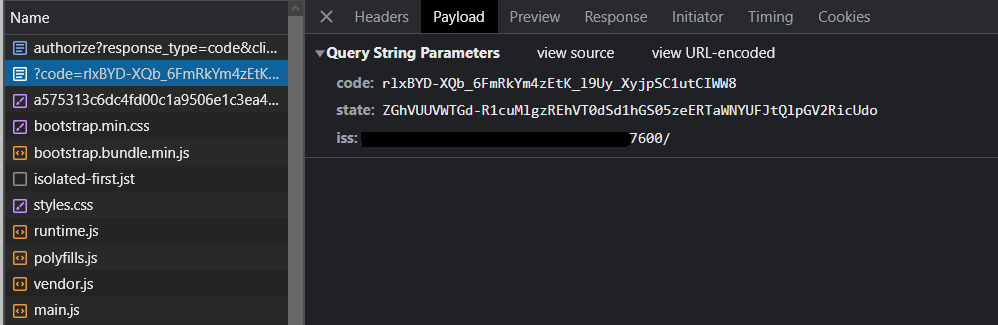
Hi, It didn't work for our project. we took a screen video for the error. For example, when filling out a form on a screen, when the access token expires, the page is refreshed and the page is redirected to the dashboard, we want the page to stay in the current form without refreshing and get a refresh token.
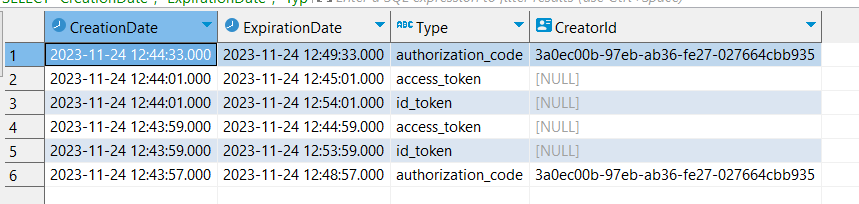
In addition, when the token expires and refreshes on the page, the token is received from openidict again and I share these sample token records in the screenshot. There is no record in the table as a refresh token for types, can we not generate any refresh token?
I kindly ask for your support.
Error Video : https://we.tl/t-KtB8yfhfI3
 Markdown supported.Copy, paste, or drag & drop images and files (max 100 MB per file, 100 MB total per post)
 -
0
Hello,
Apologies for delay, have you checked this documentation https://docs.abp.io/en/commercial/7.4/modules/openiddict#refresh-token
Markdown supported.Copy, paste, or drag & drop images and files (max 100 MB per file, 100 MB total per post) -
0
Hi, We tried your suggestion but we were not successful. Do you have a sample project where we can see this scenario? Is there a refresh token application in eshop or bookstore?
Markdown supported.Copy, paste, or drag & drop images and files (max 100 MB per file, 100 MB total per post) -
0
Hi, As far as we understand, you suggested a solution to redirect to the login page when the token expires. However, our problem is about being able to continue working without refreshing the page when the token expires. Do you have any suggestions on how we can continue working on the project without redirecting to another page or blocking the operation when the token expires?
- this is wrong, normally when the access_token expires, you get a new generated access_token via refresh_token. the application shouldn't be redirect you to login page again.
in version 7.1.1 i have created a new application with this command;
abp new -t app-pro -u angular- and set accesstoken expire date to 5 seconds;
here is how the token regenerated; this is the normal behavior.
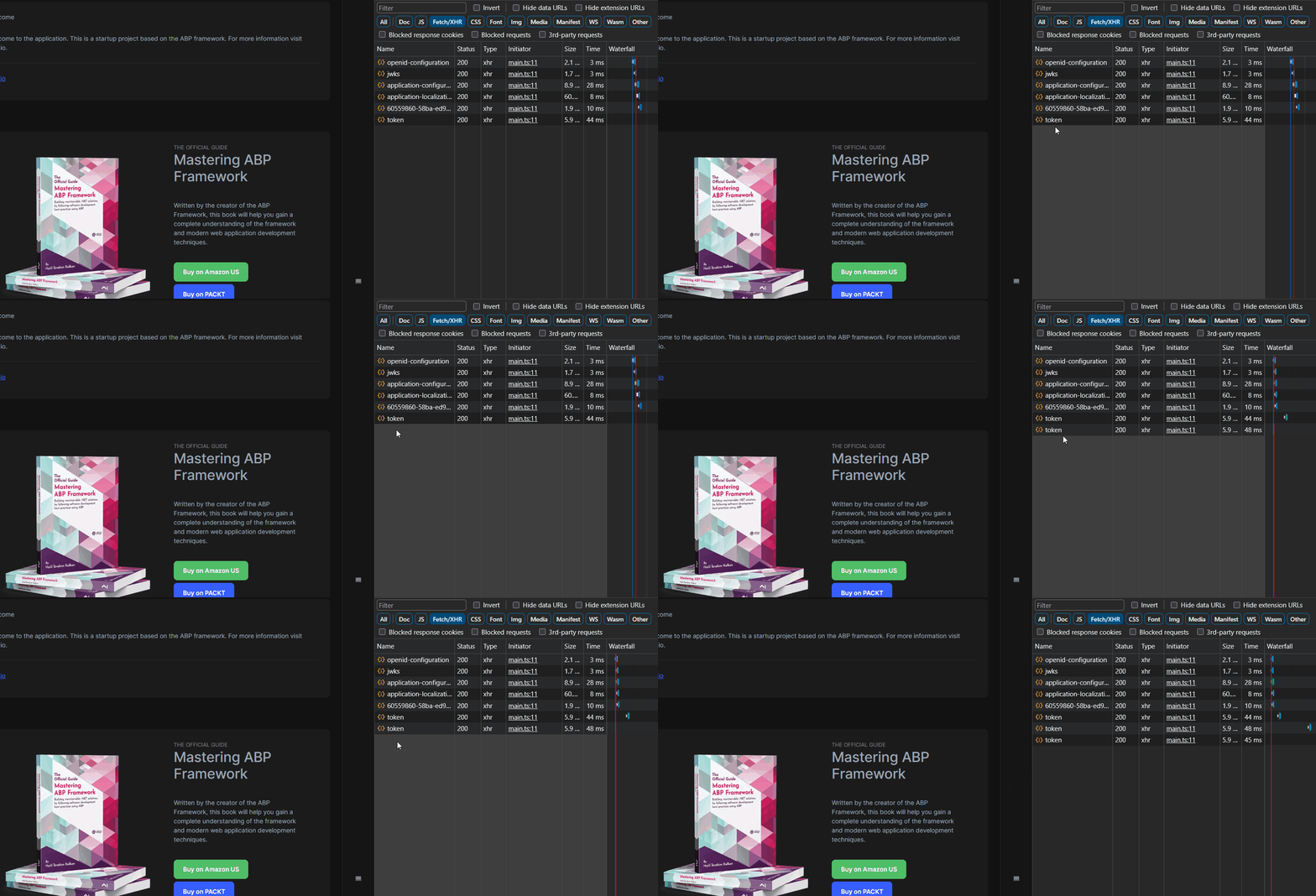
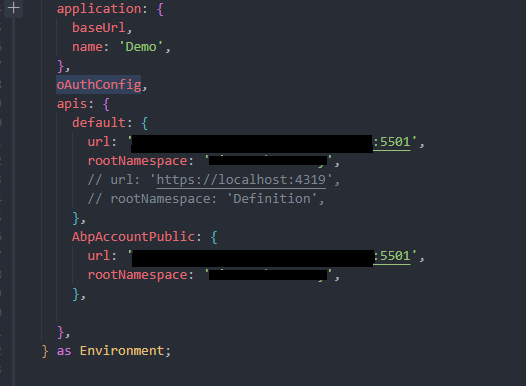
- make sure about your configurations in environment file
Markdown supported.Copy, paste, or drag & drop images and files (max 100 MB per file, 100 MB total per post)