- ABP Framework version: v7
- UI Type: Angular
- Database System: EF Core (SQL Server)
how to implement windows Authentication in ABP suite
22 Answer(s)
-
0
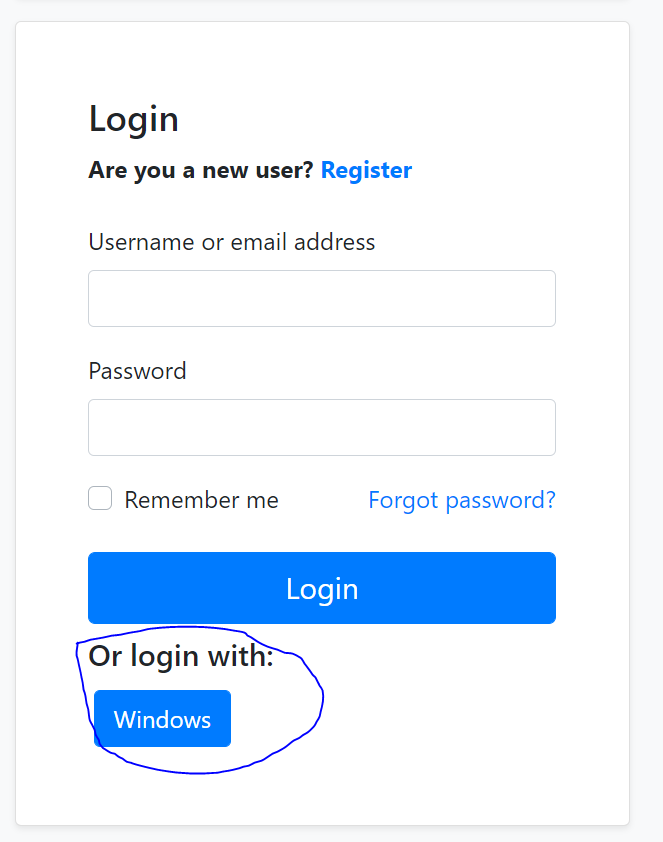
I added context.Services.Configure<IISServerOptions>(iis => { iis.AuthenticationDisplayName = "Windows"; iis.AutomaticAuthentication = false; });
but still, this button is not showing
 Markdown supported.Copy, paste, or drag & drop images and files (max 100 MB per file, 100 MB total per post)
 -
0
hi
You also need to configure the Windows authentication.
Services.AddAuthenticationhttps://learn.microsoft.com/en-us/aspnet/core/security/authentication/windowsauth
Markdown supported.Copy, paste, or drag & drop images and files (max 100 MB per file, 100 MB total per post) -
0
I want automatic login is that possible or do I must press windows button and then register by email ?
Markdown supported.Copy, paste, or drag & drop images and files (max 100 MB per file, 100 MB total per post) -
0
hi
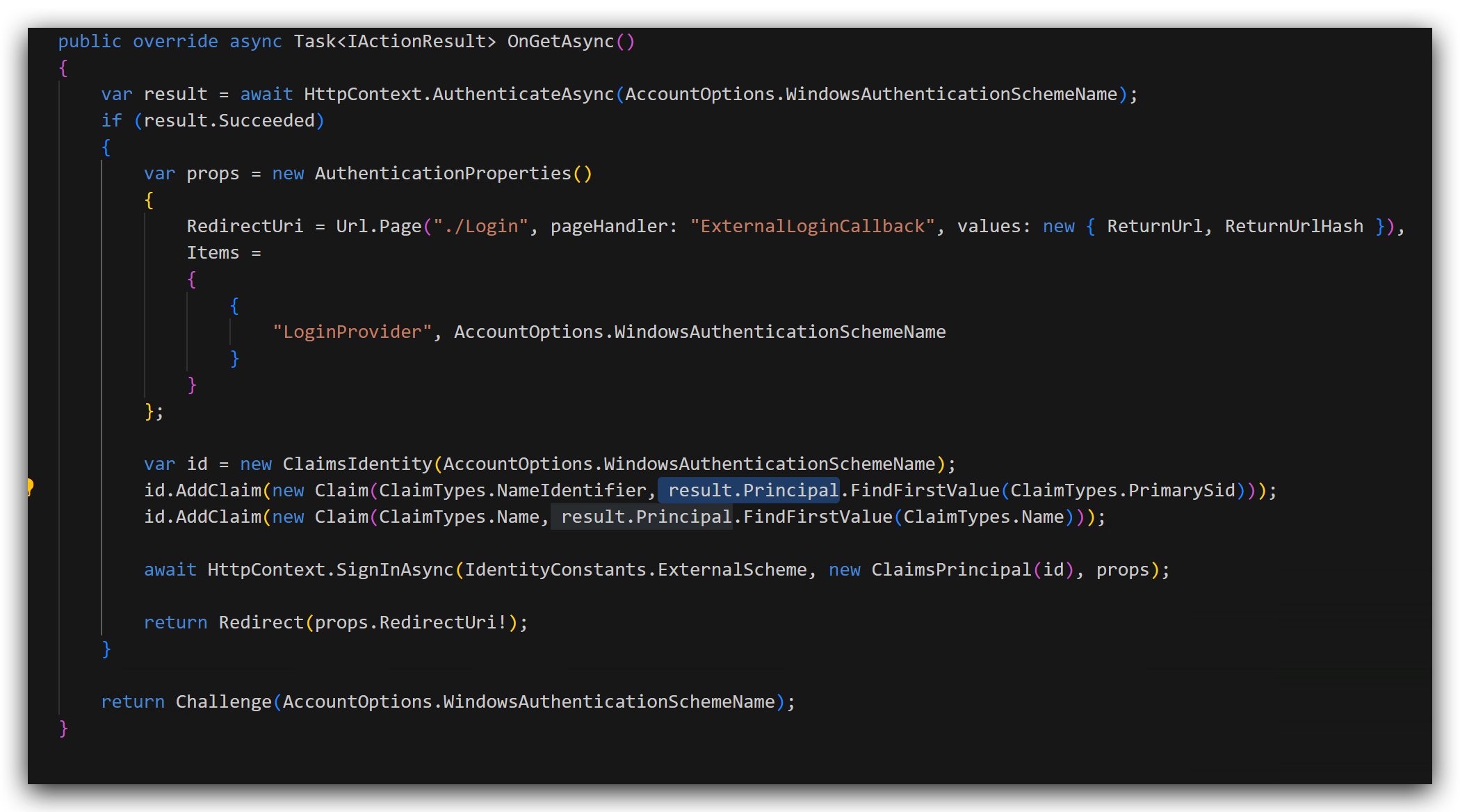
You can override the
public virtual async Task<IActionResult> OnGetAsync()of the Login page.This is the same as you click the
Windowsbutton.public override async Task<IActionResult> OnGetAsync() { var redirectUrl = Url.Page("./Login", pageHandler: "ExternalLoginCallback", values: new { ReturnUrl, ReturnUrlHash, }); var properties = SignInManager.ConfigureExternalAuthenticationProperties("Windows", redirectUrl); properties.Items["scheme"] = "Windows"; return await Task.FromResult(Challenge(properties, provider)); }See the sign in code
https://github.com/search?q=repo%3Aabpframework%2Fabp%20ProcessWindowsLoginAsync&type=code
Markdown supported.Copy, paste, or drag & drop images and files (max 100 MB per file, 100 MB total per post) -
0
can I send you my code ? provide me your email please
Markdown supported.Copy, paste, or drag & drop images and files (max 100 MB per file, 100 MB total per post) -
0
its a fresh project can you just implement it and share it with me please
Markdown supported.Copy, paste, or drag & drop images and files (max 100 MB per file, 100 MB total per post) -
0
hi saudalshammari2030@gmail.com
Markdown supported.Copy, paste, or drag & drop images and files (max 100 MB per file, 100 MB total per post) -
0
I didn't receive anything on my email yet (already checked spam etc..). can you make sure that its sent please? I sent you an email reply to it with the project please
Markdown supported.Copy, paste, or drag & drop images and files (max 100 MB per file, 100 MB total per post) -
0
still I have to register by email , what I need is to integrate it with the active directory so once someone open the website it automatically log in
Markdown supported.Copy, paste, or drag & drop images and files (max 100 MB per file, 100 MB total per post) -
0
no email claim exist , I only got the name. should I add this id.AddClaim(new Claim(ClaimTypes.Email,result.Principal.FindFirstValue(ClaimTypes.Email))); ?
Markdown supported.Copy, paste, or drag & drop images and files (max 100 MB per file, 100 MB total per post) -
0
inside result.Principal about 22 claims first one is "Name" and "PrimarySid" and all others are "groupsid" , there is no email claim
Markdown supported.Copy, paste, or drag & drop images and files (max 100 MB per file, 100 MB total per post) -
0
hi
no email claim exist
You can find a way to get an email from
result.Principalor add a random email claim toid.I did this and here is what I got

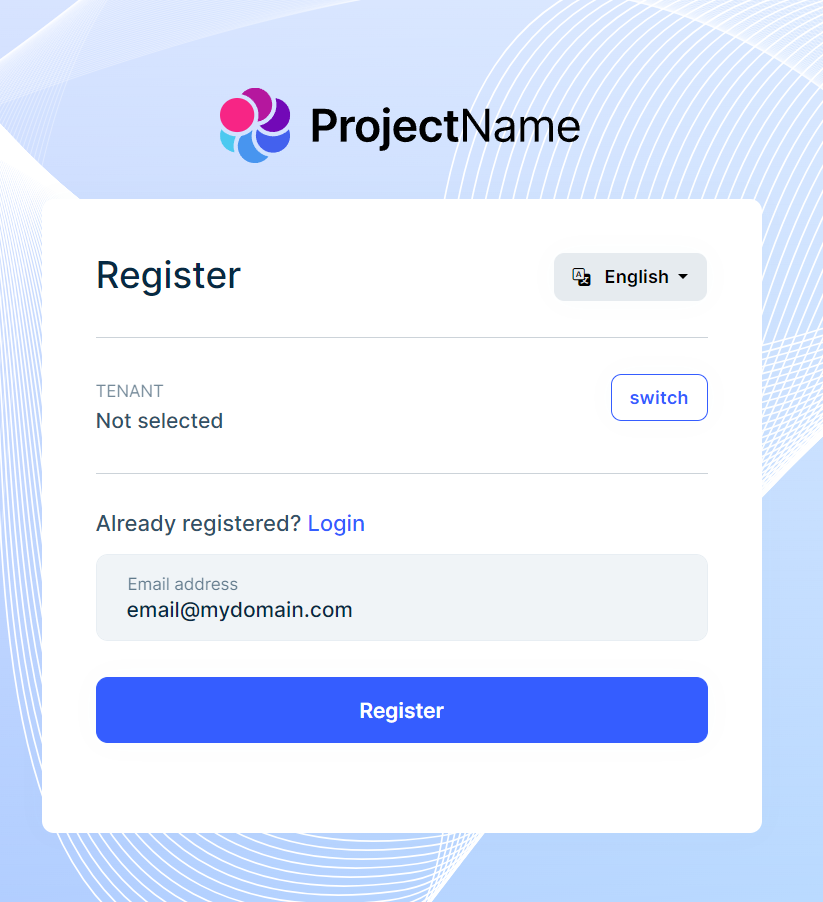
is there a way to bypass register page ? I want everything to run in background and user automatically log in.
Markdown supported.Copy, paste, or drag & drop images and files (max 100 MB per file, 100 MB total per post) -
0
thank you , now it works but user still need to press login button in order to login . is there a way to auto login on website enter
Markdown supported.Copy, paste, or drag & drop images and files (max 100 MB per file, 100 MB total per post)