






- ABP Framework version: v7.4.2
- UI Type: Angular
- Database System: EF Core (PostgreSQL)
- Tiered (for MVC) or Auth Server Separated (for Angular): no
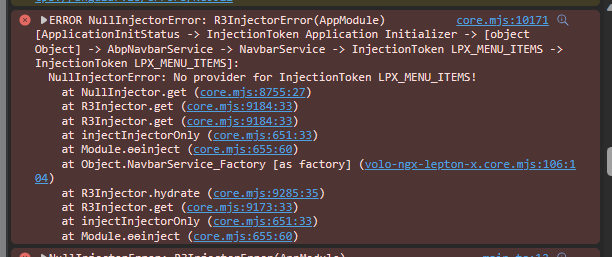
- Exception message and full stack trace:
- Steps to reproduce the issue:
Hi,
I'm getting this error when attempting to run my Angular Frontend.
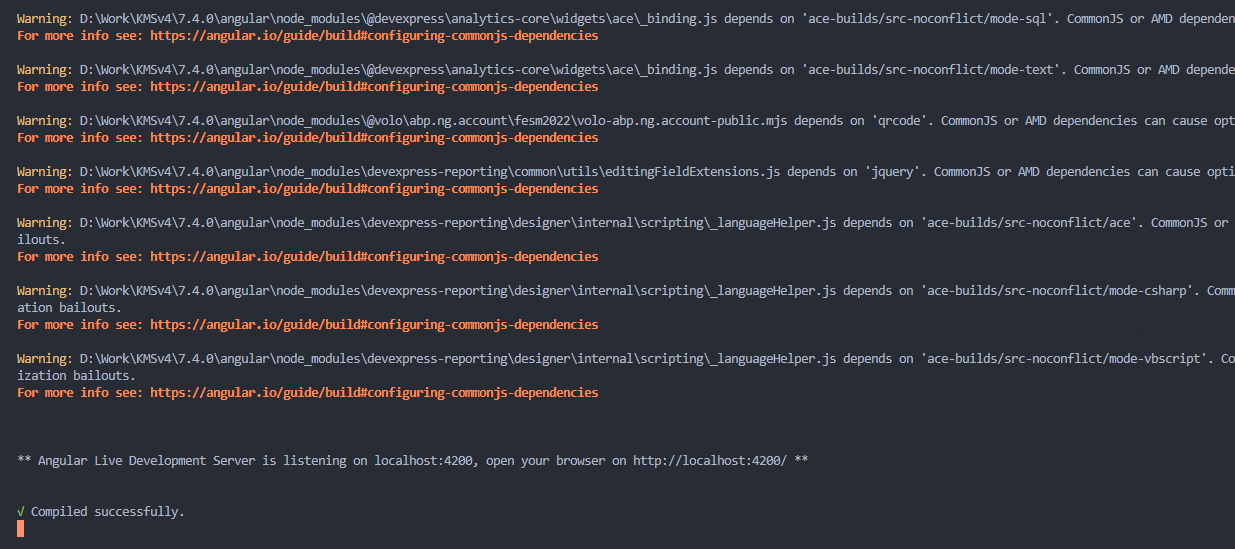
My angular is compiled succesfully with no error.
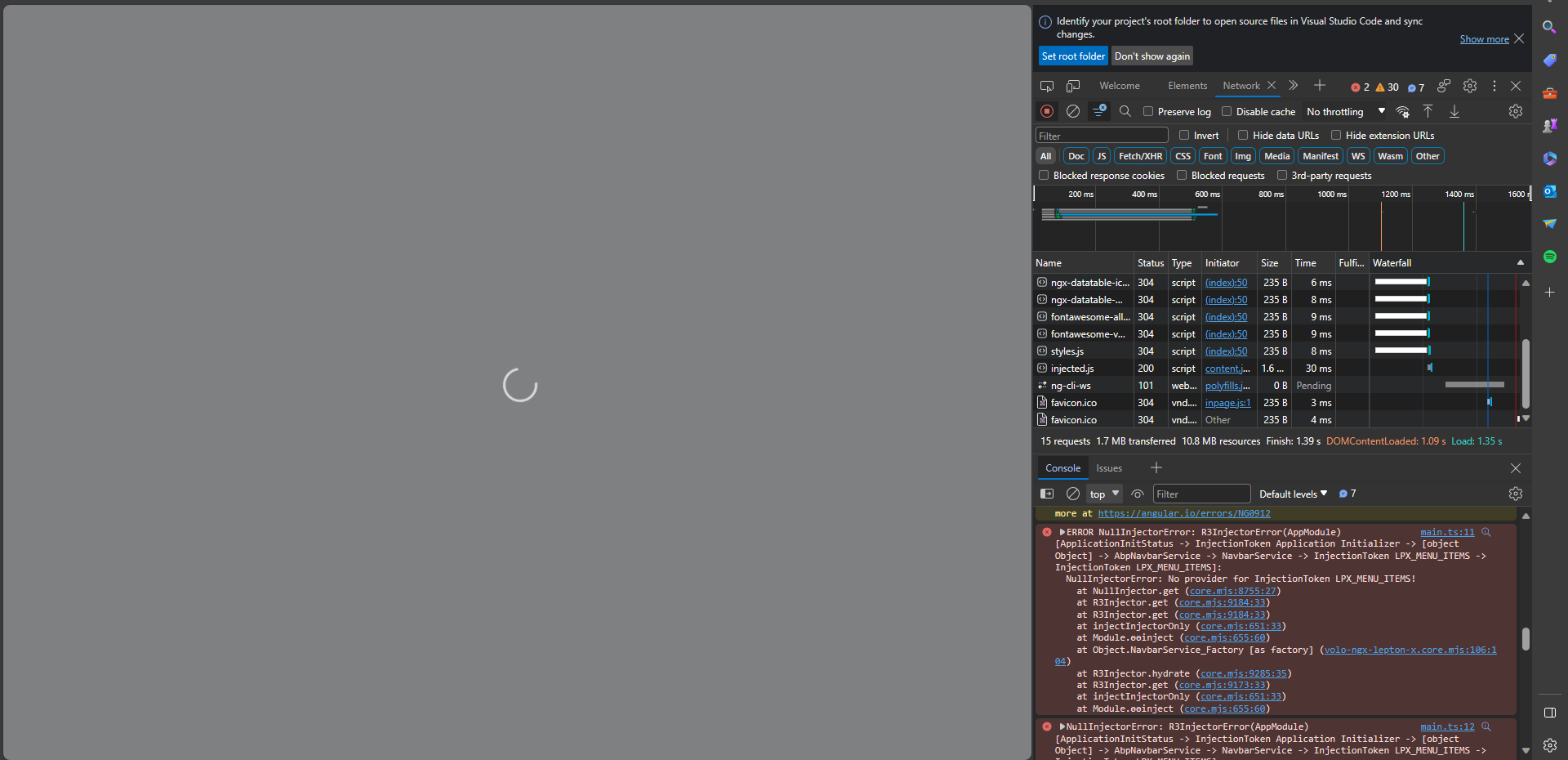
I've tried both yarn install and npm install and it still prompts this error and below is all I am seeing.
9 Answer(s)
-
0
Hi,
Will this work for you? https://support.abp.io/QA/Questions/5026/Starting-Angular---cleanfresh-project#answer-3a0b0dc4-5baa-df28-682b-e9356fdfc079
Markdown supported.Copy, paste, or drag & drop images and files (max 100 MB per file, 100 MB total per post) -
0
Hi,
Which one are you referring to? This is the page after I clicked the link.
Markdown supported.Copy, paste, or drag & drop images and files (max 100 MB per file, 100 MB total per post) -
0
Hi,
Below is the content of my package.json.
{ "name": "KMSv4", "version": "0.0.0", "scripts": { "ng": "ng", "start": "ng serve --open", "build": "ng build", "build:prod": "ng build --configuration production", "watch": "ng build --watch --configuration development", "test": "ng test", "lint": "ng lint" }, "private": true, "dependencies": { "@abp/ng.components": "~7.4.2", "@abp/ng.core": "~7.4.2", "@abp/ng.oauth": "~7.4.2", "@abp/ng.setting-management": "~7.4.2", "@abp/ng.theme.shared": "~7.4.2", "@angular/animations": "~16.0.0", "@angular/cdk": "~16.0.0", "@angular/common": "~16.0.0", "@angular/compiler": "~16.0.0", "@angular/core": "~16.0.0", "@angular/forms": "~16.0.0", "@angular/localize": "~16.0.0", "@angular/platform-browser": "~16.0.0", "@angular/platform-browser-dynamic": "~16.0.0", "@angular/router": "~16.0.0", "@devexpress/analytics-core": "^23.1.5", "@kolkov/angular-editor": "^3.0.0-beta.0", "@microsoft/signalr": "^7.0.12", "@types/signalr": "^2.4.1", "@volo/abp.commercial.ng.ui": "~7.4.2", "@volo/abp.ng.account": "~7.4.2", "@volo/abp.ng.audit-logging": "~7.4.2", "@volo/abp.ng.gdpr": "~7.4.2", "@volo/abp.ng.identity": "~7.4.2", "@volo/abp.ng.language-management": "~7.4.2", "@volo/abp.ng.openiddictpro": "~7.4.2", "@volo/abp.ng.saas": "~7.4.2", "@volo/abp.ng.text-template-management": "~7.4.2", "@volo/ngx-lepton-x.core": "~2.4.3", "@volosoft/abp.ng.theme.lepton-x": "~2.4.0-rc.4", "devexpress-reporting-angular": "^23.1.5", "devextreme": "^23.1.5", "jquery-ui": "^1.13.2", "rxjs": "7.5.6", "tslib": "^2.1.0", "zone.js": "~0.13.0" }, "devDependencies": { "@abp/ng.schematics": "~7.4.2", "@angular-devkit/build-angular": "~16.0.0", "@angular-eslint/builder": "~16.0.0", "@angular-eslint/eslint-plugin": "~16.0.0", "@angular-eslint/eslint-plugin-template": "~16.0.0", "@angular-eslint/schematics": "~16.0.0", "@angular-eslint/template-parser": "~16.0.0", "@angular/cli": "~16.0.0", "@angular/compiler-cli": "~16.0.0", "@angular/language-service": "~16.0.0", "@types/jasmine": "~3.6.0", "@types/node": "^12.11.1", "@typescript-eslint/eslint-plugin": "^5.36.2", "@typescript-eslint/parser": "^5.36.2", "eslint": "^8.23.0", "jasmine-core": "~4.0.0", "karma": "~6.3.0", "karma-chrome-launcher": "~3.1.0", "karma-coverage": "~2.1.0", "karma-jasmine": "~4.0.0", "karma-jasmine-html-reporter": "^1.7.0", "ng-packagr": "^16.0.1", "typescript": "~5.0.4" } }
Markdown supported.Copy, paste, or drag & drop images and files (max 100 MB per file, 100 MB total per post) -
0
can you change
@volosoft/abp.ng.theme.lepton-xpackage version as follow"@volosoft/abp.ng.theme.lepton-x": "~2.4.0"- delete node_modules
- run
yarn; yarn start
can you try this?
Markdown supported.Copy, paste, or drag & drop images and files (max 100 MB per file, 100 MB total per post) -
0
Hi,
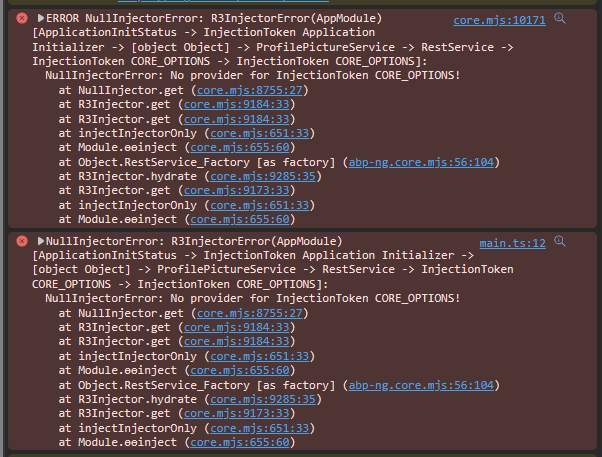
I encountered this after I changed the version to
~2.4.0and reinstalled node_modules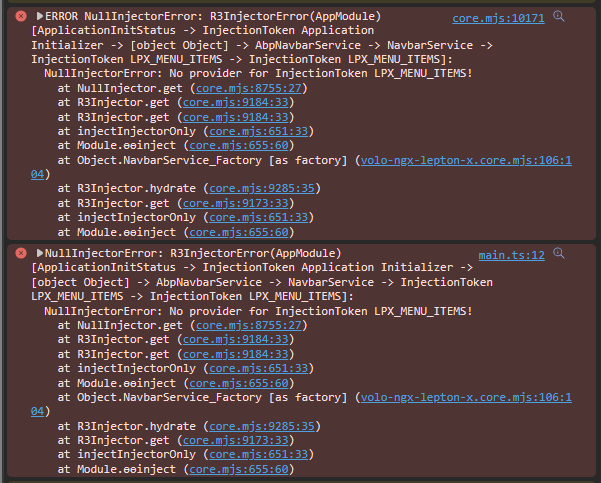
I closed the folder from VS Code and re-opened it. Encountered the error again.
Markdown supported.Copy, paste, or drag & drop images and files (max 100 MB per file, 100 MB total per post) -
0
Hi,
Update: There is a bug about Angular waiting to be fixed, When it is fixed, you should be able to run your application. I will inform you.
Markdown supported.Copy, paste, or drag & drop images and files (max 100 MB per file, 100 MB total per post) -
0
Hi, Thank you, for now I did a rollback to my previous commit and removed node_modules. clean cache for both npm and yarn and reinstalled. Working for the time being. Thanks
Markdown supported.Copy, paste, or drag & drop images and files (max 100 MB per file, 100 MB total per post) -
0
Hi,
We have released a new patch version, you can try upgrading again. BTW, your ticket refunded.
The code of
app.module.ts:import { CoreModule } from '@abp/ng.core'; import { GdprConfigModule } from '@volo/abp.ng.gdpr/config'; import { SettingManagementConfigModule } from '@abp/ng.setting-management/config'; import { ThemeSharedModule } from '@abp/ng.theme.shared'; import { NgModule } from '@angular/core'; import { BrowserModule } from '@angular/platform-browser'; import { BrowserAnimationsModule } from '@angular/platform-browser/animations'; import { CommercialUiConfigModule } from '@volo/abp.commercial.ng.ui/config'; import { AccountAdminConfigModule } from '@volo/abp.ng.account/admin/config'; import { AccountPublicConfigModule } from '@volo/abp.ng.account/public/config'; import { AuditLoggingConfigModule } from '@volo/abp.ng.audit-logging/config'; import { IdentityConfigModule } from '@volo/abp.ng.identity/config'; import { LanguageManagementConfigModule } from '@volo/abp.ng.language-management/config'; import { registerLocale } from '@volo/abp.ng.language-management/locale'; import { SaasConfigModule } from '@volo/abp.ng.saas/config'; import { TextTemplateManagementConfigModule } from '@volo/abp.ng.text-template-management/config'; import { ThemeLeptonXModule } from '@volosoft/abp.ng.theme.lepton-x'; import { SideMenuLayoutModule } from '@volosoft/abp.ng.theme.lepton-x/layouts'; import { environment } from '../environments/environment'; import { AppRoutingModule } from './app-routing.module'; import { AppComponent } from './app.component'; import { APP_ROUTE_PROVIDER } from './route.provider'; import { OpeniddictproConfigModule } from '@volo/abp.ng.openiddictpro/config'; import { FeatureManagementModule } from '@abp/ng.feature-management'; import { AbpOAuthModule } from '@abp/ng.oauth'; @NgModule({ declarations: [AppComponent], imports: [ BrowserModule, BrowserAnimationsModule, AppRoutingModule, CoreModule.forRoot({ environment, registerLocaleFn: registerLocale(), }), AbpOAuthModule.forRoot(), ThemeSharedModule.forRoot(), AccountAdminConfigModule.forRoot(), AccountPublicConfigModule.forRoot(), IdentityConfigModule.forRoot(), LanguageManagementConfigModule.forRoot(), SaasConfigModule.forRoot(), AuditLoggingConfigModule.forRoot(), OpeniddictproConfigModule.forRoot(), TextTemplateManagementConfigModule.forRoot(), SettingManagementConfigModule.forRoot(), ThemeLeptonXModule.forRoot(), SideMenuLayoutModule.forRoot(), CommercialUiConfigModule.forRoot(), FeatureManagementModule.forRoot(), GdprConfigModule.forRoot({ privacyPolicyUrl: 'gdpr-cookie-consent/privacy', cookiePolicyUrl: 'gdpr-cookie-consent/cookie', }), ], providers: [APP_ROUTE_PROVIDER], bootstrap: [AppComponent], }) export class AppModule {}Markdown supported.Copy, paste, or drag & drop images and files (max 100 MB per file, 100 MB total per post)



