- ABP Framework version: v7.2.2
- UI Type: Angular
- Exception message and full stack trace:
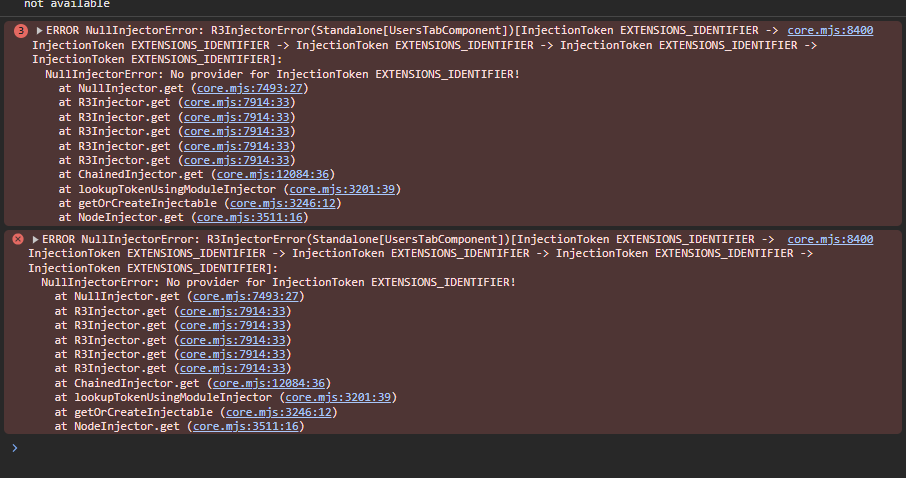
ERROR NullInjectorError: R3InjectorError(Standalone[UsersTabComponent])[UsersComponent -> UsersComponent -> UsersComponent -> UsersComponent -> UsersComponent]: NullInjectorError: No provider for UsersComponent! at NullInjector.get (core.mjs:7493:27) at R3Injector.get (core.mjs:7914:33) at R3Injector.get (core.mjs:7914:33) at R3Injector.get (core.mjs:7914:33) at R3Injector.get (core.mjs:7914:33) at R3Injector.get (core.mjs:7914:33) at ChainedInjector.get (core.mjs:12084:36) at lookupTokenUsingModuleInjector (core.mjs:3201:39) at getOrCreateInjectable (core.mjs:3246:12) at NodeInjector.get (core.mjs:3511:16) - Steps to reproduce the issue:
- 1.Add tab to profile-manage-tabs:
      {
        name: '::Users',
        order: 4,
        component: UsersTabComponent,
      },
- Add tab component itself (reuse html and ts files from identity management (users.component.ts)
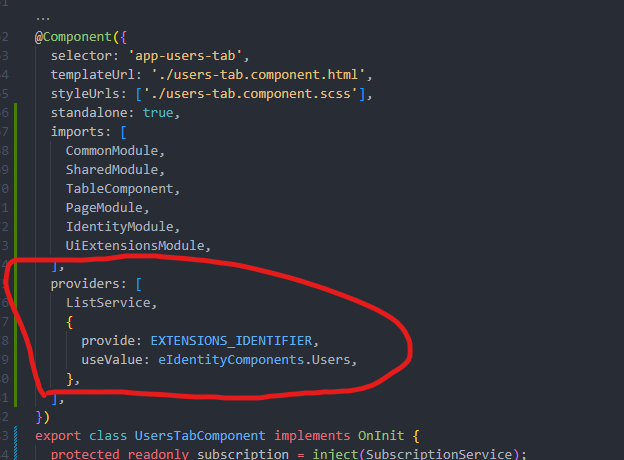
@Component({
  selector: 'app-users-tab',
  templateUrl: './users-tab.component.html',
  styleUrls: ['./users-tab.component.scss'],
  standalone: true,
  imports: [
    CommonModule,
    SharedModule,
    TableComponent,
    PageModule,
    IdentityModule,
    UiExtensionsModule,
  ],
  providers: [
    ListService,
    {
      provide: EXTENSIONS_IDENTIFIER,
      useValue: eIdentityComponents.Users,
    },
  ],
})
The main problem:
I am trying to move the users page to my account tabs
When I open the users tab I see nearly nothing except some data in the footer
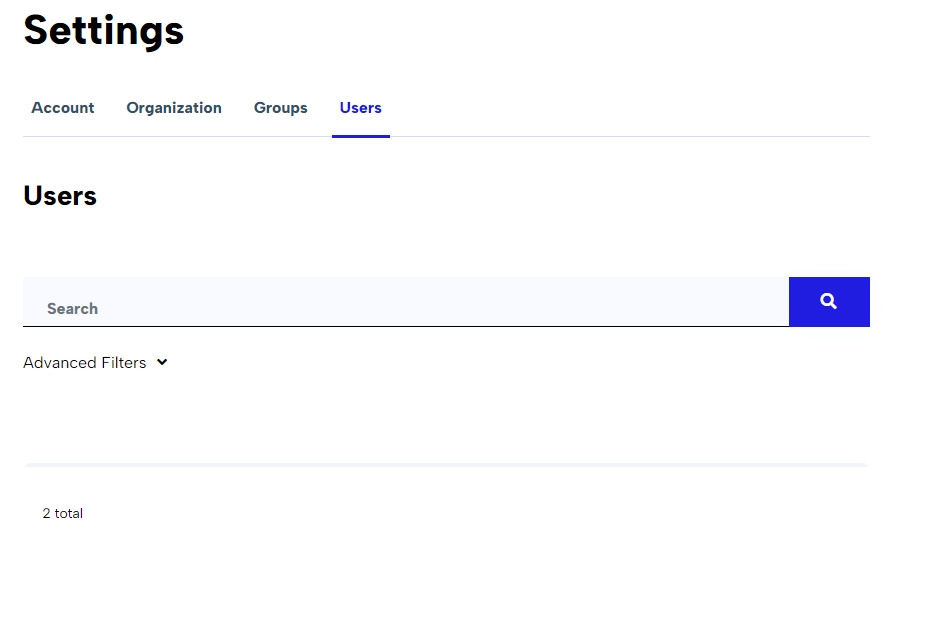
If i open users original page and then go to the tab again I will see the button 'add users' and the exception above
11 Answer(s)
-
0
Hello,
Please check this https://docs.abp.io/en/commercial/latest/ui/angular/manage-profile-page-tabs
Markdown supported.Copy, paste, or drag & drop images and files (max 100 MB per file, 100 MB total per post) -
0
Hi,
Could you please provide detailed step to reproduce the issue or share code snippet.
Thanks,
Markdown supported.Copy, paste, or drag & drop images and files (max 100 MB per file, 100 MB total per post) -
0
Yea, of course: 1.Add new tab to manage-profile-page 2. Copy users.component ts and html files 3. paste in your new tab component 4. check if users table and create user button appeared in your new tab
Markdown supported.Copy, paste, or drag & drop images and files (max 100 MB per file, 100 MB total per post) -
0
Hello,
Is this what you are expecting?
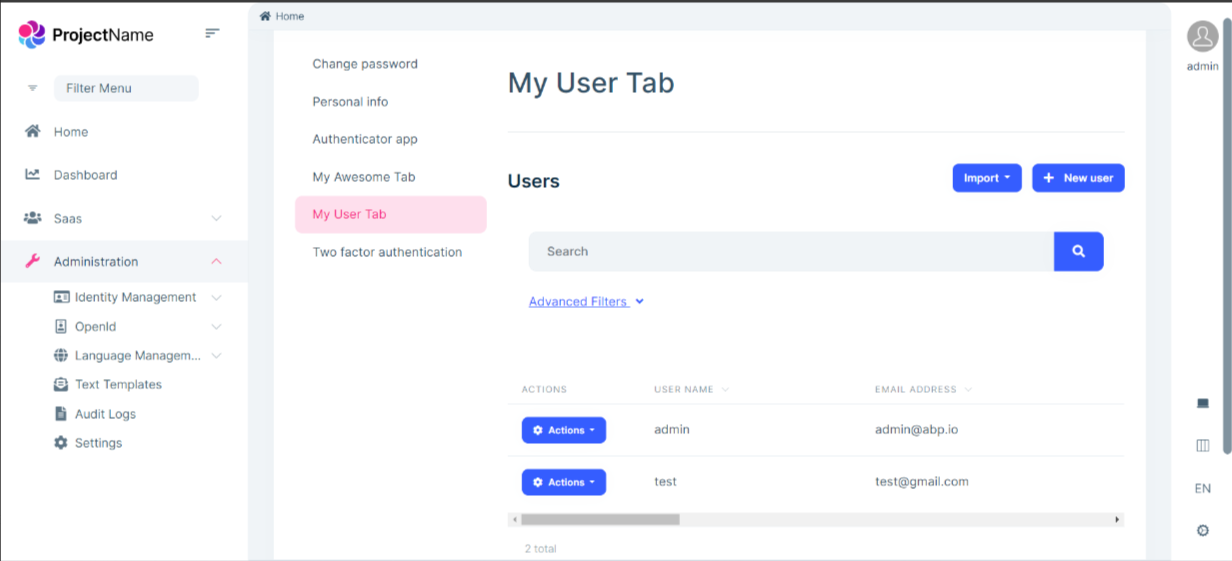
for this I have added Identity module as a Replace Package with source code to existing solution. And added the
UsersComponentas a new tab to manage-profile-page. and it looks like this. Please try once.Thanks, Anjali
Markdown supported.Copy, paste, or drag & drop images and files (max 100 MB per file, 100 MB total per post) -
0
Yes, you are totally correct, that's what i expect Thanks for answer, you replaced all the package, i mean like this?
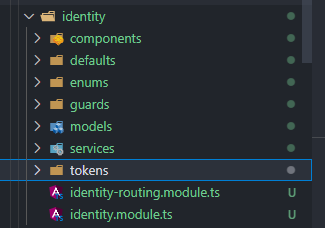

Or just added existing IndentityModule inside another module, for example like this:
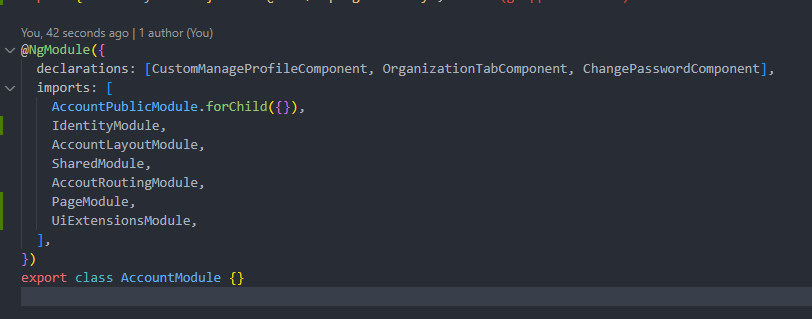 Markdown supported.Copy, paste, or drag & drop images and files (max 100 MB per file, 100 MB total per post)
 -
0
Hi,
I have added
Acoount moduleas a project in existing solution like this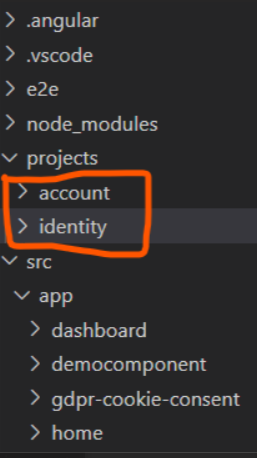 Markdown supported.Copy, paste, or drag & drop images and files (max 100 MB per file, 100 MB total per post)
 -
0
Thanks for answer, can you show me your app-routing.module.ts code, please.
Also i have one more question: When i was ovveriding some componnets, i just created new folder. like here:
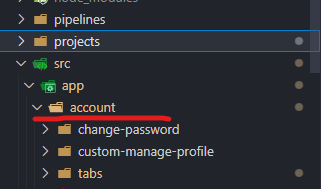
Should i move everyting to projects folder?
Markdown supported.Copy, paste, or drag & drop images and files (max 100 MB per file, 100 MB total per post) -
0
Hello,
I have just followed the link https://docs.abp.io/en/commercial/latest/ui/angular/manage-profile-page-tabs
- Created a class
manage-profile-tabs.provider.tsand copy the code provided in link and update it like this
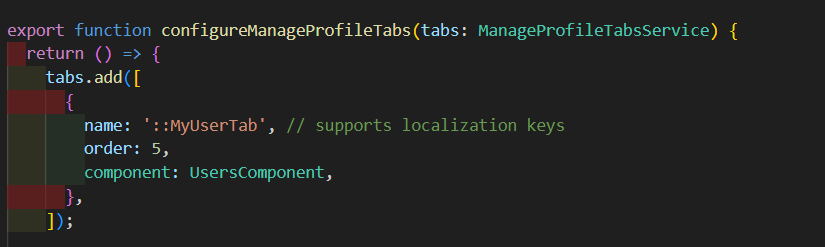
- Add
MANAGE_PROFILE_TAB_PROVIDERto app.module.ts like this

it works for me.
Markdown supported.Copy, paste, or drag & drop images and files (max 100 MB per file, 100 MB total per post) - Created a class