






0
mattw@agilenova.com created
- ABP Framework version: v7.4.2
- UI Type: Angular
- Database System: EF Core (PostgreSQL)
- Tiered (for MVC) or Auth Server Separated (for Angular): no
I am using the LeptonX commercial theme and would like to add an option to the User Menu - the menu accessed by clicking the person icon (with LInked Accounts, My Account, etc.). Do I use a routes patch, add a navItem, or replace the layout? Please provide an example or code snippet.
Thank you!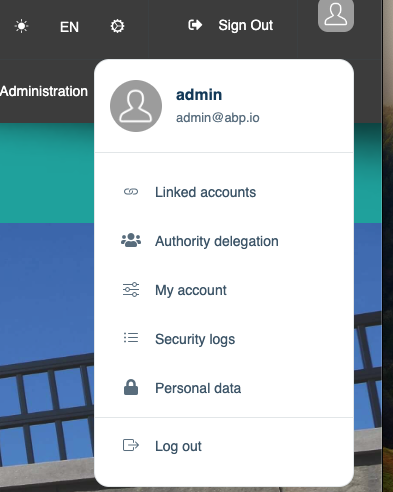
Markdown supported.
Copy, paste, or drag & drop images and files (max 100 MB per file, 100 MB total per post)
3 Answer(s)
-
1
hey! I am sorry for my previous unsatisfactory answer. I think the code below will help you.
import { UserMenuService } from '@abp/ng.theme.shared';
import { APP_INITIALIZER, Injector, inject } from '@angular/core';
import { Router } from '@angular/router';

export const CUSTOM_MENU_ITEM = [
    {
        provide: APP_INITIALIZER,
        useFactory: addSomethingToUserMenu,
        multi: true,
    },
];

export function addSomethingToUserMenu() {
    const userMenu = inject(UserMenuService);
    const router = inject(Router);

    return () => {
        userMenu.addItems([
            {
                id: 'customRoute',
                order: 100,
                textTemplate: {
                    icon: 'bi bi-link',
                    text: 'CustomRoute',
                },
                action: () => {
                    router.navigate(['/custom-route']);
                },
                visible: () => true,
            },
        ]);
    };
}
and put this to app.module providers.
@NgModule({ ... providers: [APP_ROUTE_PROVIDER, CUSTOM_MENU_ITEM], ... }) export class AppModule { }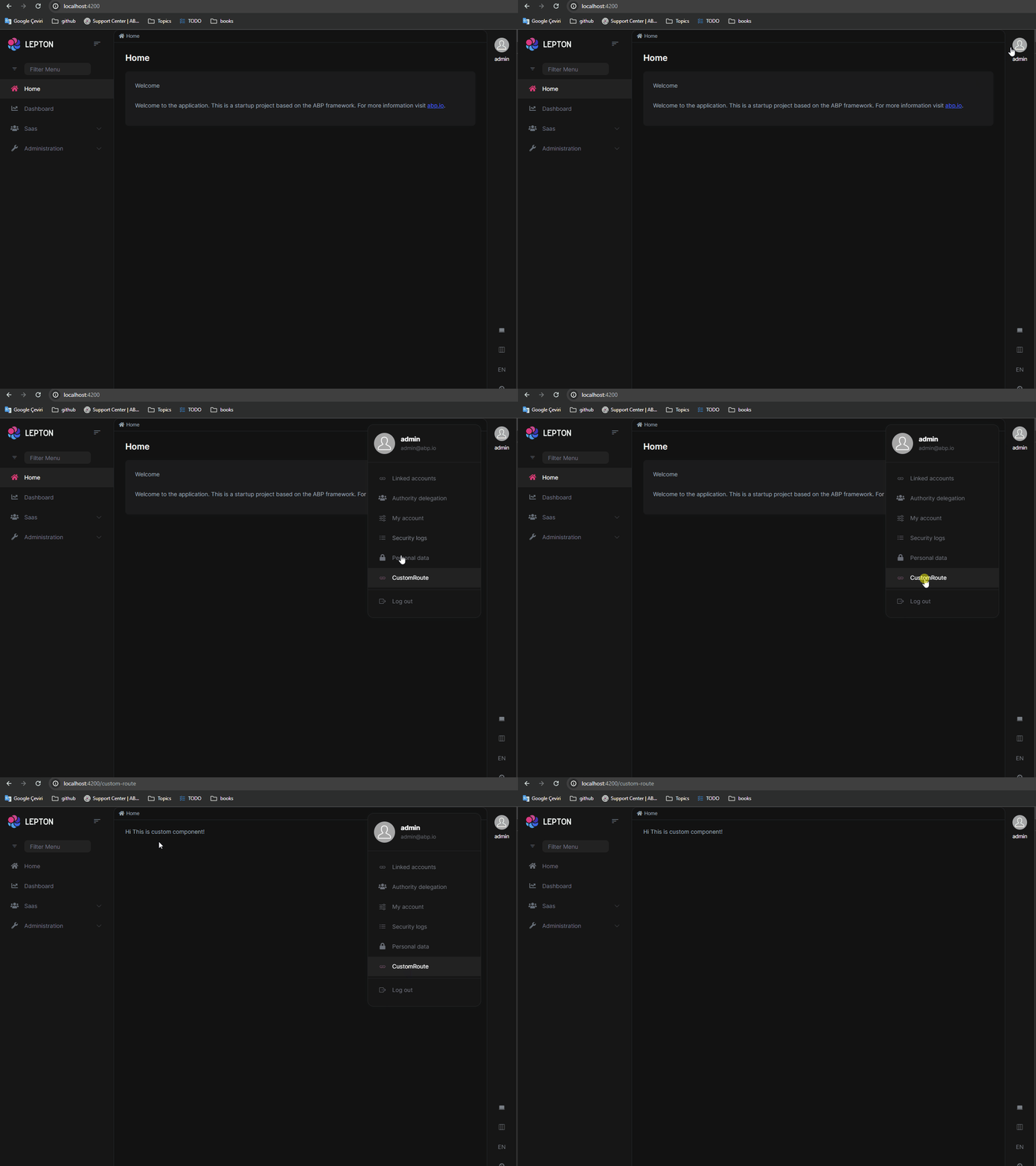 Markdown supported.Copy, paste, or drag & drop images and files (max 100 MB per file, 100 MB total per post)
 -
0
This is exactly what I needed. Thank you!
Markdown supported.Copy, paste, or drag & drop images and files (max 100 MB per file, 100 MB total per post)


