






- ABP Framework version: v8.0.2
- UI Type: MVC
- Database System: EF Core (MySQL)
- Tiered (for MVC) or Auth Server Separated (for Angular): yes
- Exception message and full stack trace:

- Steps to reproduce the issue: It is part of Pro package Step1: Just copy and paste only Manage.cshtml from pro package to new project's authserver Pages\Account\Manage.cshtml Step2: Try to use the bundle as shared in screenshot. Step3: Development no issue Step4: Production issue
Please note, it use to work with abp framework version: 7.. versions
Temporary Workaround:
        Configure<AbpBundlingOptions>(options =>
        {
            options.Mode = BundlingMode.None;
        });
7 Answer(s)
-
0
By adding @abp/zxcvbn it made no difference as it was part of "@volo/account": "~8.0.2".
Volo.Abp.Account.Pro.Public.Web package was transitive package of Volo.Abp.Account.Pro.Public.Web.OpenIddict that is pre-installed in the AuthServer. I was able to fix it by installing Volo.Abp.Account.Pro.Public.Web in the AuthServer and adding its module in depends on typeof(AbpAccountPublicWebModule). in the AuthServer.
I am not confident the solution I did is correct or not?
Markdown supported.Copy, paste, or drag & drop images and files (max 100 MB per file, 100 MB total per post) -
0
hi
The default auth server template project already depends on the
AbpAccountPublicWebModule.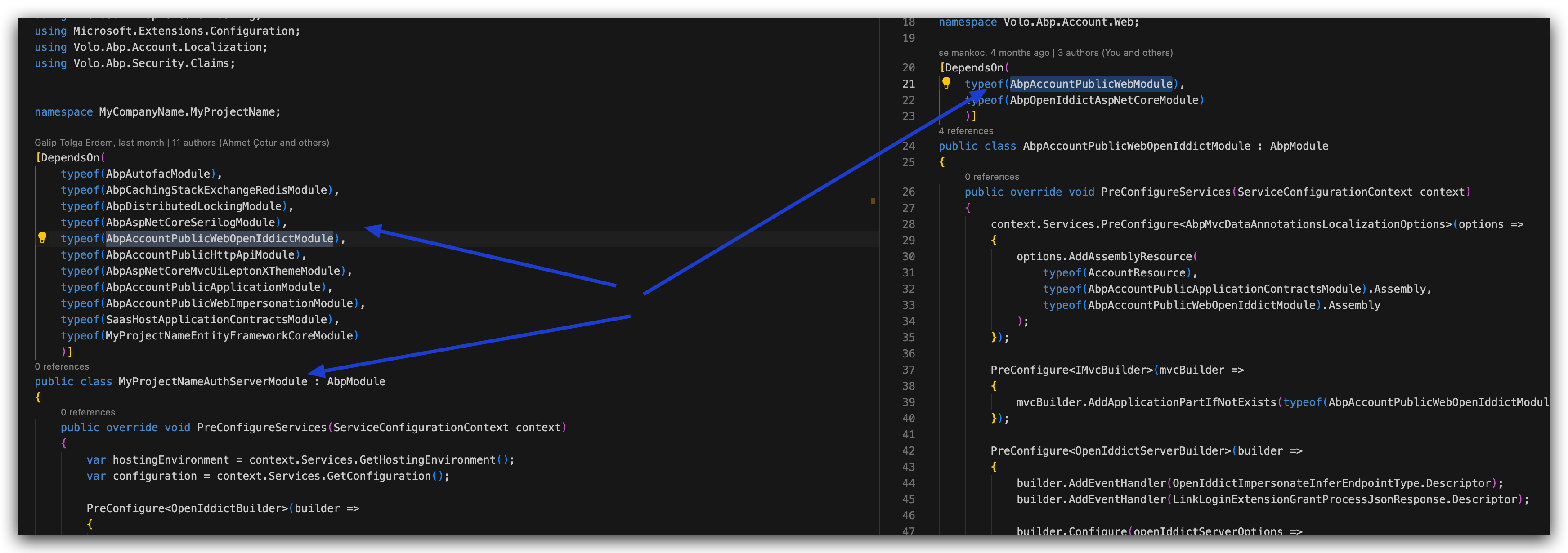
You can create a new template and check the code of
moduleandpackage.jsonMarkdown supported.Copy, paste, or drag & drop images and files (max 100 MB per file, 100 MB total per post) -
0
The pointers you did, I knew about that.
I just now verified the node_modules installation of @abp/zxcvbn and I did abp install-libs just before ending the day yesterday. You are absolutely correct it was just package update issue when I migrated from 7.4.4 to 8.0.2, so there is no relationg with the fixes I did and I reverted to old code phew!
Markdown supported.Copy, paste, or drag & drop images and files (max 100 MB per file, 100 MB total per post)


