






Hi Support Team ABP!
ABP Framework version: v7.4.4
UI Type:Angular
Database System: MongoDB
Tiered (for MVC) or Auth Server Separated (for Angular): no
After I deployed application to AKS, I click to register on login page and binding information of user , after that the backend Application sent an email to email of user. But I see that the on the email the confirmation link is localhost, not the url of my cloud application, this url is al so configured on yaml file when deploy to AKS:
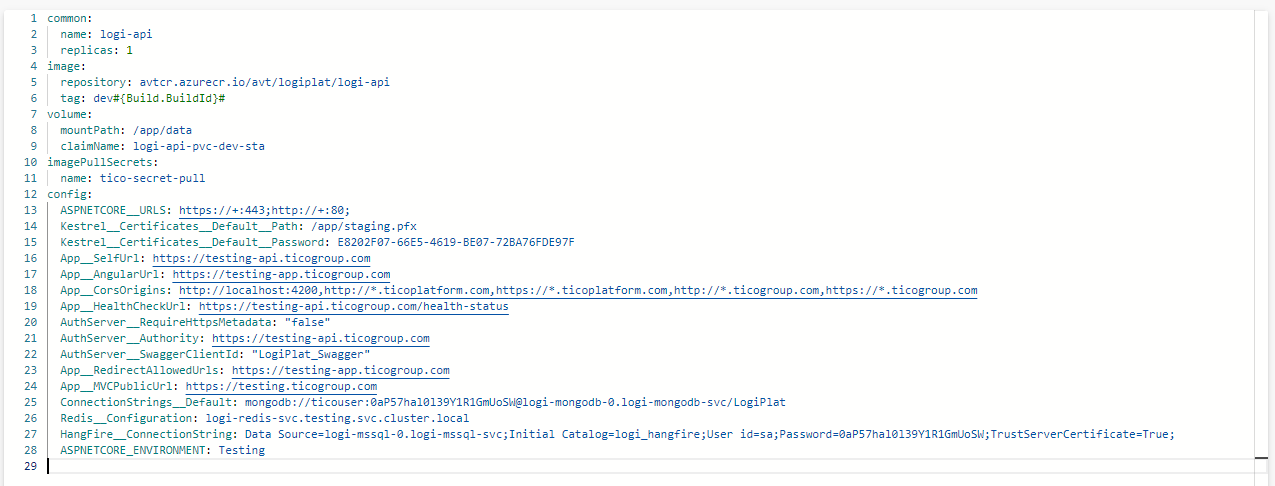
Can you see and show the mistake for me?
7 Answer(s)
-
0
hi
This link comes from
App:SelfUrlofappsettings.jsonI'm not familiar with the
AKS. You can check the configuration.private void ConfigureUrls(IConfiguration configuration) { Configure<AppUrlOptions>(options => { options.Applications["MVC"].RootUrl = configuration["App:SelfUrl"]; options.Applications["Angular"].RootUrl = configuration["App:AngularUrl"]; }); }```Markdown supported.Copy, paste, or drag & drop images and files (max 100 MB per file, 100 MB total per post) -
0
Hi maliming! I have already known that if I change App:SelfUrl in appsettings, this will work However, I want to use enviroment variable of AKS, becuase my project requirement is do not change in appsetting I think your support team are experienced in this case, so please ask someone who is familiar in kubenetes
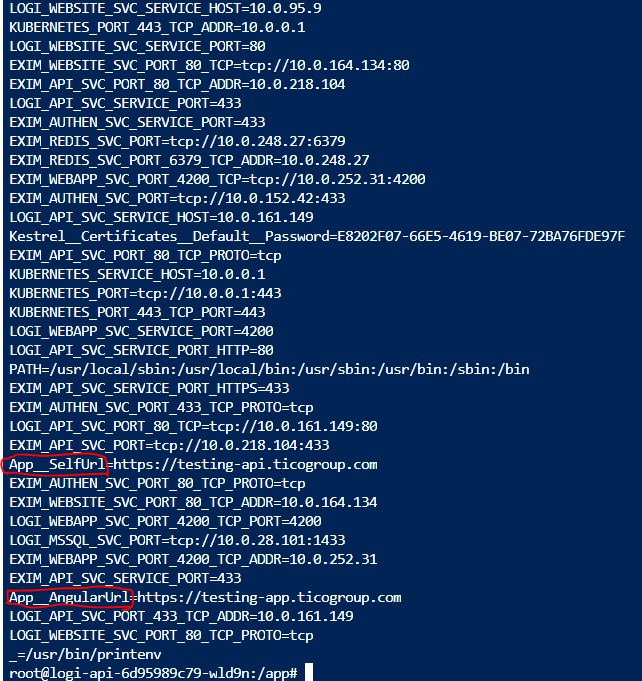
this picture contains environment variable in AKS pod
Markdown supported.Copy, paste, or drag & drop images and files (max 100 MB per file, 100 MB total per post) -
0
Hello,
I understand that your requirement is not to change the appsettings but for troubleshooting the problem better, can you update the appsettings.json file
App:SelfUrlandApp:AngularUrland deploy it to see if the problem lies with overriding the environment or if there is an internal bug related to the login confirmation mail link.Markdown supported.Copy, paste, or drag & drop images and files (max 100 MB per file, 100 MB total per post)



