






Check the docs before asking a question: https://docs.abp.io/en/commercial/latest/ Check the samples to see the basic tasks: https://docs.abp.io/en/commercial/latest/samples/index The exact solution to your question may have been answered before, and please first use the search on the homepage. Provide us with the following info:
- ABP Framework version:Api 7.3.3 / Admin Portal 8.0.4
- UI Type: MVC
- Database System: EF Core / PostgreSQL
- Tiered (for MVC) or Auth Server Separated (for Angular): No
- Exception message and full stack trace: No Exception
- Steps to reproduce the issue:
-
1. Create a class that extends PermissionDefinitionProvider in the Api 7.3.3 project -
2. Add a Group to the context after which a permission was added then finally a child was added (see image "provider" attached). -
3. All this data is shown in the database, however, upon viewing the admin UI this permission grouping is not present.
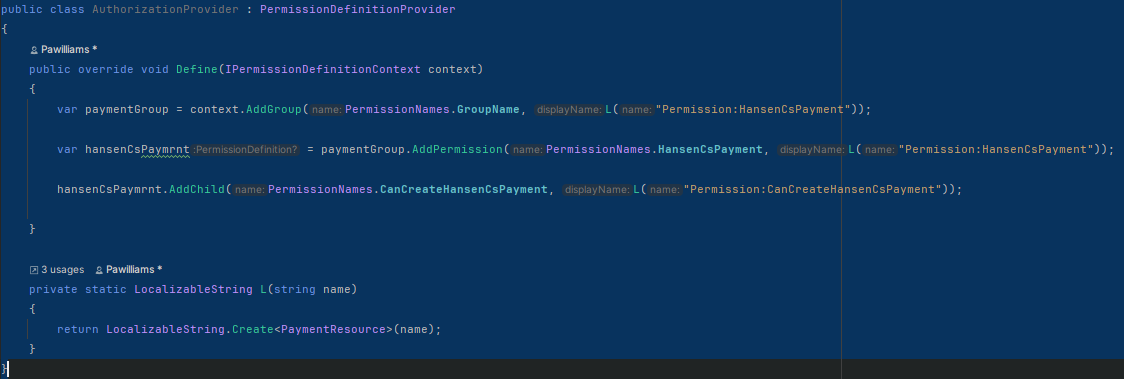
I am asking for your assistance in figuring out what I am missing.
9 Answer(s)
-
0
This is my test code:
public class QaPermissionDefinitionProvider : PermissionDefinitionProvider
{
    public override void Define(IPermissionDefinitionContext context)
    {
        var test = context.AddGroup("TestGroup");

        test.AddPermission("TestPermission", new FixedLocalizableString("TestPermission")).AddChild("TestChildPermission", new FixedLocalizableString("TestChildPermission"));
    }

    private static LocalizableString L(string name)
    {
        return LocalizableString.Create<QaResource>(name);
    }
}
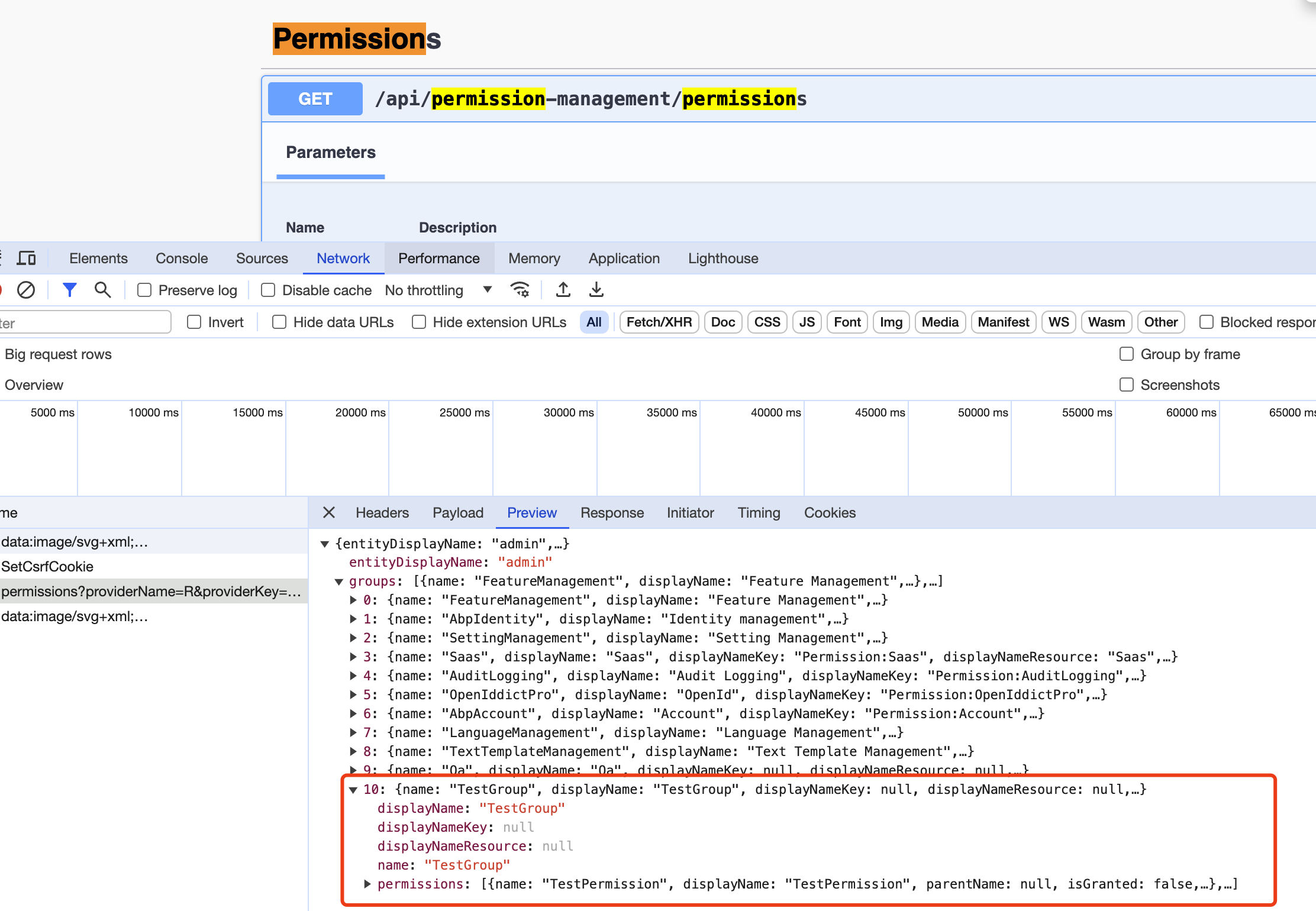
And you can open the Swagger page to test the API:
 Markdown supported.Copy, paste, or drag & drop images and files (max 100 MB per file, 100 MB total per post)
 -
0
This is my test code:
public class QaPermissionDefinitionProvider : PermissionDefinitionProvider
{
    public override void Define(IPermissionDefinitionContext context)
    {
        var test = context.AddGroup("TestGroup");

        test.AddPermission("TestPermission", new FixedLocalizableString("TestPermission")).AddChild("TestChildPermission", new FixedLocalizableString("TestChildPermission"));
    }

    private static LocalizableString L(string name)
    {
        return LocalizableString.Create<QaResource>(name);
    }
}
And you can open the Swagger page to test the API:
Thank you for the response. My permissions does show up in the swagger api as you illustrated, but not in the admin ui.
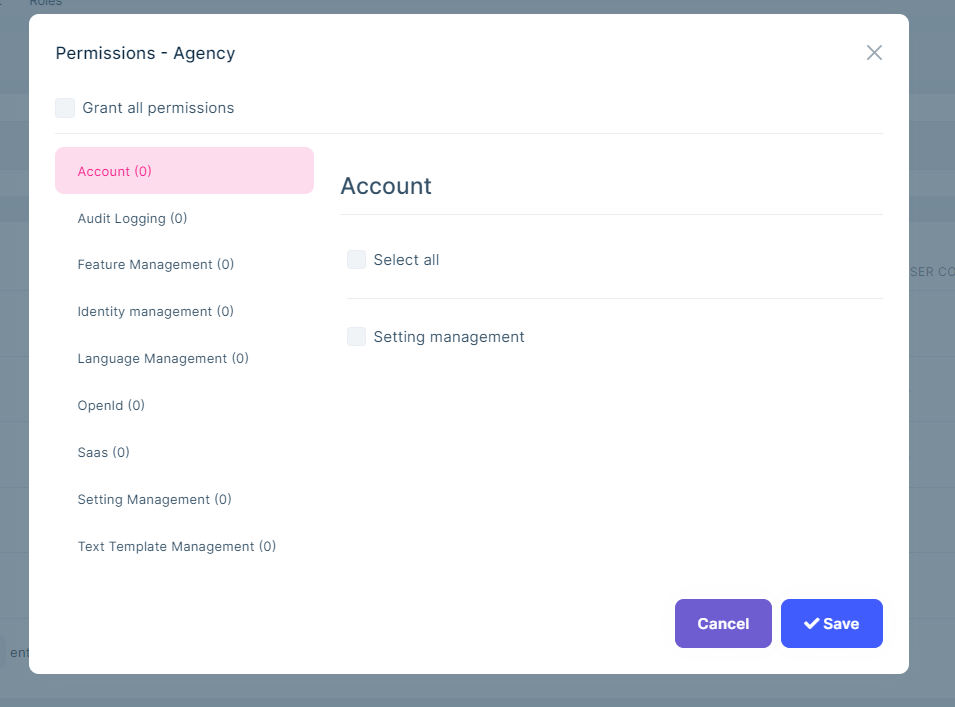
If this is a version issue, how can i use the abp suite command to create an admin project with a specific abp version?
Markdown supported.Copy, paste, or drag & drop images and files (max 100 MB per file, 100 MB total per post) -
0
I think this might have something to do with your solution structure, can you share a sample project that reproduces the problem, I'll check it out. thanks My email is shiwei.liang@volosoft.com
Markdown supported.Copy, paste, or drag & drop images and files (max 100 MB per file, 100 MB total per post) -
0
I think this might have something to do with your solution structure, can you share a sample project that reproduces the problem, I'll check it out. thanks My email is shiwei.liang@volosoft.com
Sample sent to your email.
Markdown supported.Copy, paste, or drag & drop images and files (max 100 MB per file, 100 MB total per post) -
0
I think this might have something to do with your solution structure, can you share a sample project that reproduces the problem, I'll check it out. thanks My email is shiwei.liang@volosoft.com
Because of the file types it wont send
Markdown supported.Copy, paste, or drag & drop images and files (max 100 MB per file, 100 MB total per post) -
0
Hi,
You can upload it to Google Drive or Onedrive and share the link.
Markdown supported.Copy, paste, or drag & drop images and files (max 100 MB per file, 100 MB total per post) -
0
Hi,
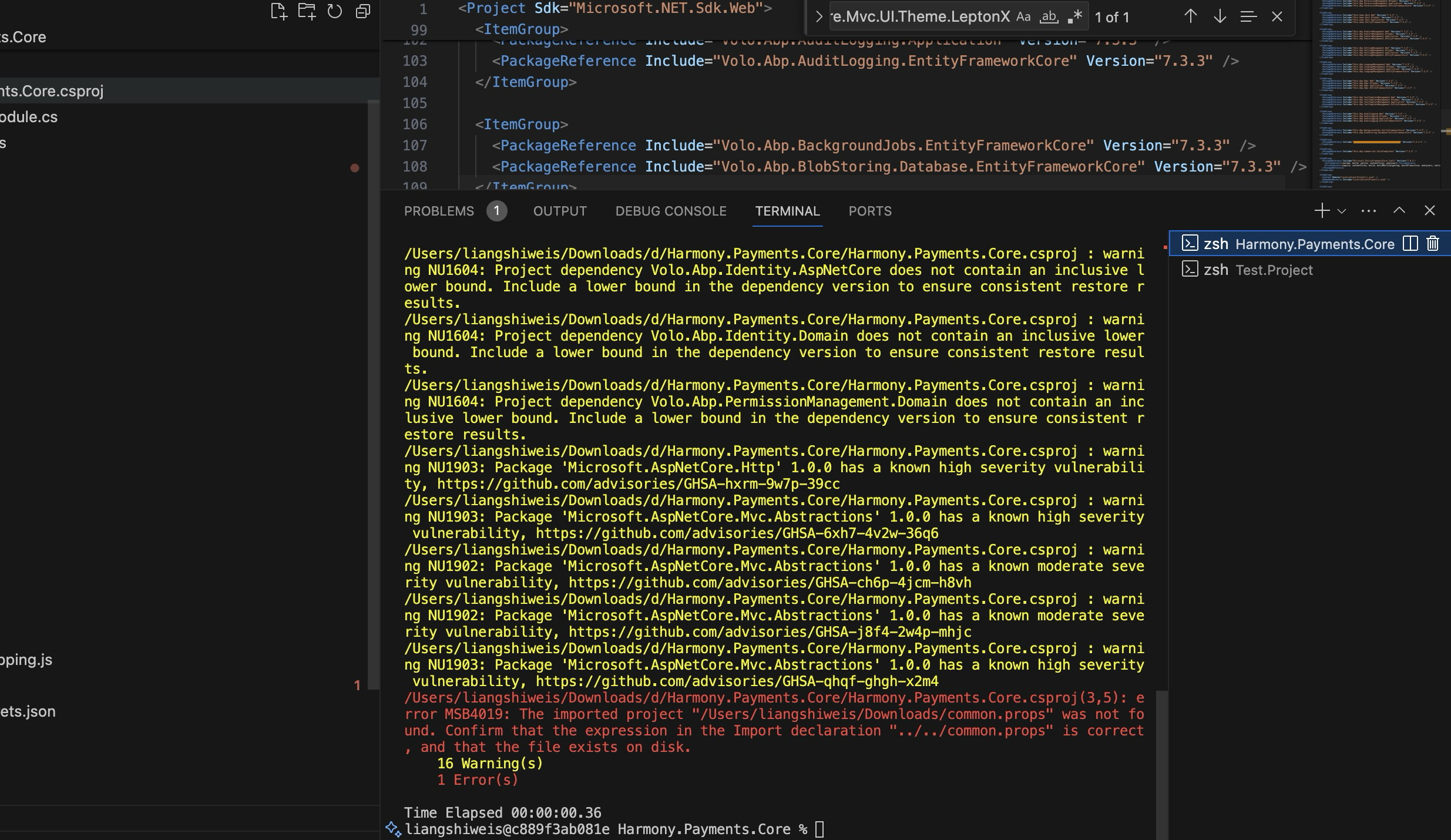
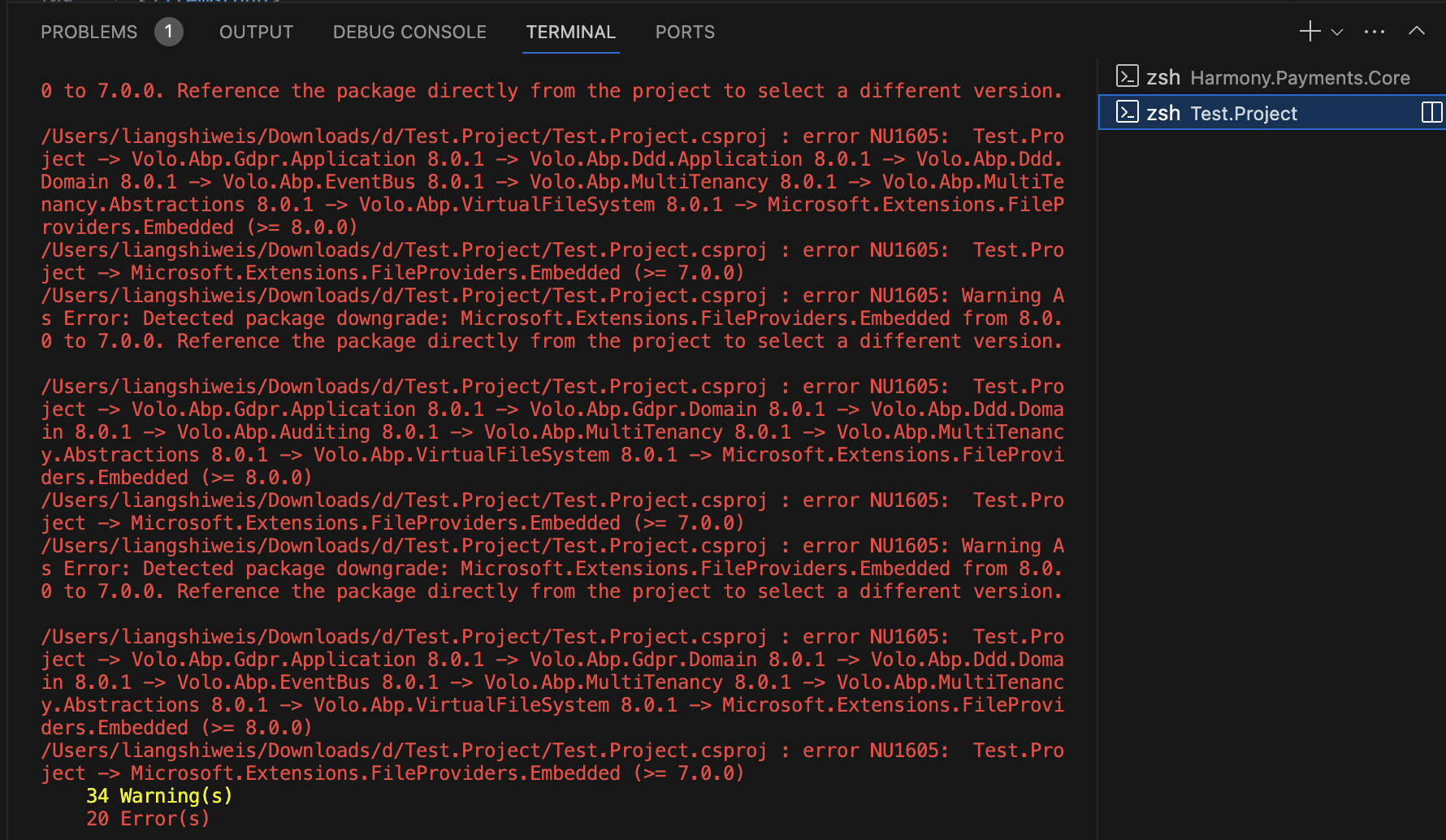
Sorry, but I can't build the projects
 Markdown supported.Copy, paste, or drag & drop images and files (max 100 MB per file, 100 MB total per post)
 -
0
Can we using zoom?
Markdown supported.Copy, paste, or drag & drop images and files (max 100 MB per file, 100 MB total per post)


