

Open Closed

Adding Payment Module #6918


User avatar
0
rrader26 created
  • ABP Framework version: latest
  • UI Type: Angular
  • Database System: EF Core SQL Server
  • Tiered (for MVC) or Auth Server Separated (for Angular): Separate
  • Exception message and full stack trace:
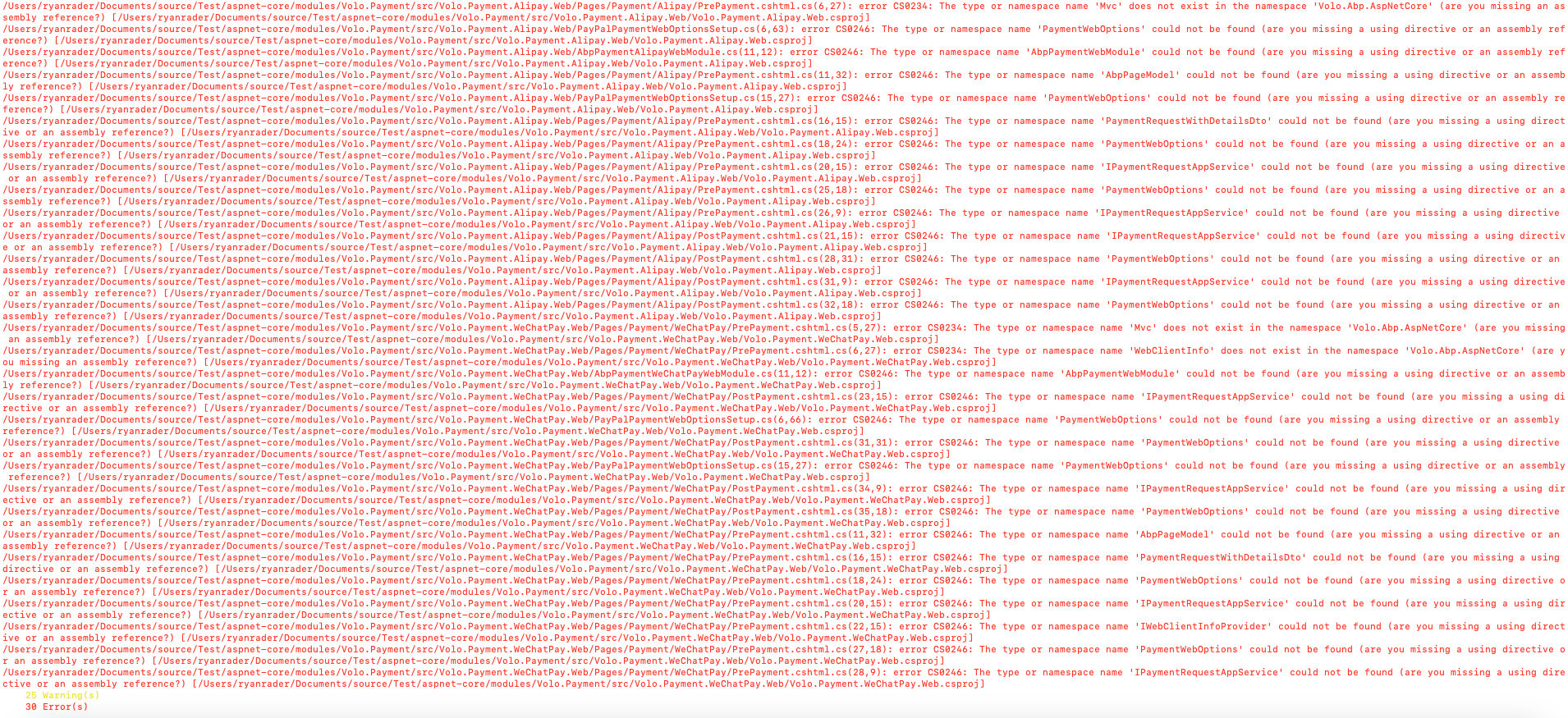
  • Steps to reproduce the issue: I created a brand new project in ABP Suite. After project is created and db populated. I immediately add the payment module to my project and do a dotnet build command. I get these errors
Markdown supported.
Copy, paste, or drag & drop images and files (max 100 MB per file, 100 MB total per post)

6 Answer(s)
  • User Avatar
    0
    rrader26 created

    Also on the angular side, it is not creating the screens and references to call the module

    Markdown supported.
    Copy, paste, or drag & drop images and files (max 100 MB per file, 100 MB total per post)

  • User Avatar
    0
    EngincanV created
    Support Team .NET Developer

    ABP Framework version: latest

    Can you say which version do you use exactly, the latest stable (v8.0.5) or the latest preview (v8.1.0-rc.3)?

    Markdown supported.
    Copy, paste, or drag & drop images and files (max 100 MB per file, 100 MB total per post)

  • User Avatar
    0
    rrader26 created

    8.0.5

    Markdown supported.
    Copy, paste, or drag & drop images and files (max 100 MB per file, 100 MB total per post)
  • User Avatar
    0
    EngincanV created
    Support Team .NET Developer

    For the backend side, please remove the *.WeChat.Web and *.AliPay.Web projects from both Volo.Payment.sln and your project's solution reference. )

    I'll check for the frontend side.

    Markdown supported.
    Copy, paste, or drag & drop images and files (max 100 MB per file, 100 MB total per post)
  • User Avatar
    0
    rrader26 created

    Any updates on the frontend portion?

    Markdown supported.
    Copy, paste, or drag & drop images and files (max 100 MB per file, 100 MB total per post)
  • User Avatar
    0
    EngincanV created
    Support Team .NET Developer

    Any updates on the frontend portion?

    Hi sorry for the late response, you should add the @volo/abp.ng.payment package to package.json and configure the Payment Angular Module as below:

    .....
    import { PaymentAdminConfigModule } from '@volo/abp.ng.payment/admin/config';
    
    .....
    
    PaymentAdminConfigModule.forRoot(),
    
    {
    path: 'payment',
    loadChildren: () =>
      import('@volo/abp.ng.payment/admin').then(m => m.PaymentAdminModule.forLazy()),
    }
    
    Markdown supported.
    Copy, paste, or drag & drop images and files (max 100 MB per file, 100 MB total per post)
Boost Your Development
ABP Live Training
Packages
See Trainings
Mastering ABP Framework Book
The Official Guide
Mastering
ABP Framework
Learn More
Mastering ABP Framework Book
Made with ❤️ on ABP v10.8.0-preview. Updated on October 05, 2026, 11:32
1
ABP Assistant
🔐 You need to be logged in to use the chatbot. Please log in first.