






ABP Framework version: v8.0.0
UI Type: LeptonX Demo
Exception message and full stack trace:
Steps to reproduce the issue:
Hi support ,
when I click on notification icon the menu does not open and them menu is Existing in html content
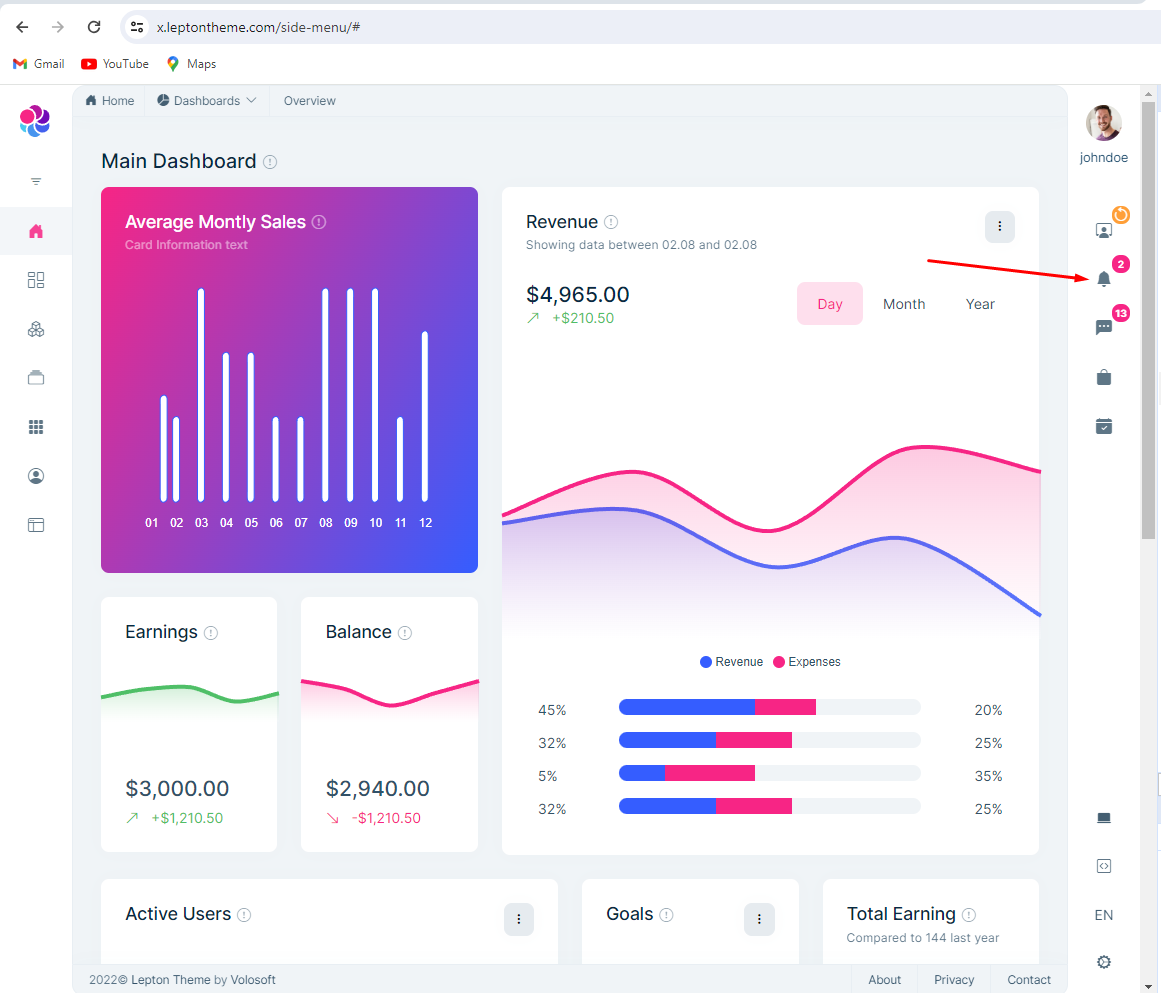
Can you give me some solution please
thanx.
9 Answer(s)
-
0
Hello,
The LeptonX demo is developed just to showcase Leptonx theme's look and feel it is not functional.
You can develop functionality as per your UI type and it is documented in ABP documentation.
Thanks.
Markdown supported.Copy, paste, or drag & drop images and files (max 100 MB per file, 100 MB total per post) -
0
Hello
I need to use this feature urgant ,and think there are some errors with classes, because when I set attribute (show) as below the notification menu is opened
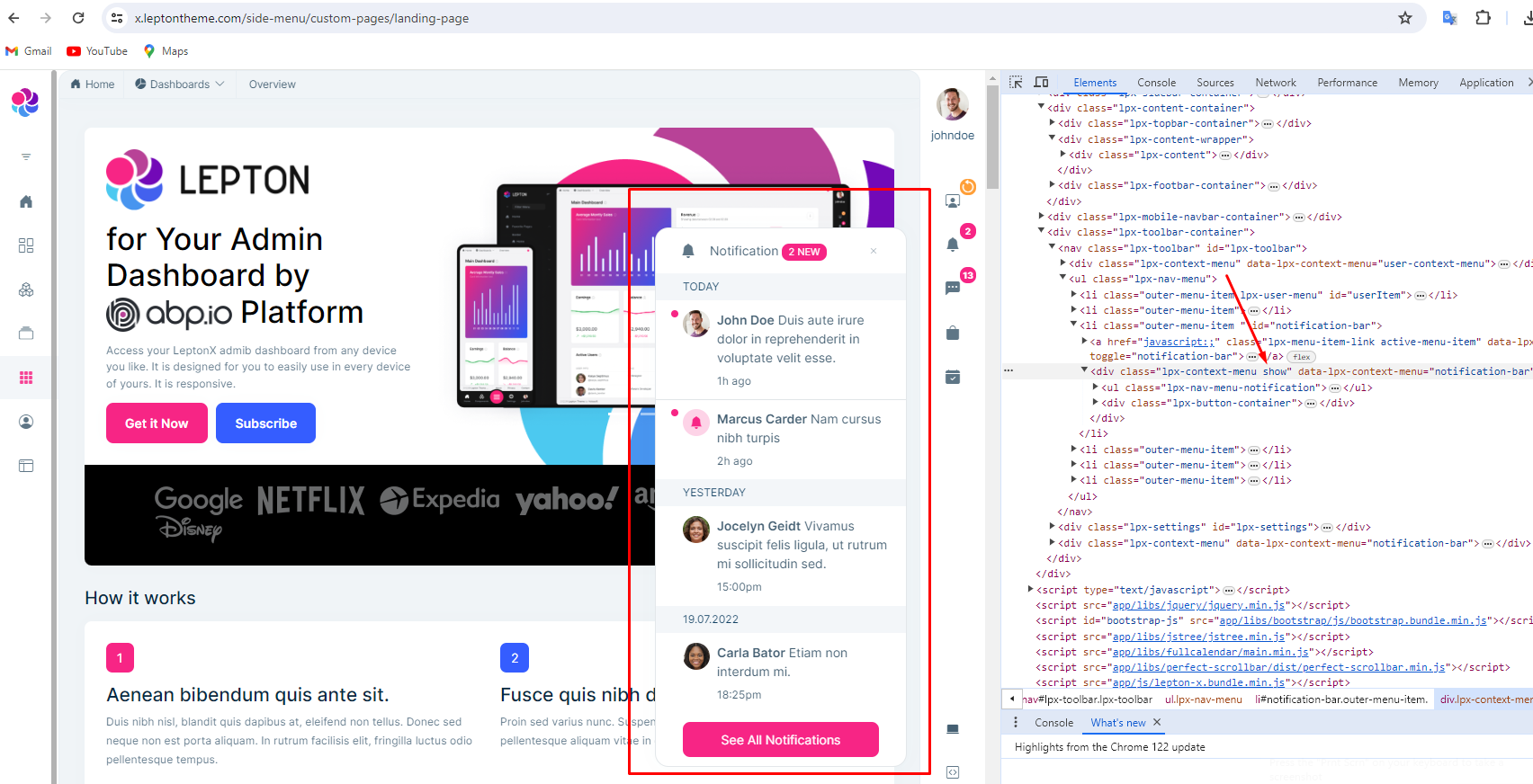
I tried so much but doesn't open.
Can you give me some hints please
Markdown supported.Copy, paste, or drag & drop images and files (max 100 MB per file, 100 MB total per post) -
0
Hello,
May I know which UI you are using MVC/Angular/Blazor?
Markdown supported.Copy, paste, or drag & drop images and files (max 100 MB per file, 100 MB total per post) -
0
Hello,
May I know which UI you are using MVC/Angular/Blazor?
Hi ,
I use MVC
Markdown supported.Copy, paste, or drag & drop images and files (max 100 MB per file, 100 MB total per post) -
0
Hello,
please check https://docs.abp.io/en/abp/latest/UI/AspNetCore/Toolbars#example-add-a-notification-icon and https://community.abp.io/posts/realtime-notifications-via-signalr-in-abp-project-tsp2uqd3
thanks
Markdown supported.Copy, paste, or drag & drop images and files (max 100 MB per file, 100 MB total per post) -
0
Hello,
please check https://docs.abp.io/en/abp/latest/UI/AspNetCore/Toolbars#example-add-a-notification-icon and
https://community.abp.io/posts/realtime-notifications-via-signalr-in-abp-project-tsp2uqd3thanks
Hi ,
I know this documents and added notification icon in toolbar item, but I took the source code of notification bar in the leptonx demo
and doesn't work notification bar menu
Markdown supported.Copy, paste, or drag & drop images and files (max 100 MB per file, 100 MB total per post) -
0
Hi,
You can try:
leptonx.createContextMenuWithin(document.querySelector('#notification-bar'), 'notification-bar');Markdown supported.Copy, paste, or drag & drop images and files (max 100 MB per file, 100 MB total per post) -
0
Hi,
You can try:
leptonx.createContextMenuWithin(document.querySelector('#notification-bar'), 'notification-bar');Thanx for your response bro :)
Markdown supported.Copy, paste, or drag & drop images and files (max 100 MB per file, 100 MB total per post) -
0
: )
Markdown supported.Copy, paste, or drag & drop images and files (max 100 MB per file, 100 MB total per post)



