






- ABP Framework version: v8.1.0.rc3
- UI Type: Angular
- Database System: EF Core (SQL Server, Oracle, MySQL, PostgreSQL, etc..)
- Tiered (for MVC) or Auth Server Separated (for Angular): yes
- Exception message and full stack trace:
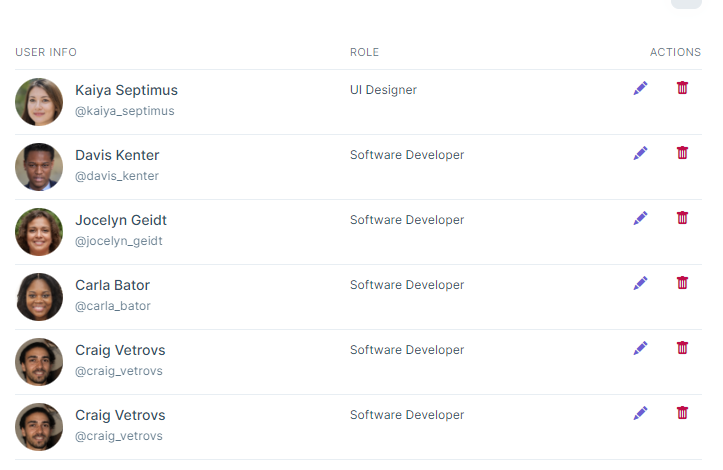
- Steps to reproduce the issue: Hi, I want to consume the profile pictures that are already uploaded via the profile page, for a list that is in the angular custom component. How can I consume this profile picture from the backend ( separated authserver) and angular frontend?
 Thanks
19 Answer(s)
-
0
Hi, Can you use {AuthServerUrl}/api/account/profile-picture-file/{userId} with url. Example usage:
<img src="https://account.abp.io/api/account/profile-picture-file/d488264a-c732-95c6-eccc-3a04e5515a1f"Markdown supported.Copy, paste, or drag & drop images and files (max 100 MB per file, 100 MB total per post) -
0
Hi, in angular you can use
ProfilePictureServicewhich is imported from@volo/abp.commercial.ng.ui.Example usage;
import { ProfilePictureService } from '@volo/abp.commercial.ng.ui/config';

export class YourComponent {
  protected readonly profilePictureService = inject(ProfilePictureService);
  userId = '997';

  ngOnInit(): void {
    this.profilePictureService.getProfilePicture(this.userId).subscribe(res => {
      console.log(res);
    });
  }
}
Markdown supported.Copy, paste, or drag & drop images and files (max 100 MB per file, 100 MB total per post) -
0
Hi,
I'm closing this, free open if not sovled.
Markdown supported.Copy, paste, or drag & drop images and files (max 100 MB per file, 100 MB total per post) -
0
import { ProfilePictureService } from '@volo/abp.commercial.ng.ui/config';
export class YourComponent { protected readonly profilePictureService = inject(ProfilePictureService); userId = '997'; response;
ngOnInit(): void { this.profilePictureService.getProfilePicture(this.userId).subscribe(res => { this.response = response; }); } }
Can you provide html template as well ?The following example is correct or?
<img [src]= "this.response.fileContent">
Markdown supported.Copy, paste, or drag & drop images and files (max 100 MB per file, 100 MB total per post) -
0
I have following issue in azure static web app. Auth server is a separated server.
host-app/api/account/profile-picture/3a56f8d5-bf2b-ba87-433d-3a1130099bff 404 (Not Found)
host-app/api/account/user-delegation/my-delegated-users 404 (Not Found)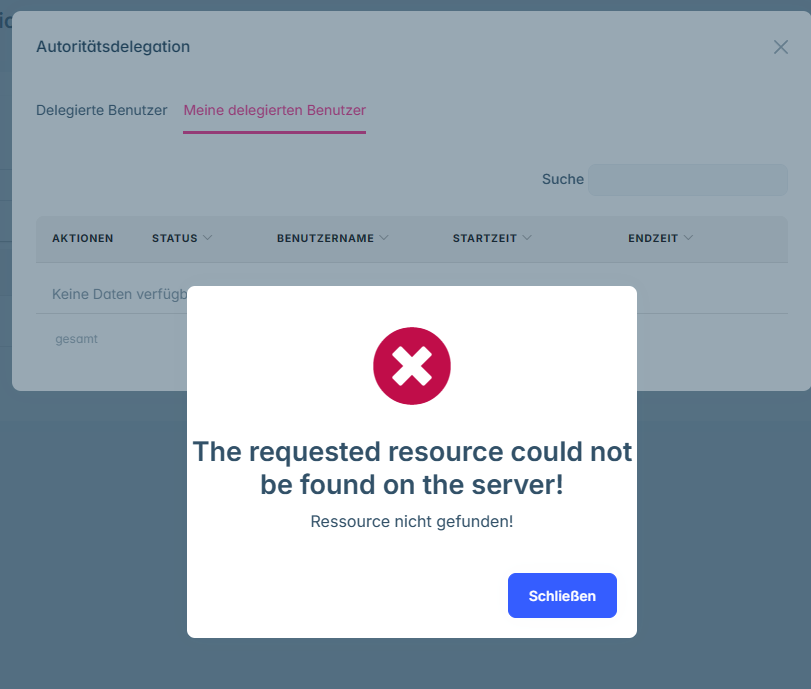
 Some pages are not working properly on Angular side.
However, in Auth server I can reach out this page.
Some pages are not working properly on Angular side.
However, in Auth server I can reach out this page.It could be a bug, all application is working properly, except account navigation. These endpoints exist in the auth server. But, the Angular app sends requests to the host API for the account module.
Any suggestion?
Markdown supported.Copy, paste, or drag & drop images and files (max 100 MB per file, 100 MB total per post) -
0
Hi,
You can try this:
AuthServerUrl/api/account/profile-picture/3a56f8d5-bf2b-ba87-433d-3a1130099bff
We have released the 8.1 stable version, could you upgrade your project and try again
Markdown supported.Copy, paste, or drag & drop images and files (max 100 MB per file, 100 MB total per post) -
0
I have already updated to v.8.10, but I still have this problem. It works fine on localhost. But, after deploying azure, unfortunately only the account module of the application is not consuming resources in the right base URL (Auth server). It consumes Host api url instead for account module.
Markdown supported.Copy, paste, or drag & drop images and files (max 100 MB per file, 100 MB total per post) -
0
unfortunately only the account module of the application is not consuming resources in the right base URL (Auth server). It consumes Host api url instead for account module.
This may be a configuration issue, can you check your config file?
Markdown supported.Copy, paste, or drag & drop images and files (max 100 MB per file, 100 MB total per post) -
0
Do you have any chance to test it in an environment that is different from localhost with a separate auth server? What configuration do you need to understand the issue? I can share with you privately
I have checked. It is configured as expected. The strange thing is that part of it doesn't work. Login, and logout work properly. User management is working as well. But the profile picture request was redirected to the host API not the auth server.
Markdown supported.Copy, paste, or drag & drop images and files (max 100 MB per file, 100 MB total per post) -
0
Hi,
But the profile picture request was redirected to the host API not the auth server.
Could you share the code?
Markdown supported.Copy, paste, or drag & drop images and files (max 100 MB per file, 100 MB total per post) -
0
Hi,
But the profile picture request was redirected to the host API not the auth server.
Could you share the code?
Sorry, what code? Do you mean Angular environment configuration? If so, can I send it to you privately?
Markdown supported.Copy, paste, or drag & drop images and files (max 100 MB per file, 100 MB total per post) -
0
Hi,
Yes please, and the your profile picture related code. shiwei.liang@volosfot.com
Markdown supported.Copy, paste, or drag & drop images and files (max 100 MB per file, 100 MB total per post) -
0
Hi.
You need to configure the
AbpAccountPublicservice, for example: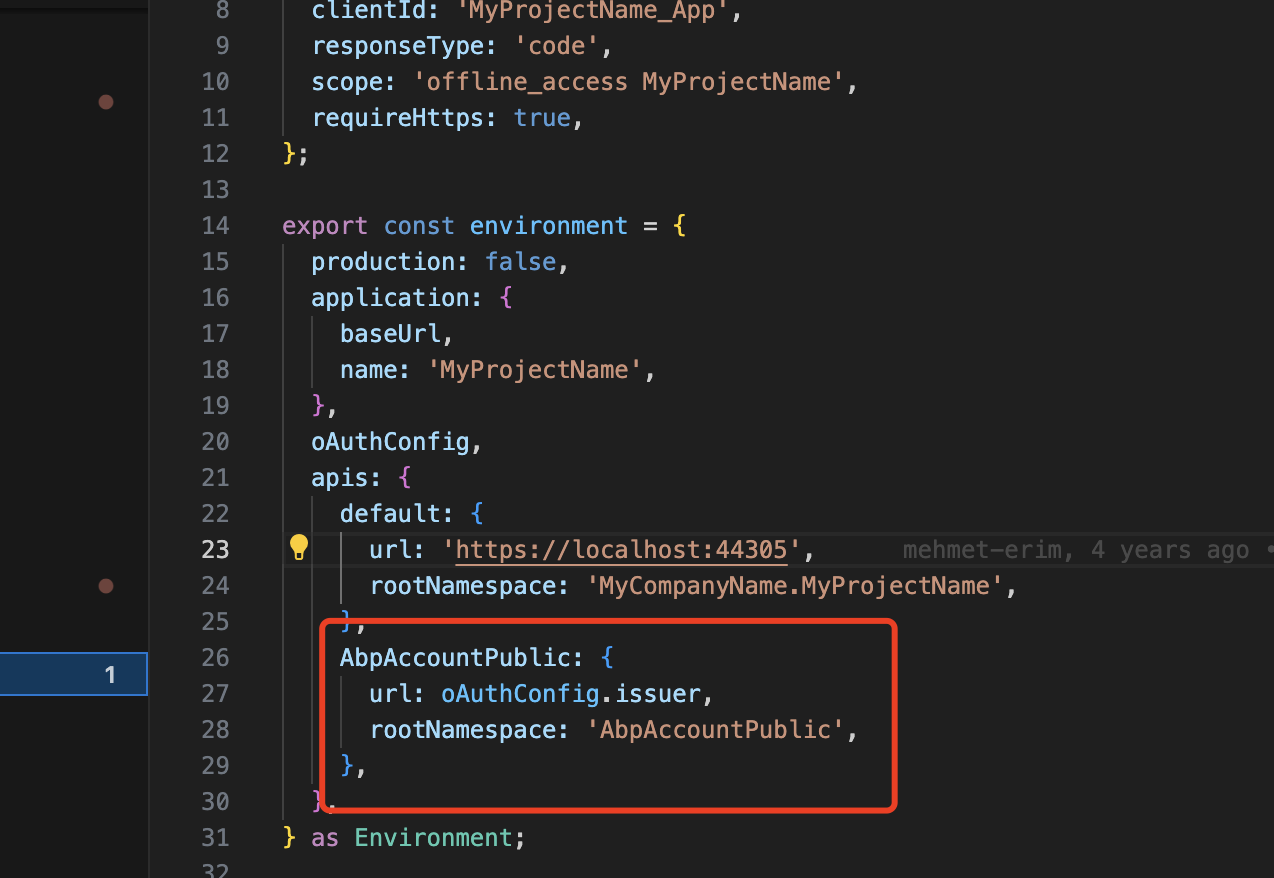 Markdown supported.Copy, paste, or drag & drop images and files (max 100 MB per file, 100 MB total per post)
 -
0
Hi,
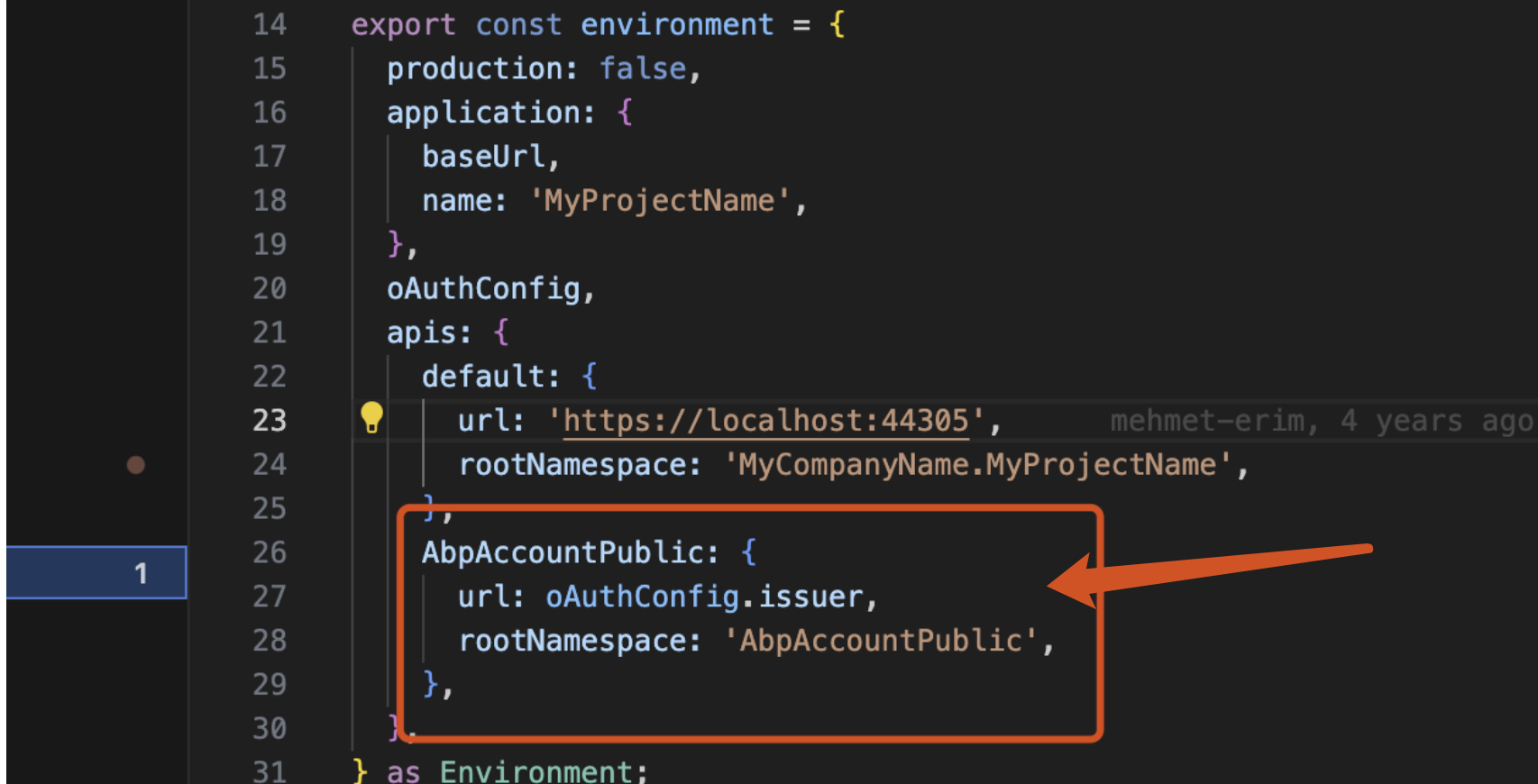
Just like this:
 Markdown supported.Copy, paste, or drag & drop images and files (max 100 MB per file, 100 MB total per post)



