






ABP Framework version: v8.0.0
UI Type: MVC + Flutter
Database System: MongoDB
Tiered (for MVC) or Auth Server Separated (for Angular): no
Below is the entity with recursion
how to add mongodb with hangfire? there is only one example with usesql as db provider.
and in dbmigrator i am getting error
System.ArgumentNullException: 'Value cannot be null. (Parameter 'normalizedName')'
at
public override async Task ProceedAsync()
{
	base.ReturnValue = await Proceed(base.Invocation, ProceedInfo).ConfigureAwait(continueOnCapturedContext: false);
}
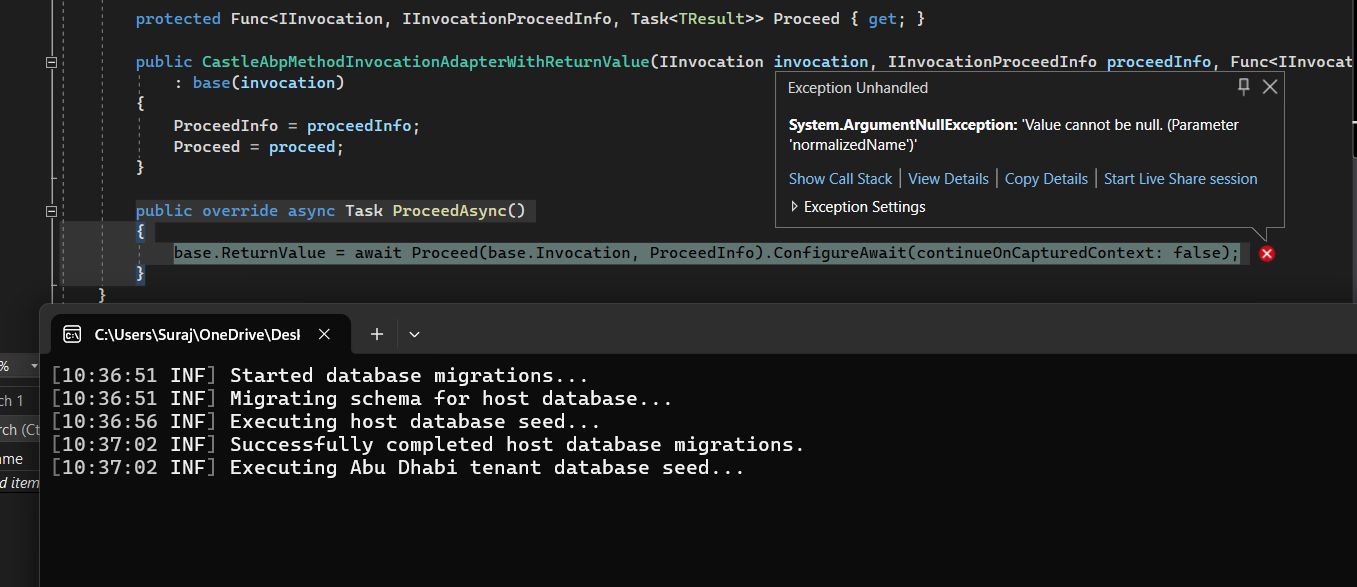
please help me on this asap
15 Answer(s)
-
0
hi initially it was wrong question, please answer what to do with this error?
Markdown supported.Copy, paste, or drag & drop images and files (max 100 MB per file, 100 MB total per post) -
0
hi
How can I reproduce this?
Can you share the steps?
Thanks
https://docs.abp.io/en/commercial/8.1/migration-guides/v8_1#added-normalizedname-property-to-tenant
Markdown supported.Copy, paste, or drag & drop images and files (max 100 MB per file, 100 MB total per post) -
0
I had tried to install hangfire then it ddidnt work and since that time i am getting this error after removing hangfire.
Markdown supported.Copy, paste, or drag & drop images and files (max 100 MB per file, 100 MB total per post) -
0
hi please can you help there is not known step to reproduce it, I just followed this https://docs.abp.io/en/abp/latest/Background-Jobs-Hangfire after that i was not able to add mongodb as provider so i uninstalled the package and since that i am getting this error while running db migrator
Markdown supported.Copy, paste, or drag & drop images and files (max 100 MB per file, 100 MB total per post) -
0
can't do that right now , will do tomorrow but meanwhile i need one help. i am having flutter app and this mvc as backoffice since permissions are shared app users can log in into backoffice , how can i avoid it?
Markdown supported.Copy, paste, or drag & drop images and files (max 100 MB per file, 100 MB total per post) -
0
hi
can't do that right now , will do tomorrow but meanwhile i need one help.
No problem.
i am having flutter app and this mvc as backoffice since permissions are shared app users can log in into backoffice , how can i avoid it?
Do you mean your app can only log in via Flutter app?
Markdown supported.Copy, paste, or drag & drop images and files (max 100 MB per file, 100 MB total per post) -
0
yes i have created different roles, person with app_user role should not be able to login in backoffice only in flutter
Markdown supported.Copy, paste, or drag & drop images and files (max 100 MB per file, 100 MB total per post) -
0
I tried following ti but getting errors as below
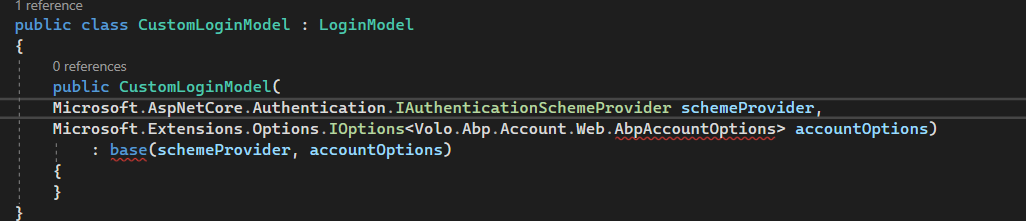
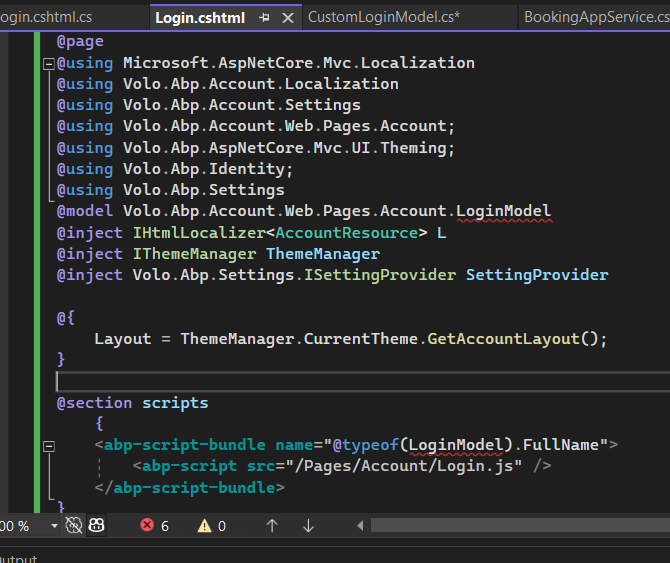
and how which method should i override to check for the user role and throw exception.?
Markdown supported.Copy, paste, or drag & drop images and files (max 100 MB per file, 100 MB total per post) -
0
hi
using System.Threading.Tasks;
using Microsoft.AspNetCore.Authentication;
using Microsoft.AspNetCore.Identity;
using Microsoft.AspNetCore.Mvc;
using Microsoft.Extensions.Options;
using Owl.reCAPTCHA;
using Volo.Abp.Account.ExternalProviders;
using Volo.Abp.Account.Public.Web;
using Volo.Abp.Account.Public.Web.Pages.Account;
using Volo.Abp.Account.Security.Recaptcha;
using Volo.Abp.Account.Web.Pages.Account;
using Volo.Abp.DependencyInjection;
using Volo.Abp.OpenIddict;
using Volo.Abp.Security.Claims;

namespace MyCompanyName.MyProjectName.Web.Pages;


[ExposeServices(typeof(LoginModel), typeof(OpenIddictSupportedLoginModel))]
public class MyLogin : OpenIddictSupportedLoginModel
{
    public MyLogin(
        IAuthenticationSchemeProvider schemeProvider,
        IOptions<AbpAccountOptions> accountOptions,
        IAbpRecaptchaValidatorFactory recaptchaValidatorFactory,
        IAccountExternalProviderAppService accountExternalProviderAppService,
        ICurrentPrincipalAccessor currentPrincipalAccessor,
        IOptions<IdentityOptions> identityOptions,
        IOptionsSnapshot<reCAPTCHAOptions> reCaptchaOptions,
        AbpOpenIddictRequestHelper openIddictRequestHelper)
        : base(
        schemeProvider,
        accountOptions,
        recaptchaValidatorFactory,
        accountExternalProviderAppService,
        currentPrincipalAccessor,
        identityOptions,
        reCaptchaOptions,
        openIddictRequestHelper)
    {

    }

    public override Task<IActionResult> OnPostAsync(string action)
    {
        // Check the  LoginInput.UserNameOrEmailAddress,
        return base.OnPostAsync(action);
    }
}
Markdown supported.Copy, paste, or drag & drop images and files (max 100 MB per file, 100 MB total per post) -
0
not working , can you please guide me step by step or provide article for the same
Markdown supported.Copy, paste, or drag & drop images and files (max 100 MB per file, 100 MB total per post) -
0
hi
not working
Can you share details? What do you mean
not working?Thanks.
Hi i mean i can only check username and email , how can i check the role of the user?
Markdown supported.Copy, paste, or drag & drop images and files (max 100 MB per file, 100 MB total per post) -
0
hi
You can try with the code below.
[UnitOfWork]
public override Task<IActionResult> OnPostAsync(string action)
{
    await IdentityOptions.SetAsync();

    var user = await UserManager.FindByNameAsync(LoginInput.UserNameOrEmailAddress) ??
               await UserManager.FindByEmailAsync(LoginInput.UserNameOrEmailAddress);
    if (user == null)
    {
        return await base.OnPostAsync(action);
    }

    var result = await UserManager.CheckPasswordAsync(user, LoginInput.Password);
    if (!result)
    {
        return await base.OnPostAsync(action);
    }

    var userRoles = await UserManager.GetRolesAsync(user);

    //Check the user roles


    return await base.OnPostAsync(action);
}
Markdown supported.Copy, paste, or drag & drop images and files (max 100 MB per file, 100 MB total per post)


