0
rcalv002 created
- ABP Framework version: v8.1.1
- UI Type: Blazor Server
- Database System: EF Core (SQL Server)
- Tiered (for MVC) or Auth Server Separated (for Angular): no
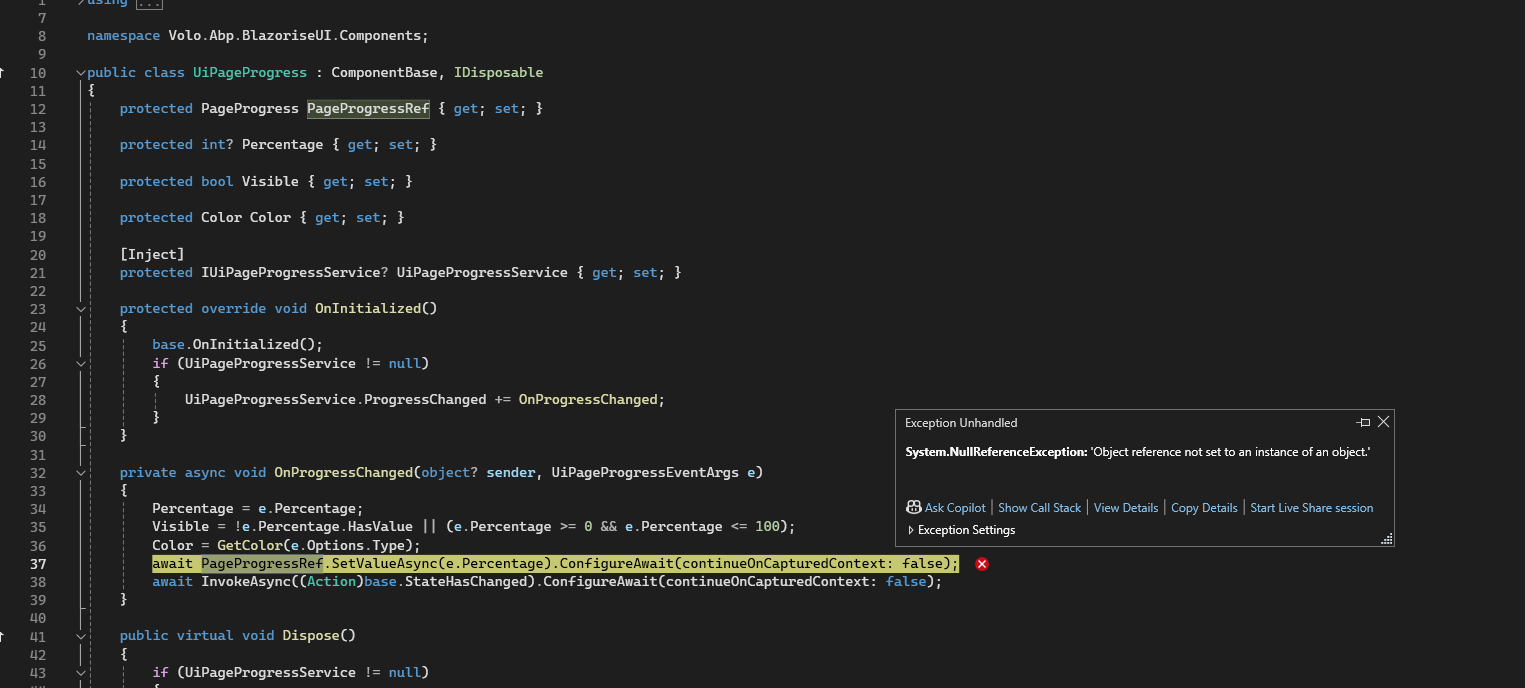
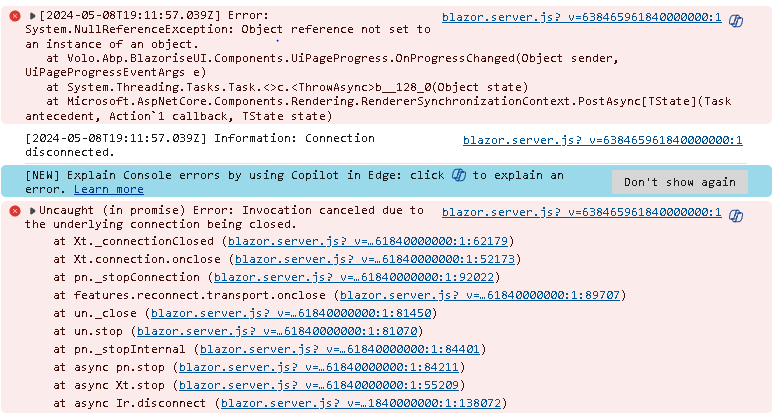
- Exception message and full stack trace:
- Steps to reproduce the issue
- :
- Generate a new project using blazor-server ui.
- Add a page, in the constructor, inject
IUiPageProgressService - Refresh this page via reload or F5 on browser
- Yellow error message banner at the bottom of the screen and error message in console
Markdown supported.
Copy, paste, or drag & drop images and files (max 100 MB per file, 100 MB total per post)
8 Answer(s)
-
0
I will check it.
Markdown supported.Copy, paste, or drag & drop images and files (max 100 MB per file, 100 MB total per post) -
0
Hi,
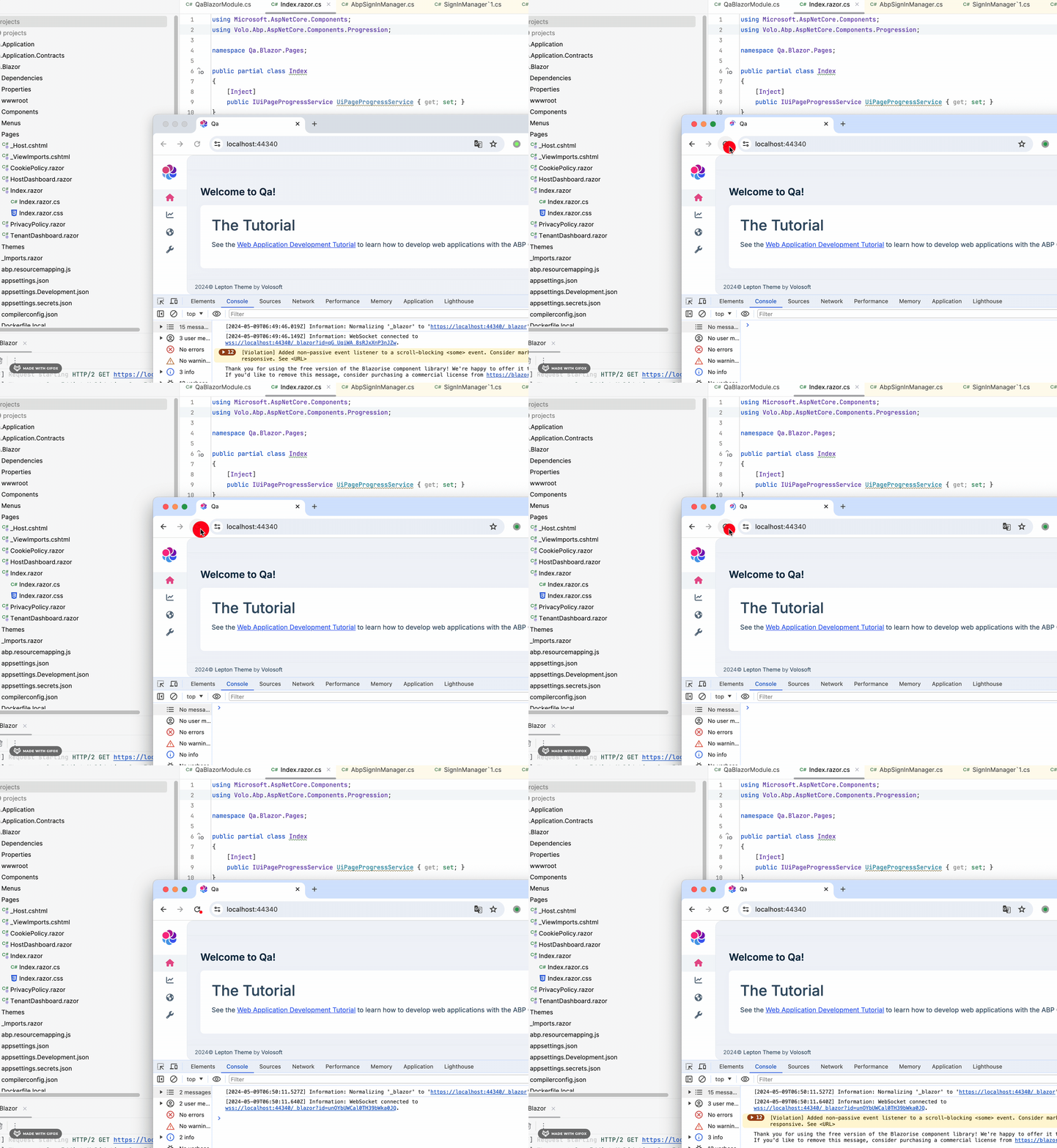
I could not reproduce the problem.
Could you share a simple project with me? shiwei.liang@volosoft.com thanks.
 Markdown supported.Copy, paste, or drag & drop images and files (max 100 MB per file, 100 MB total per post)
 -
0
Hi,
Yes, at the moment, the UiPageProgress component has not been loaded yet
Markdown supported.Copy, paste, or drag & drop images and files (max 100 MB per file, 100 MB total per post) -
0
You can call the
IUiPageProgressServicein the class instead of page.Markdown supported.Copy, paste, or drag & drop images and files (max 100 MB per file, 100 MB total per post) -
0
Hi,
This may be a problem.
You can try to override the
SideMenuLayout@using Volo.Abp.AspNetCore.Components.Web.LeptonXTheme.Components.ApplicationLayout @using Volo.Abp.AspNetCore.Components.Web.LeptonXTheme.Components.ApplicationLayout.Common @using Volo.Abp.Ui.Branding @using Volo.Abp.BlazoriseUI.Components @using Volo.Abp.AspNetCore.Components.Web.LeptonXTheme.Components.ApplicationLayout.SideMenu @using Volo.Abp.AspNetCore.Components.Web.LeptonXTheme.Components.ApplicationLayout.SideMenu.MainHeader @using Volo.Abp.AspNetCore.Components.Web.LeptonXTheme.Components.ApplicationLayout.SideMenu.Navigation @using Volo.Abp.AspNetCore.Components.Web.Theming.Components @using Volo.Abp.Ui.LayoutHooks @using Volo.Abp.AspNetCore.Components.Web.Theming.Components.LayoutHooks @using Volo.Abp.AspNetCore.Components.Web.Theming.Layout @using Volo.Abp.DependencyInjection @inject IBrandingProvider BrandingProvider @inherits Volo.Abp.AspNetCore.Components.Web.LeptonXTheme.Components.ApplicationLayout.SideMenuLayout @attribute [ExposeServices(typeof(SideMenuLayout))] <div> <div id="lpx-wrapper"> <MainHeader /> <div class="lpx-content-container"> <div class="lpx-topbar-container"> <div class="lpx-topbar"> <Breadcrumbs /> </div> </div> <div class="lpx-content-wrapper"> <div class="lpx-content"> <ContentToolbar /> <PageAlert /> <UiPageProgress/> <LayoutHook Name="@LayoutHooks.Body.First" Layout="@StandardLayouts.Application" /> @Body <LayoutHook Name="@LayoutHooks.Body.Last" Layout="@StandardLayouts.Application" /> <DynamicLayoutComponent /> <UiMessageAlert /> <UiNotificationAlert /> </div> </div> <footer> <Footer /> </footer> </div> <MobileNavbar /> <div class="lpx-toolbar-container"> <MainHeaderToolbar /> </div> </div> </div>```Markdown supported.Copy, paste, or drag & drop images and files (max 100 MB per file, 100 MB total per post)