






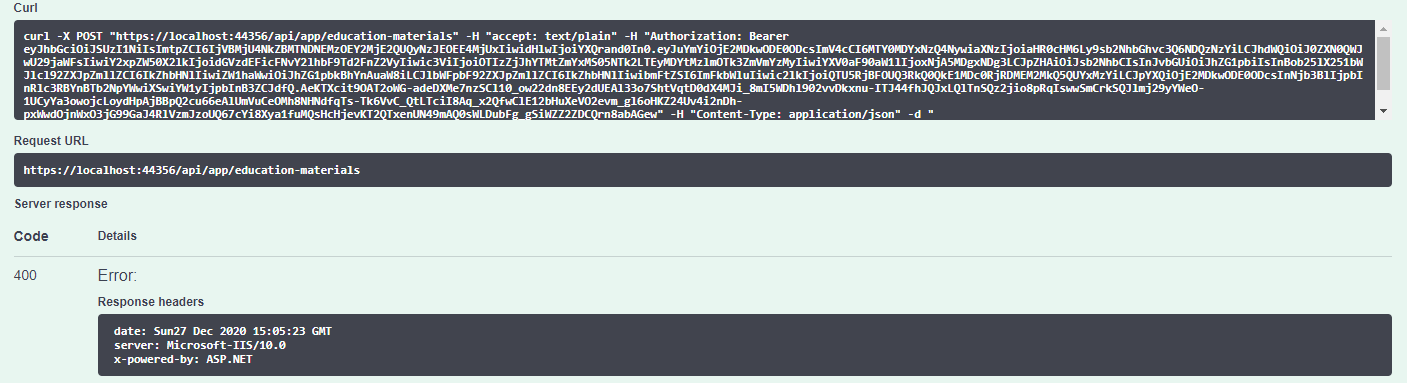
Hi, I got this error when trying to make a POST call via swagger, there is no issue with GET.
[22:55:53 INF] Request starting HTTP/2 POST https://localhost:44356/api/app/education-materials application/json 74
[22:55:53 INF] CORS policy execution failed.
[22:55:53 INF] Request origin https://localhost:44356 does not have permission to access the resource.
[22:55:54 INF] Successfully validated the token.
[22:55:54 INF] Executing endpoint 'testAbpSocial.Controllers.EducationMaterials.EducationMaterialController.CreateAsync (testAbpSocial.HttpApi)'
[22:55:54 INF] Route matched with {area = "app", controller = "EducationMaterial", action = "Create", page = ""}. Executing controller action with signature System.Threading.Tasks.Task`1[testAbpSocial.EducationMaterials.EducationMaterialDto] CreateAsync(testAbpSocial.EducationMaterials.EducationMaterialCreateDto) on controller testAbpSocial.Controllers.EducationMaterials.EducationMaterialController (testAbpSocial.HttpApi).
[22:55:54 ERR] The required antiforgery cookie ".AspNetCore.Antiforgery.k7aueVLaN4c" is not present.
[22:55:54 INF] Authorization failed for the request at filter 'Volo.Abp.AspNetCore.Mvc.AntiForgery.AbpAutoValidateAntiforgeryTokenAuthorizationFilter'.
[22:55:54 INF] Executing HttpStatusCodeResult, setting HTTP status code 400
Below is my application template:
- ABP Framework version: v3.3.2
- UI type: Angular
- DB provider: EF Core
- Tiered (MVC) or Identity Server Seperated (Angular): yes
Someone has faced the same issue and they have to downgrade the version, no solution so far: https://support.abp.io/QA/Questions/554/REST-API-Antiforgery-Cookie-Error-After-POST-apiLogin---POST-apimyentity-Call-Sequence
I also tried with the latest version 4.0.2 which I have authenticated and can see the token inside the request, still same issue:
4 Answer(s)
-
0
Hi,
We have fixed this problem: https://github.com/abpframework/abp/pull/6649
For now, you can try to clear the brower cookies.
Markdown supported.Copy, paste, or drag & drop images and files (max 100 MB per file, 100 MB total per post) -
0
Hi @liangshiwei, thanks for your quick response. I am able to resolve the problem by clear browser cookies in the latest version 4.0.2.
However, I still got the unauthentication problem with version 3.3.2 due to missing access token
[21:56:21 WRN] Authorization failed! Given policy has not granted.
Volo.Abp.Authorization.AbpAuthorizationException: Authorization failed! Given policy has not granted.
please let me know is there a way to add the token in swagger like version 4.x
Thank you.
Markdown supported.Copy, paste, or drag & drop images and files (max 100 MB per file, 100 MB total per post) -
0
Hi,
For 3.3.2 project , you can try:
context.Services.AddSwaggerGen(
        options =>
        {
            options.SwaggerDoc("v1", new OpenApiInfo {Title = "MyProjectName API", Version = "v1"});
            options.DocInclusionPredicate((docName, description) => true);

            options.AddSecurityDefinition("Bearer",
                new OpenApiSecurityScheme() {
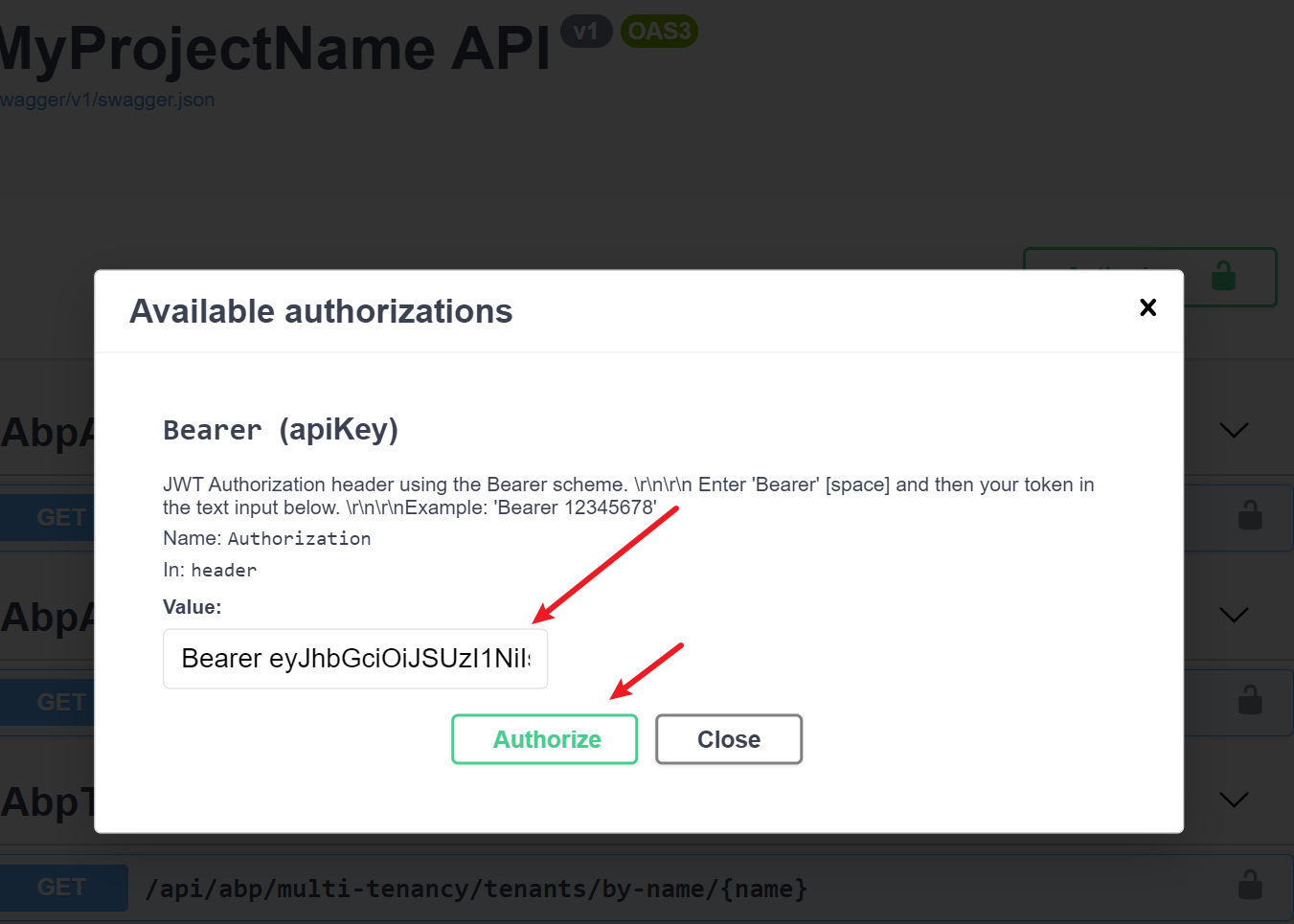
                    Description = @"JWT Authorization header using the Bearer scheme. \r\n\r\n
                                  Enter 'Bearer' [space] and then your token in the text input below.
                                  \r\n\r\nExample: 'Bearer 12345678'",
                    Name = "Authorization",
                    In = ParameterLocation.Header,
                    Type = SecuritySchemeType.ApiKey,
                    Scheme = "Bearer"});
            options.AddSecurityRequirement(new OpenApiSecurityRequirement()
            {
                {
                    new OpenApiSecurityScheme
                    {
                        Reference = new OpenApiReference
                        {
                            Type = ReferenceType.SecurityScheme,
                            Id = "Bearer"
                        },
                        Scheme = "oauth2",
                        Name = "Bearer",
                        In = ParameterLocation.Header,

                    },
                    new List<string>()
                }
            });
        });
Use postman to get access_token,copy and put it in the input box.

 Markdown supported.Copy, paste, or drag & drop images and files (max 100 MB per file, 100 MB total per post)


