






ABP Framework version: v3.2.1 UI type: MVC DB provider: EF Core Tiered : yes
I config EmailSender and it could send reset password email properly.
But when I go to the reset password link, then enter new password and confirm password, it always says "Invalid Token".
Can you please show me how to sort it out?
Thank you.
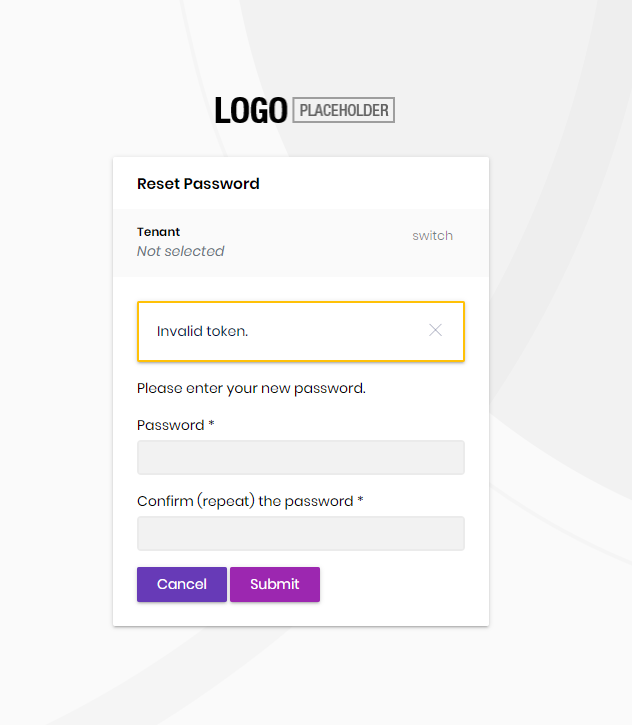
5 Answer(s)
-
0
hi @vu.nguyen
- ABP Framework version: vX.X.X
- UI type: Angular / MVC
- DB provider: EF Core / MongoDB
- Tiered (MVC) or Identity Server Seperated (Angular): yes / no
Markdown supported.Copy, paste, or drag & drop images and files (max 100 MB per file, 100 MB total per post) -
0
Hi @maliming, I just check again and see It's my fault. Actually the email was sent from Visual debug mode, but then I reset on deployment environment. I am gonna close the topic now.
Markdown supported.Copy, paste, or drag & drop images and files (max 100 MB per file, 100 MB total per post) -
0
I have the same kind of problem in my solution running on ABP 4.3.0 now: "VerifyUserTokenAsync() failed with purpose: ResetPassword for user."
I test everything on localhost in VS debug mode. As far as I remember, it used to work in the ABP 3.x.x. Any ideas, suggestions?
On other hand,
ResetPasswordworks OK in test generated 4.3.0 solution on default tenant. So I cannot figure out what could be wrong...What I have noticed is that
ResetTokenis a bit shorter in Test app...Just in case if it matters: I have custom
ProfileAppService.Markdown supported.Copy, paste, or drag & drop images and files (max 100 MB per file, 100 MB total per post)



