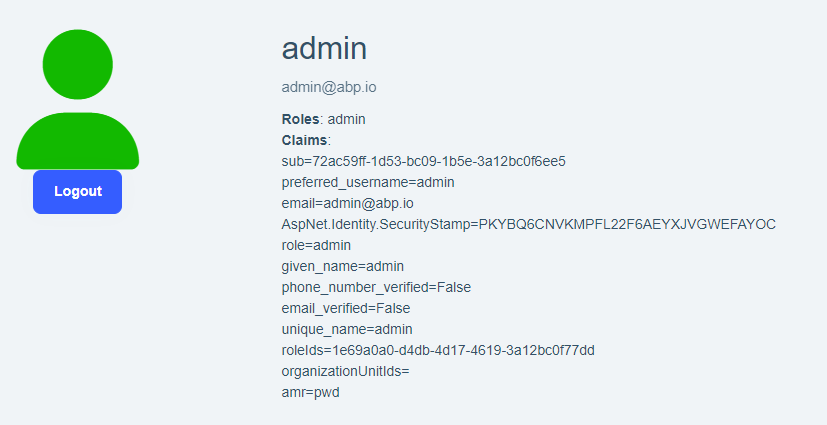
I have microservice architecture. I have deployed the application on the sever. When I click to login, it redirects to auth server and successfully logged in and redirected back to angular application but authentication is not working. The token api and openid-configuration api is fine. The token is also generated. I checked the logs of auth server and token is successfully validated.
I checked the administration service logs.
[08:47:56 INF] Failed to validate the token. Microsoft.IdentityModel.Tokens.SecurityTokenInvalidIssuerException: IDX10204: Unable to validate issuer. validationParameters.ValidIssuer is null or whitespace AND validationParameters.ValidIssuers is null or empty. at Microsoft.IdentityModel.Tokens.Validators.ValidateIssuerAsync(String issuer, SecurityToken securityToken, TokenValidationParameters validationParameters, BaseConfiguration configuration) at Microsoft.IdentityModel.Tokens.Validators.ValidateIssuer(String issuer, SecurityToken securityToken, TokenValidationParameters validationParameters, BaseConfiguration configuration) at Microsoft.IdentityModel.JsonWebTokens.JsonWebTokenHandler.ValidateSignature(JsonWebToken jwtToken, TokenValidationParameters validationParameters, BaseConfiguration configuration) at Microsoft.IdentityModel.JsonWebTokens.JsonWebTokenHandler.ValidateSignatureAndIssuerSecurityKey(JsonWebToken jsonWebToken, TokenValidationParameters validationParameters, BaseConfiguration configuration) at Microsoft.IdentityModel.JsonWebTokens.JsonWebTokenHandler.ValidateJWSAsync(JsonWebToken jsonWebToken, TokenValidationParameters validationParameters, BaseConfiguration configuration)
- ABP Framework version: v8.1.3
- UI Type: Angular
- Database System: EF Core (SQL Server)
- Tiered (for MVC) or Auth Server Separated (for Angular): yes
- Exception message and full stack trace:
- Steps to reproduce the issue:
12 Answer(s)
-
0
Hi,
There is a similar problem here maybe can help you https://support.abp.io/QA/Questions/6351/Failed-to-validate-the-token
Markdown supported.Copy, paste, or drag & drop images and files (max 100 MB per file, 100 MB total per post) -
0
You can set
IdentityModelEventSource.ShowPII = true;to check the error detailsMarkdown supported.Copy, paste, or drag & drop images and files (max 100 MB per file, 100 MB total per post) -
0
It is already set to true.
[11:19:29 INF] Executed action Volo.Abp.OpenIddict.Controllers.AuthorizeController.HandleAsync (Volo.Abp.OpenIddict.AspNetCore) in 68.4013ms
[11:19:29 INF] Executed endpoint 'Volo.Abp.OpenIddict.Controllers.AuthorizeController.HandleAsync (Volo.Abp.OpenIddict.AspNetCore)'
[11:19:32 INF] CORS policy execution successful.
[11:19:32 INF] CORS policy execution successful.
[11:19:32 INF] The request URI matched a server endpoint: Configuration.
[11:19:32 INF] The configuration request was successfully extracted: {}.
[11:19:32 INF] The configuration request was successfully validated.
[11:19:32 INF] The response was successfully returned as a JSON document: {
  "issuer": "https://auth.domain.com/",
  "authorization_endpoint": "https://auth.domain.com/connect/authorize",
  "token_endpoint": "https://auth.domain.com/connect/token",
  "introspection_endpoint": "https://auth.domain.com/connect/introspect",
  "end_session_endpoint": "https://auth.domain.com/connect/logout",
  "revocation_endpoint": "https://auth.domain.com/connect/revocat",
  "userinfo_endpoint": "https://auth.domain.com/connect/userinfo",
  "device_authorization_endpoint": "https://auth.domain.com/device",
  "jwks_uri": "https://auth.domain.com/.well-known/jwks",
  "grant_types_supported": [
    "authorization_code",
    "implicit",
    "password",
    "client_credentials",
    "refresh_token",
    "urn:ietf:params:oauth:grant-type:device_code",
    "LinkLogin",
    "Impersonation"
  ],
Administration Logs
[11:19:34 INF] CORS policy execution successful.
[11:19:34 INF] Failed to validate the token.
Microsoft.IdentityModel.Tokens.SecurityTokenInvalidIssuerException: IDX10204: Unable to validate issuer. validationParameters.ValidIssuer is null or whitespace AND validationParameters.ValidIssuers is null or empty.
   at Microsoft.IdentityModel.Tokens.Validators.ValidateIssuerAsync(String issuer, SecurityToken securityToken, TokenValidationParameters validationParameters, BaseConfiguration configuration)
   at Microsoft.IdentityModel.Tokens.Validators.ValidateIssuer(String issuer, SecurityToken securityToken, TokenValidationParameters validationParameters, BaseConfiguration configuration)
   at Microsoft.IdentityModel.Tokens.InternalValidators.ValidateAfterSignatureFailed(SecurityToken securityToken, Nullable`1 notBefore, Nullable`1 expires, IEnumerable`1 audiences, TokenValidationParameters validationParameters, BaseConfiguration configuration)
   at Microsoft.IdentityModel.JsonWebTokens.JsonWebTokenHandler.ValidateSignature(JsonWebToken jwtToken, TokenValidationParameters validationParameters, BaseConfiguration configuration)
   at Microsoft.IdentityModel.JsonWebTokens.JsonWebTokenHandler.ValidateSignatureAndIssuerSecurityKey(JsonWebToken jsonWebToken, TokenValidationParameters validationParameters, BaseConfiguration configuration)
   at Microsoft.IdentityModel.JsonWebTokens.JsonWebTokenHandler.ValidateJWSAsync(JsonWebToken jsonWebToken, TokenValidationParameters validationParameters, BaseConfiguration configuration)
[11:19:34 INF] Bearer was not authenticated. Failure message: IDX10204: Unable to validate issuer. validationParameters.ValidIssuer is null or whitespace AND validationParameters.ValidIssuers is null or empty.
[11:19:34 INF] Executing endpoint 'Volo.Abp.AspNetCore.Mvc.ApplicationConfigurations.AbpApplicationLocalizationController.GetAsync (Volo.Abp.AspNetCore.Mvc)'
[11:19:34 INF] Route matched with {area = "abp", action = "Get", controller = "AbpApplicationLocalization", page = ""}. Executing controller action with signature System.Threading.Tasks.Task`1[Volo.Abp.AspNetCore.Mvc.ApplicationConfigurations.ApplicationLocalizationDto] GetAsync(Volo.Abp.AspNetCore.Mvc.ApplicationConfigurations.ApplicationLocalizationRequestDto) on controller Volo.Abp.AspNetCore.Mvc.ApplicationConfigurations.AbpApplicationLocalizationController (Volo.Abp.AspNetCore.Mvc).
[11:19:34 INF] Executing ObjectResult, writing value of type 'Volo.Abp.AspNetCore.Mvc.ApplicationConfigurations.ApplicationLocalizationDto'.
[11:19:34 INF] Executed action Volo.Abp.AspNetCore.Mvc.ApplicationConfigurations.AbpApplicationLocalizationController.GetAsync (Volo.Abp.AspNetCore.Mvc) in 8.0414ms
[11:19:34 INF] Executed endpoint 'Volo.Abp.AspNetCore.Mvc.ApplicationConfigurations.AbpApplicationLocalizationController.GetAsync (Volo.Abp.AspNetCore.Mvc)'
Markdown supported.Copy, paste, or drag & drop images and files (max 100 MB per file, 100 MB total per post) -
0
Unable to validate issuer. validationParameters.ValidIssuer is null or whitespace AND validationParameters.ValidIssuers is null or empty.
See https://github.com/abpframework/abp/issues/20034 https://support.abp.io/QA/Questions/7180/Deploying-an-ABP-tiered-project-to-mutliple-docker-containers#answer-3a1297a0-ff1b-ca76-c30d-0b6e0f62253d
Markdown supported.Copy, paste, or drag & drop images and files (max 100 MB per file, 100 MB total per post) -
0
The same code deployed on Stagging and Production server. The staging is working fine but having issue on production server.
public override void PreConfigureServices(ServiceConfigurationContext context)
{
    var hostingEnvironment = context.Services.GetHostingEnvironment();
    var configuration = context.Services.GetConfiguration();

    PreConfigure< OpenIddictBuilder >(builder =>
    {
        builder.AddValidation(options =>
        {
            options.AddAudiences("AccountService");
            options.UseLocalServer();
            options.UseAspNetCore();
        });
    });

    if (!hostingEnvironment.IsDevelopment())
    {
        PreConfigure< AbpOpenIddictAspNetCoreOptions >(options =>
        {
            options.AddDevelopmentEncryptionAndSigningCertificate = false;

        });

        PreConfigure< OpenIddictServerBuilder >(builder =>
        {
            builder.AddSigningCertificate(GetSigningCertificate(hostingEnvironment, configuration));
            builder.AddEncryptionCertificate(GetSigningCertificate(hostingEnvironment, configuration));
            builder.SetIssuer(new Uri(configuration["App:SelfUrl"]));
            builder.SetAuthorizationEndpointUris($"{new Uri(configuration["App:SelfUrl"])}connect/authorize");
            builder.SetLogoutEndpointUris($"{new Uri(configuration["App:SelfUrl"])}connect/logout");
            builder.SetDeviceEndpointUris($"{new Uri(configuration["App:SelfUrl"])}device");
            builder.SetUserinfoEndpointUris($"{new Uri(configuration["App:SelfUrl"])}connect/userinfo");
            builder.SetTokenEndpointUris($"{new Uri(configuration["App:SelfUrl"])}connect/token");
            builder.SetRevocationEndpointUris($"{new Uri(configuration["App:SelfUrl"])}connect/revocat");
            builder.SetIntrospectionEndpointUris($"{new Uri(configuration["App:SelfUrl"])}connect/introspect");
            builder.SetCryptographyEndpointUris($"{new Uri(configuration["App:SelfUrl"])}.well-known/jwks");
        });
    }
    PreConfigure< IdentityBuilder >(builder =>
    {
        builder.AddClaimsPrincipalFactory<UserClaimsPrincipalFactory>();
    });
}
Markdown supported.Copy, paste, or drag & drop images and files (max 100 MB per file, 100 MB total per post) -
0
what's the error message now
Markdown supported.Copy, paste, or drag & drop images and files (max 100 MB per file, 100 MB total per post) -
0
hi
Have you configured your app to
Forwarded headers? https://learn.microsoft.com/en-us/aspnet/core/host-and-deploy/proxy-load-balancer?view=aspnetcore-8.0#fhmovalidationParameters.ValidIssuerwill be set asrequest.Scheme + Uri.SchemeDelimiter + host + request.PathBaseYou can add a middleware to output the HTTP request info to logs to see the request host.
Markdown supported.Copy, paste, or drag & drop images and files (max 100 MB per file, 100 MB total per post) -
0
The issue is fixed. I got the idea from your Forwarded headers.
The issue was the IP whitelisting in ingress yaml.
nginx.ingress.kubernetes.io/whitelist-source-rangeI have removed the IP whitelisting from Authserver ingress and it started working, Do you have any idea about this? Web, Gateway and Authserver is pointing to same IP address.
Thank you for your support.
Markdown supported.Copy, paste, or drag & drop images and files (max 100 MB per file, 100 MB total per post) -
0
it's okay
Markdown supported.Copy, paste, or drag & drop images and files (max 100 MB per file, 100 MB total per post)