






Hello! I wanted to use the Doc Module in combination with a filesystem for a tryout. Now I am kinda stuck. I followed the following tutorial: https://docs.abp.io/en/abp/latest/Modules/Docs
SQL I used (The ConcurrencyStamp column is missing in the doc, I adjusted the file path): INSERT [dbo].[DocsProjects] ([Id], [Name], [ShortName], [Format], [DefaultDocumentName], [NavigationDocumentName], [MinimumVersion], [DocumentStoreType], [ExtraProperties], [MainWebsiteUrl], [LatestVersionBranchName], [ParametersDocumentName],[ConcurrencyStamp]) VALUES (N'12f21123-e08e-4f15-bedb-ae0b2d939659', N'ABP framework (FileSystem)', N'abp', N'md', N'Index', N'docs-nav.json', NULL, N'FileSystem', N'{"Path":"C:\Github\abp\docs"}', N'/', NULL, N'', N'12f21123e08e4f15bedbae0b2d939659')
Error when editing my project

StackTrace: 2024-07-03 15:07:14.466 +02:00 [WRN] ---------- RemoteServiceErrorInfo ---------- { "code": "UnknowDocumentSourceExceptionMessage", "message": "An internal error occurred during your request!", "details": null, "data": {}, "validationErrors": null }
2024-07-03 15:07:14.466 +02:00 [WRN] Exception of type 'Volo.Abp.BusinessException' was thrown. Volo.Abp.BusinessException: Exception of type 'Volo.Abp.BusinessException' was thrown. at Volo.Docs.Admin.Pages.Docs.Admin.Projects.EditModel.OnGetAsync(Guid id) at Microsoft.AspNetCore.Mvc.RazorPages.Infrastructure.ExecutorFactory.GenericTaskHandlerMethod.Convert[T](Object taskAsObject) at Microsoft.AspNetCore.Mvc.RazorPages.Infrastructure.ExecutorFactory.GenericTaskHandlerMethod.Execute(Object receiver, Object[] arguments) at Microsoft.AspNetCore.Mvc.RazorPages.Infrastructure.PageActionInvoker.InvokeHandlerMethodAsync() at Microsoft.AspNetCore.Mvc.RazorPages.Infrastructure.PageActionInvoker.InvokeNextPageFilterAsync()
2024-07-03 15:07:14.466 +02:00 [WRN] Code:UnknowDocumentSourceExceptionMessage 2024-07-03 15:07:14.466 +02:00 [WRN] Details:
I don't know why I can not see anything here

Error when navigating to /documents

This man got the same issue as me: https://support.abp.io/QA/Questions/6063/ArgumentException--version-can-not-be-null-In-Document-Module-FileSystem
Markdown Files I got from here: https://github.com/abpframework/abp/tree/dev/docs
Any help is appreciated Kind regards Felix
3 Answer(s)
-
0
I will check it
Markdown supported.Copy, paste, or drag & drop images and files (max 100 MB per file, 100 MB total per post) -
0
You can update the
LatestVersionBranchNametolatest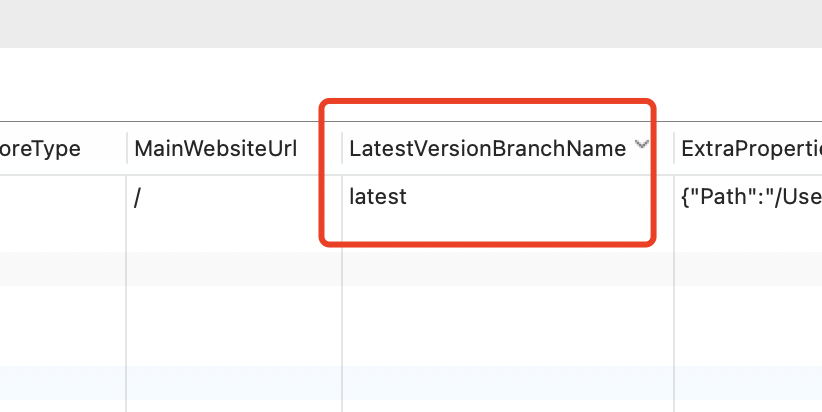
I will update the document, your ticket was refunded.
Markdown supported.Copy, paste, or drag & drop images and files (max 100 MB per file, 100 MB total per post) -
0
https://github.com/abpframework/abp/issues/20162
Markdown supported.Copy, paste, or drag & drop images and files (max 100 MB per file, 100 MB total per post)


