






- ABP Framework version: v8.1.4
- UI Type: Blazor Server
- Database System: EF Core (MySQL)
- Tiered (for MVC) or Auth Server Separated (for Angular): no
Hello We just started a new project on 8.1.4 a few weeks ago, and now we need to update to 8.2.0. However we do not find any easy way to do the DB migration.
We expected there to be new migration steps to apply, but instead we just get one big initial migration, which will not work on an existing DB.
How do we obtain the delta migration steps (8.1.4 to 8.2.0) to apply to our DB?
We have searched documentation, but did not find anything on how to do this.
9 Answer(s)
-
0
hi
You can add a new ef core migration(
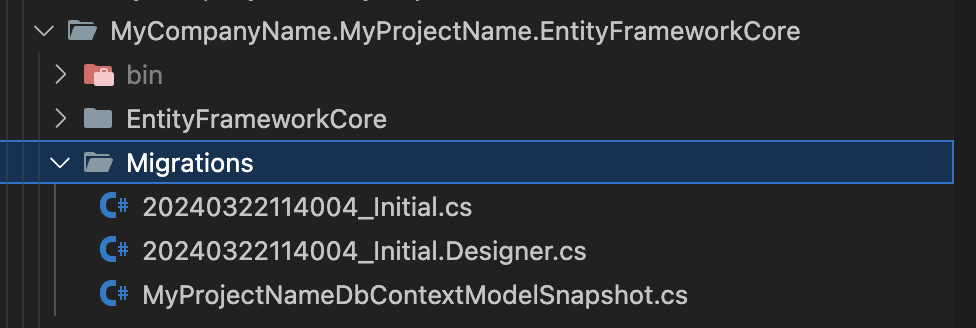
dotnet ef migration add abp_82)What are your current migration files? Can you share a screenshot?
eg:
 Markdown supported.Copy, paste, or drag & drop images and files (max 100 MB per file, 100 MB total per post)
 -
0
I have this in my migration folder after updating to 8.2.0, how to apply new migration relevant to 8.2.0?
I mean how to generate the migration code to update DB to new schema used with 8.2.0?
 Markdown supported.Copy, paste, or drag & drop images and files (max 100 MB per file, 100 MB total per post)
 -
0
hi
You can use EF Core CLI to add a new migration file.
https://learn.microsoft.com/en-us/ef/core/cli/dotnet https://learn.microsoft.com/en-us/ef/core/managing-schemas/migrations/managing?tabs=dotnet-core-cli#add-a-migration https://learn.microsoft.com/en-us/ef/core/managing-schemas/
Markdown supported.Copy, paste, or drag & drop images and files (max 100 MB per file, 100 MB total per post) -
0
I think you misunderstand. In 8.2.0, there are new tables, how do I get the migration file to generate those tables? I have no files in my folder after fetching new version I only have a initial file with all table creation. But I already have a DB so I just need the changes from 8.1.4 to 8.2.0. For example in ASP.Net Zero you provide migration files for each update.
Markdown supported.Copy, paste, or drag & drop images and files (max 100 MB per file, 100 MB total per post)


