following the example:
https://docs.abp.io/en/commercial/latest/startup-templates/application/azure-deployment/step3-deployment-github-action?UI=NG&DB=EF&Tiered=No
the run migration part fails:
- name: Run migrations run: dotnet run -- "${{ secrets.CONNECTION_STRING }}" working-directory: ./aspnet-core/src/Demo.AzureAppsAngular.DbMigrator # Replace with your project name
What do I have to change how in AZURE

- ABP Framework version: latest
- UI Type: Angular
- Database System: EF Core (SQL Server)
- Tiered (for MVC) or Auth Server Separated (for Angular): no
- Exception message and full stack trace:
"Run dotnet run -- "***" [19:10:55 INF] Started database migrations... [19:10:55 INF] Migrating schema for host database... Unhandled exception. Microsoft.Data.SqlClient.SqlException (0x80131904): Reason: An instance-specific error occurred while establishing a connection to SQL Server. Connection was denied since Deny Public Network Access is set to Yes (https://docs.microsoft.com/azure/azure-sql/database/connectivity-settings#deny-public-network-access). To connect to this server, use the Private Endpoint from inside your virtual network (https://docs.microsoft.com/azure/sql-database/sql-database-private-endpoint-overview#how-to-set-up-private-link-for-azure-sql-database). at Microsoft.Data.SqlClient.SqlInternalConnection.OnError(SqlException exception, Boolean breakConnection, Action`1 wrapCloseInAction) at Microsoft.Data.SqlClient.TdsParser.ThrowExceptionAndWarning(TdsParserStateObject stateObj, Boolean callerHasConnectionLock, Boolean asyncClose) at Microsoft.Data.SqlClient.TdsParser.TryRun(RunBehavior runBehavior, SqlCommand cmdHandler, SqlDataReader dataStream, BulkCopySimpleResultSet bulkCopyHandler, TdsParserStateObject stateObj, Boolean& dataReady)"
- Steps to reproduce the issue:
29 Answer(s)
-
0
hi
Can you troubleshoot based on following the message and links?
An instance-specific error occurred while establishing a connection to SQL Server. Connection was denied since Deny Public Network Access is set to Yes (https://docs.microsoft.com/azure/azure-sql/database/connectivity-settings#deny-public-network-access). To connect to this server, use the Private Endpoint from inside your virtual network (https://docs.microsoft.com/azure/sql-database/sql-database-private-endpoint-overview#how-to-set-up-private-link-for-azure-sql-database
Thanks
Markdown supported.Copy, paste, or drag & drop images and files (max 100 MB per file, 100 MB total per post) -
0
I would love that you put those things in the tutorial, because for a new comer - as me - it's important that the initial examples work.
This is the reason why I chose abp, to get a fully working example (and product)
Markdown supported.Copy, paste, or drag & drop images and files (max 100 MB per file, 100 MB total per post) -
0
But back to my problem,
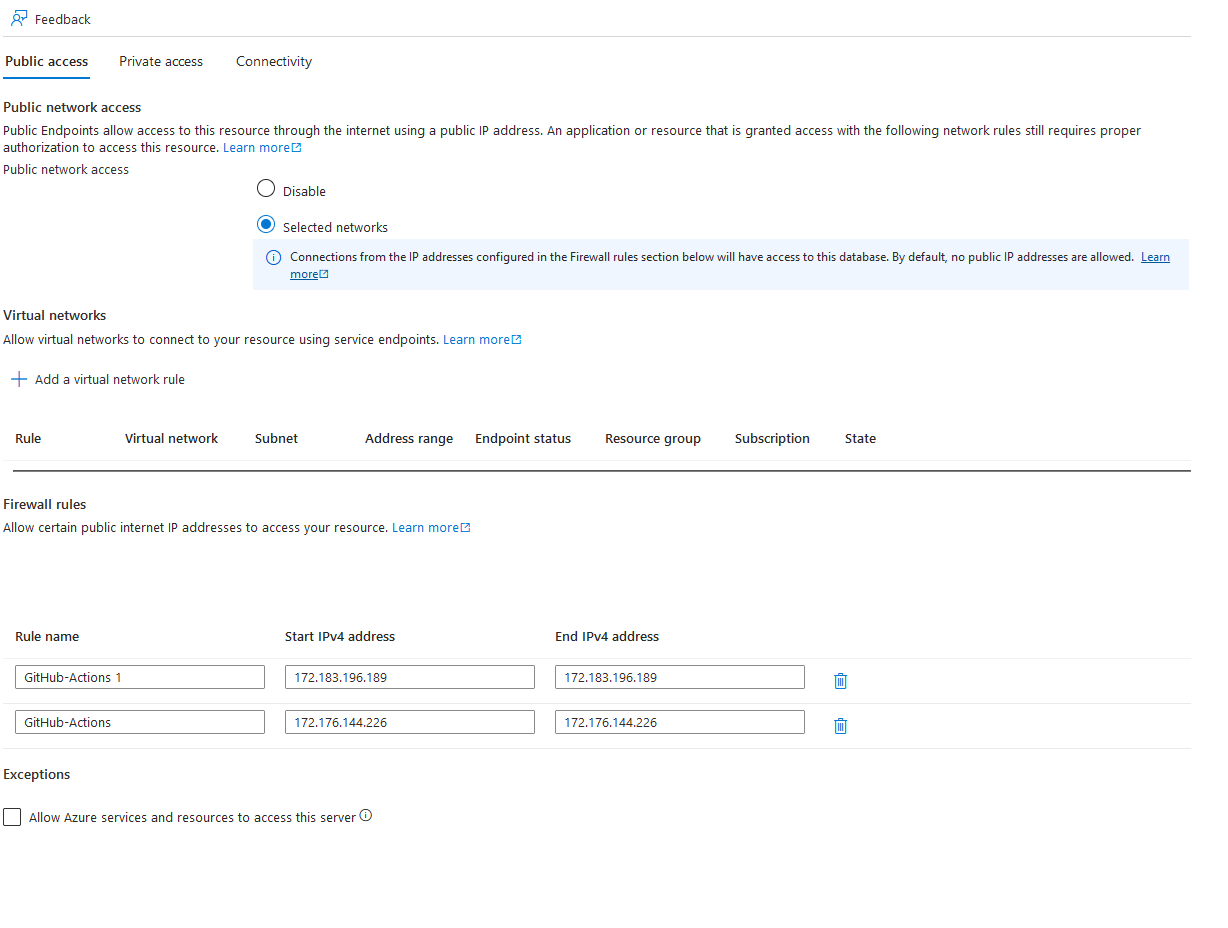
always when I rerun the github aciton, github changes the IP.
[10:55:38 INF] Started database migrations... [10:55:38 INF] Migrating schema for host database... Unhandled exception. Microsoft.Data.SqlClient.SqlException (0x80131904): Cannot open server 'xxmustafa18072024server' requested by the login. Client with IP address '20.62.206.238' is not allowed to access the server. To enable access, use the Azure Management Portal or run sp_set_firewall_rule on the master database to create a firewall rule for this IP address or address range. It may take up to five minutes for this change to take effect. at Microsoft.Data.SqlClient.SqlInternalConnection.OnError(SqlException exception, Boolean breakConnection, Action`1 wrapCloseInAction) at Microsoft.Data.SqlClient.TdsParser.ThrowExceptionAndWarning(TdsParserStateObject stateObj, Boolean callerHasConnectionLock, Boolean asyncClose) at Microsoft.Data.SqlClient.TdsParser.TryRun(RunBehavior runBehavior, SqlCommand cmdHandler, SqlDataReader dataStream, BulkCopySimpleResultSet bulkCopyHandler, TdsParserStateObject stateObj, Boolean& dataReady) at Microsoft.Data.SqlClient.TdsParser.Run(RunBehavior run
I update the azure firewall settings afterwards, but it has no effect
 Markdown supported.Copy, paste, or drag & drop images and files (max 100 MB per file, 100 MB total per post)
 -
0
hi
Client with IP address '20.62.206.238' is not allowed to access the server. To enable access, use the Azure Management Portal or run sp_set_firewall_rule on the master database to create a firewall rule for this IP address or address range. It may take up to five minutes for this change to take effect.
I'm not an Azure expert. Can you google this message?
Markdown supported.Copy, paste, or drag & drop images and files (max 100 MB per file, 100 MB total per post) -
0
hi
Please install the ABP CLI and run the
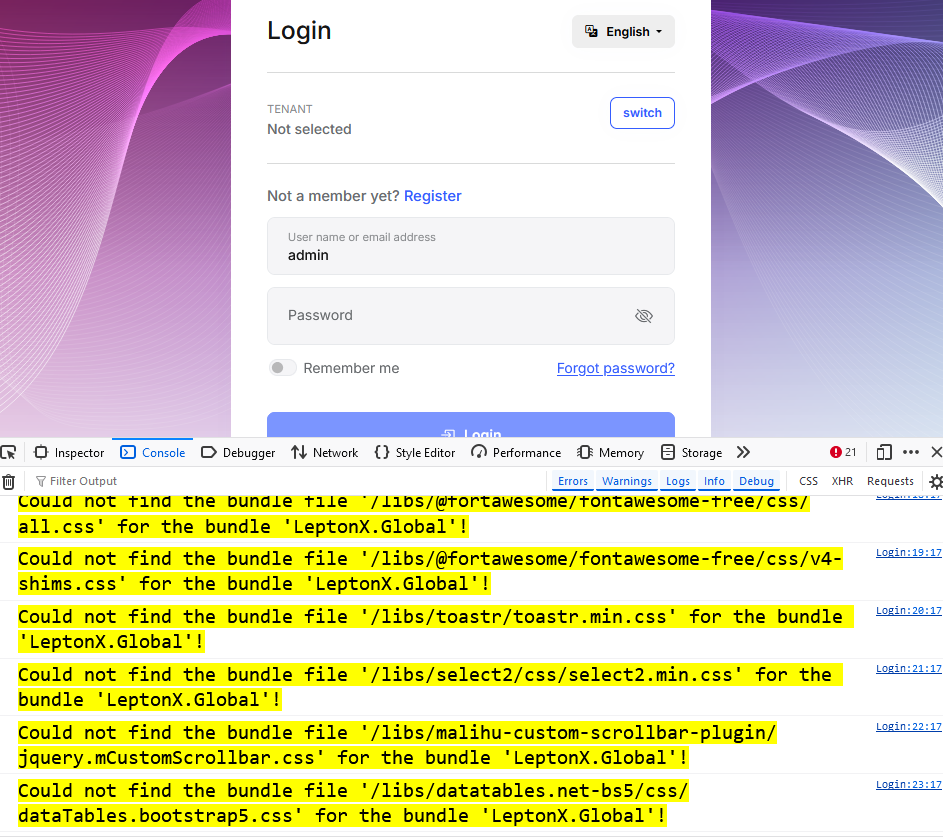
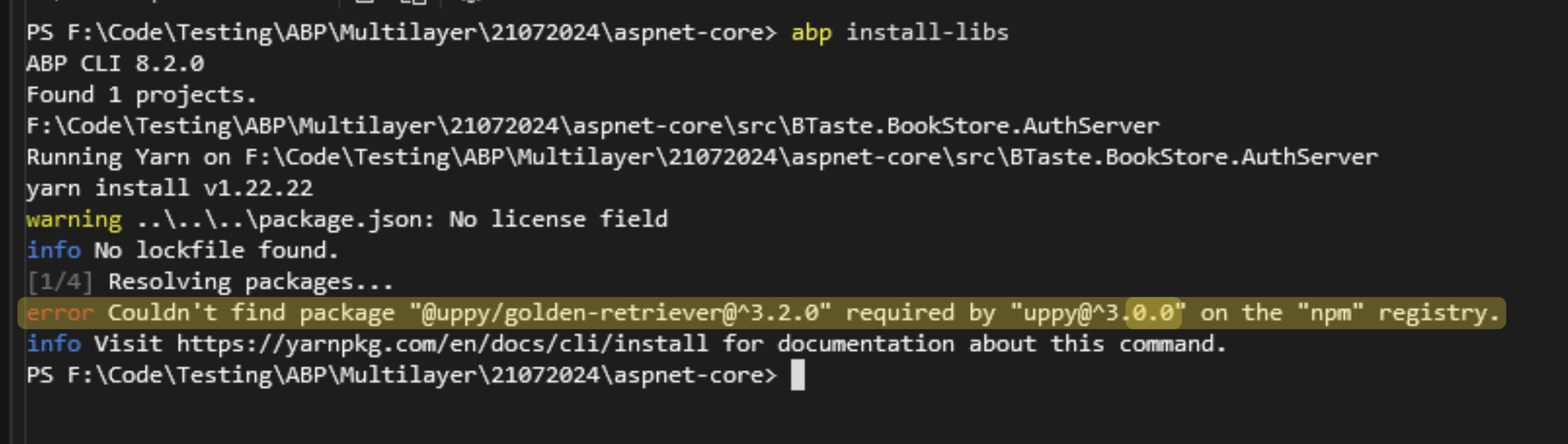
abp install-libscommand to restore the assets.https://docs.abp.io/en/abp/latest/CLI https://docs.abp.io/en/abp/latest/CLI#install-libs
Markdown supported.Copy, paste, or drag & drop images and files (max 100 MB per file, 100 MB total per post) -
0
hi
Please delete the
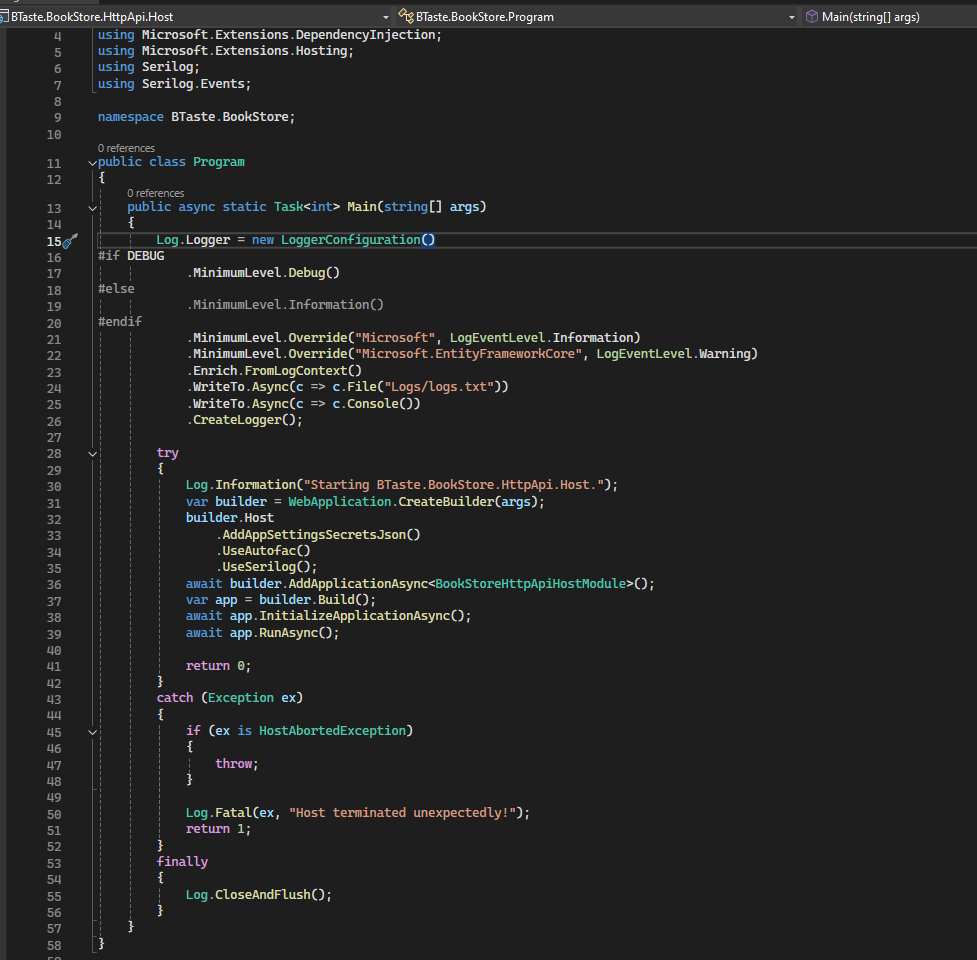
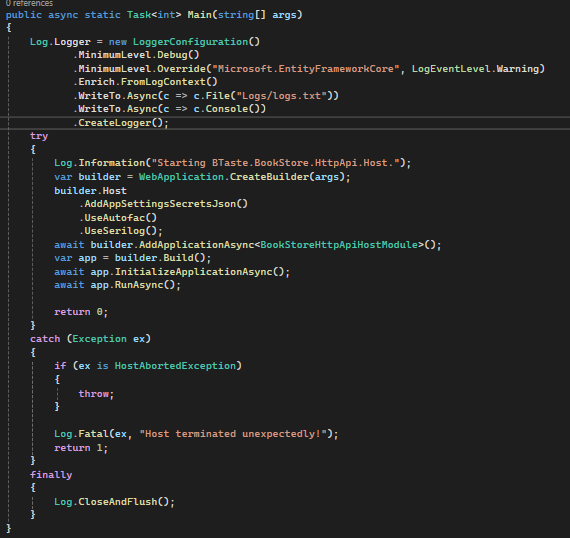
Logs.txtfiles. And set the log level to Debug, then reproduce the cors error and share again.Thanks.
public class Program
{
    public async static Task<int> Main(string[] args)
    {
        Log.Logger = new LoggerConfiguration()
            .MinimumLevel.Debug()
            .MinimumLevel.Override("Microsoft.EntityFrameworkCore", LogEventLevel.Warning)
            .Enrich.FromLogContext()
            .WriteTo.Async(c => c.File("Logs/logs.txt"))
            .WriteTo.Async(c => c.Console())
            .CreateLogger();
            ```
Markdown supported.Copy, paste, or drag & drop images and files (max 100 MB per file, 100 MB total per post) -
0
hi
The logs show that the cors check is successful.
Do you have an online angular URL so I can see the cors error?
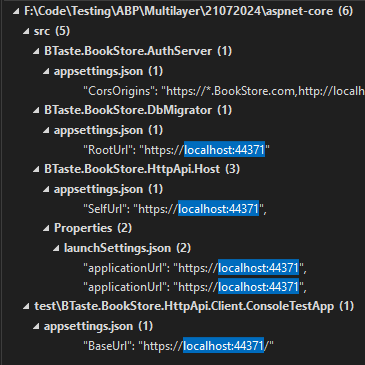
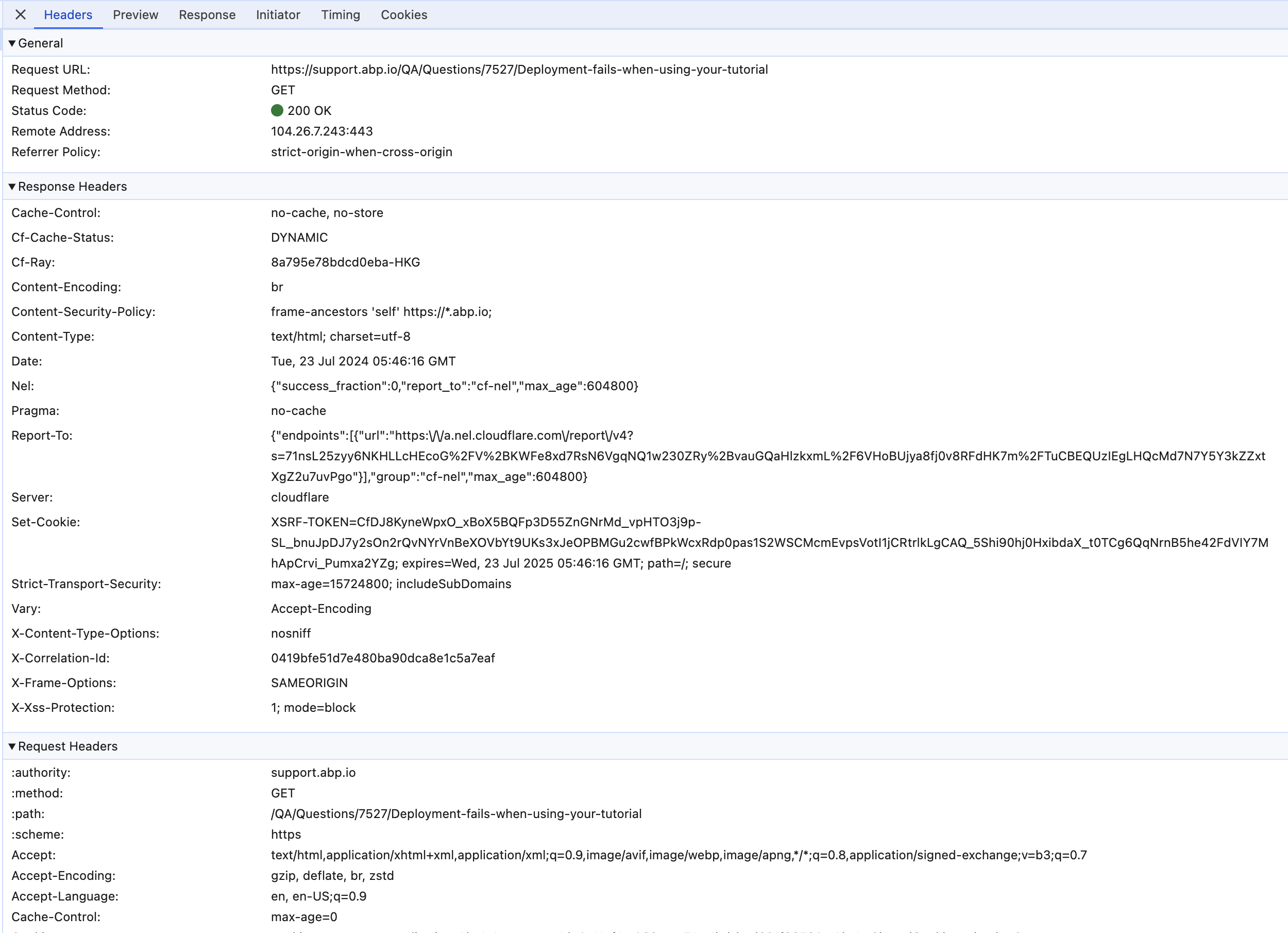
Or please share the HTTP request and response of the
https://localhost:44371/api/abp/application-configuration, you can view them in Chrome dev-tool.Markdown supported.Copy, paste, or drag & drop images and files (max 100 MB per file, 100 MB total per post) -
0
hi
I mean the full request and response info include the headers.
And do you have an online angular URL so I can see the cors error?
Thanks.
 Markdown supported.Copy, paste, or drag & drop images and files (max 100 MB per file, 100 MB total per post)