






There is two child entity added with the master entity. When adding new child entity with File type system prompt multiple issue which has been attached in screen shot.
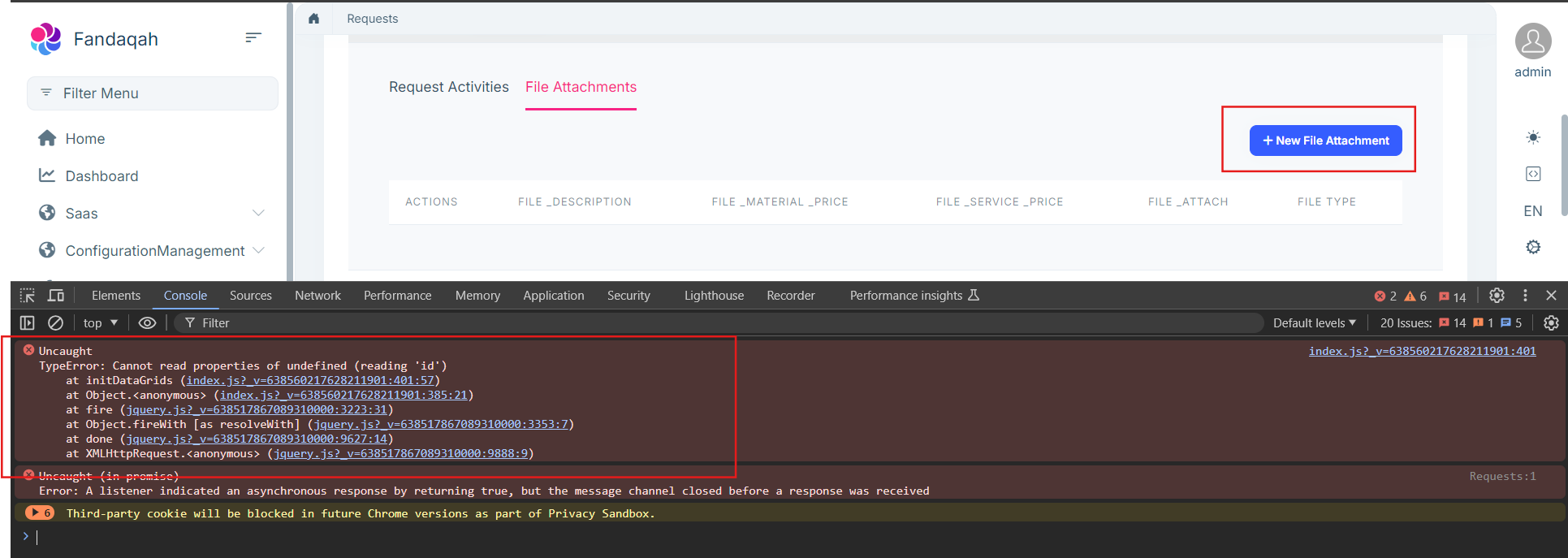
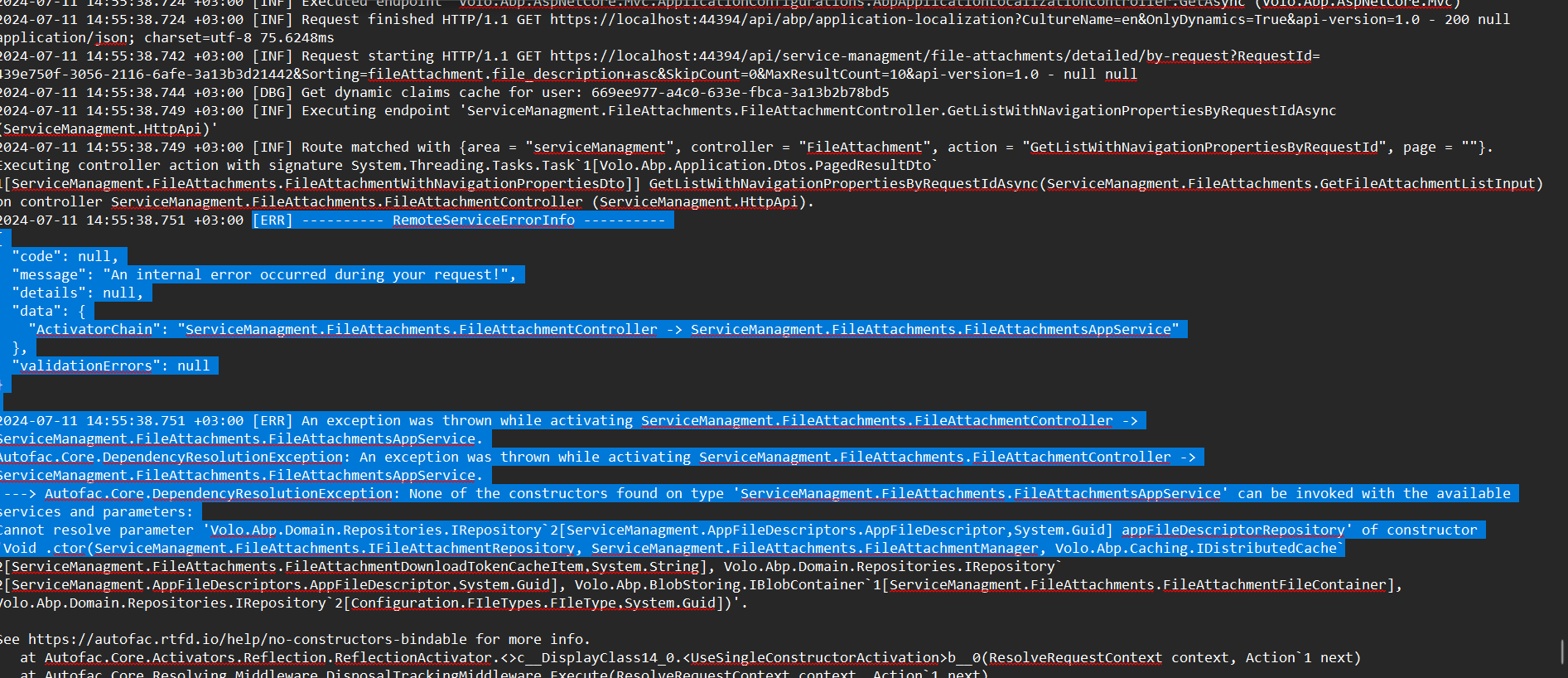
Previously ask question but no response provided on ticket. Ticket Ref: https://support.abp.io/QA/Questions/7169/File-attachment-in-Child-Entity-in-CRUD-Page
- ABP Framework version: v8.2.0
- UI Type: MVC
- Database System: EF Core (SQL Server)
- Tiered (for MVC) or Auth Server Separated (for Angular): yes
- Exception message and full stack trace:
- Steps to reproduce the issue:
8 Answer(s)
-
0
Hi,
Could you share the full steps to reproduce? thanks.
Markdown supported.Copy, paste, or drag & drop images and files (max 100 MB per file, 100 MB total per post) -
0
Hi,
Could you share the full steps to reproduce? thanks.
First create a master entity and after that create two child entity against master entity. One of the child entity had a filed type File and some other field 2 text fields and 2 decimal. The other child entity had only 2 fields. When we expand master entity screen shot error occurs and unable to open child entity.
Markdown supported.Copy, paste, or drag & drop images and files (max 100 MB per file, 100 MB total per post) -
0
Hi,
I could not reproduce the problem
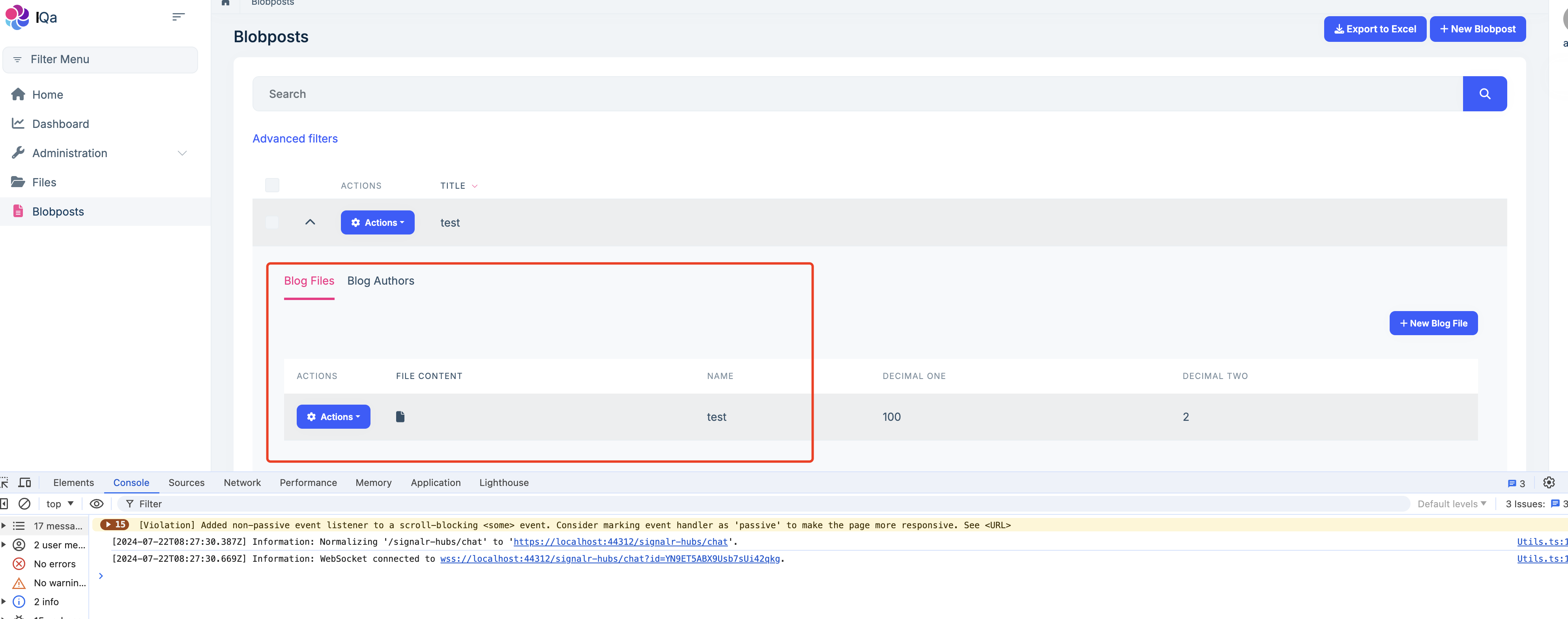
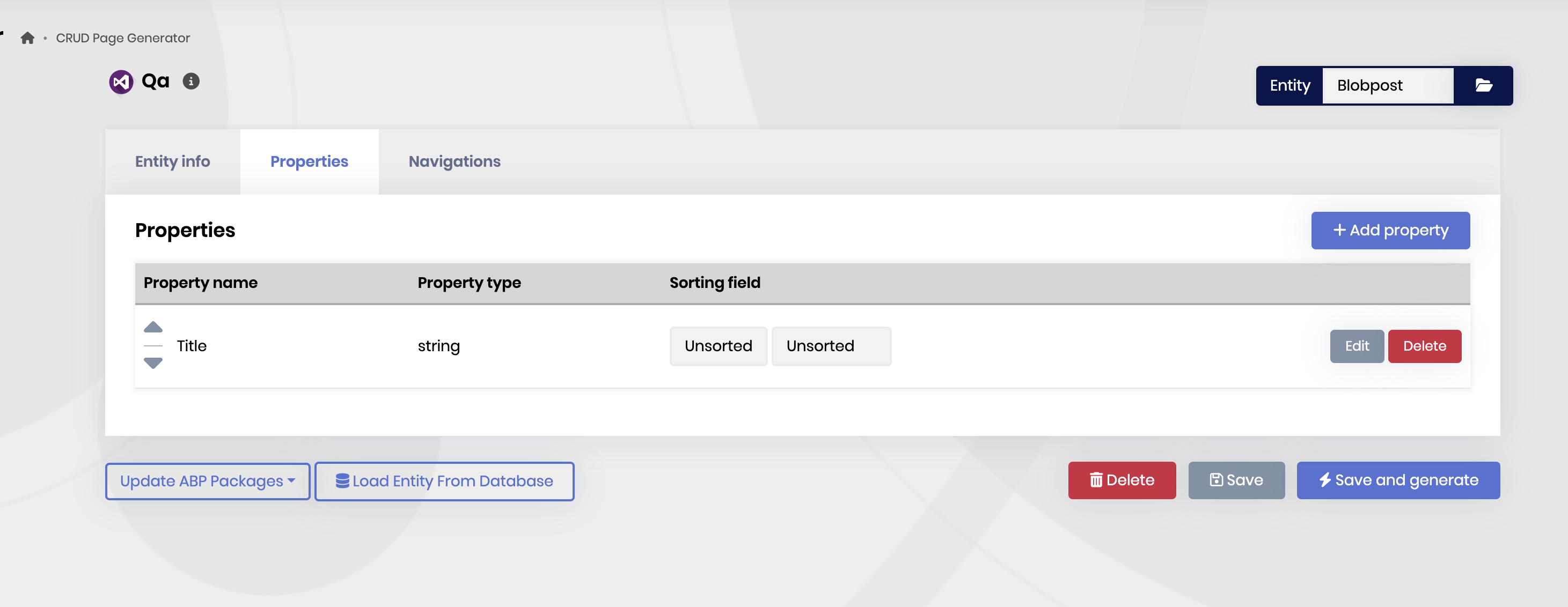
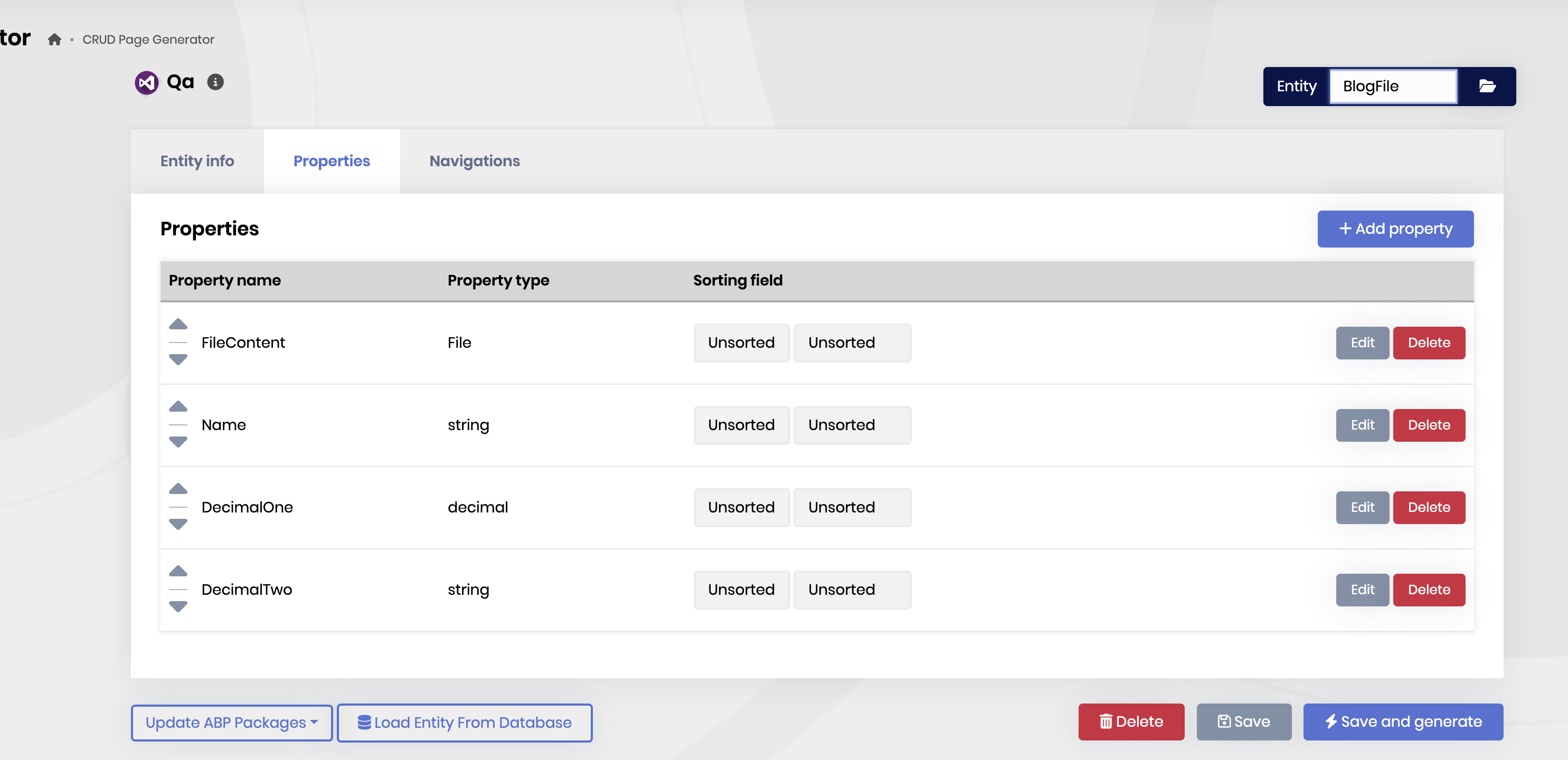
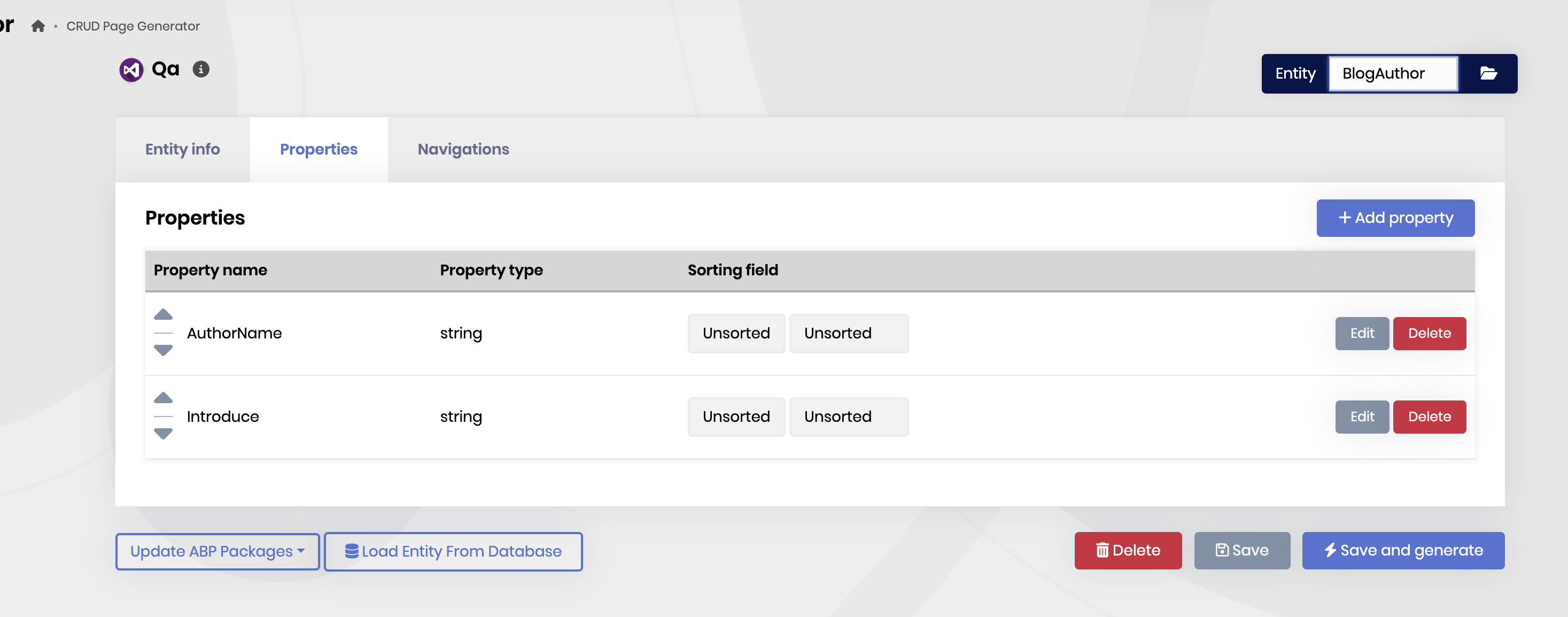 Markdown supported.Copy, paste, or drag & drop images and files (max 100 MB per file, 100 MB total per post)
 -
0
Hi,
I could not reproduce the problem
did you create a separate custom module for master and child entities?
Markdown supported.Copy, paste, or drag & drop images and files (max 100 MB per file, 100 MB total per post) -
0
Recreate same master and child entities and same error occurs again
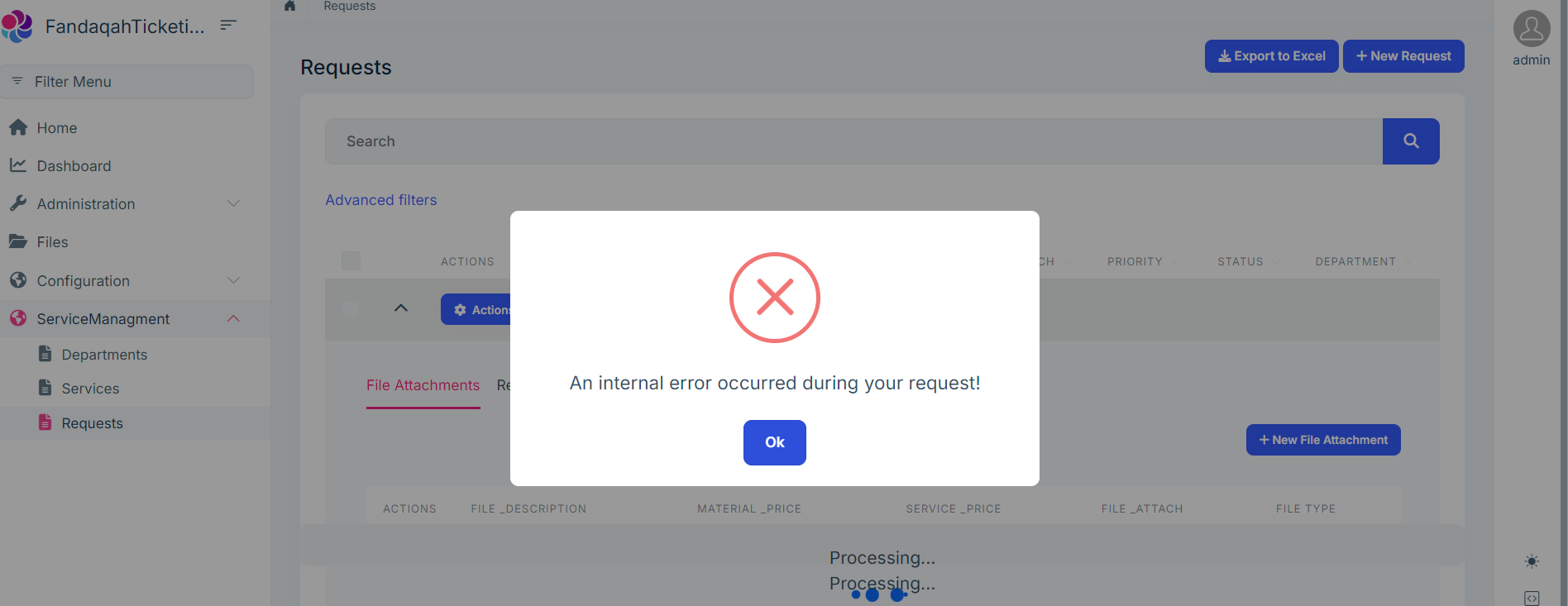
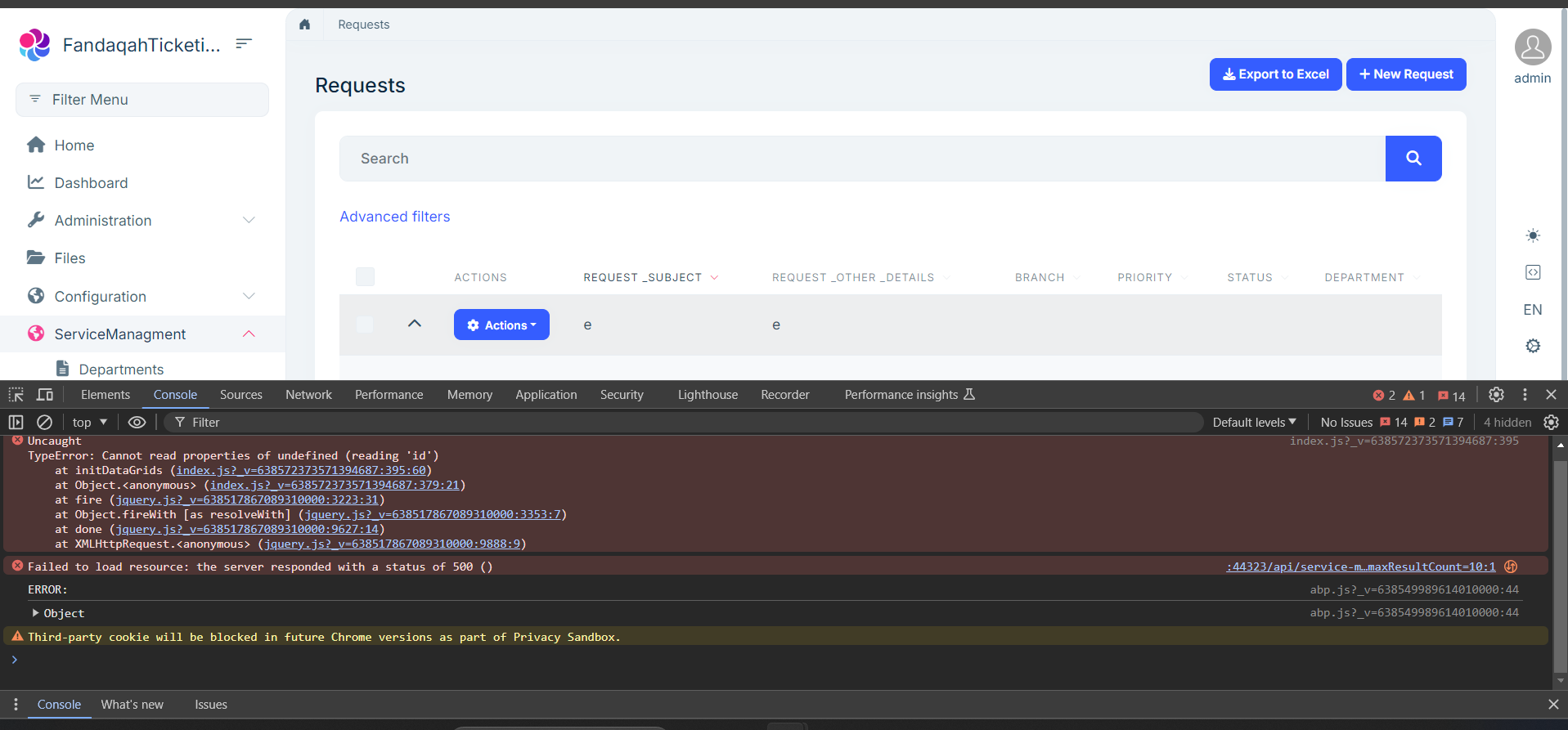 Markdown supported.Copy, paste, or drag & drop images and files (max 100 MB per file, 100 MB total per post)
 -
0
What separate custom module?
my steps:
- abp new Qa -d mongodb --tiered
- Use suite to create
blogpostmaster entity - use suite to create
blogfilechild entity - use suite to create
blogauthorchild entity - run application and create a new blog post,upload a file and create a blog author
Can you share a complete step-by-step reproduction?
Markdown supported.Copy, paste, or drag & drop images and files (max 100 MB per file, 100 MB total per post) -
0
What separate custom module?
my steps:
- abp new Qa -d mongodb --tiered
- Use suite to create
blogpostmaster entity - use suite to create
blogfilechild entity - use suite to create
blogauthorchild entity - run application and create a new blog post,upload a file and create a blog author
Can you share a complete step-by-step reproduction?
Create new module and in that module create master and child entities as per requirement.
 Markdown supported.Copy, paste, or drag & drop images and files (max 100 MB per file, 100 MB total per post)
 -
0
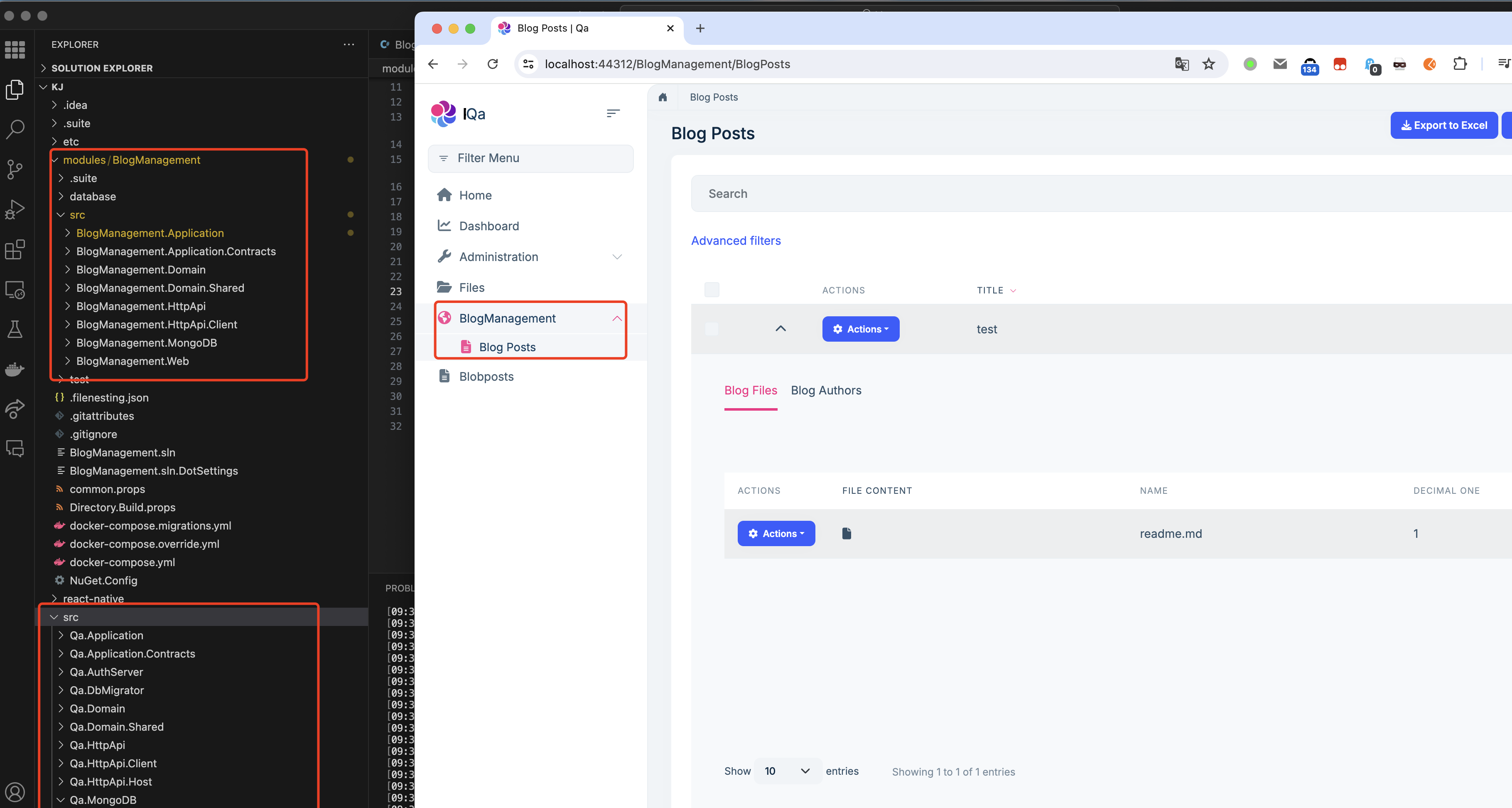
Still could not reproduce the problem
 Markdown supported.Copy, paste, or drag & drop images and files (max 100 MB per file, 100 MB total per post)


