






Hello, I am unable to use any of the commercial modules or create tiered application layers. Note that earlier I was able to use these modules and create tiered application. On renewing my license - all these options have been disabled.
11 Answer(s)
-
0
Hello,
Could you make sure your CLI and suite are the same version? Please try to re-login and then try again. Even if not resolved please let us know.
Thanks
Markdown supported.Copy, paste, or drag & drop images and files (max 100 MB per file, 100 MB total per post) -
0
The CLI version is ABP CLI 0.7.3 (Beta) The ABP studio version is the same.
All the optional modules are available for Team License and higher.
Markdown supported.Copy, paste, or drag & drop images and files (max 100 MB per file, 100 MB total per post) -
0
I am unable to create a new project. Adding optional modules is grayed out. Tiered solution structure is grayed out.
Markdown supported.Copy, paste, or drag & drop images and files (max 100 MB per file, 100 MB total per post) -
0
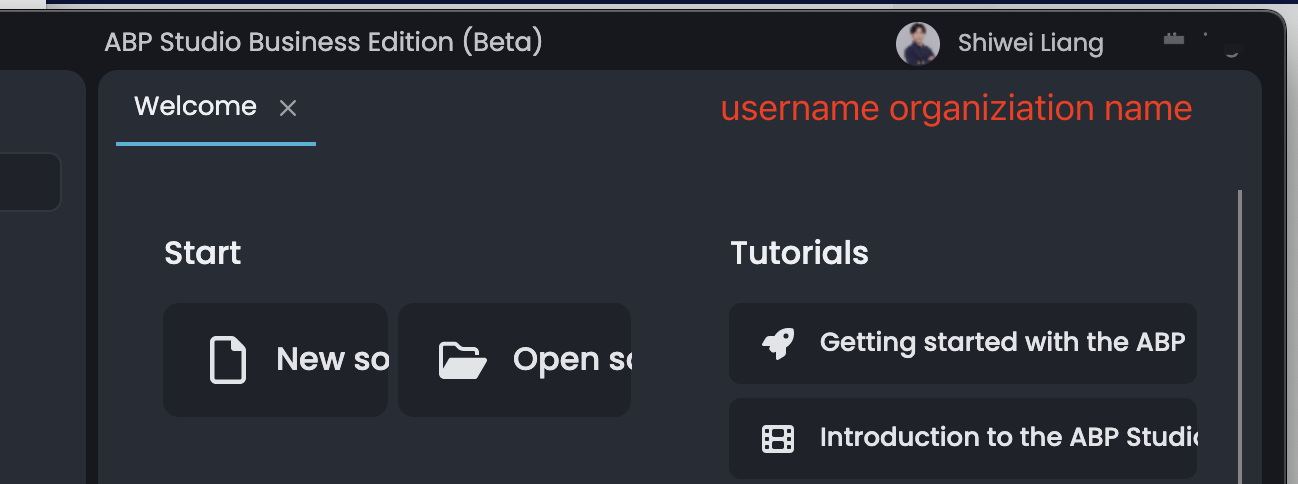
On the right top in abp Studio is your username and organization name.
Is them right?
 Markdown supported.Copy, paste, or drag & drop images and files (max 100 MB per file, 100 MB total per post)
 -
0
Hello Yes that's correct information. Attaching the screen shot for the same.
Markdown supported.Copy, paste, or drag & drop images and files (max 100 MB per file, 100 MB total per post) -
0
could you share some screenshots? thanks
Markdown supported.Copy, paste, or drag & drop images and files (max 100 MB per file, 100 MB total per post) -
0
 Markdown supported.Copy, paste, or drag & drop images and files (max 100 MB per file, 100 MB total per post)
 -
0
May I know which version of ABP Studio and ABP CLI you are using? We have solved this problem with version
0.7.4. If you are using an older version, please update ABP Studio and CLI and try again.For CLI:
dotnet tool update -g Volo.Abp.Studio.CliMarkdown supported.Copy, paste, or drag & drop images and files (max 100 MB per file, 100 MB total per post) -
0
Hi After updating the cli & studio - some optional modules are enabled. Some still are disabled:
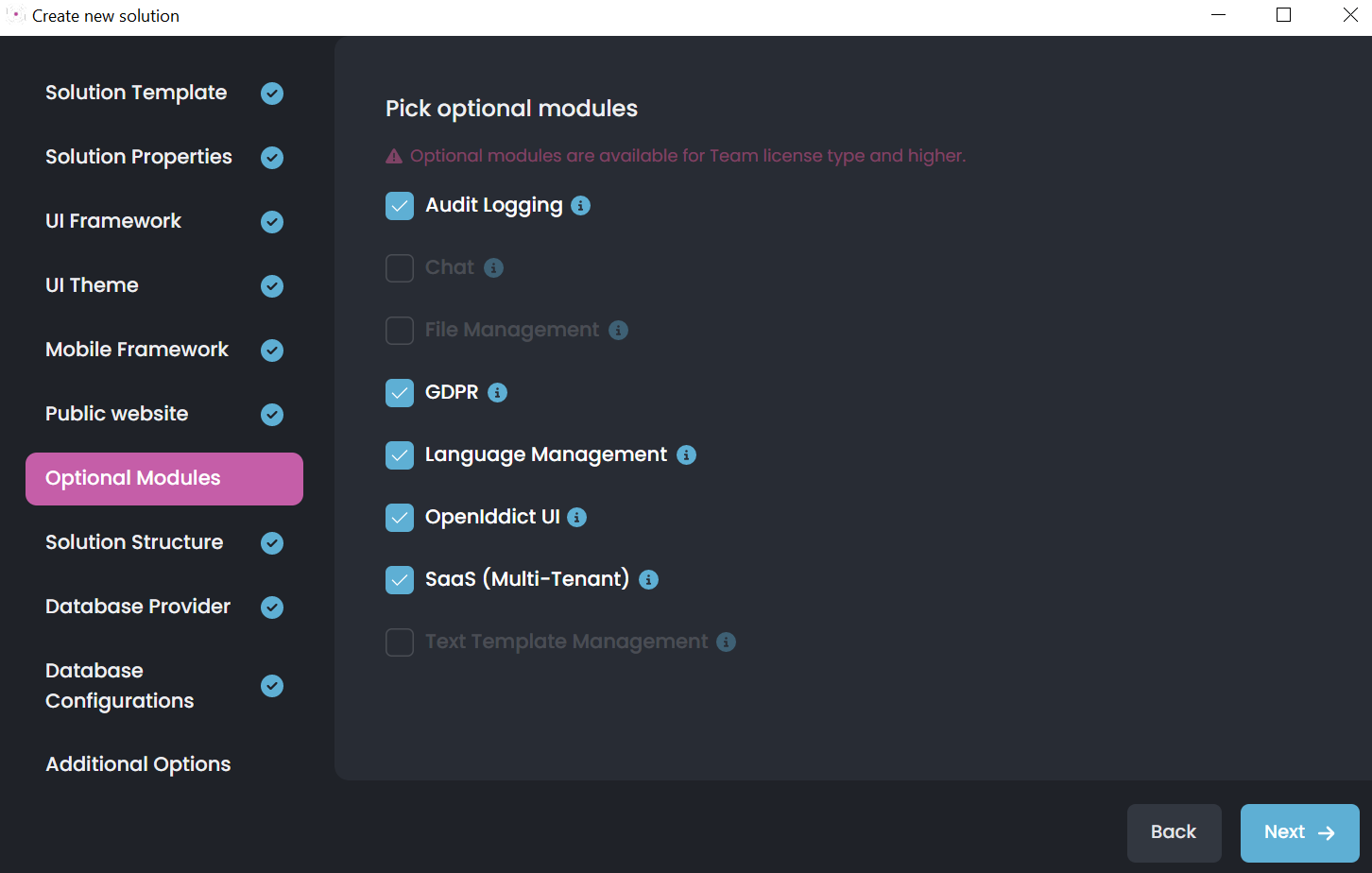
CHAT Management, file Management Text template management are still disabled.
Markdown supported.Copy, paste, or drag & drop images and files (max 100 MB per file, 100 MB total per post) -
0
Yes, it's normal for them to be disabled. See more: https://abp.io/faq#what-is-the-difference-between-a-personal-license-and-other-paid-license-types
Markdown supported.Copy, paste, or drag & drop images and files (max 100 MB per file, 100 MB total per post)



