






- ABP Framework version: v8.2
- UI Type: Blazor Web App
- Database System: EF Core (SQL Server)
- Tiered (for MVC) or Auth Server Separated (for Angular): yes
- Exception message and full stack trace:
- Steps to reproduce the issue:
Hi,
Before I upgraded my 7.x project to 8.2 I could generate long lived access tokens ( 1 year ) using the following code in the AuthServerModule:
PreConfigure<OpenIddictServerBuilder>(builder => { builder.SetAccessTokenLifetime(TimeSpan.FromDays(365)); builder.SetIdentityTokenLifetime(TimeSpan.FromDays(365));
});
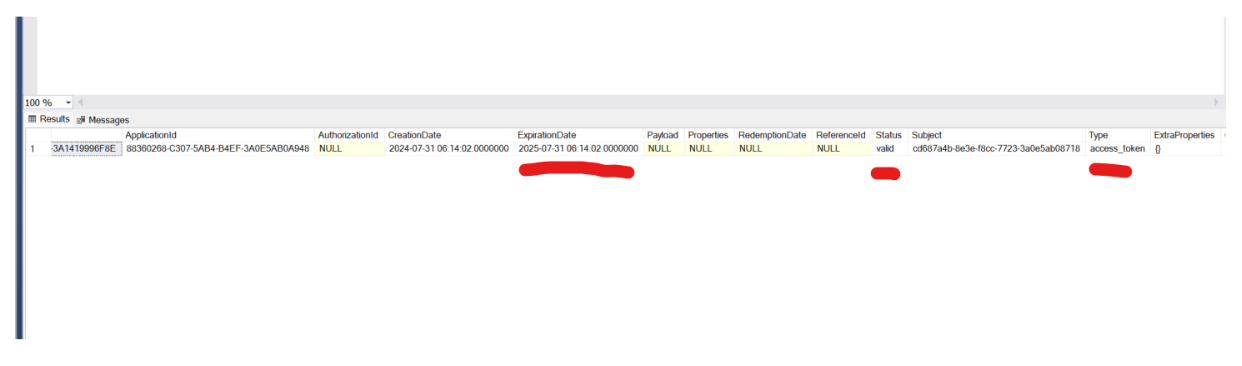
This code still works, and I get a token in the db that seems to have everything set correctly:
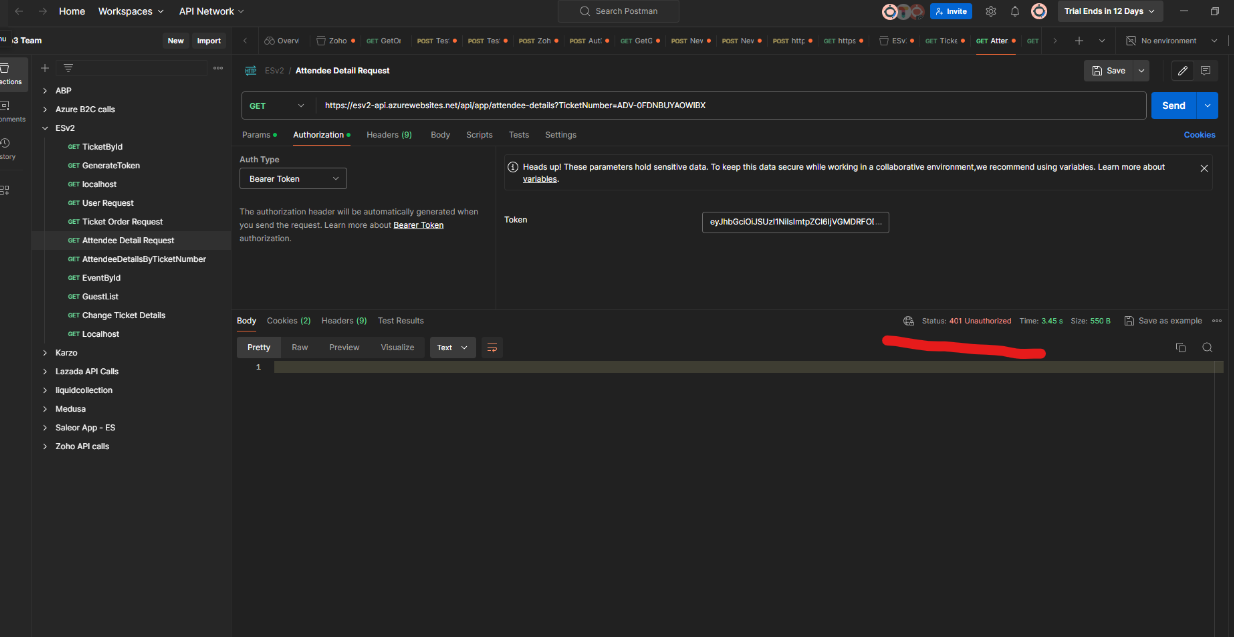
However after about a day the token stops working. Nothing has changed in the db, and the token is of course the same, but for some reason I get a 401 when using the token, whereas for the first day ( could be more or less but seems like about a day ) it works fine:
I noticed that ABP 8.x has upgraded to OpenIddict 5, and I went through all of the migration steps for that, so I looked for anything that changed and I see that there is now the concept of per client token expiration settings. However the global settings supposedly override that ( if client settings are not set explicitly ) and I am not sure how to configure ABP to use the client settings.
Can you provide any insight into this, and suggest some things to try so that I can get this long lived token functionality back?
Thanks,
Karim Ainsworth
12 Answer(s)
-
0
Hi,
could you share some logs?
Markdown supported.Copy, paste, or drag & drop images and files (max 100 MB per file, 100 MB total per post) -
0
I can share anything you like, can you be more specific about what logs you need? What exactly are you looking for in the logs? I am deploying to Azure, so I can turn on logging there?
Markdown supported.Copy, paste, or drag & drop images and files (max 100 MB per file, 100 MB total per post) -
0
HI,
I mean the webapp, httpapi and authserver logs.
I am deploying to Azure, so I can turn on logging there?
will it work locally?
Markdown supported.Copy, paste, or drag & drop images and files (max 100 MB per file, 100 MB total per post) -
0
Hi, I can share my full local logs now. I will then clear and run an authenticated request with a new token and share those logs. Will have to wait a day then to share the logs with the 401.
Here are the full logs, maybe there is something you can see in there that can help troubleshoot.
https://drive.google.com/file/d/1BcrCYTkWSM1Uu5fQfoEzdiCfq8L136uq/view?usp=sharing
Thanks,
Karim
Markdown supported.Copy, paste, or drag & drop images and files (max 100 MB per file, 100 MB total per post) -
0
I have just created a new token, fully authenticated, getting a proper 200 back now. Here are the logs for this:
https://drive.google.com/file/d/1BeNMJv2JSxjF68yPGT_v6uYUu3kPqrGG/view?usp=sharing
And the token:
eyJhbGciOiJSUzI1NiIsImtpZCI6Ijk3MTI0OEM5QUQxNjBGQkRBNzA3N0MzMDg4NzY2MkNDMTQxMDRCRUMiLCJ4NXQiOiJseEpJeWEwV0Q3Mm5CM3d3aUhaaXpCUVFTLXciLCJ0eXAiOiJhdCtqd3QifQ.eyJpc3MiOiJodHRwczovL2xvY2FsaG9zdDo0NDM1OS8iLCJleHAiOjE3NTQ0MTE0NzYsImlhdCI6MTcyMjg3NTQ3NiwiYXVkIjoiRVN2MiIsInNjb3BlIjoib3BlbmlkIHByb2ZpbGUgZW1haWwgRVN2MiIsImp0aSI6ImJiNDY0ZGI0LTI1ZDAtNGM1Ny1iOWE0LTJlYzYzYTZiNjY2MyIsInN1YiI6ImExMzY1MWU3LTZjYTEtZTAwNC02ZTM2LTNhMGRlZTZiNzBjOSIsInNlc3Npb25faWQiOiI4M2Y2ZjMxYy1kYjY2LTQ1YmYtODRjNi03ODZiYTMwMDQwNDgiLCJ1bmlxdWVfbmFtZSI6ImFkbWluIiwicHJlZmVycmVkX3VzZXJuYW1lIjoiYWRtaW4iLCJnaXZlbl9uYW1lIjoiYWRtaW4iLCJyb2xlIjoiYWRtaW4iLCJlbWFpbCI6ImFkbWluQGFicC5pbyIsImVtYWlsX3ZlcmlmaWVkIjoiRmFsc2UiLCJwaG9uZV9udW1iZXJfdmVyaWZpZWQiOiJGYWxzZSIsIm9pX3Byc3QiOiJFU3YyX1N3YWdnZXIiLCJjbGllbnRfaWQiOiJFU3YyX1N3YWdnZXIiLCJvaV90a25faWQiOiJiMjBiOTkzNS1kYjQzLTM0YzYtNjQ0ZC0zYTE0MzU4ZTUyYzEifQ.NDr7plqxw-I2_9D8s-T9ohsZ1YYiufoXaIYkDWXpzGeiHrfZkdBxXitwkgtfftFNApsiUTgAb2-43o_m48_IrJo74y0L3_PBhn6F-13MFw9ADIf_HTuNPlxhLUq48uTmztNEQUbvTIa6iToUj59iM3azsfHjHe2SqziLSJVNMs_b1DsHTmJB2V9faEuiwVLEJqBDCGL-ohGbFizEL5xfpDLNI1yRf4C-jSqccQ-YC41Ur5xf9Cv1kkNpzSnnfUke8oW0KRT5_xnXJY4FUECe-AaK6UWi0IbbU6PC7O7ER3tSc5BpokrdWl4kFiEklIM9n2mjMvk4HY9fCxfR0Dmang
Will be a day now when this expires, I can re-run this tomorrow and will get a 401. Can send the logs then. Please take a look in the meantime though and if there is anything obvious to you that is wrong let me know. Would like to resolve this as soon as possible.
Thanks,
Karim
Markdown supported.Copy, paste, or drag & drop images and files (max 100 MB per file, 100 MB total per post) -
0
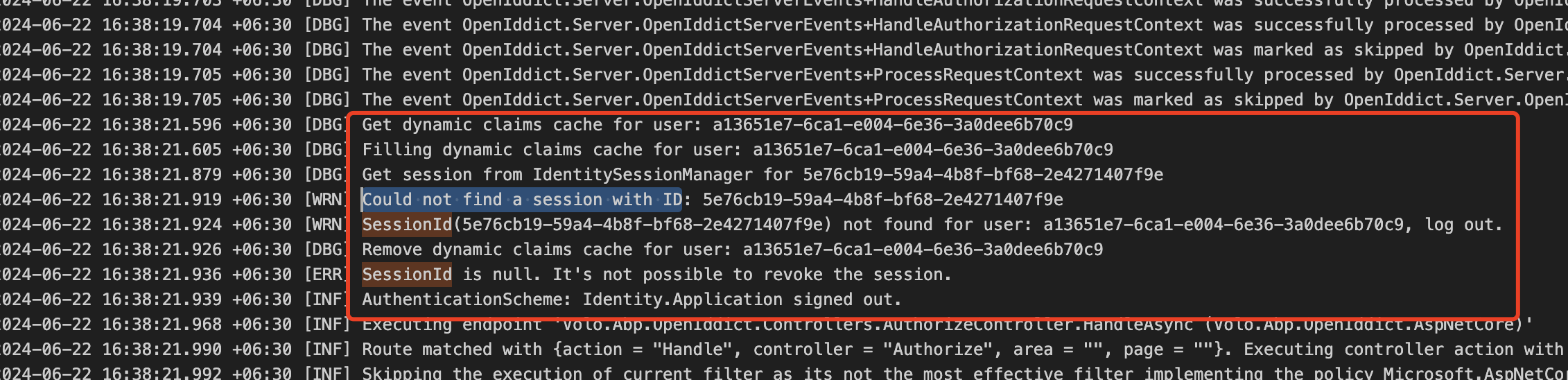
maybe related to the identity session.
could you try logout first, then re-login.
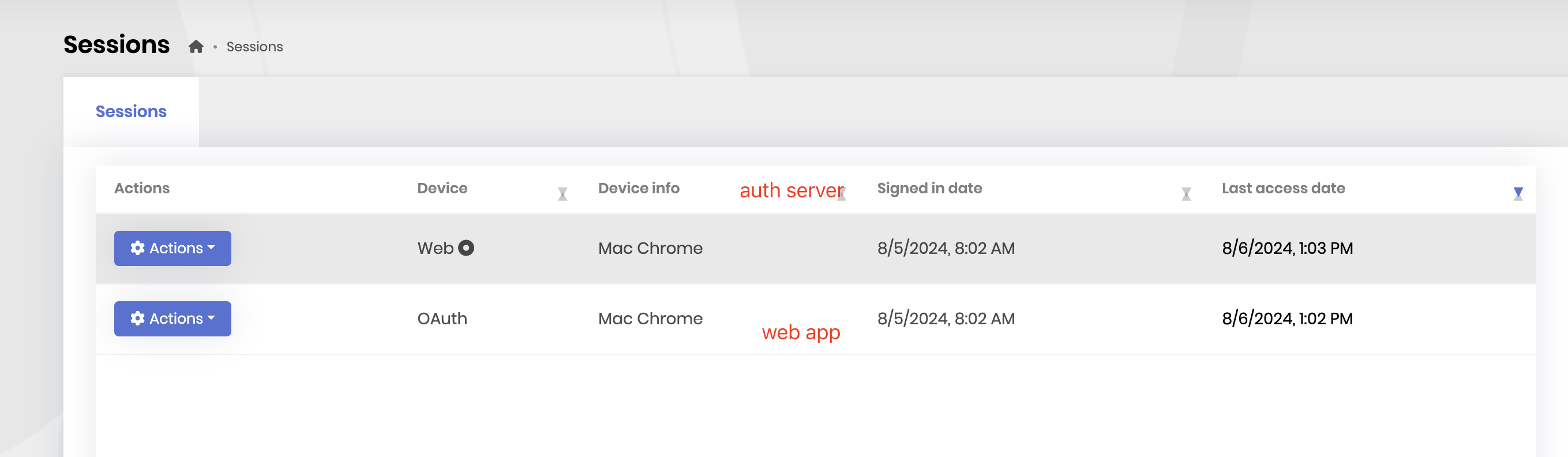
then navigate to
Account/sessionsyou should be able to see two sessions.
 Markdown supported.Copy, paste, or drag & drop images and files (max 100 MB per file, 100 MB total per post)
 -
0
Hi,
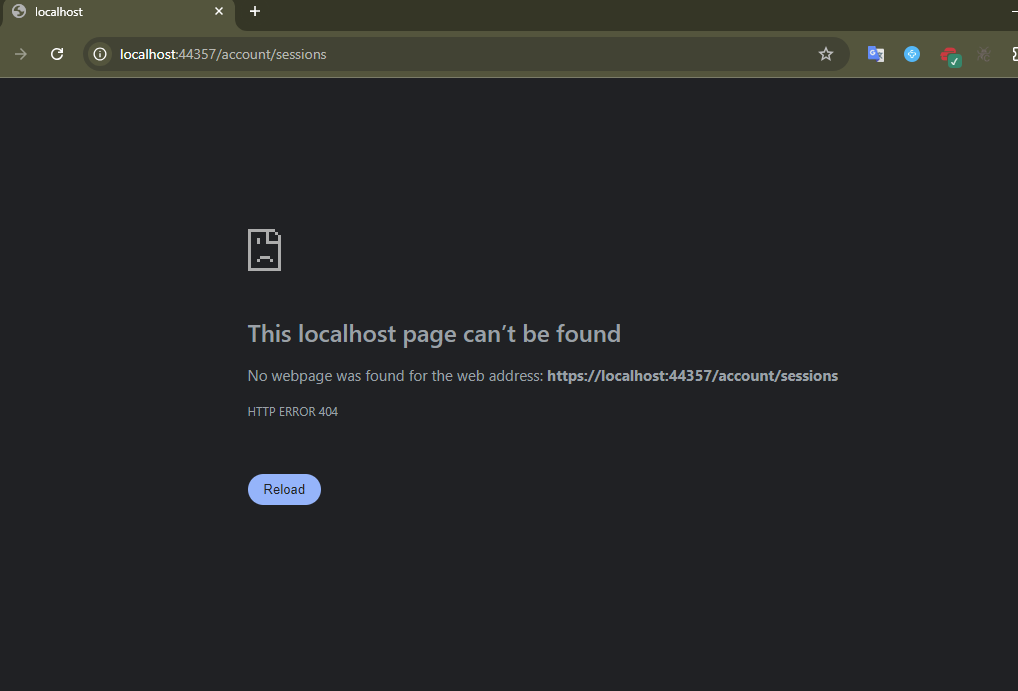
I am getting a 404 on account/sessions, also account/session, and I tried to find it in the settings / admin menus but can't find, is that the right URL?
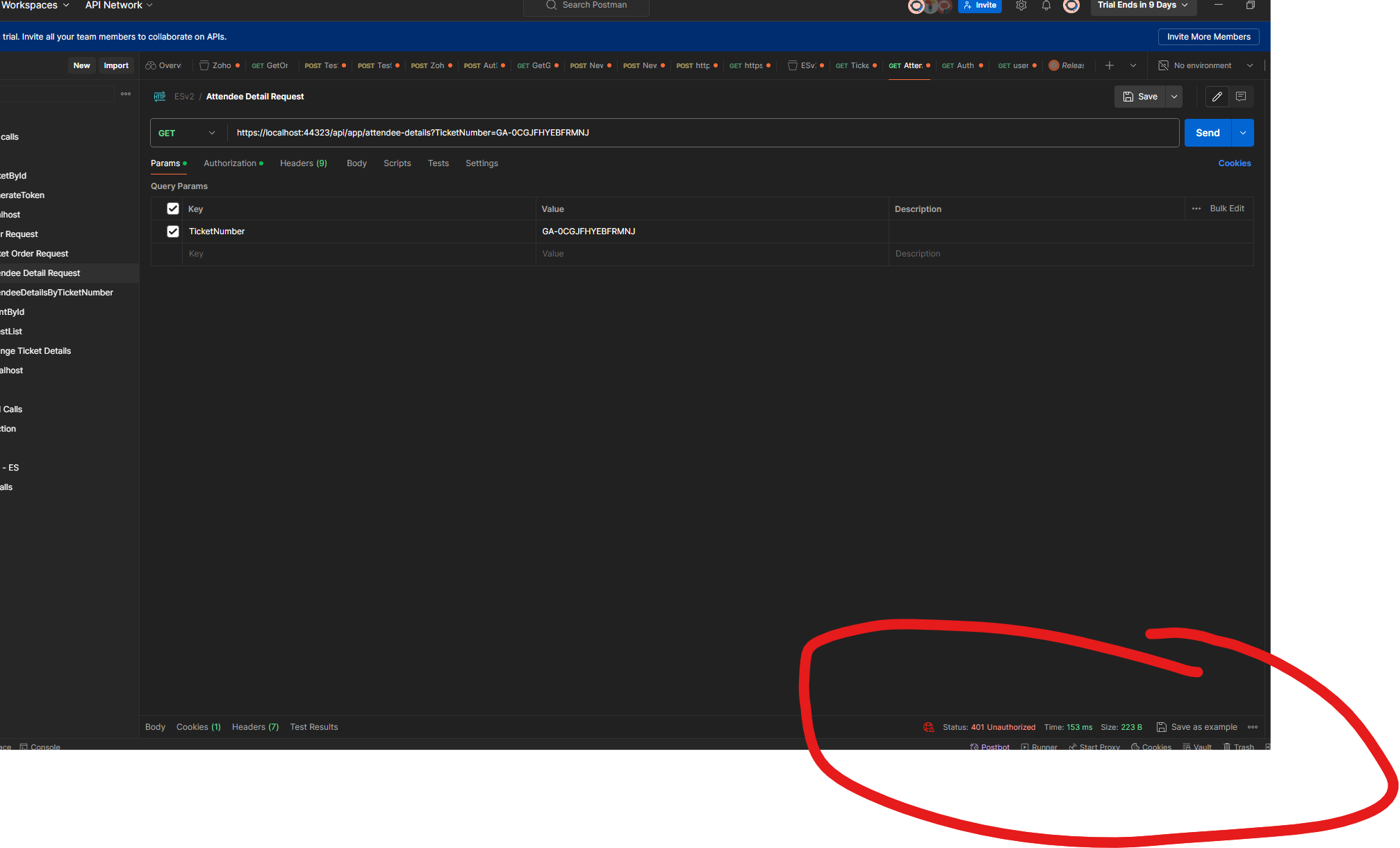
Also, the token I generated last night is now giving me a 401:
And here are the logs after making that API call:
https://drive.google.com/file/d/1BeYcZz4k9WFmyTGTBI8vH4SeehbsnonI/view?usp=sharing
This time we didn't get 24 hours, was working 14 hours ago. I don't see anything obvious in the logs.
I just paused for a bit, then tried hitting the API endpoint again, of course got a 401, but not much additional in the logs, that was done at 13:38:
2024-08-06 13:17:51.296 +06:30 [DBG] The event OpenIddict.Server.OpenIddictServerEvents+ApplyIntrospectionResponseContext was successfully processed by OpenIddict.Server.AspNetCore.OpenIddictServerAspNetCoreHandlers+ProcessJsonResponse
1[[OpenIddict.Server.OpenIddictServerEvents+ApplyIntrospectionResponseContext, OpenIddict.Server, Version=5.5.0.0, Culture=neutral, PublicKeyToken=35a561290d20de2f]]. 2024-08-06 13:17:51.296 +06:30 [DBG] The event OpenIddict.Server.OpenIddictServerEvents+ApplyIntrospectionResponseContext was marked as handled by OpenIddict.Server.AspNetCore.OpenIddictServerAspNetCoreHandlers+ProcessJsonResponse1[[OpenIddict.Server.OpenIddictServerEvents+ApplyIntrospectionResponseContext, OpenIddict.Server, Version=5.5.0.0, Culture=neutral, PublicKeyToken=35a561290d20de2f]]. 2024-08-06 13:17:51.296 +06:30 [DBG] The event OpenIddict.Server.OpenIddictServerEvents+ProcessRequestContext was successfully processed by OpenIddict.Server.OpenIddictServerHandlers+Introspection+ApplyIntrospectionResponse1[[OpenIddict.Server.OpenIddictServerEvents+ProcessRequestContext, OpenIddict.Server, Version=5.5.0.0, Culture=neutral, PublicKeyToken=35a561290d20de2f]]. 2024-08-06 13:17:51.296 +06:30 [DBG] The event OpenIddict.Server.OpenIddictServerEvents+ProcessRequestContext was marked as handled by OpenIddict.Server.OpenIddictServerHandlers+Introspection+ApplyIntrospectionResponse1[[OpenIddict.Server.OpenIddictServerEvents+ProcessRequestContext, OpenIddict.Server, Version=5.5.0.0, Culture=neutral, PublicKeyToken=35a561290d20de2f]]. 2024-08-06 13:17:51.296 +06:30 [INF] Request finished HTTP/1.1 POST https://localhost:44359/connect/introspect - 200 348 application/json;charset=UTF-8 26.4754ms 2024-08-06 13:38:11.132 +06:30 [INF] Lock is acquired for TokenCleanupBackgroundWorker 2024-08-06 13:38:11.133 +06:30 [INF] Lock is acquired for IdentitySessionCleanupBackgroundWorker 2024-08-06 13:38:11.139 +06:30 [INF] Start cleanup. 2024-08-06 13:38:11.140 +06:30 [INF] Start cleanup tokens. 2024-08-06 13:38:11.144 +06:30 [INF] Start cleanup sessions. 2024-08-06 13:38:11.198 +06:30 [INF] Cleanup sessions completed. 2024-08-06 13:38:11.198 +06:30 [INF] Lock is released for IdentitySessionCleanupBackgroundWorker 2024-08-06 13:38:11.206 +06:30 [INF] Start cleanup authorizations. 2024-08-06 13:38:11.251 +06:30 [INF] Lock is released for TokenCleanupBackgroundWorkerThanks,
Karim
Markdown supported.Copy, paste, or drag & drop images and files (max 100 MB per file, 100 MB total per post) -
0
Hi,
I am getting a 404 on account/sessions, also account/session, and I tried to find it in the settings / admin menus but can't find, is that the right URL?
The URL should be
AuthServerURL/account/sessionsYou can try this: https://abp.io/support/questions/7626/Can%27t-generate-long-lived-auth-tokens-after-82-upgrade#answer-3a143840-1291-1f3d-7e6b-18c502a01068 this problem also happened in the ABP.io, after logout and re-login, it works fine.
Markdown supported.Copy, paste, or drag & drop images and files (max 100 MB per file, 100 MB total per post) -
0
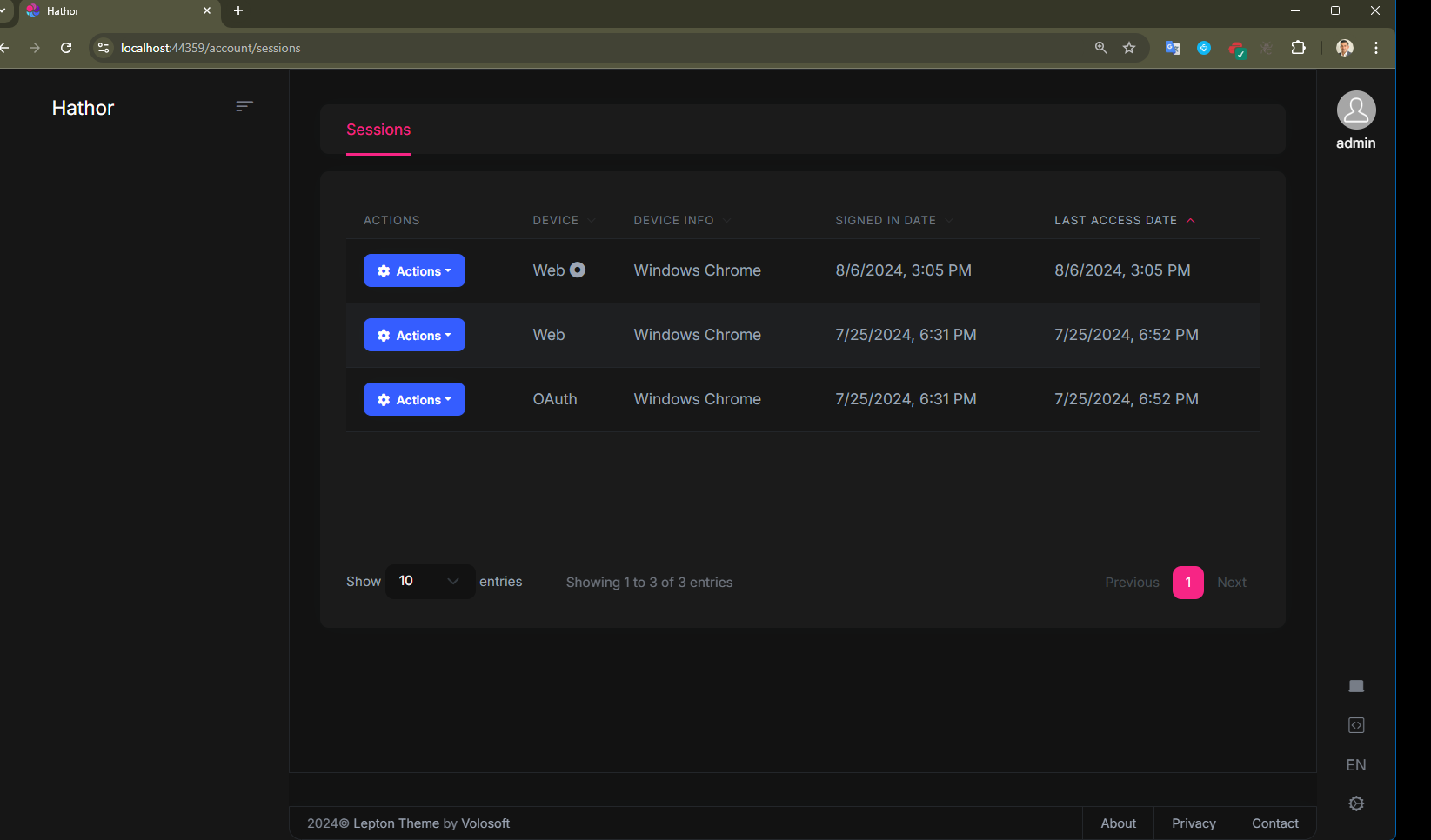
OK, i have logged out / logged back in as admin to the auth server, I can see the sessions now. I don't see an active Session for the token that I generated last night.
Are you saying that because now I have logged in, that if I create a new token, that it won't expire? I can try that now and see how it works. Here is the current Sessions without the new token :
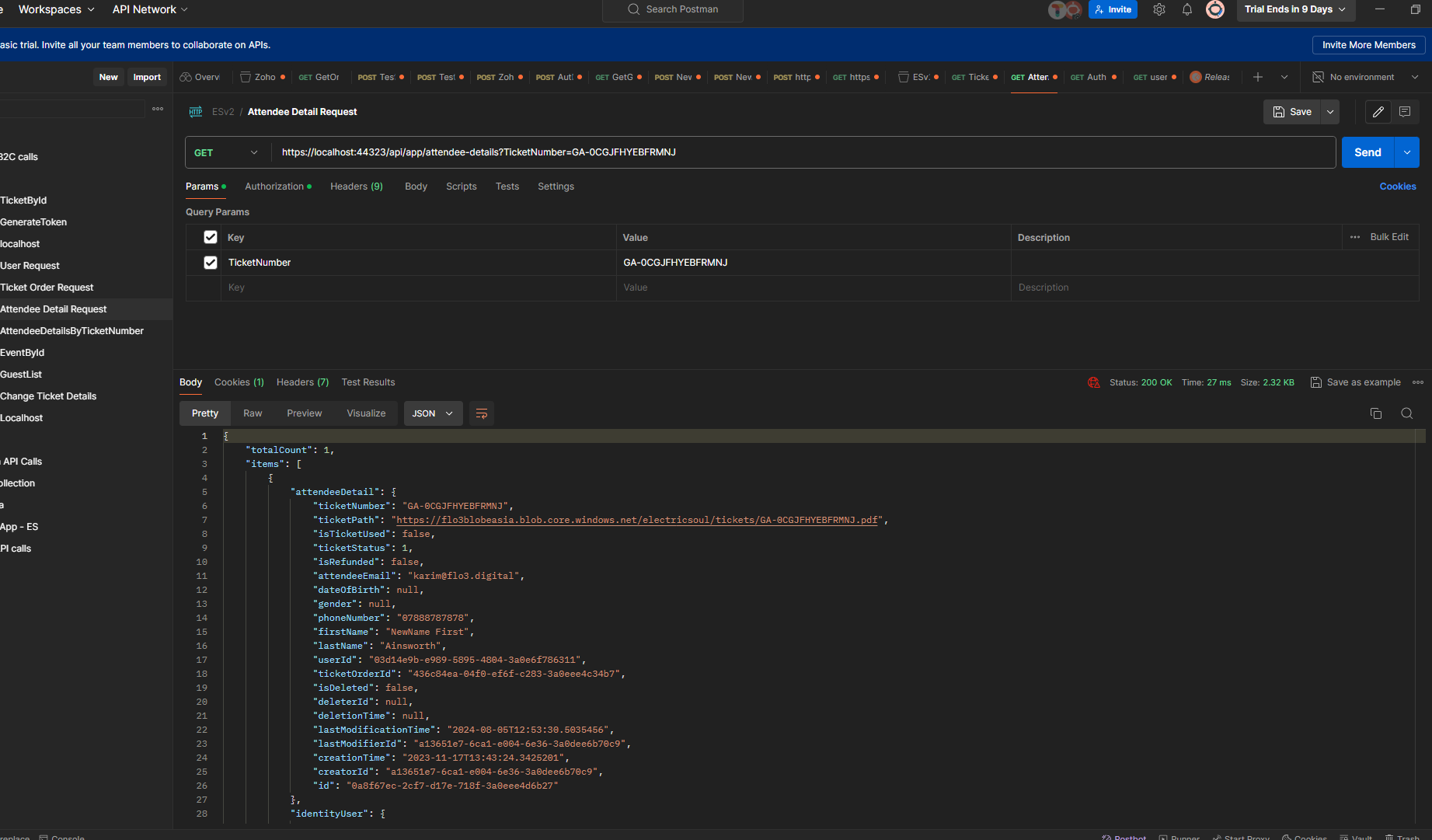
New token generated, getting back a 200 with data:
And I can see the new token now here:
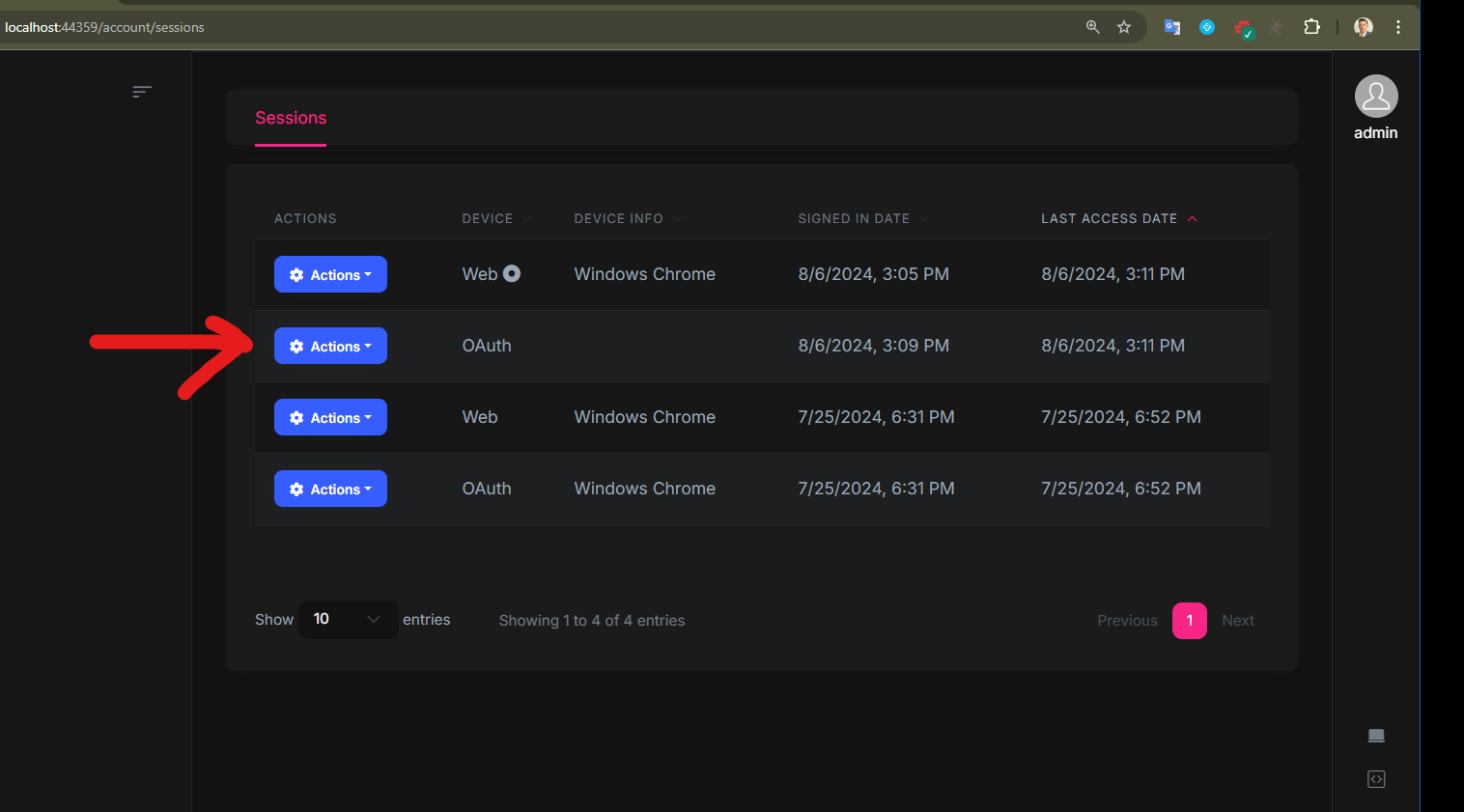
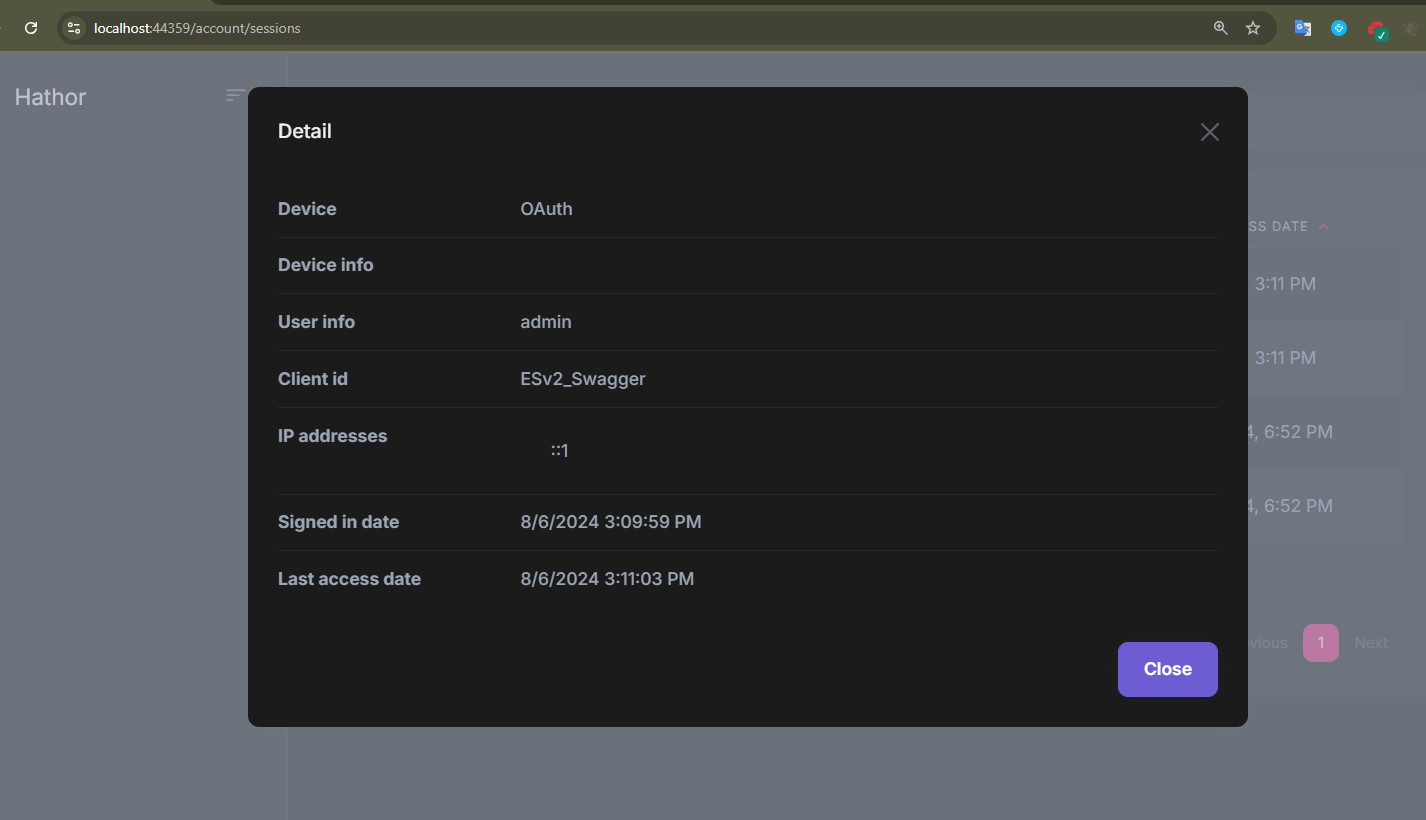
So this all looks good, are you saying that now this token will honor it's expiration date properly?
I suppose now we just wait and see if it is still valid after 1 day then yeah?
Thanks,
Karim
Markdown supported.Copy, paste, or drag & drop images and files (max 100 MB per file, 100 MB total per post) -
0
I suppose now we just wait and see if it is still valid after 1 day then yeah?
you can try changing your system datetime to check it.
Markdown supported.Copy, paste, or drag & drop images and files (max 100 MB per file, 100 MB total per post) -
0
OK I think this might have worked, I set my clock to 2026, got a 401 as expected. Set it to October ( + 2 Months ) and got a 200.
I will fix this now on my production Azure environment and let's see if the token works as expected.
I will close this ticket after a couple of days as long as the token is still alive.
Thanks for your help!
Markdown supported.Copy, paste, or drag & drop images and files (max 100 MB per file, 100 MB total per post) -
0
okay, good luck
Markdown supported.Copy, paste, or drag & drop images and files (max 100 MB per file, 100 MB total per post)


