

Open Closed

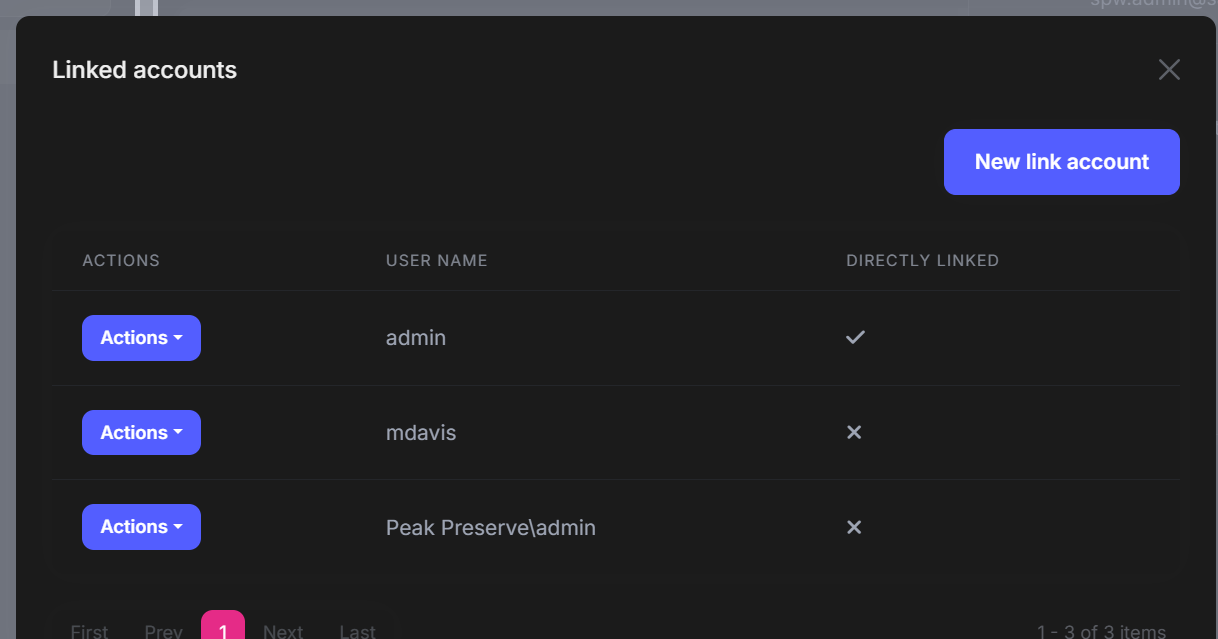
Linked Accounts - Search Box Missing #7645


User avatar
0
dhill created
  • ABP Framework version: v8.2.1
  • UI Type: Blazor Web App
  • Database System: EF Core
  • Exception message and full stack trace:
  • Steps to reproduce the issue:

The search box is missing from linked accounts.
Markdown supported.
Copy, paste, or drag & drop images and files (max 100 MB per file, 100 MB total per post)

4 Answer(s)
  • User Avatar
    0
    maliming created
    Support Team Fullstack Developer

    hi

    This is different between mvc and blazor, I will fix it in next version, I have refunede your ticket.

    Thanks.

    Markdown supported.
    Copy, paste, or drag & drop images and files (max 100 MB per file, 100 MB total per post)

  • User Avatar
    0
    maliming created
    Support Team Fullstack Developer

    hi

    Can you test this in a new 8.3 template project?

    Then, share the screenshot if there is still a problem.

    Thanks.

    Markdown supported.
    Copy, paste, or drag & drop images and files (max 100 MB per file, 100 MB total per post)

  • User Avatar
    0
    dhill created

    There were some missing packages that didn't get updated to 8.3.0 Once they all got updated it's working.

    One note: using the ABP suite to update packages seems to be impartial. The same applies to Nuget updates. The fix found by accident was running abp update-libs

    Markdown supported.
    Copy, paste, or drag & drop images and files (max 100 MB per file, 100 MB total per post)
  • User Avatar
    0
    maliming created
    Support Team Fullstack Developer

    Great

    Markdown supported.
    Copy, paste, or drag & drop images and files (max 100 MB per file, 100 MB total per post)
Boost Your Development
ABP Live Training
Packages
See Trainings
Mastering ABP Framework Book
The Official Guide
Mastering
ABP Framework
Learn More
Mastering ABP Framework Book
Made with ❤️ on ABP v10.8.0-preview. Updated on September 28, 2026, 11:44
1
ABP Assistant
🔐 You need to be logged in to use the chatbot. Please log in first.