Open Closed

2FA steps is not showing in 2FA menu auth server #7846


User avatar
0
bkrm.dev01 created
  • ABP Framework version: v7.2.2
  • UI Type: Auth MVC
  • Database System: EF Core (SQL Server)
  • Tiered (for MVC) or Auth Server Separated (for Angular): yes
  • Exception message and full stack trace:
  • Steps to reproduce the issue:

Our site
Markdown supported.
Copy, paste, or drag & drop images and files (max 100 MB per file, 100 MB total per post)

11 Answer(s)
  • User Avatar
    0
    maliming created
    Support Team Fullstack Developer

    hi

    Do you have any valid 2fa?

    eg: email. Authenticator?

    Markdown supported.
    Copy, paste, or drag & drop images and files (max 100 MB per file, 100 MB total per post)
  • User Avatar
    0
    bkrm.dev01 created

    Hi,

    We expect to use google authenticator as per what we have done in ASP.NET Zero.

    Thank you.

    Markdown supported.
    Copy, paste, or drag & drop images and files (max 100 MB per file, 100 MB total per post)

  • User Avatar
    0
    maliming created
    Support Team Fullstack Developer

    hi

    You can scan the QR code step by step to add the Google authenticator

    Markdown supported.
    Copy, paste, or drag & drop images and files (max 100 MB per file, 100 MB total per post)

  • User Avatar
    0
    bkrm.dev01 created

    Hi,

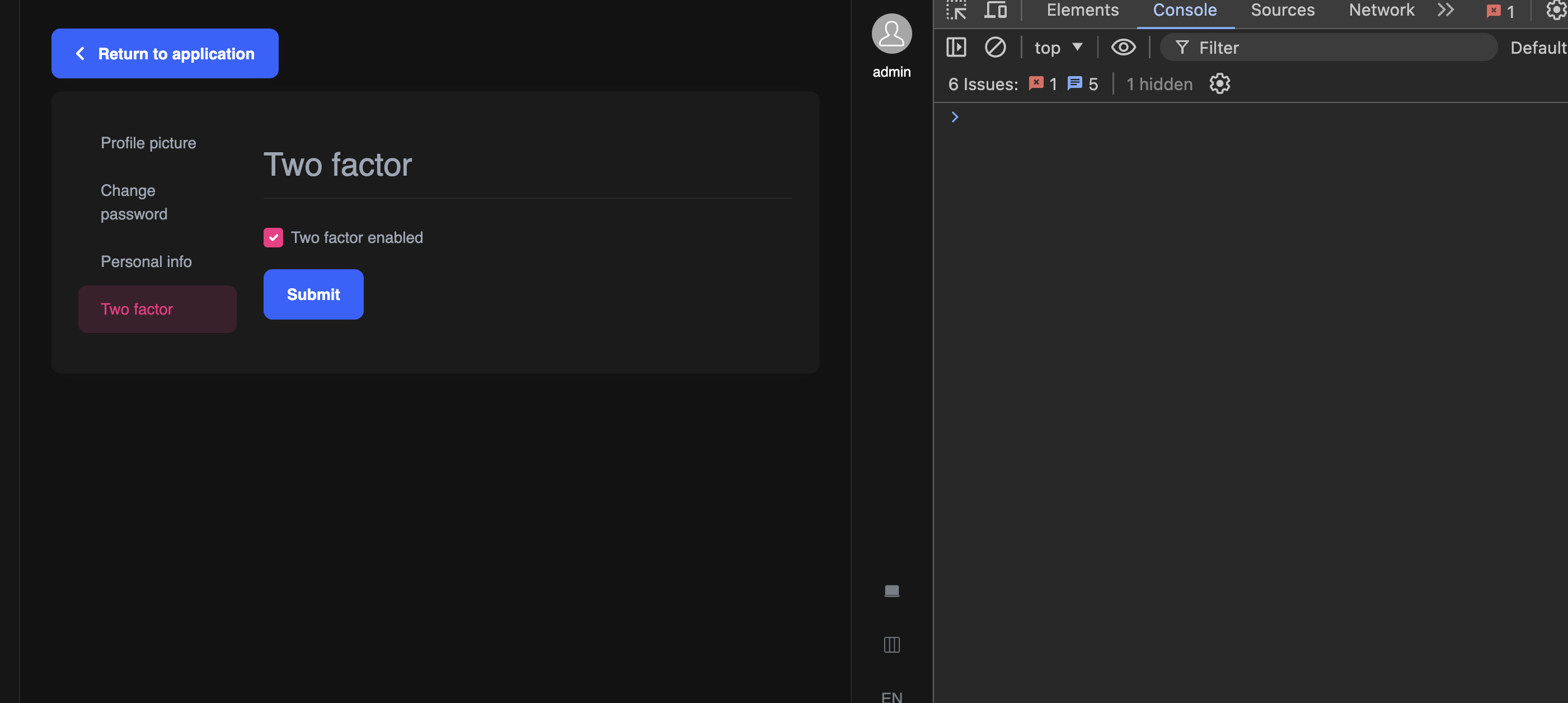
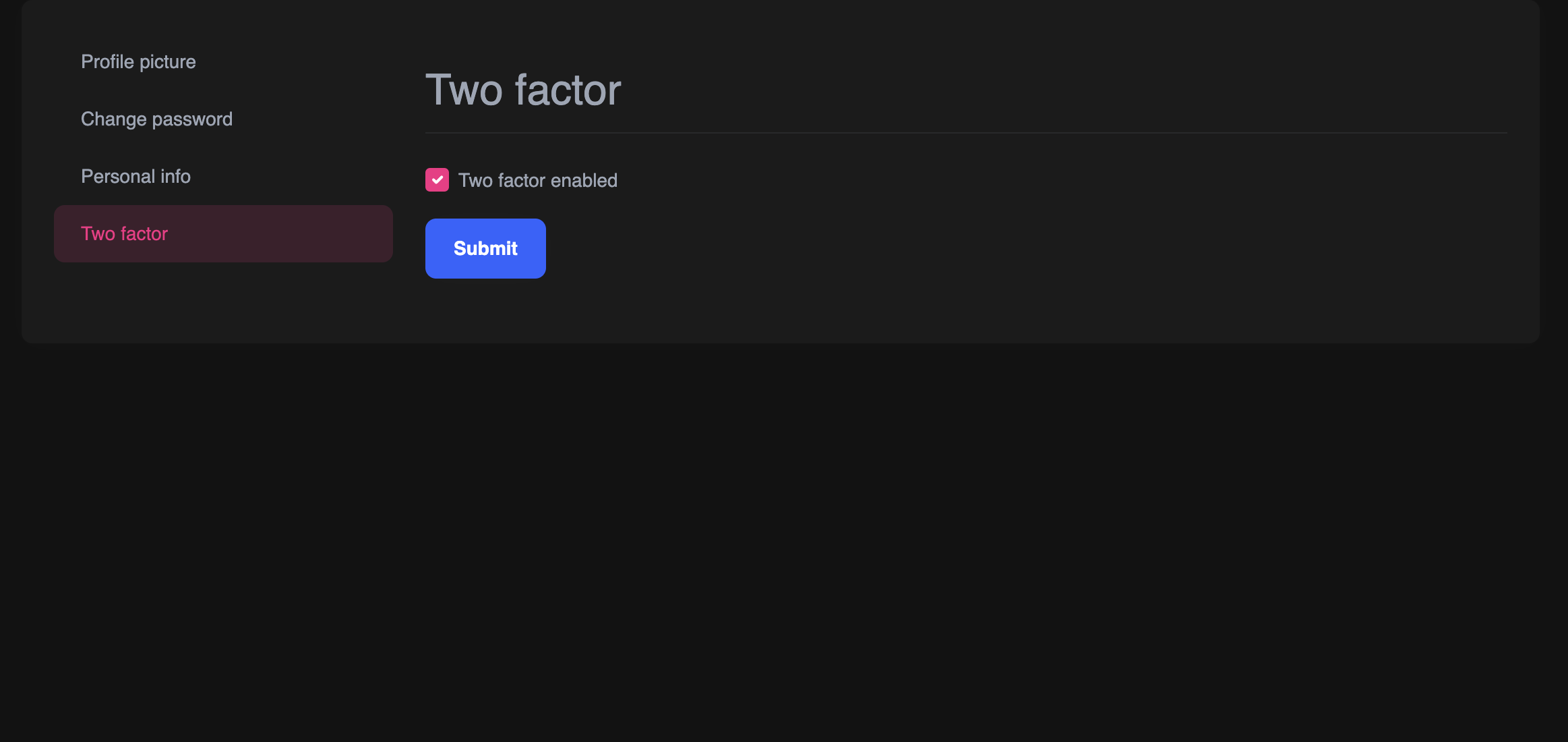
    The problem is QR is not showing.

    Thank you.

    Markdown supported.
    Copy, paste, or drag & drop images and files (max 100 MB per file, 100 MB total per post)
  • User Avatar
    0
    maliming created
    Support Team Fullstack Developer

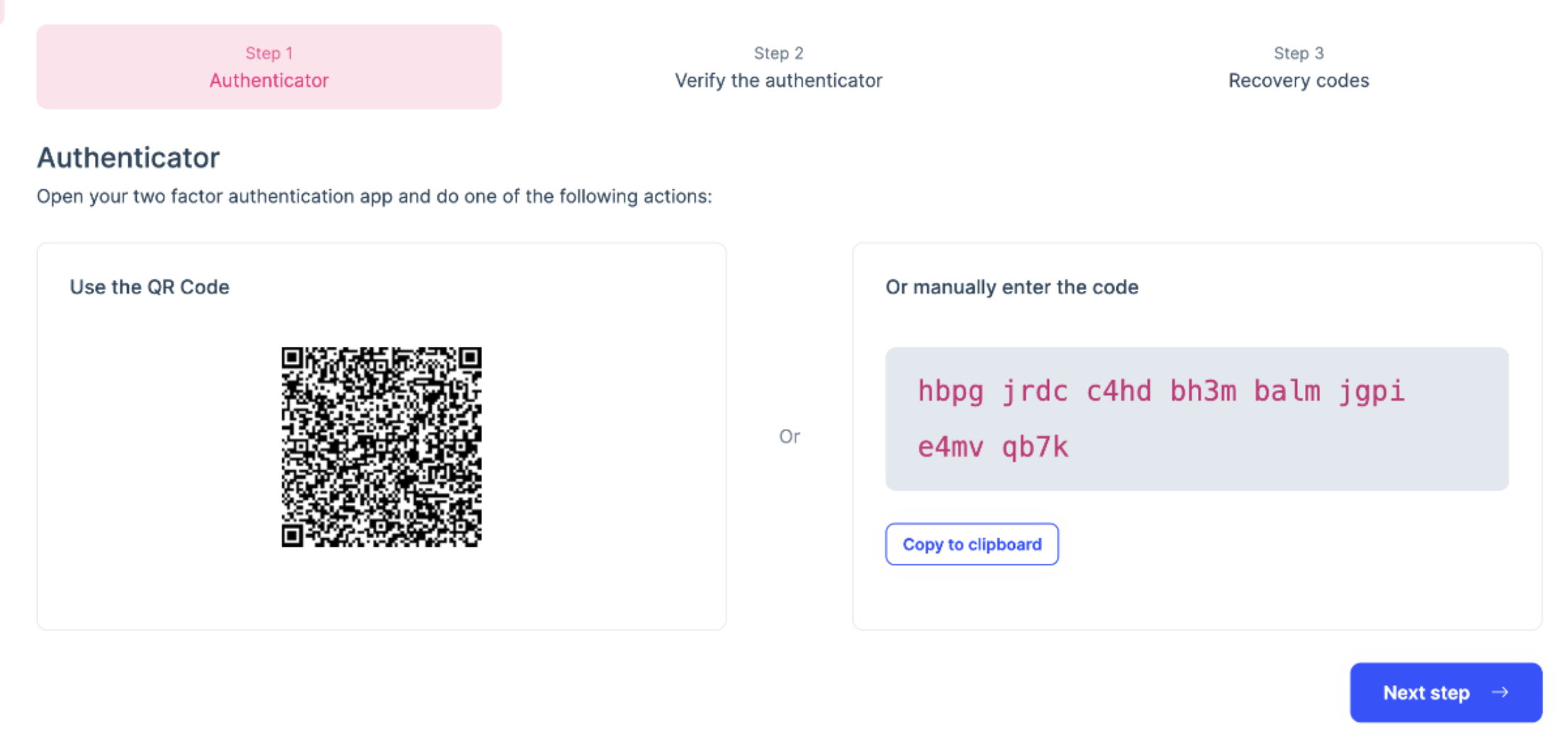
    But I can see the QR code in your image. 🤨

    bwt. You can add the @abp/qrcode to your packages.json

    https://www.npmjs.com/package/@abp/qrcode

    Markdown supported.
    Copy, paste, or drag & drop images and files (max 100 MB per file, 100 MB total per post)
  • User Avatar
    0
    bkrm.dev01 created

    Hi,

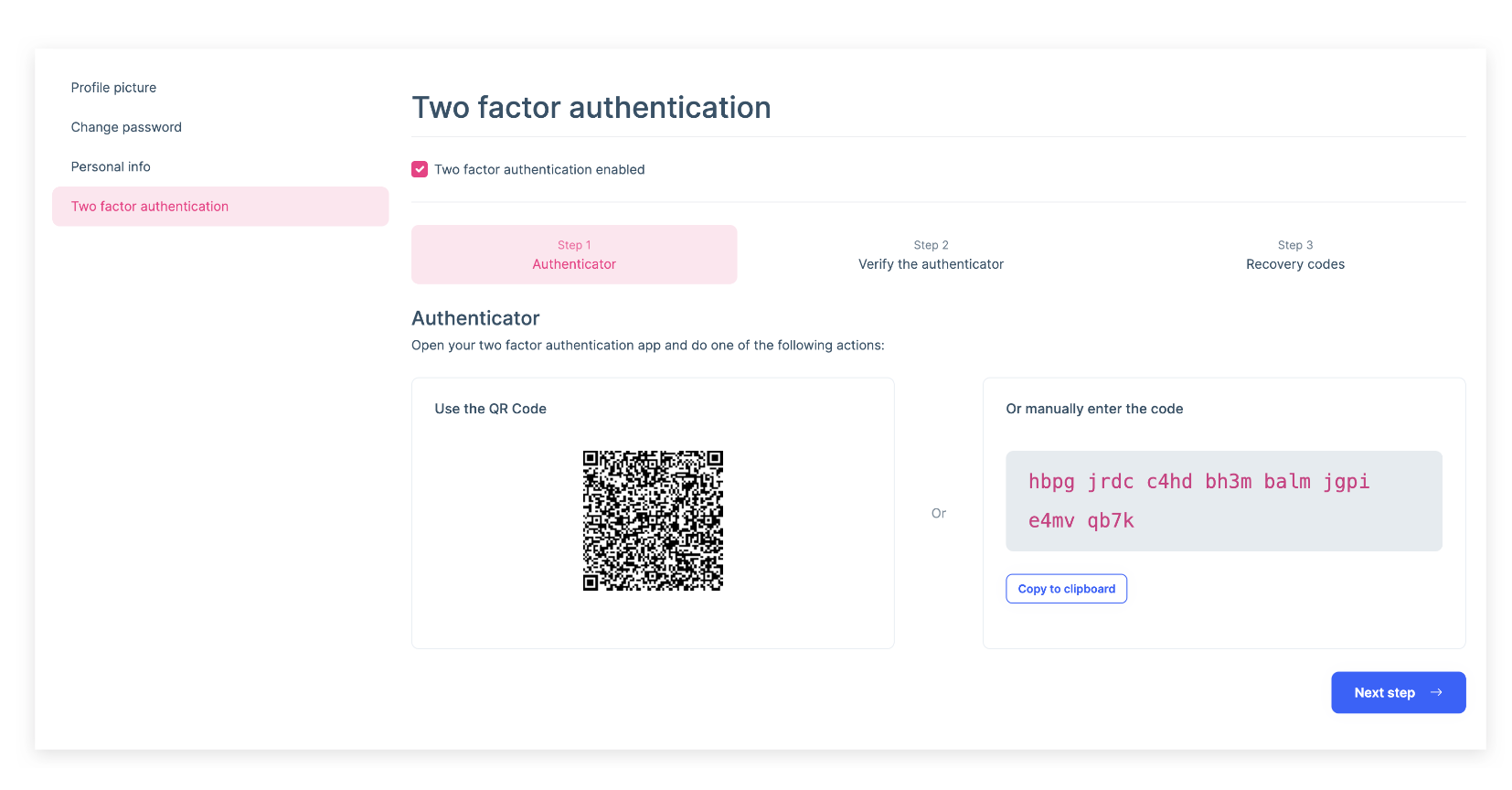
    Our website is the first image (no QR). Another image is took from ABP.IO documentation.

    Thank you.

    Markdown supported.
    Copy, paste, or drag & drop images and files (max 100 MB per file, 100 MB total per post)
  • User Avatar
    0
    maliming created
    Support Team Fullstack Developer

    hi

    What are browser console messages?

    bwt. You can add the @abp/qrcode to your packages.json

    https://www.npmjs.com/package/@abp/qrcode

    Markdown supported.
    Copy, paste, or drag & drop images and files (max 100 MB per file, 100 MB total per post)
  • User Avatar
    0
    bkrm.dev01 created

    How do we add the package in MVC Auth application. We are not that familiar with MVC architecture.

    Thank you.

    Markdown supported.
    Copy, paste, or drag & drop images and files (max 100 MB per file, 100 MB total per post)
  • User Avatar
    0
    maliming created
    Support Team Fullstack Developer

    hi

    This feature available after 7.3.0

    https://abp.io/blog/ABP.IO-Platform-7-3-RC-Has-Been-Published

    Markdown supported.
    Copy, paste, or drag & drop images and files (max 100 MB per file, 100 MB total per post)
  • User Avatar
    0
    bkrm.dev01 created

    Thanks.

    Markdown supported.
    Copy, paste, or drag & drop images and files (max 100 MB per file, 100 MB total per post)
  • User Avatar
    0
    maliming created
    Support Team Fullstack Developer

    ( :

    Markdown supported.
    Copy, paste, or drag & drop images and files (max 100 MB per file, 100 MB total per post)
Boost Your Development
ABP Live Training
Packages
See Trainings
Mastering ABP Framework Book
The Official Guide
Mastering
ABP Framework
Learn More
Mastering ABP Framework Book
Made with ❤️ on ABP v10.8.0-preview. Updated on October 05, 2026, 11:32
1
ABP Assistant
🔐 You need to be logged in to use the chatbot. Please log in first.