






- ABP Framework version: v3.3.1
- DB provider: EF Core
- Tiered (MVC) or Identity Server Seperated (Angular): yes
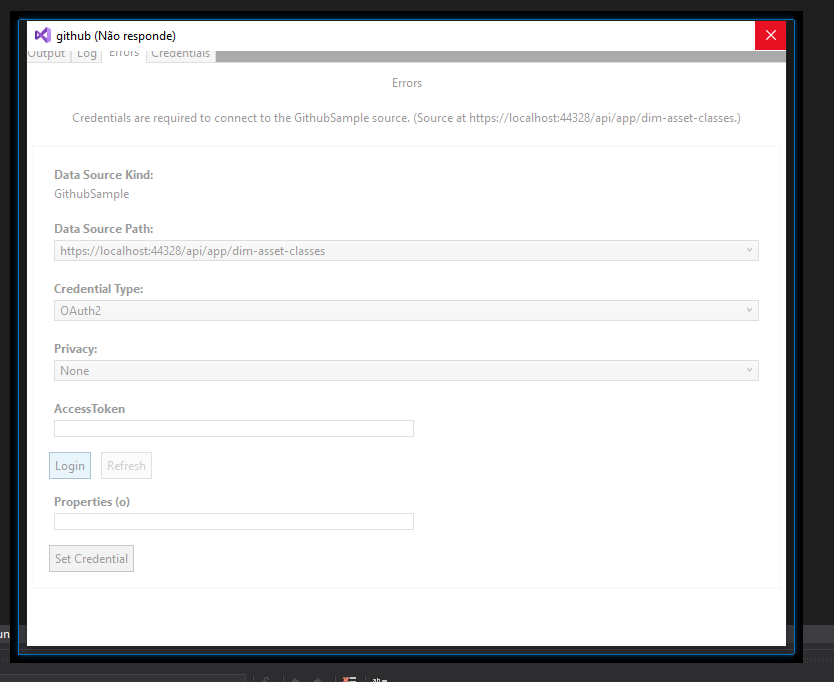
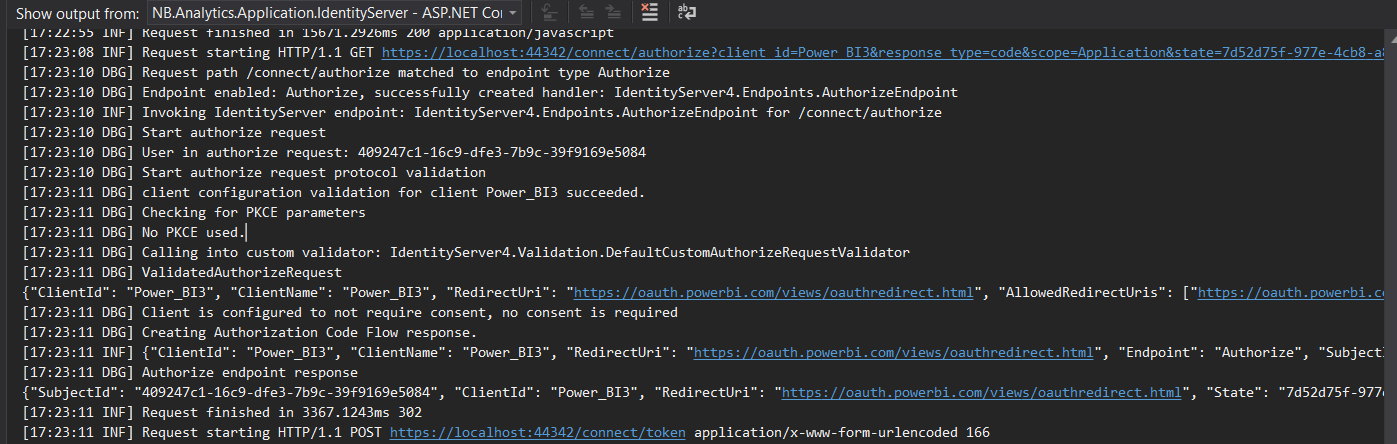
I'm trying to do a power bi application with Oauth2. But every time my application receive the token, it crash.
I register the client Powerbi in the [IdentityServerClients] table with the redirect_uri = "https://oauth.powerbi.com/views/oauthredirect.html".

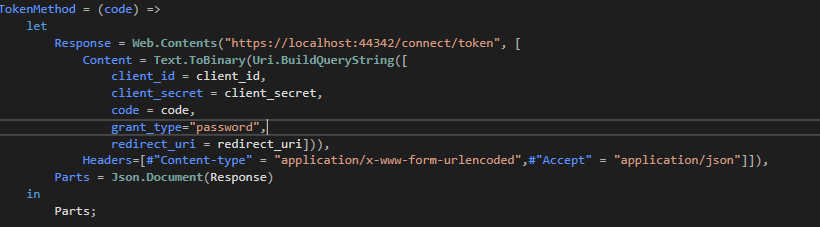 Identity logs

25 Answer(s)
-
0
the crash ->
Identity logs ->
I sent an old print, this is what I'm using for the Authorization ->
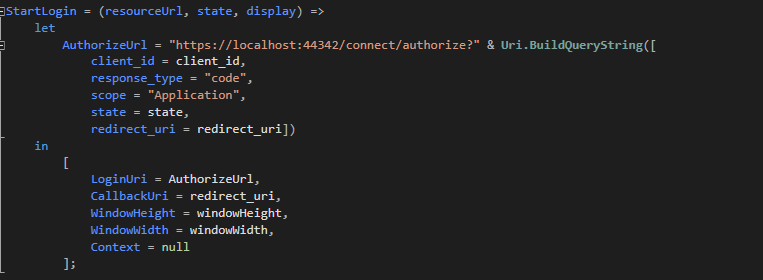
The code I have is similar to this one -> https://github.com/microsoft/DataConnectors/tree/master/samples/Github
Markdown supported.Copy, paste, or drag & drop images and files (max 100 MB per file, 100 MB total per post) -
0
what you mean "plain Identity Server"?
Markdown supported.Copy, paste, or drag & drop images and files (max 100 MB per file, 100 MB total per post) -
0
One more thing, every response from odataControllers I dont get the normal response.
The response I get now
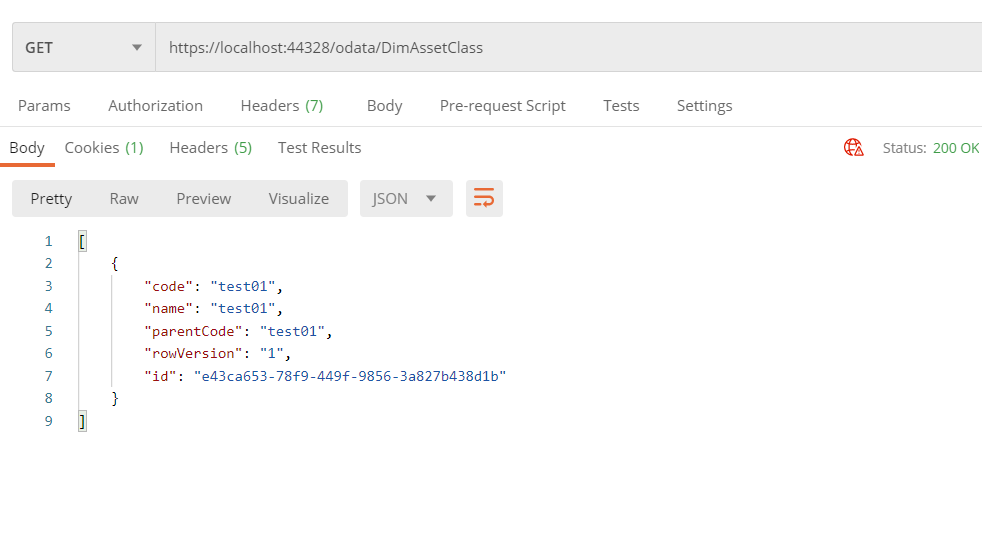
The Controller
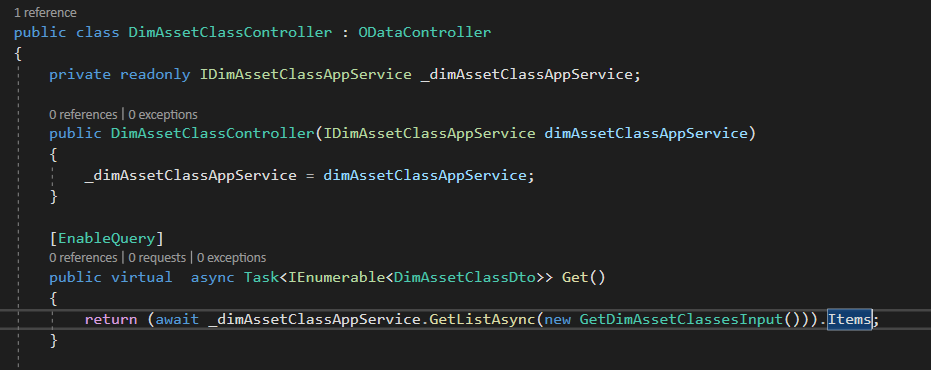
The Edm Model
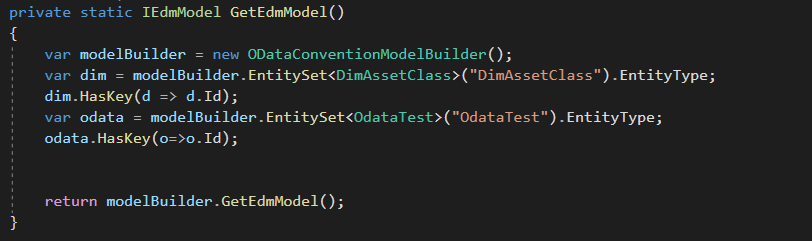
The OnApplicationInitialization in Host dll

The normal response
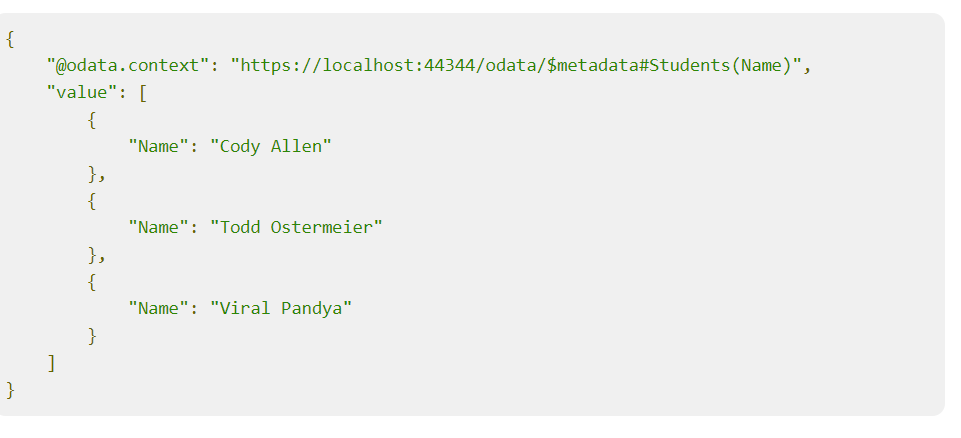

how can I get the odata.context?
Markdown supported.Copy, paste, or drag & drop images and files (max 100 MB per file, 100 MB total per post) -
0
hi @BernardoTeixeira
Can you share a sample OData project to reproduce it?
You can use the free template project. https://abp.io/get-started
Markdown supported.Copy, paste, or drag & drop images and files (max 100 MB per file, 100 MB total per post) -
0
Hi, sure.
the Github link -> deleted
Markdown supported.Copy, paste, or drag & drop images and files (max 100 MB per file, 100 MB total per post) -
0
hi @BernardoTeixeira
Please make your repository private, you cannot make our source code public. You can invite me join your repository. https://github.com/maliming
Markdown supported.Copy, paste, or drag & drop images and files (max 100 MB per file, 100 MB total per post) -
0
I just follow this Demo(https://github.com/realLiangshiwei/AbpOdataDemo), but I dont have the same result
Markdown supported.Copy, paste, or drag & drop images and files (max 100 MB per file, 100 MB total per post) -
0
Hi,
You should return
Entityinstead ofDtoand always returnIQueryableas a best practice, see: https://docs.microsoft.com/en-us/odata/webapi/first-odata-api#update-the-controllerExample :
private readonly IDimAssetClassRepository _dimAssetClassRepository;

public DimAssetClassController(IDimAssetClassRepository dimAssetClassRepository)
{
    _dimAssetClassRepository = dimAssetClassRepository;
}

[EnableQuery]
public IQueryable<DimAssetClass> Get()
{
    return _dimAssetClassRepository.GetDbSet().AsQueryable();
}
Replace your ConfigureOdata method with the following code:
private void ConfigureOdata(ServiceConfigurationContext context)
{
    context.Services.AddOData();
    context.Services.AddAssemblyOf<MetadataController>();

    Configure<MvcOptions>(options =>
    {
        foreach (var outputFormatter in options.OutputFormatters.OfType<OutputFormatter>().Where(x => x.SupportedMediaTypes.Count == 0))
        {
            outputFormatter.SupportedMediaTypes.Add(new MediaTypeHeaderValue("application/prs.odatatestxx-odata"));
        }

        foreach (var inputFormatter in options.InputFormatters.OfType<InputFormatter>().Where(x => x.SupportedMediaTypes.Count == 0))
        {
            inputFormatter.SupportedMediaTypes.Add(new MediaTypeHeaderValue("application/prs.odatatestxx-odata"));
        }
    });
}
Markdown supported.Copy, paste, or drag & drop images and files (max 100 MB per file, 100 MB total per post) -
0
Hi, when I added that code -> Configure<MvcOptions>(options =>
swagger can't identify the endpoints for odata.
Markdown supported.Copy, paste, or drag & drop images and files (max 100 MB per file, 100 MB total per post) -
0
Long story short, Swashbuckle (or more specifically ASP.Net Core's ApiExplorer) does not support generation of descriptions for OData controllers
https://github.com/domaindrivendev/Swashbuckle.AspNetCore/issues/1951#issuecomment-758281116
Markdown supported.Copy, paste, or drag & drop images and files (max 100 MB per file, 100 MB total per post) -
0
About the identity server/oauth2
Logs -> [17:27:05 INF] Request starting HTTP/1.1 POST https://localhost:44342/Account/Login?ReturnUrl=%2Fconnect%2Fauthorize%2Fcallback%3Fclient_id%3DPower_BI3%26response_type%3Dcode%26scope%3DApplication%26state%3D40807f79-bbdc-4b9b-b908-12e9087cd410%26redirect_uri%3Dhttps%253A%252F%252Foauth.powerbi.com%252Fviews%252Foauthredirect.html application/x-www-form-urlencoded 554
[17:27:05 INF] Executing endpoint '/Account/Login'
[17:27:05 INF] Route matched with {page = "/Account/Login", area = "", action = "", controller = ""}. Executing page /Account/Login
[17:27:05 INF] Skipping the execution of current filter as its not the most effective filter implementing the policy Microsoft.AspNetCore.Mvc.ViewFeatures.IAntiforgeryPolicy
[17:27:09 INF] Executing handler method Volo.Abp.Account.Public.Web.Pages.Account.LoginModel.OnPostAsync - ModelState is Valid
[17:27:11 WRN] Ldap login feature is not enabled!
[17:27:12 DBG] Augmenting SignInContext
[17:27:12 DBG] Adding idp claim with value: local
[17:27:12 DBG] Adding auth_time claim with value: 1612200432
[17:27:12 INF] AuthenticationScheme: Identity.Application signed in.
[17:27:12 DBG] Added 0 entity changes to the current audit log
[17:27:12 DBG] Added 0 entity changes to the current audit log
[17:27:12 INF] {"Username": "admin", "Provider": null, "ProviderUserId": null, "SubjectId": "85c51e39-c50f-cf82-1dc4-39fa3d73bbf1", "DisplayName": "admin", "Endpoint": "UI", "ClientId": null, "Category": "Authentication", "Name": "User Login Success", "EventType": "Success", "Id": 1000, "Message": null, "ActivityId": "80000407-0006-fe00-b63f-84710c7967bb", "TimeStamp": "2021-02-01T17:27:12.0000000Z", "ProcessId": 31944, "LocalIpAddress": "::1:44342", "RemoteIpAddress": "::1", "$type": "UserLoginSuccessEvent"}
[17:27:12 INF] Executed handler method OnPostAsync, returned result Microsoft.AspNetCore.Mvc.RedirectResult.
[17:27:12 DBG] Added 0 entity changes to the current audit log
[17:27:12 INF] Executing RedirectResult, redirecting to /connect/authorize/callback?client_id=Power_BI3&response_type=code&scope=Application&state=40807f79-bbdc-4b9b-b908-12e9087cd410&redirect_uri=https%3A%2F%2Foauth.powerbi.com%2Fviews%2Foauthredirect.html.
[17:27:12 INF] Executed page /Account/Login in 7615.2262ms
[17:27:12 INF] Executed endpoint '/Account/Login'
[17:27:13 DBG] Added 0 entity changes to the current audit log
[17:27:13 DBG] Added 0 entity changes to the current audit log
[17:27:13 INF] Request finished in 7909.3346ms 302
[17:27:13 INF] Request starting HTTP/1.1 GET https://localhost:44342/connect/authorize/callback?client_id=Power_BI3&response_type=code&scope=Application&state=40807f79-bbdc-4b9b-b908-12e9087cd410&redirect_uri=https%3A%2F%2Foauth.powerbi.com%2Fviews%2Foauthredirect.html
[17:27:15 DBG] Request path /connect/authorize/callback matched to endpoint type Authorize
[17:27:15 DBG] Endpoint enabled: Authorize, successfully created handler: IdentityServer4.Endpoints.AuthorizeCallbackEndpoint
[17:27:15 INF] Invoking IdentityServer endpoint: IdentityServer4.Endpoints.AuthorizeCallbackEndpoint for /connect/authorize/callback
[17:27:15 DBG] Start authorize callback request
[17:27:15 DBG] User in authorize request: 85c51e39-c50f-cf82-1dc4-39fa3d73bbf1
[17:27:15 DBG] Start authorize request protocol validation
[17:27:15 DBG] client configuration validation for client Power_BI3 succeeded.
[17:27:15 DBG] Checking for PKCE parameters
[17:27:15 DBG] No PKCE used.
[17:27:15 DBG] Calling into custom validator: IdentityServer4.Validation.DefaultCustomAuthorizeRequestValidator
[17:27:15 DBG] ValidatedAuthorizeRequest
{"ClientId": "Power_BI3", "ClientName": "Power_BI3", "RedirectUri": "https://oauth.powerbi.com/views/oauthredirect.html", "AllowedRedirectUris": ["https://oauth.powerbi.com/views/oauthredirect.html"], "SubjectId": "85c51e39-c50f-cf82-1dc4-39fa3d73bbf1", "ResponseType": "code", "ResponseMode": "query", "GrantType": "authorization_code", "RequestedScopes": "Application", "State": "40807f79-bbdc-4b9b-b908-12e9087cd410", "UiLocales": null, "Nonce": null, "AuthenticationContextReferenceClasses": null, "DisplayMode": null, "PromptMode": null, "MaxAge": null, "LoginHint": null, "SessionId": "rTCbKfv_AjNcLbCnDBS8SA", "Raw": {"client_id": "Power_BI3", "response_type": "code", "scope": "Application", "state": "40807f79-bbdc-4b9b-b908-12e9087cd410", "redirect_uri": "https://oauth.powerbi.com/views/oauthredirect.html"}, "$type": "AuthorizeRequestValidationLog"}
[17:27:15 DBG] Client is configured to not require consent, no consent is required
[17:27:15 DBG] Creating Authorization Code Flow response.
[17:27:16 INF] {"ClientId": "Power_BI3", "ClientName": "Power_BI3", "RedirectUri": "https://oauth.powerbi.com/views/oauthredirect.html", "Endpoint": "Authorize", "SubjectId": "85c51e39-c50f-cf82-1dc4-39fa3d73bbf1", "Scopes": "Application", "GrantType": "authorization_code", "Tokens": [{"TokenType": "code", "TokenValue": "****SmUE", "$type": "Token"}], "Category": "Token", "Name": "Token Issued Success", "EventType": "Success", "Id": 2000, "Message": null, "ActivityId": "80000408-0006-fe00-b63f-84710c7967bb", "TimeStamp": "2021-02-01T17:27:16.0000000Z", "ProcessId": 31944, "LocalIpAddress": "::1:44342", "RemoteIpAddress": "::1", "$type": "TokenIssuedSuccessEvent"}
[17:27:16 DBG] Authorize endpoint response
{"SubjectId": "85c51e39-c50f-cf82-1dc4-39fa3d73bbf1", "ClientId": "Power_BI3", "RedirectUri": "https://oauth.powerbi.com/views/oauthredirect.html", "State": "40807f79-bbdc-4b9b-b908-12e9087cd410", "Scope": "Application", "Error": null, "ErrorDescription": null, "$type": "AuthorizeResponseLog"}
[17:27:16 DBG] Augmenting SignInContext
[17:27:16 INF] AuthenticationScheme: Identity.Application signed in.
[17:27:16 INF] Request finished in 3082.3528ms 302
[17:27:16 INF] Request starting HTTP/1.1 POST https://localhost:44342/connect/token application/x-www-form-urlencoded 147
The request -> client_id = "Power_BI3"; client_secret = "1q2w3E*"; redirect_uri = "https://oauth.powerbi.com/views/oauthredirect.html"; windowWidth = 1200; windowHeight = 1000; [DataSource.Kind="NextBITT.Analytics", Publish="NextBITT.Analytics.Publish"] shared NextBITT.Analytics.Contents = (url as text) => let source = Json.Document(Web.Contents(url)) in source; StartLogin = (resourceUrl, state, display) => let AuthorizeUrl = "https://localhost:44342/connect/authorize?" & Uri.BuildQueryString([ client_id = client_id, response_type = "code", scope = "Application", state = state, redirect_uri = redirect_uri]) in [ LoginUri = AuthorizeUrl, CallbackUri = redirect_uri, WindowHeight = windowHeight, WindowWidth = windowWidth, Context = null ]; FinishLogin = (context, callbackUri, state) => let Parts = Uri.Parts(callbackUri)[Query] in TokenMethod(Parts[code]); TokenMethod = (code) => let Response = Web.Contents("https://localhost:44342/connect/token", [ Content = Text.ToBinary(Uri.BuildQueryString([ client_id = client_id, client_secret = client_secret, grant_type = "authorization_code", redirect_uri = redirect_uri])), Headers=[#"Content-type" = "application/x-www-form-urlencoded",#"Accept" = "application/json"]]), Parts = Json.Document(Response) in Parts;Am I missig some type of configuration or parameter? (The Power Bi Connector and Power Bi desktop continue to crash)
Markdown supported.Copy, paste, or drag & drop images and files (max 100 MB per file, 100 MB total per post) -
0
Hi,
Because of the login, we are trying a different approach. But I have some problems. I created a module abp
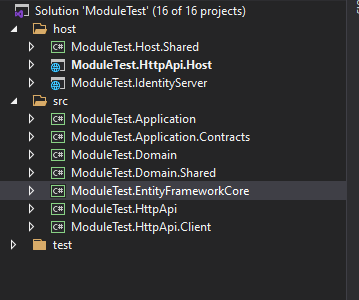 But i don't to use the IdentityServer Module. I want to use the abp App IdentityServer
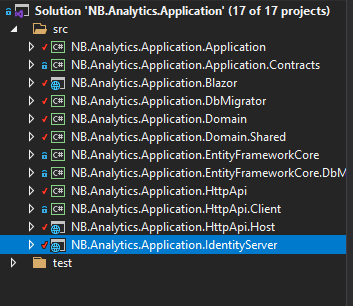
I already change the module appsettings and the App appsettings, but every request I make, the module give me an error. Saying "Cannot open database "ModuleTest_Main" requested by the login. The login failed."
How can I fix this? (without using a Gateway)
Markdown supported.Copy, paste, or drag & drop images and files (max 100 MB per file, 100 MB total per post) -
0
hi BernardoTeixeira
Please refer to the module template document.
https://docs.abp.io/en/commercial/latest/startup-templates/module/creating-a-new-solution https://docs.abp.io/en/commercial/latest/startup-templates/module/solution-structure
Markdown supported.Copy, paste, or drag & drop images and files (max 100 MB per file, 100 MB total per post) -
0
Hi,
The [Authorize] is always failing. I have 2 solution, one normal API and one solution for Identity server/User management.
AppSetting from the API

AppSetting from the IdentityServer

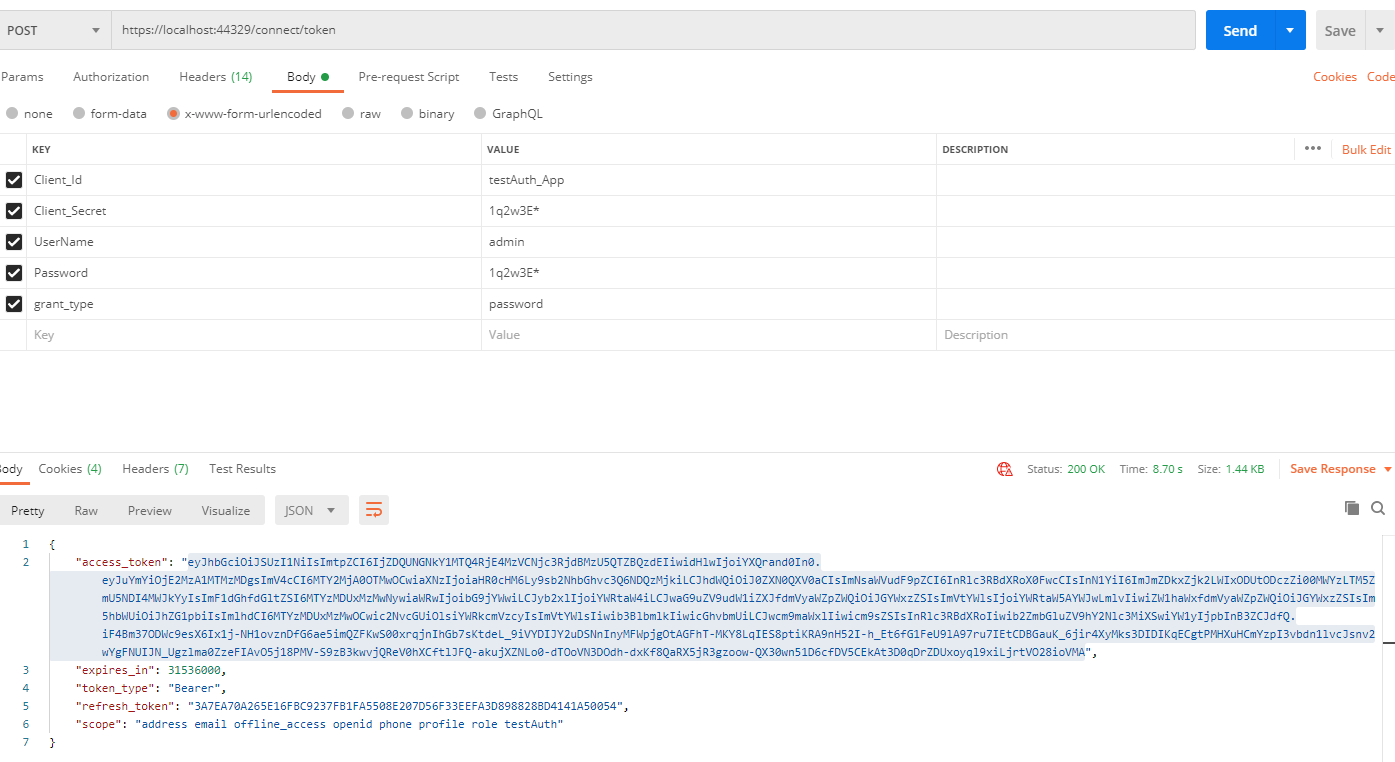
getting the token
using the token
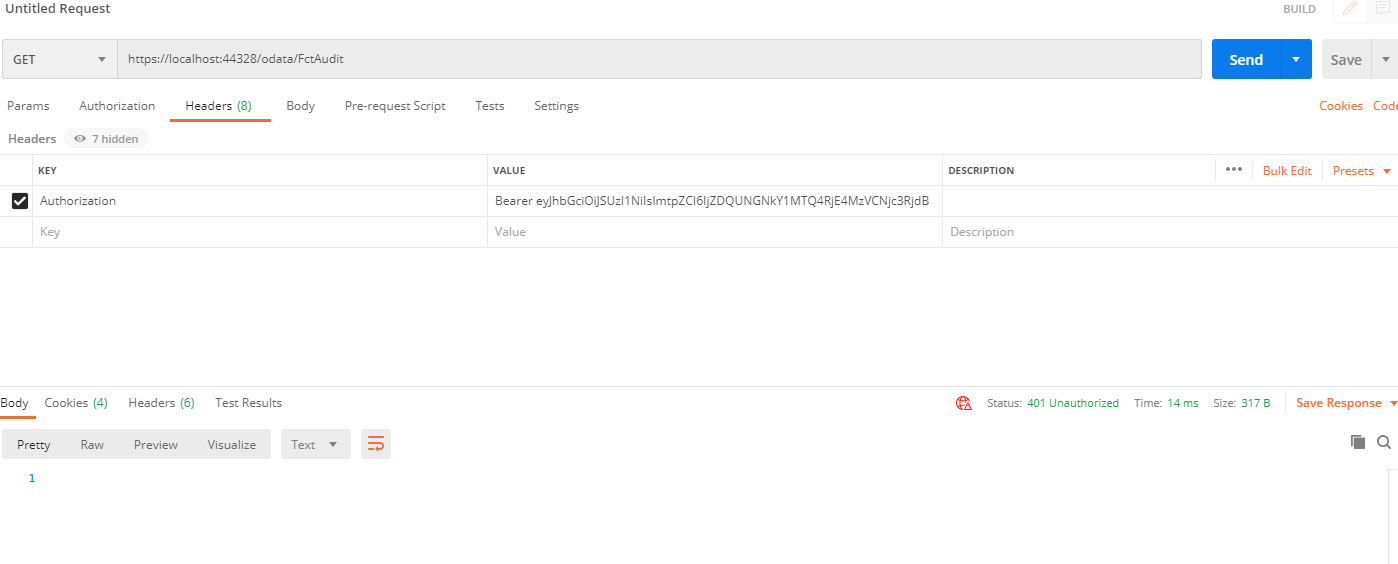
the endpoint
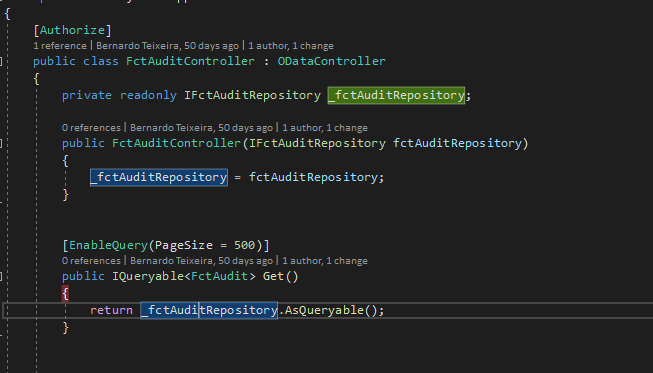
the error

How can I solve this? What am I missing?
Markdown supported.Copy, paste, or drag & drop images and files (max 100 MB per file, 100 MB total per post) -
0
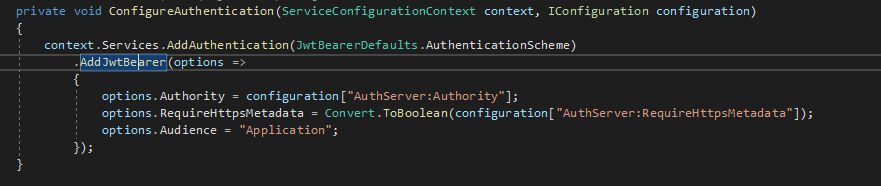
the AddJwtBearer
 Markdown supported.Copy, paste, or drag & drop images and files (max 100 MB per file, 100 MB total per post)
 -
0
Hi, sorry I mistyped the Audience. Is Fixed.
Markdown supported.Copy, paste, or drag & drop images and files (max 100 MB per file, 100 MB total per post) -
0
Sorry, but I'm trying to use the multi tentant. But I have some problems with this. I want to have one Identity Server and multiple APIs. Login to the Identity Server and then have the multi tenant/ConnectionString, so I can make requests to a different API using the correct connectionString.
Is Abp supporting this example? And if yes, how can I do it?
Markdown supported.Copy, paste, or drag & drop images and files (max 100 MB per file, 100 MB total per post)



