






- ABP Framework version: v8.1.3
- UI Type: Blazor WASM
- Database System: EF Core (SQL Server)
Hi, I'm using AzureDistributedEventBus with Inbox/Outbox pattern and Hybrid Database Architecture, where some tenants share a single database while some tenants may have their own databases. I don't know how is the correct way to configure Entity Framework Module Inbox/Outbox patter with this Db architecture and how it works internally to avoid conficts and misconfiguration. Is 1 worker per database, 1 for database shared for all tenant, and 1 extra for each isolated tenant database? Or 1 worker per application? How is the correct way to implement this pattern with this database architecture?
Thank you
8 Answer(s)
-
0
Hi,
All events are stored in a shared database. they are not tenant-isolated.
So it's one for database shared for all tenants and one worker per application
Markdown supported.Copy, paste, or drag & drop images and files (max 100 MB per file, 100 MB total per post) -
0
Hi,
I have been testing with three tenants, two with isolated databases and one tenant with a shared database. I have noticed that when distributed events are generated in the tenants with isolated databases, they are added to the AbpEventOutbox table of those databases. Since there is only one worker for the shared database, these events remain indefinitely in the AbpEventOutbox tables of the isolated databases, causing the messages not to be published to Azure Service Bus.
Best regards.
Markdown supported.Copy, paste, or drag & drop images and files (max 100 MB per file, 100 MB total per post) -
0
I have noticed that when distributed events are generated in the tenants with isolated databases, they are added to the AbpEventOutbox table of those databases
Could you share some screenshots?
Markdown supported.Copy, paste, or drag & drop images and files (max 100 MB per file, 100 MB total per post) -
0
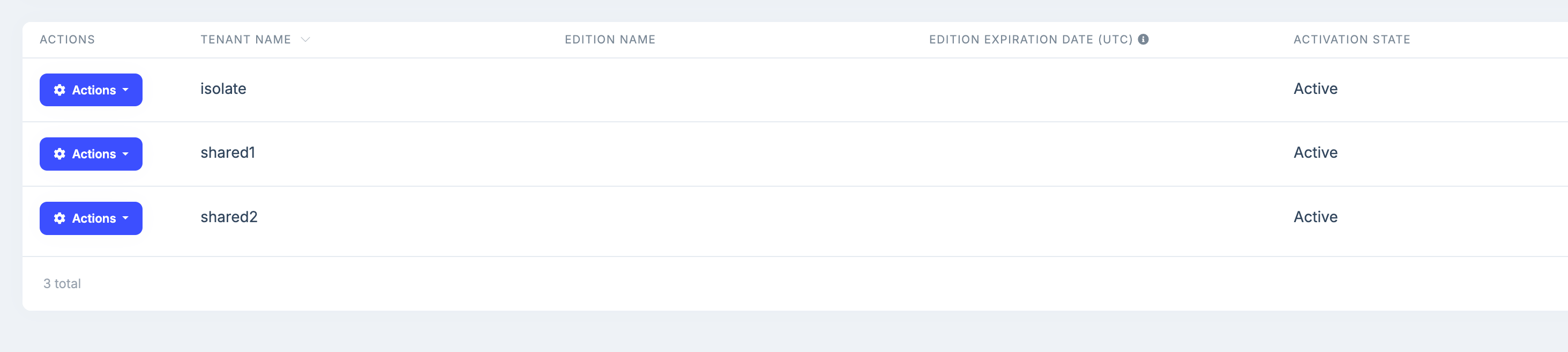
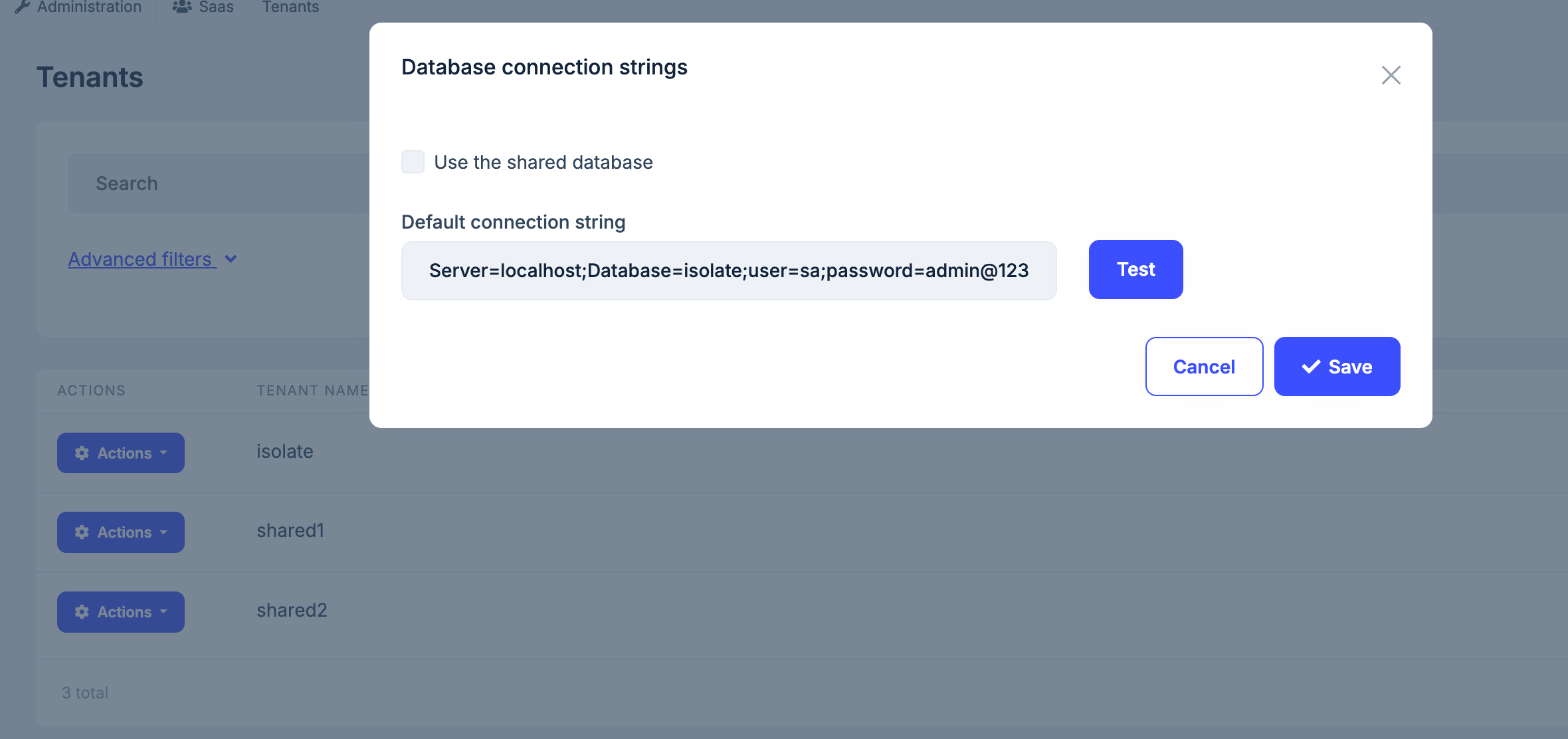
Sure, Tenants with database configurations:

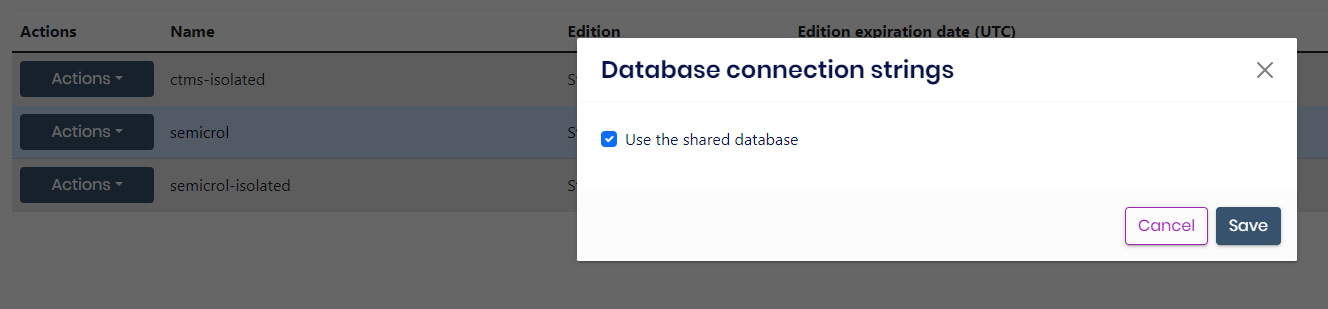

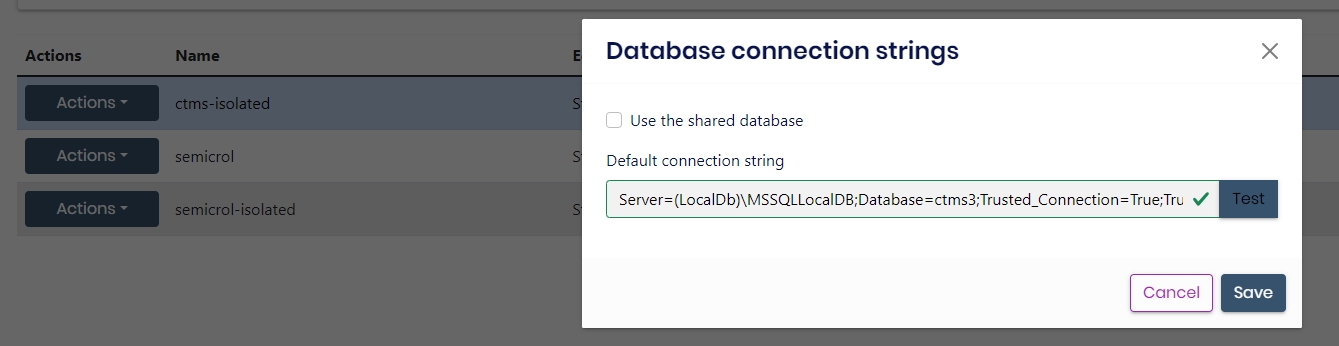
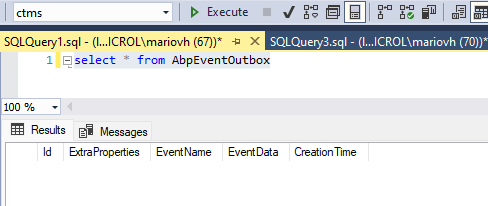
In tenant with shared database works fine, event is inserted in AbpEventOutbox an then published to Azure Service Bus and Deleted from AbpEventOutbox:

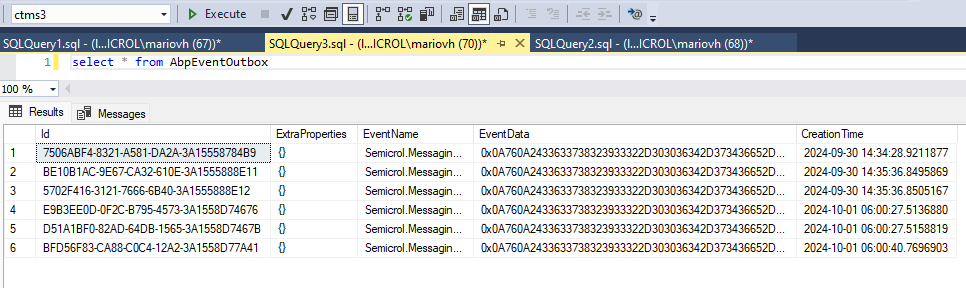
In tenants with isolated databases, events remain in AbpEventOutbox and aren't published to Azure Service Bus:

My module configuration:
services.Configure<AbpDistributedEventBusOptions>(options =>
{
    options.Outboxes.Configure(config =>
    {
        config.UseDbContext<TDbContext>();
    });

    options.Inboxes.Configure(config =>
    {
        config.UseDbContext<TDbContext>();
        config.DatabaseName = "ArcoCoreDbContext";
    });
});
Markdown supported.Copy, paste, or drag & drop images and files (max 100 MB per file, 100 MB total per post) -
0
Hi,
this may be a problem, I will check it.
Markdown supported.Copy, paste, or drag & drop images and files (max 100 MB per file, 100 MB total per post) -
0
Hi,
I can't reproduce the problem
Configure<AbpDistributedEventBusOptions>(options =>
{
    options.Inboxes.Configure(config =>
    {
        config.UseDbContext<Qa8002DbContext>();
    });

    options.Outboxes.Configure(config =>
    {
        config.UseDbContext<Qa8002DbContext>();
    });
});

public class MyTestService : ApplicationService
{
    private readonly IDistributedEventBus _eventBus;

    public MyTestService(IDistributedEventBus eventBus)
    {
        _eventBus = eventBus;
    }

    public async Task CreateEventsAsync()
    {
        //"shared1", "shared2", "isolate"
        var tenants = new[] { "3B7480C1-872D-CBCC-1D43-3A15597E0445", "84A19B02-745B-027B-97ED-3A15597E4331", "EDEA2337-4766-42D6-0B2F-3A15597E7B91" };

        foreach (var tenant in tenants)
        {
            using (CurrentTenant.Change(Guid.Parse(tenant)))
            {
                await _eventBus.PublishAsync(new TestEventData()
                {
                    Test = tenant
                });
            }
        }
    }
}

public class TestEventData
{
    public string Test { get; set; }
}

public class TestEventHandler : IDistributedEventHandler<TestEventData>, ITransientDependency
{
    private readonly ILogger<TestEventHandler> _logger;

    public TestEventHandler(ILogger<TestEventHandler> logger)
    {
        _logger = logger;
    }

    public Task HandleEventAsync(TestEventData eventData)
    {
        var tenantDict = new Dictionary<string, String>
        {
            ["EDEA2337-4766-42D6-0B2F-3A15597E7B91"] = "isolate",
            ["84A19B02-745B-027B-97ED-3A15597E4331"] = "shared2",
            ["3B7480C1-872D-CBCC-1D43-3A15597E0445"] = "shared1"
        };
        _logger.LogInformation("TestEventHandler------------: "+ tenantDict[eventData.Test]);
        return Task.CompletedTask;
    }
}
[17:18:55 INF] Found 3 events in the outbox. [17:18:55 INF] Sent 3 events to message broker [17:18:57 INF] Found 3 events in the inbox. [17:18:57 INF] TestEventHandler------------: shared1 [17:18:57 INF] Processed the incoming event with id = afabaf6c42563eb6c5e33a15598cf978 [17:18:57 INF] TestEventHandler------------: shared2 [17:18:57 INF] Processed the incoming event with id = 80761db05ef683d318643a15598cf99b [17:18:57 INF] TestEventHandler------------: isolate [17:18:57 INF] Processed the incoming event with id = 5268bae9e7c83be0c0fc3a15598cf9a5Markdown supported.Copy, paste, or drag & drop images and files (max 100 MB per file, 100 MB total per post) -
0
Hi,
I found this open issue on Git Hub
https://github.com/abpframework/abp/issues/10036
Finally I tried to override AzureDistributedEventBus AddToOutboxAync:
using (CurrentTenant.Change(null)) { await eventOutbox.EnqueueAsync(outgoingEventInfo); }And it works.
Thank you
Markdown supported.Copy, paste, or drag & drop images and files (max 100 MB per file, 100 MB total per post) -
0
okay, : )
Markdown supported.Copy, paste, or drag & drop images and files (max 100 MB per file, 100 MB total per post)


