






- abp version: 8.3.1
- Template: app
- Created ABP Studio Version: 0.8.1
- Tiered: No
- UI Framework: angular
- Theme: leptonx
- Theme Style: system
- Database Provider: ef
- Database Management System: sqlserver
- Separate Tenant Schema: No
- Mobile Framework: none
- Progressive Web App: No
- Public Website: No
- Optional Modules:
- GDPR
- FileManagement
- TextTemplateManagement
- LanguageManagement
- AuditLogging
- SaaS
- OpenIddictAdmin
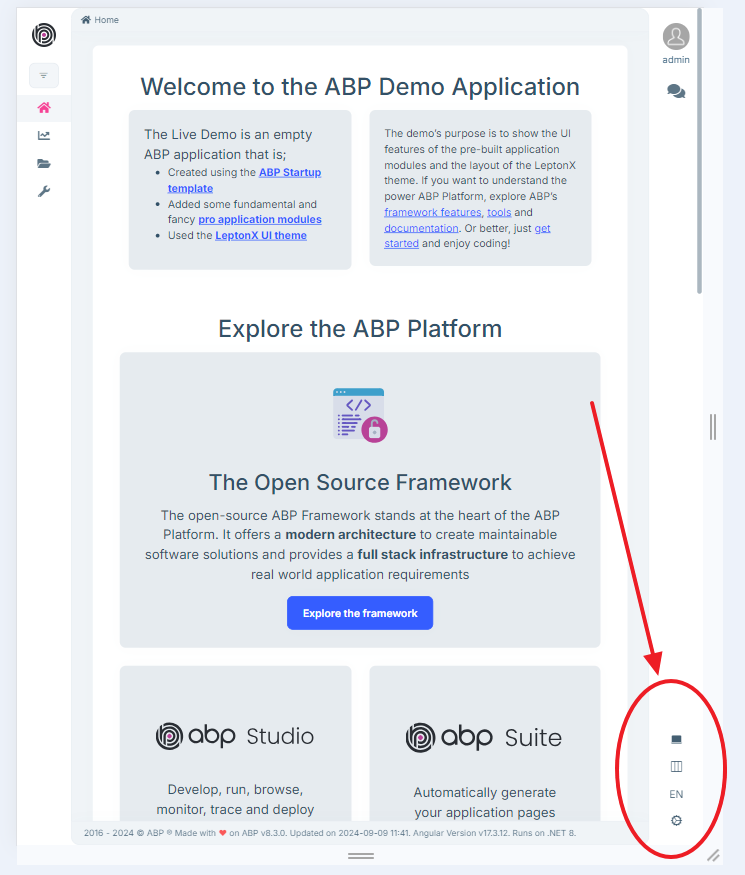
How can I easily hide the bottom-right menu items ? Can I hide them separately or should I hide them one by one ?
7 Answer(s)
-
0
Hello,
Please follow the below steps Step 1- Create custom component 'MySettings'
ng generate component mySettingsRemove code from
my-settings.component.html.step 2- Add this new component to app.module and the replaceable settings as the new 'MySettings' .
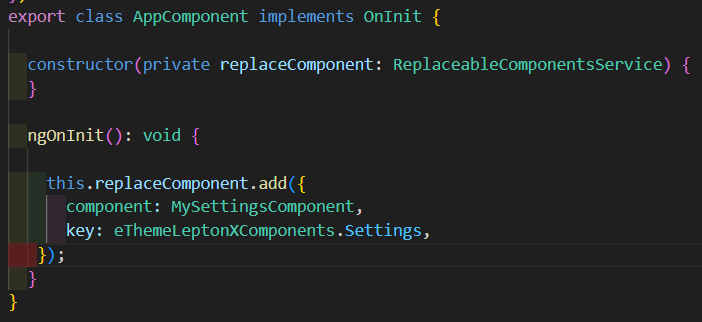
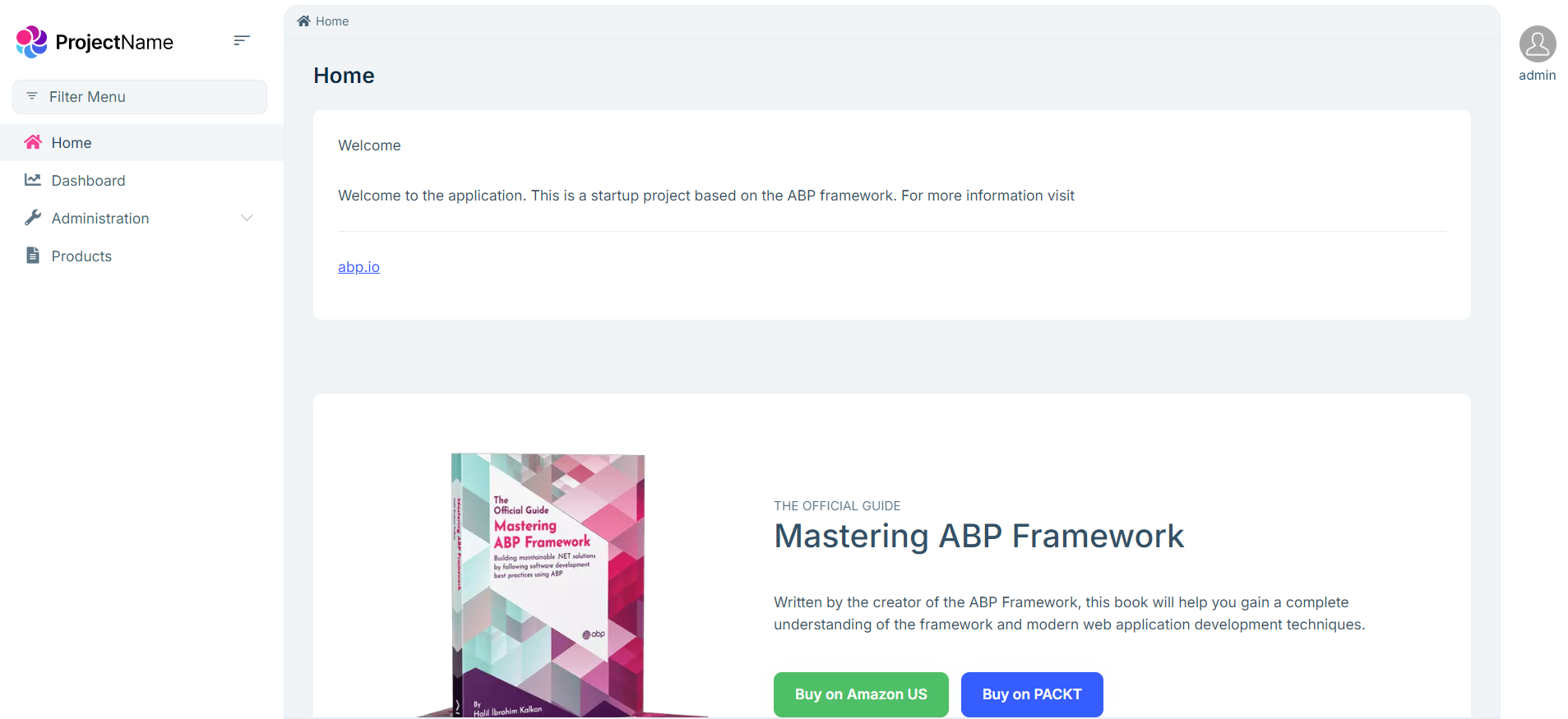
It will result like -
Thanks
Markdown supported.Copy, paste, or drag & drop images and files (max 100 MB per file, 100 MB total per post) -
0
Hello,
Please try with this code
export class AppComponent implements OnInit {

  constructor(private replaceComponent: ReplaceableComponentsService, private config: ConfigStateService ) {}

  ngOnInit(): void {
    const currentUser = this.config.getOne("currentUser");
      if(currentUser.roles.includes('admin'))
        {
          this.replaceComponent.add({
            component: MySettingsComponent,
            key: eThemeLeptonXComponents.Settings,
        });
        }

  }
}
It will hide menu for 'admin' role and for other users it will show. You may customize it as per your requirement.
Thanks,
Markdown supported.Copy, paste, or drag & drop images and files (max 100 MB per file, 100 MB total per post) -
0
Hello,
Please try with this code
export class AppComponent implements OnInit {

  constructor(private replaceComponent: ReplaceableComponentsService, private config: ConfigStateService ) {}

  ngOnInit(): void {
    const currentUser = this.config.getOne("currentUser");
      if(currentUser.roles.includes('admin'))
        {
          this.replaceComponent.add({
            component: MySettingsComponent,
            key: eThemeLeptonXComponents.Settings,
        });
        }

  }
}
It will hide menu for 'admin' role and for other users it will show. You may customize it as per your requirement.
Thanks,
When I say other customer, I meant, another application instance but ok, I get the gist. Thanks.
However, I just realized that the removed 'settings' menu still appears in mobile :
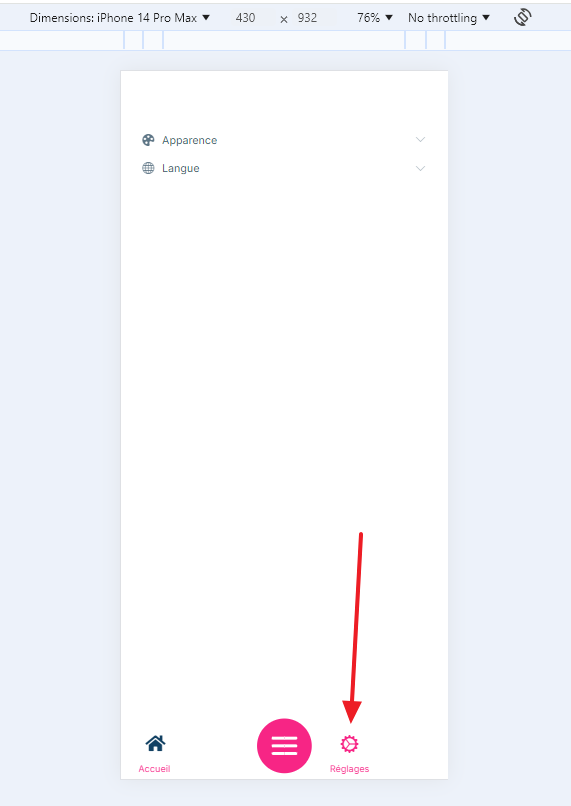
Shouldn't it be removed as well ?
Markdown supported.Copy, paste, or drag & drop images and files (max 100 MB per file, 100 MB total per post) -
0
Since then the mobile navigation bar has a separate replacement key, you will need to customize it by using the
NavbarMobilekeythis.replaceComponent.add({ component: MySettingsComponent, key: eThemeLeptonXComponents.NavbarMobile, });Markdown supported.Copy, paste, or drag & drop images and files (max 100 MB per file, 100 MB total per post) -
0
My goal is not to rewrite the whole mobile navigation bar, just to remove a menu for both desktop and mobile.
Others have asked for mobile menu customization recently : https://abp.io/support/questions/7933/Mobile-menu-for-LeptonX-theme-modifications
Thank you
Markdown supported.Copy, paste, or drag & drop images and files (max 100 MB per file, 100 MB total per post) -
0
Thank you for your inquiry. We would like to inform you that modifications to this component will be available in the next release. We appreciate your continued cooperation.
Markdown supported.Copy, paste, or drag & drop images and files (max 100 MB per file, 100 MB total per post)



